groovizm's Electronic Studio Setup

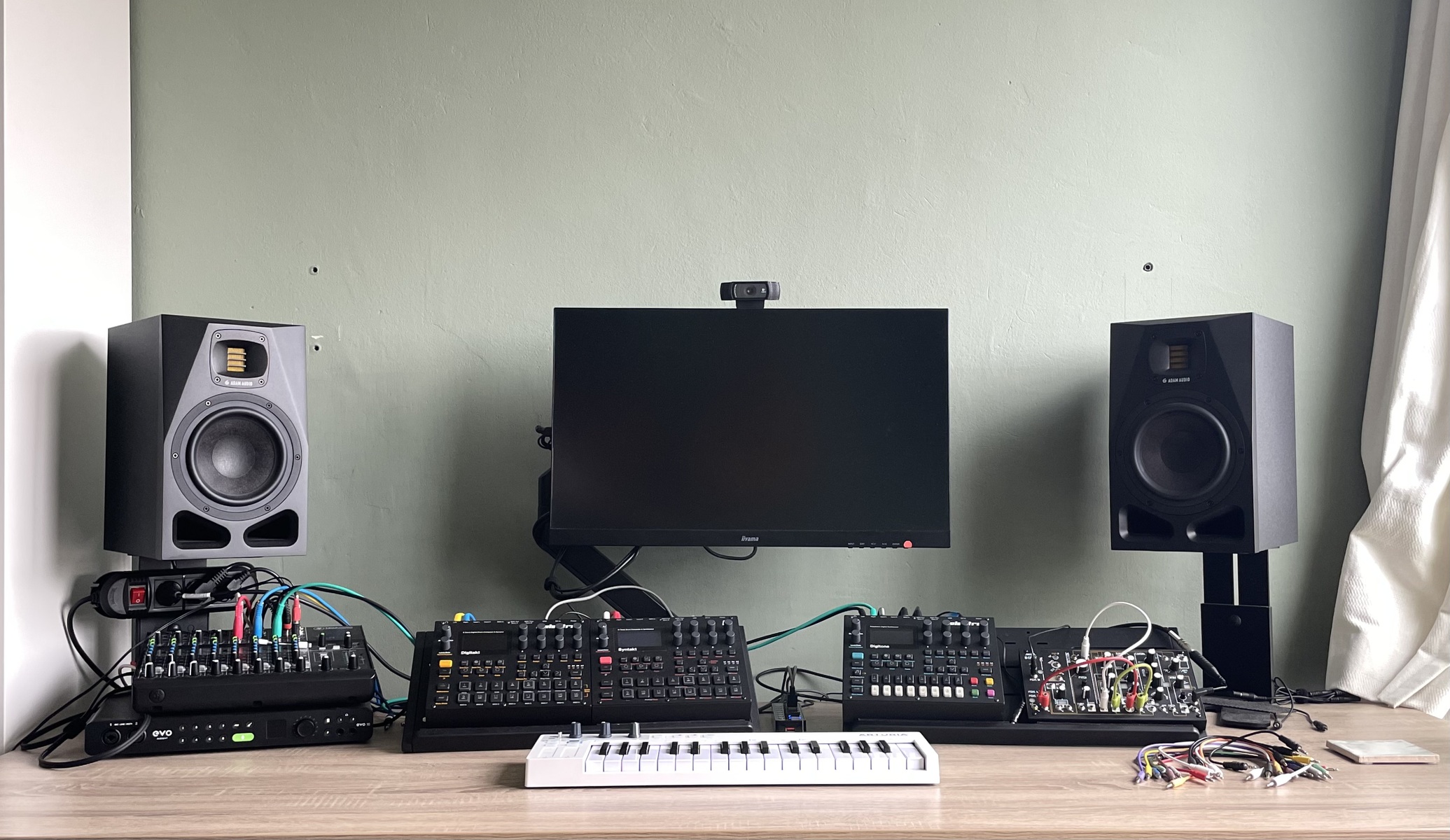
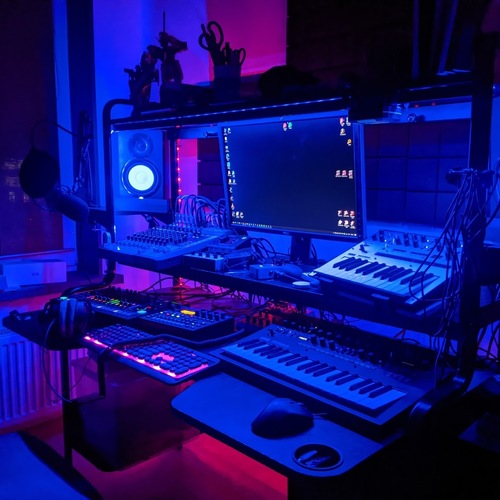
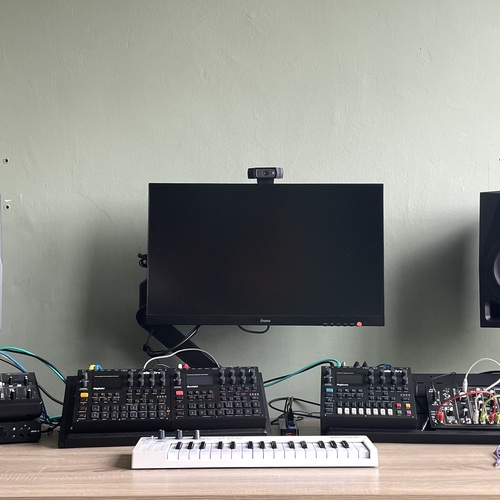
July 2025 Studio setup with Elektron grooveboxes and the Make Noise 0-Coast for jamming. I record a stereo-mix straight from the Mackie into a Mac Mini 2018 with Ableton Live 11 using the Evo 16 audio interface. Total overkill, but it's what I still have from my producing-in-the-box days.
Still looking for a small poly-synth that would work well with the Elektron stuff. Might throw out the Digitone to make room for it.
More gear photos from groovizm

Gear in this photo
This rig
~$5,366
Value by category
- Studio Equipment 39.8%
- Keyboards and Synthesizers 36.7%
- Studio Monitors 23.5%
Price mix
A wide range of price points

Boldest pick: Mackie 1202VLZ4
Only 4 pro artists on Equipboard own it, but it's ranked #7 in Mixers.

ADAM Audio A7X Powered Studio Monitor
Avg price: $1,259.33


Avg price: $298.17

Very versatile and compact mixer
I am scaling down my daw-less home setup, which is centered round some Elektrons. I don't multitrack, but just want to jam and record the main mix into Ableton, using my RME Babyface.
Looking for something that is small, but also has enough channels and is of decent quality I decided to try the Mackie 1202 VLZ.
Pros
I have the tape-outs and tape-ins connected to my RME Babyface so I can record the main mix, but what is very nice about the Mackies is the Mute/Alt 3-4 on the channels. When you hook up the Alt 3-4 outs to your recorder you can record one or more individual channels instead of the main mix. This leaves your auxes free for duties. ( I've heard this function being called 'brilliant' when referring to the SSL SiX where it is called Mute / Bus B! )
Some reviewers bemoan the lack of faders on the 1202, but personally I prefer the rotaries. They take up less space and are easier to adjust precisely than the 60 mm faders of the 1402.
Very sturdy, all metal enclosure.
Quite flexible.
Sounds OK, IMO.
It has a very good manual...
Cons
What is less ideal in a home-recording situation is that you'd want to be able to easily switch between listening to speakers or headphones. It can be done with some fiddling with the monitor section, but I remember it being much easier on the Soundcraft Compact4 which I used to have 20 years ago...
Personally, I don't have any use for a mid EQ without sweep, so I'd rather have 2 band EQ, saving space and money.
Conclusion
I'm very happy so far! I'm really impressed by the small size, build quality, build-in power supply (yeah!) and flexibility.
Does what it says on the tin.
-m.webp?v=1784819144)
Avg price: $734.04

It changed everything about how I make music
I think this is a very inspiring instrument, either used on it's own or as part of a bigger setup. Absolutely worth the money.
What I love:
Sampling is mono and that is fine, because mono samples are easier to loop and easier to mix.
Each of the 8 voices is actually a complete synthesizer with one sample oscillator, 2 filters, 2 envelopes and 2 LFO's. It's very hands on, I think it sounds great and to me it is very inspiring!
The sequencer is a TR-style sequencer on steroids, different track lengths, different speeds, per trig parameter locks, probabillity and conditional trigs. I think this sequencer is a very inspiring tool to compose with.
There are 2 send effects; delay and reverb. Both pretty decent. And very usable because every track has its own send levels. Which you can trig lock...
It is beautifully designed and has excellent build quaility. Nice knobs. Very clear display. Good choice of IO on the back.
Major drawbacks:
The audio tracks are monophonic. So chords are only possible by using more than one track, which is very cumbersome, or (better option) sampling chords and than triggering those.
This drives me NUTS. I want the sounds to evolve during the track and so I'm constantly tweaking parameters like filter frequency, resonance, envelope decay, bitreduction, etc. This can sound AMAZING on Digitakt, BUT: the sounds are part of the the pattern. In other words, when I go to a differetn pattern my sounds get reset and all my tweaks are GONE, until I go back to the first pattern and they're suddenly back. UNBELIEVABLE!
Elektron kinda fixed this in Digitakt II with 'performance kit mode'.I'm still hoping the feature will make it into a Digitakt I upgrade...
Another big drawback of the DT (and other Elektron stuff as far as I know) is the confusing file handling using the 'soundpool' and '+drive'. This goes for both sounds and samples.
The sampling engines are not polyphonic. Digitakt II's sampling is stereo, but still monophonic. I'd rather have polyphony than stereo, but maybe that's just me.
Minor gripes:
Matching LFO speeds to musical values not intuitive at all.
Only 1 reverb and 1 delay is a bit limiting. 1 insert effect per track like chorus/flanger/phaser would be awesome.
The sequencer is missing some obvious tricks for such a device, I think; > Finer control over speed: not just double, halve or triplet speeds, but also 4/5 for instance. > Backwards and random playing directions > per trigger step length > different starting step > sequence reset > sequence transpose.
And the handling of pages is odd: 2 bars of 12/8 is currently 1 page of 16 and 1 page of 8. What you want is 2 pages of 12!
Control All: I can't find a way to lock it, so you have to hold the TRK button. Also, there's no way to exclude tracks from control all. There is on Digitakt II but you have to set it up under settings, meaning it is not easy to change in a performance. What I would have liked instead is holding down more than one track button to control multiple tracks. This would have the added benefit of being able to edit multiple tracks at the same time which also helps with faking polyphony...
Track selection: During performance you need to remember to hold TRK before selecting it, or you will be triggering the track. I wish this could be turned off.
Encoder "D" is starting to behave funny on my DT. DT seems to think I've touched it, when I've been nowhere near it... Other users have reported similar issues. Not a big issue, but when you think of buying a DT second hand check it out properly!
Preferred Settings + Usage:
I've DT hooked up to my make Noise 0-Coast. 0-coast can listen to midi on two separate channels allowing you to have the pitches (melody) on one channel and the triggers/gates (rhythm) on another. When using different pattern lengths for your melody and rhythm you get quite interesting stuff.

Avg price: $1,042.61
Another Elektron hit!
I love the Syntakt. I love the sounds coming from this thing!
Picking a synthesis engine and tweaking that also suits my way of working better than digging for samples on the Digitakt.
Personally, I don't really get the performance macro's, so I'm sorry that there are only 12 channels, the last 4 trig-buttons being assigned to the those performance macro's!
But; great little box overall.

Avg price: $762.78
Great spin on FM synthesis
As with the Digitakt it is useless to point out what Digitone can't do. These devices have carefully selected features that spark creativity unlike anything else I've come across.
The Digitone is not simply a Digitakt with an FM synth instead of a sampler. The sequencer has other ways of adding notes to trigs that make it much easier to work with melodies and chords than on Digitakt. There are also different keyboard modes with scales and chords and there is a very powerful arpeggiator.
So sequencing a polyphonic synth is definitely easier from the Digitone, but it might make more sense to sequence a drummachine from the Digitakt.
You have to keep in mind however that Digitone has only 4 synth tracks and 4 midi tracks. They can however handle up to 8 notes per trig, whereas on the Digitakt you only have 4 notes per trig and only on the midi tracks.
So, if you want to make beats or want to drive a lot of other midi-hardware the Digitakt is probably a better choice, but if you want to add more melodic and chord stuff, then the Digitone seems more suited.

Avg price: $471.83

Interresting and great fun
I really, really like the 0-Coast. I can spend hours just jamming with it. The sound draws me in and the patching possibilities seems endless and rewarding. Much unlike the Moog Mother 32 that I tried for a few days, but which had me running into a wall every time I thought I got somewhere.
A list of personal pros and cons:
Pro
I really do like that is different. It sounds different from anything I've used before.
Though I never used something like the 'multiply' and 'overtone' circuits it's not hard to get great sounds. The same goes for 'slope'. Oh and the low pass gate 'dynamics' sounds cool too!
The envelopes (both 'slope' and 'contour') go from very slow to crazy fast.
Being able to control 'slope' and 'contour' time from a single control and CV can get very funky!
It does not have a filter; avoids all the cliché sounds I might make otherwise.
It has no patch memory! I'm serious: This thing is so simple and I can never find saved sounds back when I need them anyway. Much faster to create something from scratch.
Using an external sequencer like the Digitakt you can send sequences of different length on different midi channels to MIDI A and MIDI B. This way you can de-couple melody from rhythm. I've been wanting to do this for some time and it turns out to be lot's of fun!
Good manual.
Price
Size
Cons
A few hidden settings are extremely cumbersome to change. Like the midi channel.
To me the balance control seems off... I'd like a slight increase in volume to cut through the mix as you go from 'fundamental' to 'overtone' but instead it seems to get a little quieter. I tend to compensate using the dynamics control.
I do love the 'dynamics' circuit, but when you go all the way clockwise it adds a distortion that sounds a bit too fizzy to me. I've tried the Xotic BB Preamp (guitar overdrive pedal) after the 0-coast and I liked that much better.
Preferred Settings + Usage:
https://patch-library.net/patches/f71fe466-1631-481a-a3e3-47bcc35d7b26 - Noise from MATH
https://patch-library.net/patches/e1d83671-70ff-48b0-82ba-fe676e668379 - Krell-patch
https://patch-library.net/patches/4d653336-bd3f-4fef-866b-cf78251fd740 - 4 layers of movement
-m.webp?v=1784819051)
Avg price: $113.16
-m.webp?v=1784819599)
Audient EVO 16 USB Audio Interface
Avg price: $684.14
Looks good and sounds good. I am missing physical controls, though.
-- edit: I may be stupid, but I simply had not noticed that to open the EVO application UI on MacOS you should do so from the menu bar. Because it is already started in the background at startup time. Doing this solves most of my issues with the EVO 16 so I've changed my rating and review accordingly... --
Sound On Sound did a review of the EVO 16, so I'll not go over all the details, but here are the things I found that are important to me:
Good
Works without drivers on mac
Inputs can be set to stereo pairs easily
Remembers headphone levels
16 channels of ADAT I/O are quite unique in this price range I think. (And what I bought it for.)
You can set up a stand alone mode in the EVO application and save it to the device.
Bad
I dislike the one dial user interface, especially since it does not remember the input gain settings
If I have signal on all inputs still the auto gain feature does not work on channels 1 + 2. It says there's a problem and mutes the inputs 1 + 2. On the other channels it works fine.
There's no midi I/O
There is a standalone mode, but you can only set it up in the EVO application, not on the device itself. (Like I know the MOTU 828 MKii can.)
I'd like input 1 and 2 on the back as well, I think having the inputs on the front is messy, although it could occasionally be handy, I guess.
-m.webp?v=1784704455)

About this setup
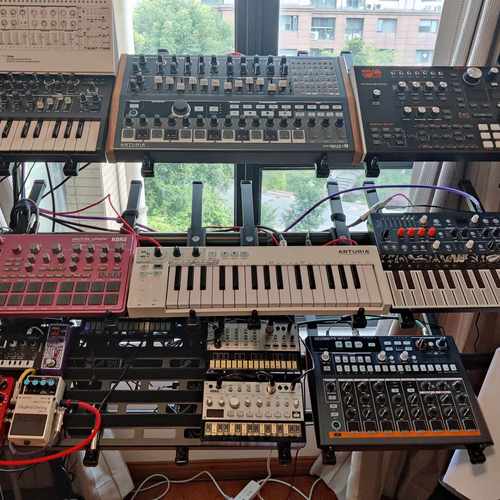
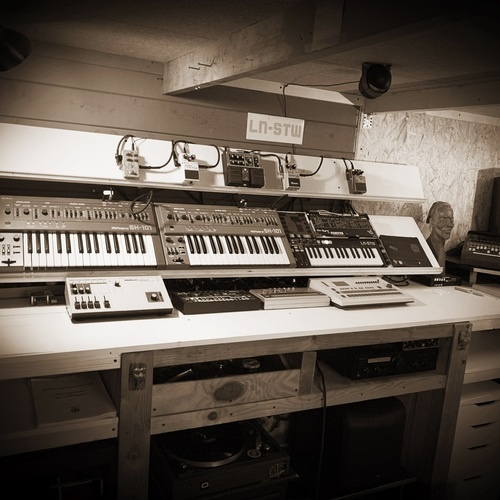
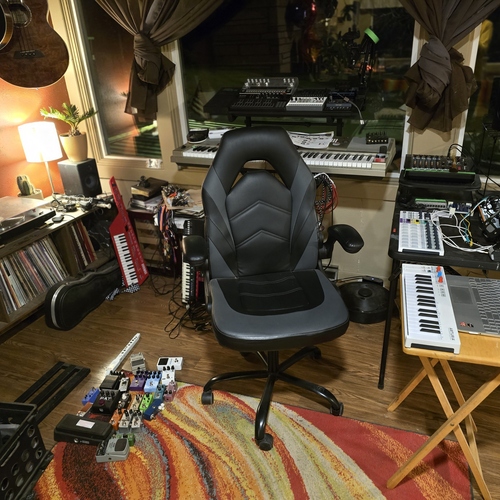
This gear photo by groovizm features 9 pieces of gear, including ADAM Audio A7X Powered Studio Monitor, Mackie 1202VLZ4, and Elektron Digitakt. The setup spans Studio Equipment, Keyboards and Synthesizers, and Studio Monitors, with a wide range of price points. Artists with this kind of gear are most often found in the Electronic, Pop, and Rock scenes. Notable artists with overlapping gear include Andrew Huang, Richard Devine, and Arthur Robert.
Similar Artist Setups
Pro artists whose gear list overlaps with this photo.


.jpeg?v=1784640200)
.png?v=1775046388)