

Pricing and availability
We compare 600+ stores and found this item at 1 store. Prices updated .
Store
Reviews
Price




* Product prices and availability are updated by Equipboard every 24hrs and are subject to change. Equipboard may receive compensation for purchases made at participating retailers linked on this site. This compensation does not affect what products or prices are displayed, or the order of prices listed. For more information, please refer to our affiliate disclosure.


Videos

Linus Tech Tips
ASUS P8Z77-V Pro Z77 Ivy Bridge Motherboard Unboxing & First Look Linus Tech Tips

ASUS P8Z77-V Pro Z77 Ivy Bridge Motherboard Unboxing & First Look Linus Tech Tips
Linus Tech Tips

Z77 Motherboard Shootout: ASUS P8Z77-I Deluxe vs P8Z77-V vs P8Z77-V Deluxe vs P8Z77-V PRO

Motherboards.org
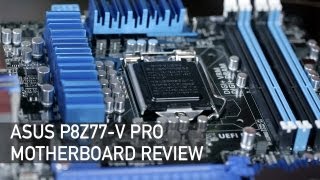
ASUS P8Z77-V PRO Motherboard Review

Tek Syndicate
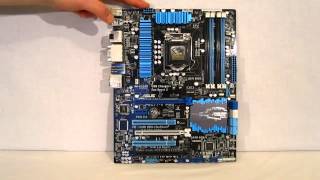
ASUS P8Z77-V Pro LGA1155 Motherboard Overview at HiTechLegion.com

HiTechLegion
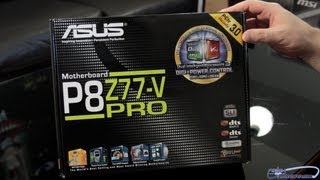
ASUS P8Z77-V Pro Motherboard First Look Unboxing

Tech of Tomorrow
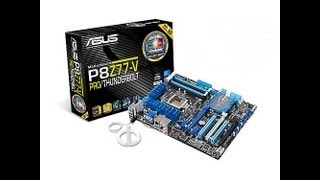
Unboxing & Review Asus P8Z77 V PRO Intel LGA 1155

Killer Mike84
Reviews
Owner Insights
We analyzed real musician discussions from forums and Reddit to find what players love, question, and tweak about Asus Computers P8Z77-V PRO.
Setup and maintenance
-
It's suggested to try booting the system outside the case to diagnose pressure or shorting issues possibly affecting the P8Z77-V PRO motherboard.
Source
Features and functionality
-
Re-flashing the BIOS resolved boot issues and also fixed problems with USB ports, addressing USB over-current errors and non-functional ports.
Source -
The Asus P8Z77-V PRO offers additional connectivity options including two extra USB 3.0 ports, an extra case fan connector, and a USB 2.0 e-Sata module.
Source -
The P8Z77-V PRO includes an ASUS Q-Shield for easier installation and reduced electromagnetic interference.
Source
User experience
-
A corrupted BIOS was identified as the cause of recurring boot problems after extensive troubleshooting, emphasizing the necessity of BIOS maintenance over time.
Source
Software and compatibility
-
BIOS corruption can lead to boot issues, but a successful re-flash restored functionality, highlighting the importance of keeping BIOS updated on older systems.
Source -
Users found that BIOS flashback resolved not only boot issues but also USB port malfunctions, demonstrating multi-faceted benefits of this process on the P8Z77-V PRO.
Source -
The GTX 1060 6GB is confirmed to be compatible with the Asus P8Z77-V Pro, delivering significant performance gains over older GPUs.
Source
Mods and upgrades
-
Overclocking the i5-3570K to 4.5-4.6 GHz can boost performance by 20%, aligning with i5-7500/i3-8100 benchmarks.
Source
Use cases and applications
Comparisons
-
The P8Z77-V PRO features a 16-phase power design for overclocking, providing 12 phases for the CPU, compared to 8 in the standard P8Z77-V model.
Source
Critic Reviews
Based on 0 Reviews and 0 Ratings
More Asus Computers & Peripherals

$659.99
in Computers & Peripherals Rank


$149.99 - $169.99

$172.99 - $348.02


$1,281.88 - $1,349.99


Artist usage


Community setups


Similar


Gear Guides







.jpg)
Most Popular Computers & Peripherals
Most Popular Brands
-
Added to Equipboard on by
RrcerqueiraGearIQ 61
-

