

Pricing and availability
We compare 600+ stores and found this item at 1 store. Prices updated .
Store
Reviews
Price




* Product prices and availability are updated by Equipboard every 24hrs and are subject to change. Equipboard may receive compensation for purchases made at participating retailers linked on this site. This compensation does not affect what products or prices are displayed, or the order of prices listed. For more information, please refer to our affiliate disclosure.
Description
The Asus PB278Q is a versatile addition to any musician's digital workstation, offering a blend of precision and performance that digital artists will appreciate. Whether you're mixing tracks or editing audio, this 27-inch WQHD display provides a stunning 2560 x 1440 resolution that ensures every detail is sharp and clear, allowing you to see your music software in all its glory. Designed with musicians in mind, the Asus PB278Q features wide viewing angles and accurate color reproduction, making it easy to collaborate with bandmates or clients without compromising on visuals.
Beyond just great visuals, this monitor is equipped with a range of connectivity options, including HDMI, DisplayPort, and Dual-link DVI, ensuring compatibility with a wide range of peripherals and computers. Its ergonomic design allows for tilt, swivel, pivot, and height adjustments, enabling you to find the optimal viewing position for those long studio sessions. Plus, with a quick response time, you can be sure that latency won't interrupt your creative flow.
Key Features:
- 27-inch WQHD display with 2560 x 1440 resolution
- Wide 178-degree viewing angles
- HDMI, DisplayPort, and Dual-link DVI connectivity
- Ergonomic design with height, tilt, swivel, and pivot adjustments
- Quick response time for seamless audio-visual synchronization
Videos

Linus Tech Tips
ASUS PB278Q PLS LED LCD Monitor Unboxing & First Look Linus Tech Tips

ASUS PB278Q PLS LED LCD Monitor Unboxing & First Look Linus Tech Tips
Linus Tech Tips

Asus PB278Q 27" 1440p IPS Monitor Review!

Gavin Remme
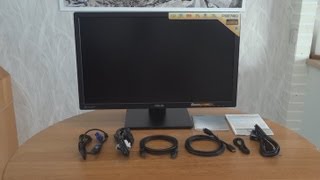
Asus PB278Q 27inch 2560x1440 monitor unboxing and overview

Victor Bart - RETRO Machines

Unboxing: ASUS PB278Q 27-inch LED Professional Graphics Monitor

David Di Franco

Unboxing ASUS PB278Q 2014

Terry Denney

ASUS PB278Q - Screen Viewing Angles

Aleksandr Gryzhin

Asus PB278Q

Terrayon
Reviews
Owner Insights
We analyzed real musician discussions from forums and Reddit to find what players love, question, and tweak about Asus Computers PB278Q Monitor.
Features and functionality
-
The monitor offers super accurate color for a non-Pro class display, with great contrast and minimal ghosting, and can be set to a custom 75Hz refresh rate.
Source -
The PB278Q uses a PLS panel, which is noted for better color reproduction and viewing angles compared to TN panels, though some argue AH-IPS panels in newer models are superior.
Source -
It's noted that the PB278Q may have changed its panel over time, leading to some dissatisfaction among users who experienced differences in performance or quality.
Source -
Enhanced gray level differentiation helps in identifying subtle compositing errors, particularly useful for VFX and motion graphics work.
Source
User experience
-
Owners praise the monitor for its fantastic performance even when purchased used, citing excellent color accuracy and reliability over multiple years.
Source -
Owners report that the ASUS PB278Q skips frames when overclocked, unlike some Korean monitors like Qnix QX2710 which can successfully handle overclocking past 60Hz without issues.
Source -
High pixel density can make UI elements appear awkwardly sized on Windows, suggesting possible compatibility issues with certain setups.
Source -
Stuck pixels may occur but tend to become unnoticeable over time, indicating minor long-term impact on usability.
Source
Value and pricing
-
At a purchase price of $130, the monitor is considered an exceptional deal compared to its retail price of around $300.
Source
Comparisons
-
The BenQ BL2710PT is compared favorably for faster pixel response times and the lack of PWM dimming, a feature where the ASUS PB278Q falls short.
Source
Build quality
-
Some users report edge spilling noticeable on dark scenes and a slightly glossy screen finish, which may impact viewing for specific tasks.
Source
Critic Reviews
5.0 out of 5
Based on 1 Review and 1 Rating

1710
Beatiful display monitor.
This monitor is 2560X1440p, IPS display, 27" widescreen on a simple yet ellegant stand which allows it to; pivot, swivel, tilt and height adjust to suit your posture better however it is also mountable to an arm due to its solid bracket on the rear. Connection types include Display Port, HDMI, DVI-D & VGA (yuck). It does not have an integrated webcam, I didn't need one anyway so no big deal. Having intergrated stereo speakers possitioned above allows for loud and clear sound distribution to the user however these speakers aren't what I'd use as it has a phono output for earphones headphones and phono tweeter mini-speakers. - It could just be my experience but when using this output for audio from the onbaord audio to the graphics card to the monitor there was a noticable amount of low-level noise through the connection and understandably so.
More Asus Computers & Peripherals

$659.99
in Computers & Peripherals Rank


$149.99 - $169.99

$172.99 - $348.02


$1,281.88 - $1,349.99


Artist usage


Community setups


Similar


Gear Guides







.jpg)
Most Popular Computers & Peripherals
Most Popular Brands

