This page about Crane Song Phoenix is a stub. You can help improve it:


Pricing and availability


* Product prices and availability are updated by Equipboard every 24hrs and are subject to change. Equipboard may receive compensation for purchases made at participating retailers linked on this site. This compensation does not affect what products or prices are displayed, or the order of prices listed. For more information, please refer to our affiliate disclosure.
Description
Experience the sublime warmth of analog tape with the Crane Song Phoenix, a groundbreaking tape-emulation plugin that breathes life into your digital recordings. Perfectly crafted for both DSP-accelerated and native Pro Tools systems, this plugin suite channels over 30 years of sonic expertise from renowned engineer Dave Hill. Whether you're looking to add subtle color or pronounced warmth, the Phoenix enables you to effortlessly enhance the character of your music.
With five unique tape emulation modes at your fingertips, the Crane Song Phoenix allows you to tailor the sound to suit any track. From the neutral tape compression of Luminescent mode to the aggressive punch of Radiant mode, each setting provides a distinct sonic flavor. For vocals that cut through the mix, Dark Essence offers expansive compression, while Luster mode gives you dynamic control for powerful saturation effects.
Moreover, the Phoenix plugin goes beyond typical emulation with its level-dependent processing and frequency-enhancing brightness controls. This ensures you capture the authentic tape sound, including the complex non-linear compression and dynamic response that define analog warmth. Whether you aim to enhance your bass with Iridescent mode or add a shimmering high-end with Saphire, Crane Song Phoenix is your key to unlocking unparalleled sonic richness in your productions.
Key Features:
- Suite of five flexible tape-emulation styles
- Compatible with both native Pro Tools and Pro Tools|HDX systems
- Luminescent mode for neutral dynamics and minimal coloration
- Iridescent mode enhances bottom and midrange frequencies
- Radiant mode offers aggressive compression for added punch
- Dark Essence mode for wide-range compression, perfect for vocals
- Luster mode delivers dynamic saturation effects
- Brightness controls for customizing frequency response (Gold, Saphire, Opal modes)
- Independent input and output level controls for optimal processing without clipping
Product specs
| Software Type | Tape Machine Emulation |
| Platform | Mac, PC |
| Upgrade/Full | Full |
| Download/Boxed | Download |
| Bit Depth | 32-bit, 64-bit |
| Format | AAX Native, AAX DSP |
| Authorization Type | iLok Required |
| Hardware Requirements - Mac | Intel Core 2 Duo, 4GB RAM |
| Hardware Requirements - PC | Intel Core 2 Duo, 4GB RAM |
| OS Requirements - Mac | OS X 10.9.5 or later |
| OS Requirements - PC | Windows 7 SP1 or later |
FAQs
-
What type of sound can I expect from the Crane Song Phoenix plugin?
-
The Crane Song Phoenix plugin emulates the warmth and saturation of analog tape, adding depth and harmonic richness to digital recordings. It's ideal for enhancing the overall character of mixes.
-
Is the Crane Song Phoenix compatible with my DAW?
-
The Crane Song Phoenix is available in AAX Native and AAX DSP formats, making it compatible with DAWs that support these formats, such as Pro Tools.
-
Does the Crane Song Phoenix require any special hardware for activation?
-
Yes, the Crane Song Phoenix plugin requires an iLok for authorization, which is a common licensing tool for professional audio software.
-
Can I use the Crane Song Phoenix on both Mac and PC systems?
-
Yes, the Crane Song Phoenix is compatible with both Mac and PC platforms, supporting Mac OS X 10.9.5 or later and Windows 7 SP1 or later.
-
What are the system requirements for running the Crane Song Phoenix on a Mac?
-
To run the Crane Song Phoenix on a Mac, you'll need at least an Intel Core 2 Duo processor and 4GB of RAM, with OS X 10.9.5 or later.
-
How does the Crane Song Phoenix plugin differ from other tape emulation plugins?
-
The Crane Song Phoenix is renowned for its ability to accurately replicate the subtle nuances of analog tape, offering multiple tape emulation styles for greater tonal flexibility.
Videos

Mixing With Mike
Crane Song - Phoenix II - Mixing With Mike Plugin of the Week
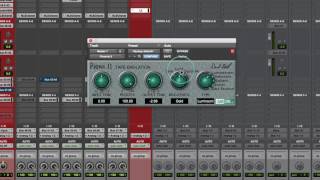
Crane Song - Phoenix II - Mixing With Mike Plugin of the Week
Mixing With Mike
Tape Plugins Shootout vs Hardware Tape Emulators Pt.2

MixbusTv
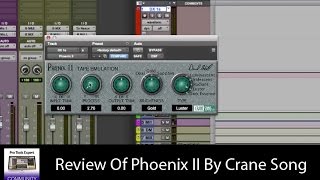
Review Of Phoenix II By Crane Song

Production Expert
Crane Song Phoenix 2 now VST3

Metropolis Design Work
Reviews
PROS
-
Highly refined saturation plugin, making mixes sound like finished records
-
Versatile use on both mix buses and individual tracks
-
Adds smoothness or bite as needed for varied track requirements
-
Subtle yet impactful tape emulation enhancing track presence
-
Contributes to better cohesiveness and track integration in mixes
-
Highly respected creator with a legacy in the industry
-
Consistently praised for making tracks sound bigger and more present
CONS
Owner Insights
We analyzed real musician discussions from forums and Reddit to find what players love, question, and tweak about Crane Song Phoenix.
Features and functionality
-
Phoenix II offers a variety of saturation sounds, making it versatile compared to Crane Song's HEAT, which integrates seamlessly in Pro Tools.
Source
Comparisons
User experience
-
Owners emphasize the importance of experienced ears to appreciate the subtle benefits of Phoenix II’s non-linear tonal characteristics.
Source
Based on 0 Reviews and 0 Ratings
Artist usage
Add artist

As stated by producer Declan Gaffney, the Phoenix was used for "Get On Your Boots".
Declan Gaffney incorporated extensive master processing into his mix. Dynamic control was provided by the Waves SSL Master Bus Compressor and Massey L2007 limiter, while Waves' VEQ4 added tonal changes.
An image of the settings can be found here.

As stated by producer Declan Gaffney, the L2007 was used for "Get On Your Boots".
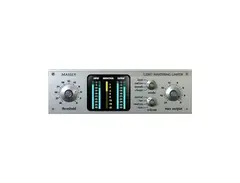
Declan Gaffney's go-to processing for Adam Clayton's bass involves Digidesign's Digirack EQ, Cranesong's Phoenix Dark Essence (both top) and the Massey L2007 limiter (below). The Sansamp plug-in was used to dirty up the sound for four bars.
The same plug-in was also used to master the track.
Declan Gaffney incorporated extensive master processing into his mix. Dynamic control was provided by the Waves SSL Master Bus Compressor and Massey L2007 limiter, while Waves' VEQ4 added tonal changes.
An image of the bass settings can be found here. An image of the mastering settings can be found here.

As stated by producer Declan Gaffney, the Phoenix was used for "Get On Your Boots".
Declan Gaffney incorporated extensive master processing into his mix. Dynamic control was provided by the Waves SSL Master Bus Compressor and Massey L2007 limiter, while Waves' VEQ4 added tonal changes.
An image of the settings can be found here.


After that, there's the Cranesong Phoenix. I love that plug-in. It has five different versions, and unless I really specifically want to darken or brighten something, I usually pull up the Iridescent, because it is the most neutral in terms of EQ. It just adds more saturation.

As stated by producer Declan Gaffney, the Phoenix was used for "Get On Your Boots".
Declan Gaffney incorporated extensive master processing into his mix. Dynamic control was provided by the Waves SSL Master Bus Compressor and Massey L2007 limiter, while Waves' VEQ4 added tonal changes.
An image of the settings can be found here.
Album Usage
The Crane Song Phoenix has been featured on the following albums:


Genre Usage
Based on how artists on Equipboard use this gear, it is most commonly found in the following genres.
Used With
Based on how musicians on Equipboard use Crane Song Phoenix, it is most commonly used with the following gear.
-s.webp?v=1784612866)





-s.webp?v=1784612008)
More Crane Song Saturation Plugins
-m.webp?v=1784612310)
$449.00
in Saturation Plugins Rank


-m.webp?v=1784612151)
$175.00 - $199.00
in Saturation Plugins Rank


$78.70 - $99.00
in Saturation Plugins Rank


-m.webp?v=1784613042)
$39.99 - $49.99
in Saturation Plugins Rank


$30.00 - $1,400.00
in Saturation Plugins Rank


$19.99 - $20.00
in Saturation Plugins Rank


$35.00 - $199.00
in Saturation Plugins Rank


$38.00 - $199.00
in Saturation Plugins Rank


$34.99 - $39.99
in Saturation Plugins Rank


$29.99 - $75.00
in Saturation Plugins Rank


$47.00 - $49.00
in Saturation Plugins Rank


$57.00 - $69.00
in Saturation Plugins Rank


$69.00
in Saturation Plugins Rank


$31.00
in Saturation Plugins Rank

$35.99 - $39.99
in Saturation Plugins Rank


$39.99 - $164.00
in Saturation Plugins Rank

$149.00
in Saturation Plugins Rank


$39.99
in Saturation Plugins Rank


$54.00 - $55.00
in Saturation Plugins Rank

$0.00
in Saturation Plugins Rank

$0.00
in Saturation Plugins Rank


$0.00
in Saturation Plugins Rank


$95.00 - $149.00
in Saturation Plugins Rank

$39.00 - $79.00
in Saturation Plugins Rank

$39.99 - $75.00
in Saturation Plugins Rank

-m.webp?v=1783581418)

$22.00 - $99.00
in Saturation Plugins Rank


$83.50 - $99.00
in Saturation Plugins Rank


$32.00 - $49.00
in Saturation Plugins Rank

$47.00 - $49.00
in Saturation Plugins Rank

$29.00
in Saturation Plugins Rank

$40.00 - $124.00
in Saturation Plugins Rank

$33.00 - $35.99
in Saturation Plugins Rank


$0.00
in Saturation Plugins Rank

$99.99
in Saturation Plugins Rank
Accessories & Related Items


Community setups


Similar


Most Popular Saturation Plugins
Most Popular Brands
-
Added to Equipboard on by
 kkolar
GearIQ 121523
-


