-s.webp?v=1784871480)
-xl.webp?v=1784871480)
Pricing and availability
We compare 600+ stores and found this item at 2 stores. Prices updated .
Store
Reviews
Price


Average Price: $449
High-end/Boutique
$39
$100+
Price Tier
Budget
Standard
High-end
Price History
Based on price data from 1 merchant for "Crane Song Phoenix II". Prices shown reflect NEW condition. Tracking began Apr 2, 2026.
* Product prices and availability are updated by Equipboard every 24hrs and are subject to change. Equipboard may receive compensation for purchases made at participating retailers linked on this site. This compensation does not affect what products or prices are displayed, or the order of prices listed. For more information, please refer to our affiliate disclosure.
Description
Unlock the authentic warmth and dynamic depth of analog tape with the Crane Song Phoenix II, a revolutionary saturation plugin tailored for Pro Tools. Crafted by the legendary Dave Hill, Phoenix II brings the rich, magnetic allure of classic tape machines into your digital workspace, allowing you to infuse your tracks with unparalleled analog character.
Phoenix II offers five meticulously engineered tape emulation modes, each sculpted to enrich your sound with unique tonal flavors. Whether you crave the neutral dynamics of Luminescent or the robust bottom end of Iridescent, Phoenix II has you covered. Radiant mode delivers an assertive punch, perfect for dynamic elements like drums, while Dark Essence takes compression to the next level, ideal for adding weight to vocal performances. For those who seek versatility, Luster mode provides a spectrum of saturation that intensifies with increased input.
Beyond its emulation prowess, Phoenix II boasts level-dependent processing, mimicking the behavior of real tape, so you can push your tracks to the brink without digital clipping. This harmonic plugin also features brightness controls that mirror the frequency-enhancing properties of genuine tape machines, offering Gold, Saphire, and Opal modes for tailored tonal shaping.
Designed for seamless integration into both Pro Tools native and Pro Tools|HDX systems, Phoenix II ensures your productions benefit from the timeless analog vibe without the complexity of traditional tape recording.
Key Features:
- Five distinct tape emulation modes: Luminescent, Iridescent, Radiant, Dark Essence, and Luster
- Level-dependent processing for authentic tape saturation
- Independent input and output trim controls
- Brightness modes: Gold (neutral), Saphire (bright), Opal (warm)
- Compatible with AAX Native and AAX DSP formats
- Requires iLok for authorization
Product specs
| Software Type | Tape Machine Emulation |
| Platform | Mac, PC |
| Upgrade/Full | Full |
| Download/Boxed | Download |
| Bit Depth | 32-bit, 64-bit |
| Format | AAX Native, AAX DSP |
| Authorization Type | iLok Required |
| Hardware Requirements - Mac | Intel Core 2 Duo, 4GB RAM |
| Hardware Requirements - PC | Intel Core 2 Duo, 4GB RAM |
| OS Requirements - Mac | OS X 10.9.5 or later |
| OS Requirements - PC | Windows 7 SP1 or later |
FAQs
-
What does the Crane Song Phoenix II plugin do?
-
The Crane Song Phoenix II is a tape machine emulation plugin that replicates the warm, harmonic characteristics of analog tape, enhancing digital recordings with a vintage feel. It provides multiple tape emulation modes to suit different sonic preferences.
-
Is the Crane Song Phoenix II compatible with my DAW?
-
The Crane Song Phoenix II plugin is compatible with AAX Native and AAX DSP formats, making it suitable for use in Avid's Pro Tools 10 and later versions on both Mac and PC platforms.
-
What are the system requirements for running Crane Song Phoenix II?
-
To run Crane Song Phoenix II, you'll need an Intel Core 2 Duo processor and at least 4GB of RAM. It requires macOS 10.9.5 or later, or Windows 7 SP1 or later, along with an iLok for authorization.
-
Can I use Crane Song Phoenix II on both Mac and PC?
-
Yes, Crane Song Phoenix II is designed for both Mac and PC platforms, supporting macOS 10.9.5 or later and Windows 7 SP1 or later.
-
Does Crane Song Phoenix II require any additional hardware for authorization?
-
Yes, Crane Song Phoenix II requires an iLok for authorization, ensuring secure and flexible access to the plugin across different systems.
Videos

Mixing With Mike
Crane Song - Phoenix II - Mixing With Mike Plugin of the Week
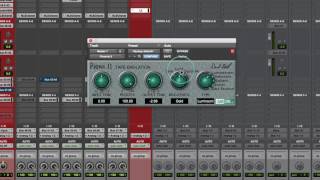
Crane Song - Phoenix II - Mixing With Mike Plugin of the Week
Mixing With Mike
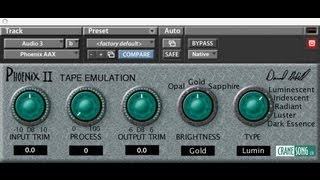
Phoenix II Tape Saturation plugin for Pro Tools 10 by Crane Song

Rishabh Rajan
Review Of Phoenix II By Crane Song

Production Expert
Crane Song Phoenix 2 now VST3

Metropolis Design Work
Reviews
PROS
-
Refined saturation quality enhances mix cohesiveness and track placement
-
Smooths or adds bite to individual tracks as needed
-
High respect for Dave Hill and Crane Song's legacy in audio engineering
-
Subtle yet powerful tape emulation improves presence and size in the mix
-
Versatile usage across tracks and buses with adjustable settings per instrument
-
Exceptional sound quality makes mixes sound like a polished record
CONS
Critic Reviews
5.0 out of 5
Based on 0 Reviews and 1 Rating
Artist usage
Add artist

Used on "Apeshit", as stated by producer Stuart White in this September 2018 Sound on Sound interview.
The first four aux tracks feature SoundToys effects, namely Little Microshift, two EchoBoy delays, and a delay from the Little PrimalTap. Next are a Hall Reverb aux and a Church Reverb aux, both using Waves’ RVerb, an EMT plate from Audio Ease’s Altiverb, four aux tracks with the Waves H-Delay and various other plug-ins on them as well, and four more reverb auxes with the Avid Revibe II, two Avid D-Verbs and another RVerb.
White: “I use the Little Microshift in pretty much every mix, with the left-right micro pitch-shift effect that’s similar to the classic effect in the Eventide H3000 shift where you pitch one side down six cents and one side up six cents to create width. It’s a good way to get your vocals wider without them being out of phase. It thickens up vocals, and is kind of like a doubler. I do quite a lot of filtering on some of the EchoBoy delays, for example with the Waves REQ, and I am adding colour with the SoundToys Devil-Loc, which is great if you want to colour the delay so it is separate from the main vocal, and compress it with the UAD LA3A and mix that in to taste.”
(...) Beyoncé’s lead vocal tracks consist of three aux tracks, four ‘dirty’ and eight ‘clean’ audio tracks. The audio tracks only have the EQ3 on the inserts and a few of them have a send to the Church Reverb. All White’s processing is done on the three aux tracks. “All lead vocals are sent to the ‘B Aux’ track and the ‘B Parra Aux’ tracks. On the former I have the McDSP DS [sic] 555 de-esser. I use the Waves de-esser the most, but in this particular track, because I wanted to compress her voice really hard, I felt that the 555 would work the best. I am rolling off until 6144Hz into what it is detecting; it’s like a side-chain filter. The FabFilter Pro-DS is doing a little more gentle look-ahead de-essing.
“After that there’s some pretty heavy EQ from the EQ3, with a high-pass at 142Hz, a 9dB cut at 244Hz and a 2dB cut at 3kHz. My cut at 244Hz is because she is singing in this husky, low voice, so there’s not a lot of energy in that. I get the energy from the RComp compression, and the EQs, including from the SSL E-Channel, are there to make her sit in the track, rather than making it sound filtered. I love the RComp, mainly because it doesn’t sound like compression to me. The SSL E-Channel adds a bit more compression, and the [Crane Song] Phoenix II Tape Emulation is really cool because while it doesn’t actually sound like tape, it smoothes out transients in a signal just like much analogue equipment does. It enables me to get a fatter vocal sound that again makes the vocal sit in the mix. The final EQ3 has a notch at 3.2kHz to take out some harshness. I also have sends to the Verb aux track, which are the D-Verb and [Waves] H-Reverb, and the Delay 1-4 aux, with the EchoBoy.
The other aux track, ‘B Parra Aux’, is a parallel compression track, with the RCompressor and the CLA 76, which I mixed in low. Both these aux tracks then go to the ‘LD ALL Aux’, on which I’m doing some more surgery with the McDSP AE400 [dynamic EQ], which allows you to set a threshold, just like on a compressor. It’s like turning a volume knob down on a frequency the moment it gets out of control. Finally, there’s the Waves C4, for some control, to keep the vocal even. This track has a lot of energy, so this is an example of using compression for energy, mood and attitude. I also worked a long time to get the compression on Bey’s breaths to pump on the beat. I wanted her breaths to be another percussive element in the track, and getting the attack and release on the compressor right was key to getting that feel and pumping effect.”
Five of the 22 Beyoncé ad lib, backing and harmony vocals below her lead vocals also go to the above-mentioned aux tracks, while the rest have their own signal chains. These audio tracks are sent to several aux tracks, often with tons of plug-ins, and all aux vocal tracks in the end get sent to the ‘Voc All’ group aux right at the top of the session, which has an RCompressor, with ratio at 10:1. There are more group aux tracks, like ‘TrackAux’, ‘FX Voc Aux’, ‘FX’ and ‘Music Aux’, which all get sent to the ‘All Aux’. This in turn gets sent to the ‘no limiter’ mix print track, and finally there’s a Stereo Master track.


Used for vocals on "Gum Body" and "Time Flies", as stated by mix engineer Jesse Ray Ernster in this June 12, 2020 MusicTech interview and this June 2021 Sound on Sound interview respectively. An image of the settings on the "s mod" track of "Time Flies" can be found here.
MusicTech, June 12, 2020, "Mile-high mixes, Kanye and NES: Jesse Ray Ernster on mixing Burna Boy’s African Giant"
BURNA’S VOCAL: “A big part of the job of a mixer is knowing when not to change things,” insists Ernster, “Burna’s vocal usually doesn’t require much work, and this song was no exception! His vocal stem arrived with all processing and effects printed into the track, and it sounded identical to the approved reference mix that he had grown accustomed to hearing, so my job was to enhance subtly, without changing the vibe too much!”
The first plug-in on the vocal chain was the Metric Halo Transient Control, with the sustain knob turned down to tame some of the effects and cut down room reverberation that had bled into the microphone, for a closer, more up-front vocal. Next, Ernster deployed the trusty bx_SSL E channel plug-in to boost 4.3khz and 13.5khz to help emphasize some of the consonants of Burna’s vocal, for better intelligibility.
Not one to believe in magic frequencies, Ernster’s technique is to “sweep around until the sound feels better to my ears.” Liking where the vocal was sitting against the track, but with certain phrases poking out unevenly, Ernster reached for a compressor. But his favourites – Rev E 1176, CLA-76 – all altered the ratio between vocals and effects too much, making the voice sound washed out. “I ended up rolling with a combo of clip-gain automation and some subtle compression on the Metric Halo Channel Strip. That glued the vocal into place without changing the character that we all loved from the reference mix.”
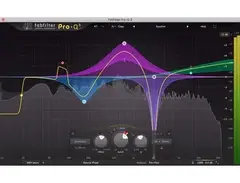
“After that, I used an instance of Soothe to tame a few whistley resonances that were poking through and causing harshness at 2.9khz and 5.3khz. The final step in the vocal processing sees the Acustica Amber3 (which emulates the Avalon AD2055) boosted at 25khz for some “silky air”. “I usually reach for the Crane Song Phoenix as a final touch to pull a bit of grit forward, and in this scenario, I used the Luster/Sapphire setting with a 68% mix. Finally, I used a FabFilter ProQ3 to cut 0.73dB at 490hz to dial back a resonance.”
VOCAL FX & DEPTH: “Lately, I’ve been focusing on depth within my mixes,” says Ernster. “It’s crucial to me that the singer is glued into a similar sonic environment as the rest of the arrangement.”
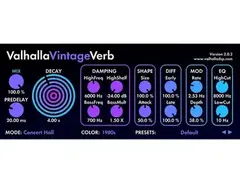
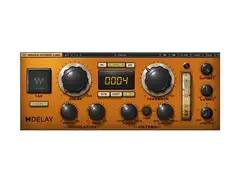
“I sent Burna’s vocal to a series of effects busses that I used to fuse the vocal into the metaphorical space of the song. On this song, I used a few different simple Waves H-Delay tracks set at 1/2, 1/4, 1/8th, 1/16th note, and a quick slap setting. All of these fed into reverb tracks with Revibe II, Valhalla VintageVerb (Dirty Plate), and Lexicon Medium Hall. I adjusted the blend of these multiple effects auxes until the blend felt glued, but also still similar enough to the reference mix – just better and deeper.”
Sound on Sound, June 2021, "Inside Track: Burna Boy 'Time Flies'"
“The song already felt great after a few minutes of mixing,” Ernster continues. “The reference mix felt good, the beat was solid too. As I mentioned earlier, after that it was a matter of getting the vocals to shine. Dialling in the vocals took quite a bit of time on this song, because there were so many of them. This song was all about the backing vocals, getting them to sit in a place where they can shine and sparkle and just sit perfectly.
“Pretty much every background vocal on the song has the CLA Mix Hub channel strip, doing some high‑pass filtering, some EQ, and compression. I approached this mix a bit like a console mix, and dialling in every background vocal with the Mix Hub got them where I wanted them to be. I did not need 10 plug‑ins to make the background vocals sound good. This plug‑in just lit them up.
“One interesting moment with the backing vocals is in the bridge of the song. Diddy had a vision that these ‘welelel’ vocals would not only be wide but would also be wrapping around, with the panning going from left to right. So I put on the Waves S1 Shuffler, turned up the width knob and then automated the panning. It was a bold Diddy move that really paid off. It became a special moment, and is one of my favourite spots in the song.
“Underneath the ‘welelel’ track are nine backing vocal aux effect tracks, which are a ModDelay 3; 16th‑note, eighth‑note, quarter‑note and half‑note delays (all the Valhalla Delay); a ping‑pong delay (Waves H‑Delay); and all those tracks have sends to a Valhalla Vintage Verb plate and the FabFilfter Pro‑R. And all those feed the BGV FX bus. I was just moving these effects all around until they felt right.
“Burna’s main lead vocal is in red. One technique I learned from my dad is to ride the fader on vocals, so you don’t get the anomalies that you can get when compression is applied to a recorded voice. As I don’t have a fader, I chopped up the vocal and then adjusted the Clip Gain for each phrase. As for processing, I added the Gullfoss EQ, that kind of rides the frequencies, and which I love. I used it on Burna’s voice on most of the album. There’s also a Pro‑Q 3 to notch out some frequencies, and the Acustica Amber 3 EQ, which adds the most gorgeous top end.
“There’s a send on the main lead vocal to an aux with the Soundtoys Devil‑Loc, adding parallel distortion. It’s a bus I try once in a while. If the vocal is sitting where I want it to sit in the mix volume‑wise, but it needs a little bit more glue, body and warmth, I’ll go for the Devil‑Loc. It brings the vocal straight up into your face. If you want a pop vocal that is right on top of everything, this is it.
“I also have other vocal aux effect tracks, ie. different delays, reverbs, pitch‑shifts. I generally do not use reverbs on the lead vocal, but only delays, because they take up less space. Then I’ll have a delay to feed a reverb that can sit in the background. The pre‑delay creates this ocean of ambience that does not take away from the intimacy and upfront nature of the lead vocal.
“There are a couple of tracks called ‘Throw’, and I create those by dragging duplicate audio to a separate track, and then putting an effect on with the mix at 100 percent, in this case Valhalla Delays. I don’t really like using automation on sends and muting and so on, as it’s a really slow workflow. It takes one second to drag down some audio, add a delay and done.
“Below the ‘Throw’ tracks are two Time Adjuster aux tracks and a Valhalla Space Modulator aux track. Together they recreate the Eventide H3000 wide vocal effect. The Time Adjuster plug‑in delays the left and right channels a bit, and one channel has the CLA MixHub to add some distortion and the other channel has the lo‑fi. The Valhalla Space Modulator is followed by a Cranesong Phoenix II, driving really hard in Dark Essence mode. These three go to an aux called ‘SHIFT M’, and it turns a mono vocal into a wide, enveloping, beautiful vocal. Also, there’s a ‘Lead Vocal All FX’ aux with the Pro‑Q 3 EQ that takes out all top and bottom, which you don’t need on vocal effects.”

Used for vocals on Burna Boy's "Gum Body", as stated by mix engineer Jesse Ray Ernster in this June 12, 2020 MusicTech interview. An image of the settings for the "Jorja Lead" channel can be found here.
JORJA’S VOCAL: “Jorja’s vocals had a wonderful warm quality to them, so it was my job to retain that character while boosting clarity against the instrumental mix.”
First up in the vocal chain was the EQ module from Waves CLA MixHub, high-passing at 94hz to eliminate ground hum, traffic rumble, control-room bleed, and any knocks from into the microphone stand. “I only high-pass the sub information. I don’t allow the filter to reach any of the fundamental warmth frequencies in the low-midrange of the singer’s voice.”
For clarity and intelligibility of consonants, he also boosted some 4.1khz and 7.8khz. Then, also in CLA MixHub, used the “Bluey” 1176 mode, compressing gently at a 2:1 ratio. Next up was Waves CLA-76 with a slow attack and fast release to do some levelling of the signal.
“At that point, I was okay with the feel of the vocal texture, but it lacked evenness from phrase-to-phrase,” he says. And, when he pushed the compressor harder to level out the signal, it sounded worse. Ernster’s solution was fader automation on the source audio tracks before hitting the vocal bus compressor, giving the compressor less to do.
As with Burna’s vocal, Ernster brought out Acustica Amber3 to boost 25kHz, followed by Crane Song Phoenix (in Opal Dark Essence mode, this time). “The EQ boost drove the tape into a state of saturation in the extended top-end and contoured a smooth roll-off of those hard high frequencies. The 25khz boost would have sounded a bit too intense on its own, but the Phoenix provides the perfect compensation by gently rolling off the top end (with a gradual low-pass filter), providing the vocal with a silky, ‘classic’ top end that sounds present, but feels a bit dark, too.”
“After the first mix went out, they asked for more width on her vocal, so I slapped on the Valhalla Space Modulator with a slow rate, a tad bit of depth, and an 18% mix; this pushed a parallel signal of the vocal off to the sides of the mix for a bit of three-dimensional surreality.After copying Jorja’s lead processing to her harmonies and ad-libs, some work was required to get them to sit behind Burna’s voice including panning, effects levels, and some automation.
Conversely, her effects busses were very straight-forward: an 1/8th delay and a 1/4 delay feeding a Valhalla VintageVerb (Plate 1.85s); “all dialled in subtly to fit the ambience of the track. And I did two loud-and-obvious fader throws to the 1/8th delay send on the words “Care to have your own HEART (2:20), If you treat me kind and kept me close, We’ll always still PART”.
Album Usage
The Crane Song Phoenix II has been featured on the following albums:


![Crane Song Phoenix II as heard on Be Honest (feat. Burna Boy) [Acoustic] by Jorja Smith (2019)](https://images.equipboard.com/uploads/album/image/735295/be-honest-feat-burna-boy-acoustic.jpg)
Genre Usage
Based on how artists on Equipboard use this gear, it is most commonly found in the following genres.
Used With
Based on how musicians on Equipboard use Crane Song Phoenix II, it is most commonly used with the following gear.


-s.webp?v=1784871029)


-s.webp?v=1784871673)
More Crane Song Saturation Plugins


-m.webp?v=1784872192)
$69.00 - $199.00
in Saturation Plugins Rank


$78.70 - $99.00
in Saturation Plugins Rank


-m.webp?v=1784872234)
$34.99 - $47.00
in Saturation Plugins Rank


$30.00 - $1,400.00
in Saturation Plugins Rank


$19.99 - $20.00
in Saturation Plugins Rank


$35.00 - $199.00
in Saturation Plugins Rank


$38.00 - $199.00
in Saturation Plugins Rank


$19.99 - $20.00
in Saturation Plugins Rank


$37.00 - $39.99
in Saturation Plugins Rank


$29.99 - $75.00
in Saturation Plugins Rank


$47.00 - $49.00
in Saturation Plugins Rank


$57.00 - $69.00
in Saturation Plugins Rank


$69.00
in Saturation Plugins Rank


$35.99 - $39.99
in Saturation Plugins Rank


$39.99 - $164.00
in Saturation Plugins Rank


$31.00
in Saturation Plugins Rank

$149.00
in Saturation Plugins Rank

$39.99
in Saturation Plugins Rank


$54.00 - $55.00
in Saturation Plugins Rank


$0.00
in Saturation Plugins Rank

$0.00
in Saturation Plugins Rank

$0.00
in Saturation Plugins Rank


$95.00 - $149.00
in Saturation Plugins Rank


$39.99 - $75.00
in Saturation Plugins Rank


$39.00 - $79.00
in Saturation Plugins Rank

$22.00 - $99.00
in Saturation Plugins Rank


-m.webp?v=1783581418)

$83.50 - $99.00
in Saturation Plugins Rank


$47.00 - $49.00
in Saturation Plugins Rank

$40.00 - $124.00
in Saturation Plugins Rank

$33.00 - $35.99
in Saturation Plugins Rank


$32.00 - $49.00
in Saturation Plugins Rank

$0.00
in Saturation Plugins Rank

$29.00
in Saturation Plugins Rank
Accessories & Related Items



Community setups


Similar


Gear Guides









Most Popular Saturation Plugins
Most Popular Brands
-
Added to Equipboard on by
 eyeseeofficial
GearIQ 161592
-