
Pricing and availability


* Product prices and availability are updated by Equipboard every 24hrs and are subject to change. Equipboard may receive compensation for purchases made at participating retailers linked on this site. This compensation does not affect what products or prices are displayed, or the order of prices listed. For more information, please refer to our affiliate disclosure.


Videos

Cycling '74
gen~ for Beginners: Getting Started in Max 6
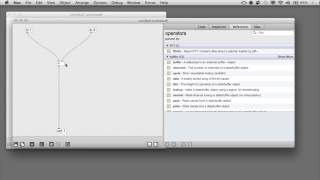
gen~ for Beginners: Getting Started in Max 6
Cycling '74
Reviews
Owner Insights
We analyzed real musician discussions from forums and Reddit to find what players love, question, and tweak about Max 6 Multimedia Programming Language.
Features and functionality
-
Max MSP offers deeper programming capabilities compared to Reaktor, allowing for comprehensive procedural sound generation and unique audio processing.
Source -
TouchDesigner offers Python scripting for advanced customizations, similar to writing externals in Max, making it a more versatile visual tool than Jitter.
Source -
Some users note Max MSP's steep learning curve, especially for those unfamiliar with programming, despite being marketed as a no-code environment.
Source
Comparisons
-
Max MSP, unlike Reaktor, enables broader application development, including network communication and image data extraction, beyond just audio plugin creation.
Source -
TouchDesigner is preferred for large-scale video installations and projection mapping, whereas Processing is recommended for procedural drawing and coding basics.
Source -
PureData (Pd) offers similar capabilities to Max MSP but lacks the polished interface, potentially making it less user-friendly for beginners.
Source
Software and compatibility
-
Using RNBO~ with Max MSP allows creation of VST devices usable within DAWs, essential for integrating Max patches with FL Studio.
Source -
TouchDesigner requires a Windows system with a decent graphics card for optimal performance, but a macOS version is available with mixed reviews.
Source -
Max MSP's Gen module is highlighted for its superiority in creating VSTs, offering unique capabilities not found in PureData.
Source
Use cases and applications
-
Max MSP excels in live performance contexts, enabling custom sound design systems and complex sequencing that surpass typical VST capabilities.
Source -
TouchDesigner and Max can be effectively linked using OSC for interactive installations, combining Max's audio capabilities with TouchDesigner's visual prowess.
Source -
Max MSP can control stage effects using instruments, showcasing its multimedia versatility beyond just audio.
Source
User experience
-
Max MSP provides significant learning on digital audio processing, enhancing understanding of audio theory through practical application and patch creation.
Source -
Debugging in Max can be notably challenging, with inconsistent object behaviors and sparse documentation adding to the complexity.
Source
Value and pricing
-
For those eligible for EDU pricing, Max MSP offers a cost-effective entry into a powerful audio programming environment, especially valuable for students.
Source -
TouchDesigner offers ten free licenses per email address, but the free version is limited in resolution, requiring a costly commercial license for high-quality displays.
Source
Critic Reviews
4.5 out of 5
Based on 2 Reviews and 4 Ratings

3982
I'm on Max 5, but it's similar
Ah, Max. Or Max/MSP. Or Max/MSP/Jitter. Where to start?
Well, Max (we're on version 7 now, with 8 no doubt not too far away) will terrify you at least twice. It will terrify you once, right at the start, when you open it up and realise that there's nothing there. A blank slate. A total tabula rasa.
And then, when you've learned a little bit about what it's for and what it can do, it will terrify you again, as the sheer number of possibilities begin to open up in front of you. How deep does the rabbit hole go? You want to build a sequencer with just white noise for the sound source and ADSR-controlled steps with a separate filter cutoff value for each step? Sure. You want to build an xOx drum machine where the computer decides which steps will sound at any given time with the statistics controlled by a Markov table? Yep. You want to speed up an audio sample by a factor of 50 or even 500? Yep. You want to build a synth where you can draw the pitches on an LCD screen? Yep. You want to build an avant garde noise generator with 64 independently tuneable FM oscillators? Yep. You want to build a synth which combines Buchla-style wavefolding and West Coast style subtractive filters on one half of the screen and Karplus-Strong plucks on the other half? Yep. You want to run some oscillators through seven filters and six delays? Yep...
Max is an object-orientated visual programming language. It has its DNA in the MUSIC and GROOVE programs created by Max Mathews of Bell Labs in the 1960s (he who made the computer sing 'Daisy Bell'). In the 1980s it was developed by Miller Puckette and others at IRCAM at the Pompidou Centre in Paris. Initially, it was entirely information-only. MIDI and messages. Then, in about 1997, David Zicarelli added real-time DSP to the basic system of information flow, and Max/MSP was born. A bit later, video processing was possible with the arrival of Jitter.
https://en.wikipedia.org/wiki/Max_(software)
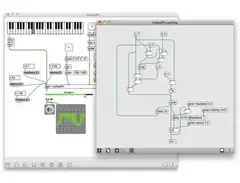
Basically, Max works like this; there are objects which can be connected together, modular-synth style, with virtual patch cords. There are audio objects - denoted by the presence of the tilde ~ - and information generating and processing objects, such as the metro object, which outputs a pulse when you give it an 'argument' in milliseconds, for example. There are message boxes and number boxes for controlling the way that other objects behave over time. Initially, it's totally baffling. Then, as more is learned, it all become clear. Or clearer. Many of the objects exist as GUIs to make them more user-friendly, such as the function object, which is a breakpoint object to help you visualise the shapes of envelopes, or the gain~ object, which when created takes on the shape of a slider on a mixing desk. Colours and shapes can all be changed. UI objects can be customised, or you can try building them from scratch in javascript or by creating them in Photoshop.
I'd start by creating some rect~ objects. Simple bandwidth limited squarewave oscillators. Then add a floating point number box to give the oscillator a frequency in Hz. Then add a gain~ object and an EZDAC so you can hear the wave. Then add another number box to control the pulse width of the wave. Good luck...
Some good books: https://www.amazon.co.uk/Electronic-Music-Sound-Design-Practice-x/dp/8890548401
These are beautiful. They explain it all far better than I ever could.

186
Worth every vst
Kind of no need to buy alot of vst anymore. Really nice SS (sample smashing) and synth.
Artist usage
Add artist

Max 6.1 can be seen on Joel's desktop at 16:12, next to Diablo III.

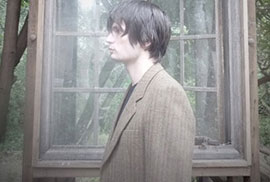
"So when I started on Max I felt like I’d got past all that, and didn’t have to use someone else’s idea of what a delay, or a reverb, or a sequencer should do, or should sound like – I could start from the ground, and think in terms of sound and maths. It was like coming off the rails. Before there was all this padding between the computer and me. Now there was a blank screen as a starting point…" (Excerpt from Jonny's "Mini Interview" with Cycling 74, the makers of Max)
Genre Usage
Based on how artists on Equipboard use this gear, it is most commonly found in the following genres.
Used With
Based on how musicians on Equipboard use Max 6 Multimedia Programming Language, it is most commonly used with the following gear.


More Virtual Instrument

$279.00
in Virtual Instrument Rank


$149.00 - $199.00
in Virtual Instrument Rank

$277.00 - $399.00
in Virtual Instrument Rank


$26.00 - $29.00
in Virtual Instrument Rank


$149.00
in Virtual Instrument Rank


in Virtual Instrument Rank


$58.80 - $99.00
in Virtual Instrument Rank


$133.00 - $149.00
in Virtual Instrument Rank


-m.webp?v=1783895735)
$29.00
in Virtual Instrument Rank

$174.00
in Virtual Instrument Rank


$56.00 - $79.00
in Virtual Instrument Rank


$390.13 - $599.00
in Virtual Instrument Rank


$105.00 - $3,421.95
in Virtual Instrument Rank


-m.webp?v=1783894868)

$33.00 - $39.00
in Virtual Instrument Rank


$171.00
in Virtual Instrument Rank


$118.25 - $199.00
in Virtual Instrument Rank


$122.00 - $179.00
in Virtual Instrument Rank


$55.00 - $59.00
in Virtual Instrument Rank


$19.00 - $49.00
in Virtual Instrument Rank


$34.00 - $149.00
in Virtual Instrument Rank

$33.63 - $59.00
in Virtual Instrument Rank

$39.00
in Virtual Instrument Rank


$29.00 - $129.00
in Virtual Instrument Rank

$49.00 - $79.00
in Virtual Instrument Rank

$154.25 - $199.00
in Virtual Instrument Rank


$79.00 - $139.00
in Virtual Instrument Rank


$59.00
in Virtual Instrument Rank

$50.00 - $99.00
in Virtual Instrument Rank


$59.00 - $99.00
in Virtual Instrument Rank

$32.00 - $39.99
in Virtual Instrument Rank


$199.99 - $213.00
in Virtual Instrument Rank
.png?v=1783771221)

$31.00 - $34.00
in Virtual Instrument Rank

Community setups


Similar


Gear Guides









Most Popular Brands
-
Added to Equipboard on by
 odysseyeurobeat
GearIQ 1708
-


