

Pricing and availability
We compare 600+ stores and found this item at 1 store. Prices updated .


Average Price: $40
Budget/Beginner
$49
$150+
Price Tier
Budget
Standard
High-end
Price History
Based on price data from 1 merchant for "Two Notes Audio Engineering Torpedo Wall of Sound | Plugin Boutique Edition". Prices shown reflect NEW condition. Tracking began Apr 2, 2026.
* Product prices and availability are updated by Equipboard every 24hrs and are subject to change. Equipboard may receive compensation for purchases made at participating retailers linked on this site. This compensation does not affect what products or prices are displayed, or the order of prices listed. For more information, please refer to our affiliate disclosure.
Description
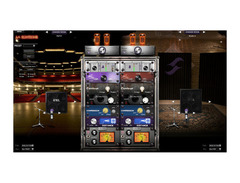
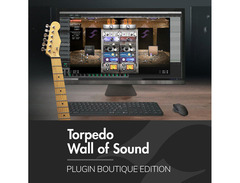
Elevate your sonic experience with the Two Notes Audio Engineering Torpedo Wall of Sound | Plugin Boutique Edition—an industry-leading amp simulator plugin that merges sophisticated technology with intuitive design. Perfect for guitarists and bassists seeking ultimate control over their tone, this plugin harnesses the power of Two Notes DynIR Technology, delivering hyper-realistic virtual cabinets that transform your sound into studio-grade perfection.
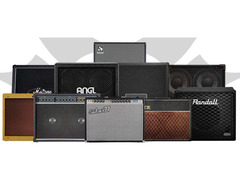
Whether you're a tone purist or a creative explorer, the Torpedo Wall of Sound offers endless possibilities. Dive into an expansive world of sound with over 600 DynIR Virtual Cabinets, each meticulously modeled with 8 microphones and 10K mic positions for unparalleled versatility. From lush reverb to precise EQ adjustments, tailor your tone to exacting standards with an array of studio-grade effects.
For those who crave simplicity, Arcade Mode provides a streamlined interface to quickly dial in stunning tones. Meanwhile, Simulation Mode invites you to fine-tune every aspect of your sound, offering a deep dive into a universe of parameters and settings. With the ability to stack up to 20 stereo DynIR Cabinet channels, your creative potential knows no bounds.
Whether re-amping, using modeling, or plugging directly into your DAW, the Torpedo Wall of Sound is the definitive tool for musicians who demand authenticity and flexibility in their soundscapes.
Key Features:
- Industry standard for virtual miking, power amp simulation, and studio-grade effects
- Two Notes DynIR Technology with 8 mics per cabinet and multiple mic positions
- Includes 10 expertly captured DynIR Virtual Cabinets
- Expandable with over 600 additional guitar and bass cabinet options
- Stack up to 20 stereo DynIR Cabinet channels
- Features intuitive Arcade Mode and comprehensive Simulation Mode
- Compatible with MacOS X & Windows (VST3, AU, AAX, VST formats)
Videos

Sonic Drive Studio
Tutorial: How to load OwnHammer impulses into Torpedo Wall Of Sound
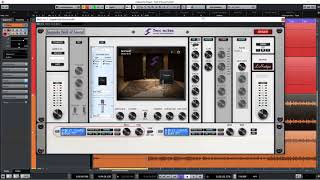
Tutorial: How to load OwnHammer impulses into Torpedo Wall Of Sound
Sonic Drive Studio

Two Notes Torpedo Wall of Sound - Impulse Response Cabinet Sim Plugin (Audio Test)

Audio Tech TV
Reviews
Owner Insights
We analyzed real musician discussions from forums and Reddit to find what players love, question, and tweak about Two Notes Audio Engineering Torpedo Wall of Sound | Plugin Boutique Edition.
Features and functionality
-
Wall of Sound version 4.4.4 still functional; hidden on the website to promote Gnome.
Source
Software and compatibility
-
Owners of Wall of Sound automatically have access to Genome in their account.
Source
User experience
-
Two Notes' customer service praised for replacing faulty units and adding free DynIRs for inconvenience.
Source
Value and pricing
-
Noted that Genome's cost is 80€, but discounts are likely during Black Friday sales.
Source
Based on 0 Reviews and 0 Ratings
More Two Notes Amp Simulator Plugins


$199.00 - $222.00
in Amp Simulator Plugins Rank


$199.99 - $429.99
in Amp Simulator Plugins Rank


$33.00 - $34.99
in Amp Simulator Plugins Rank


$199.99
in Amp Simulator Plugins Rank


$95.00 - $299.99
in Amp Simulator Plugins Rank


$399.99
in Amp Simulator Plugins Rank

$23.90 - $40.00
in Amp Simulator Plugins Rank

$161.00 - $299.00
in Amp Simulator Plugins Rank

$53.00 - $299.00
in Amp Simulator Plugins Rank


$450.00
in Amp Simulator Plugins Rank


in Amp Simulator Plugins Rank


$33.00 - $35.99
in Amp Simulator Plugins Rank

$49.00
in Amp Simulator Plugins Rank

$49.00
in Amp Simulator Plugins Rank

$69.00 - $1,649.99
in Amp Simulator Plugins Rank

$43.00 - $329.00
in Amp Simulator Plugins Rank

$39.99
in Amp Simulator Plugins Rank


$25.00 - $399.00
in Amp Simulator Plugins Rank
.jpg?v=1783256941)

$44.00 - $49.00
in Amp Simulator Plugins Rank

$92.00 - $99.00
in Amp Simulator Plugins Rank

$29.99 - $34.99
in Amp Simulator Plugins Rank


$144.00
in Amp Simulator Plugins Rank


$105.00
in Amp Simulator Plugins Rank


$23.90 - $40.00
in Amp Simulator Plugins Rank

$39.00 - $99.00
in Amp Simulator Plugins Rank

$23.90 - $75.00
in Amp Simulator Plugins Rank

$99.99 - $111.00
in Amp Simulator Plugins Rank

$99.00
in Amp Simulator Plugins Rank

in Amp Simulator Plugins Rank


in Amp Simulator Plugins Rank


$49.00
in Amp Simulator Plugins Rank
Artist usage


Community setups


Similar


Gear Guides







Most Popular Amp Simulator Plugins
Most Popular Brands
-
Added to Equipboard on by
 equipboard
Gear IQ 4934
-

