By Gear Experts
Table of Contents

Equipboard
Equipboard is the world's largest community of artists and their gear. Read our review process.
We are reader-supported. When you buy through links on our site, we may earn an affiliate commission. Learn more.
Our Picks

A sweet sounding Fender, Marshall, or Vox in one elegant, compact box by one of our fav boutique pedal makers. Super easy to use. Oh and it can run stereo, has a headphones jack, can be updated/modified via USB, and stores presets. Close to perfect in our book.
Read more


The Iridium is certainly an investment, but the ease of use and fantastic sound quality of all 3 amp models justify the cost. One of the gold standards of amp sim modeling, if not THE gold standard.
Read more

A powerful amp/cab modeler with a few caveats. Its affordability and feature-rich design make it a strong contender, but it requires dedication and time to tinker with the software editor to make it truly shine.
Read more
Universal Audio Dream '65 Reverb Amplifier
The UA Dream 65's limitation is that it only sets out to model ONE amp - a 1960s Fender Deluxe Reverb - but it does a remarkable job doing so. One of the sweetest "amp in a box" tones around.
Read more
Boss took the best of many existing amp sim pedals, and threw them all together into a budget-priced, incredibly versatile package worthy of bedroom practice, recording, and live use. Stands up to pedals twice its price.
Read more
DSM & Humboldt Electronics Simplifier mk2
All-analog simulation of a Marshall/Fender/Vox, custom cab & speaker settings, built-in DI, headphone out, reverb, stereo, FX loop... the only thing it doesn’t do is plug into your computer for custom IRs. Aside from that it’s an incredible sounding unit.
Read more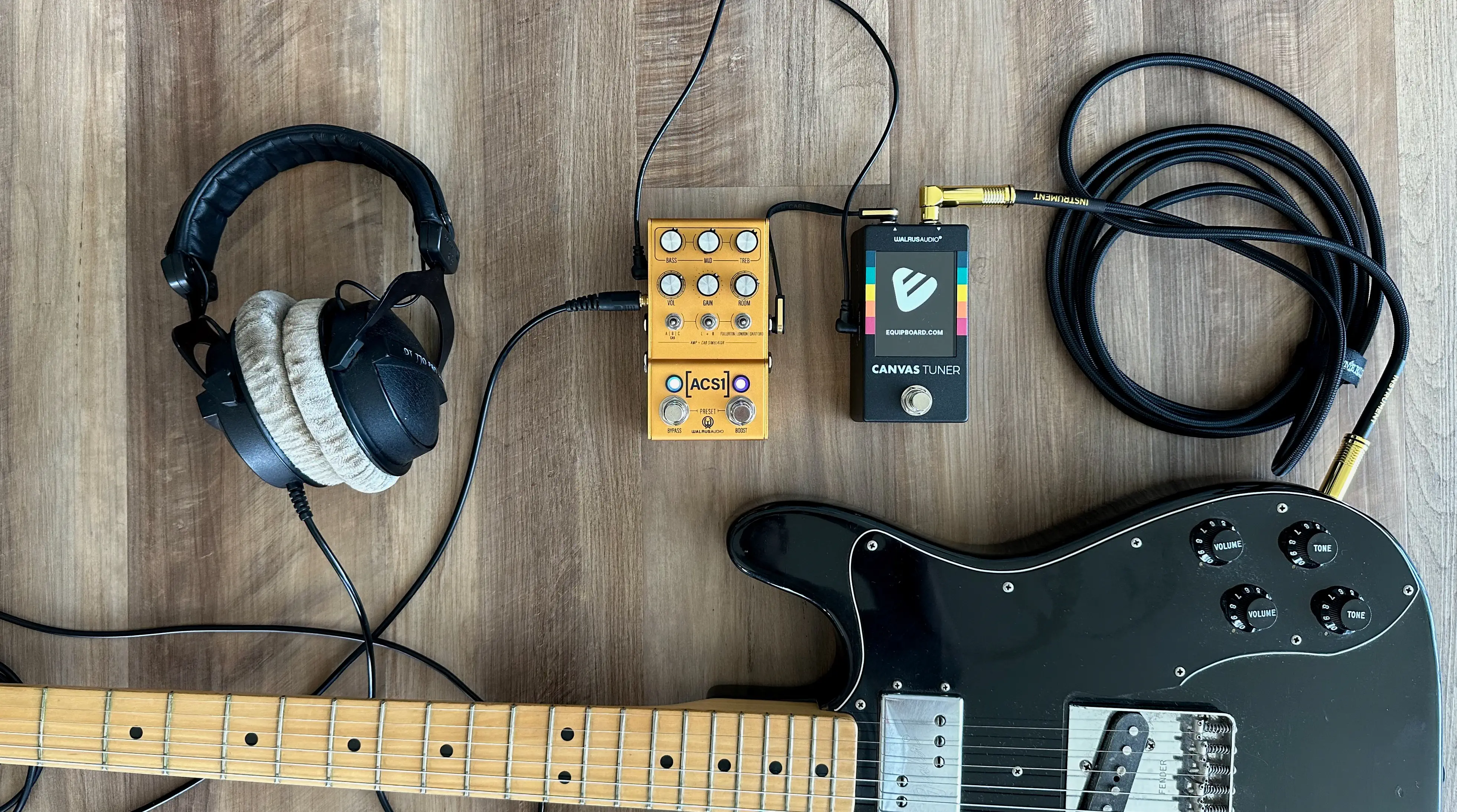
Here’s the quick version! An amp/cab simulator pedal is basically a combo guitar amp in a box.
- Who it’s for: Targeted towards everyday players coming from a tube amp and pedalboard background.
- What it’s not: A replacement for your full-rig. It is not an all-in-one multi-FX pedal that tries to emulate every effect pedal under the sun.
- Why get one: Incredible ease of use. Just drop it at the end of your existing pedalboard, and run DI to FOH if playing live, into a recording interface, in-ear monitors, or headphones for silent jamming at home.
Walrus Audio MAKO Series ACS1
5.0 (2)





Average Price: $312
Standard/Professional
$200
$501+
Budget
Standard
High-end
- Great amp and cab emulation with versatile options
- Compact size fits easily on pedalboards
- Stereo output enables different amps on left & right for expansive sound
- Effective with a wide range of pedals, especially klon style
- See 5 more
- Requires a DI for optimal use
- Some users report unconvincing settings and background noise
- Limited gain range; not designed for high-gain needs
- Described by some as overly compressed with unnatural breakup
- See 1 more
| Analog/Digital | analog, digital |
| Mono/Stereo | stereo |
| Power | 9V |
| Current Draw | 300ma |
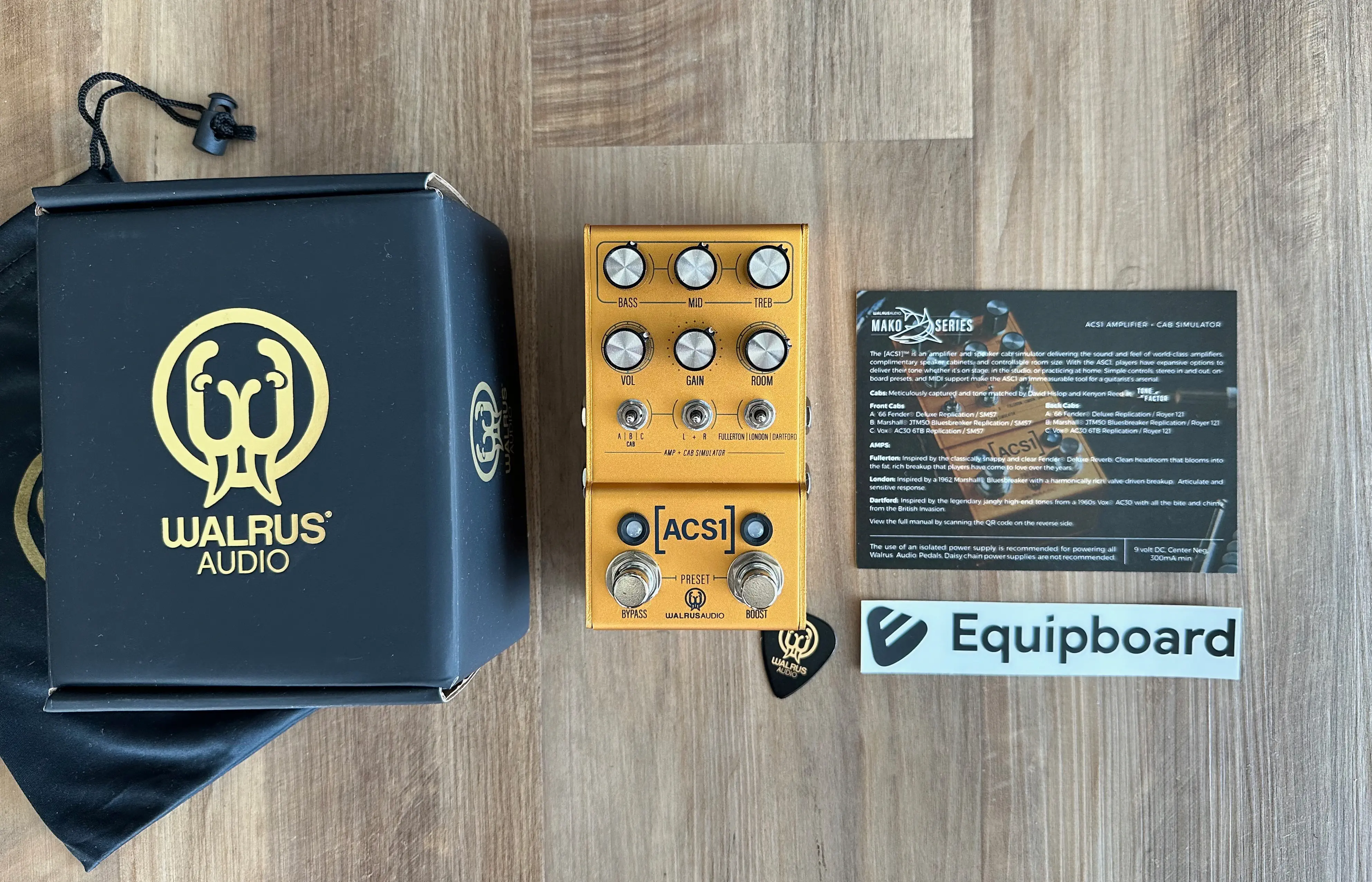
In our deep dive into the world of amp modelers, the Walrus Audio MAKO Series ACS1 stood out as a top contender. We’ve spent some quality time with this pedal, and here’s our balanced take.
Here are the quick highlights:
- It models 3 amps - Fender Deluxe Reverb, 1962 Marshall Bluesbreaker, and a '60s Vox AC30
- It is a compact/standard pedal size
- It can run in stereo (in and out), has a headphone jack for quiet practice, MIDI, and USB for updates
- It has built-in boost
- It can store 3 presets onboard
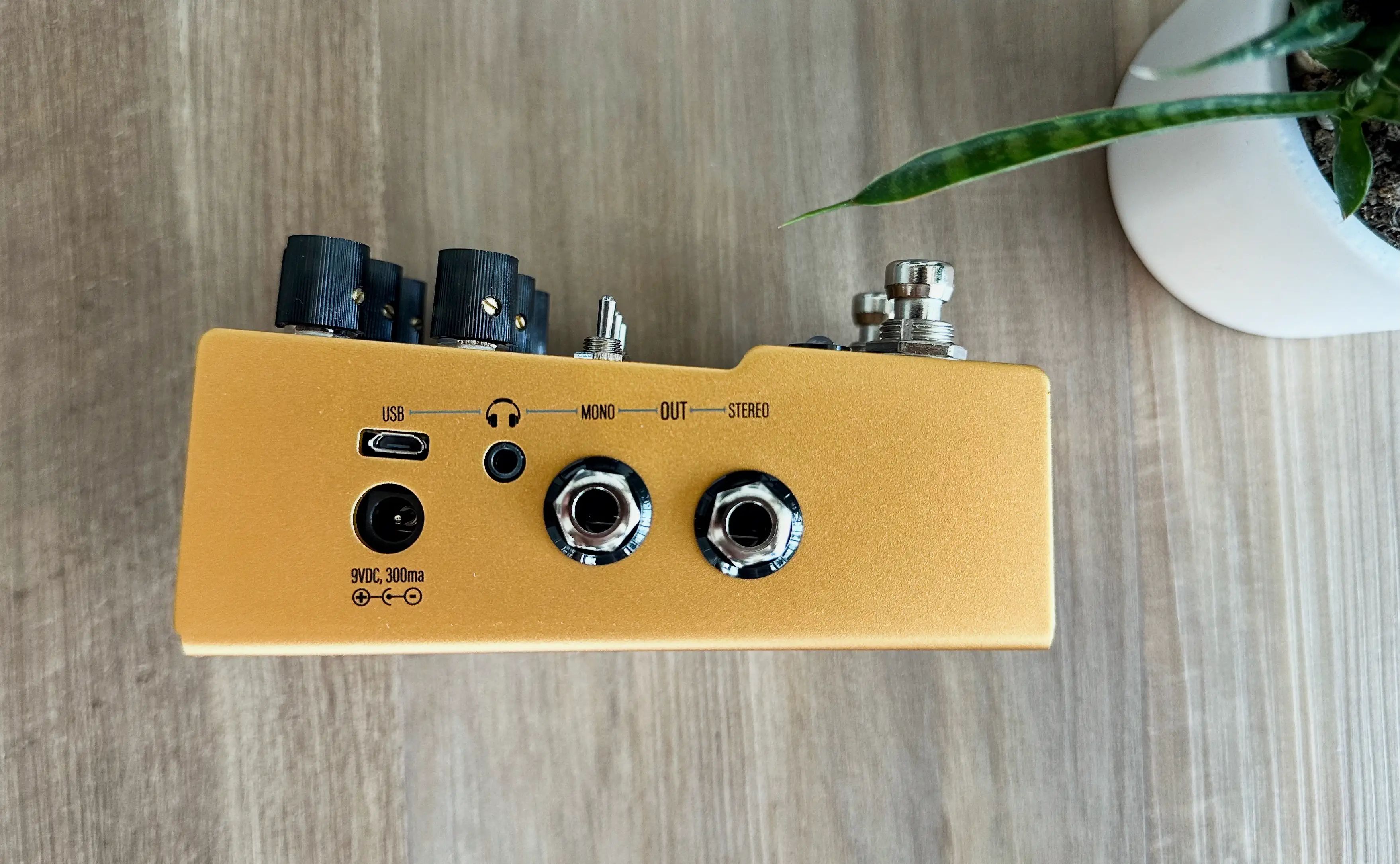
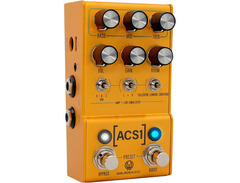
No issues with build quality. It feels like most Walrus pedals - rock solid - and looks elegant and gorgeous. Unlike some other amp/cab sim pedals that are huge, the ACS1 is “standard” stompbox size, so that alone is a great reason to choose it, for those of us with tight pedalboard space.
The user interface is intuitive, quickly becoming second nature without the need to perpetually reference a manual. You have 3 dials for the EQ, BASS/MID/TREB and 3 dials for the actual amp settings, VOLUME/GAIN/ROOM. ROOM adds a nice spatial effect that can bring your playing to life, but keep in mind it won’t replace a dedicated reverb pedal.
We appreciated the ability to store 3 presets, which allowed us to quickly switch between our favorite settings. The stereo recording capability through two different amps is a game-changer, offering a depth and richness that's hard to beat. Also you can set the left and right channel to different amp models, which we’re honestly not going to use much but adds some crazy versatility.
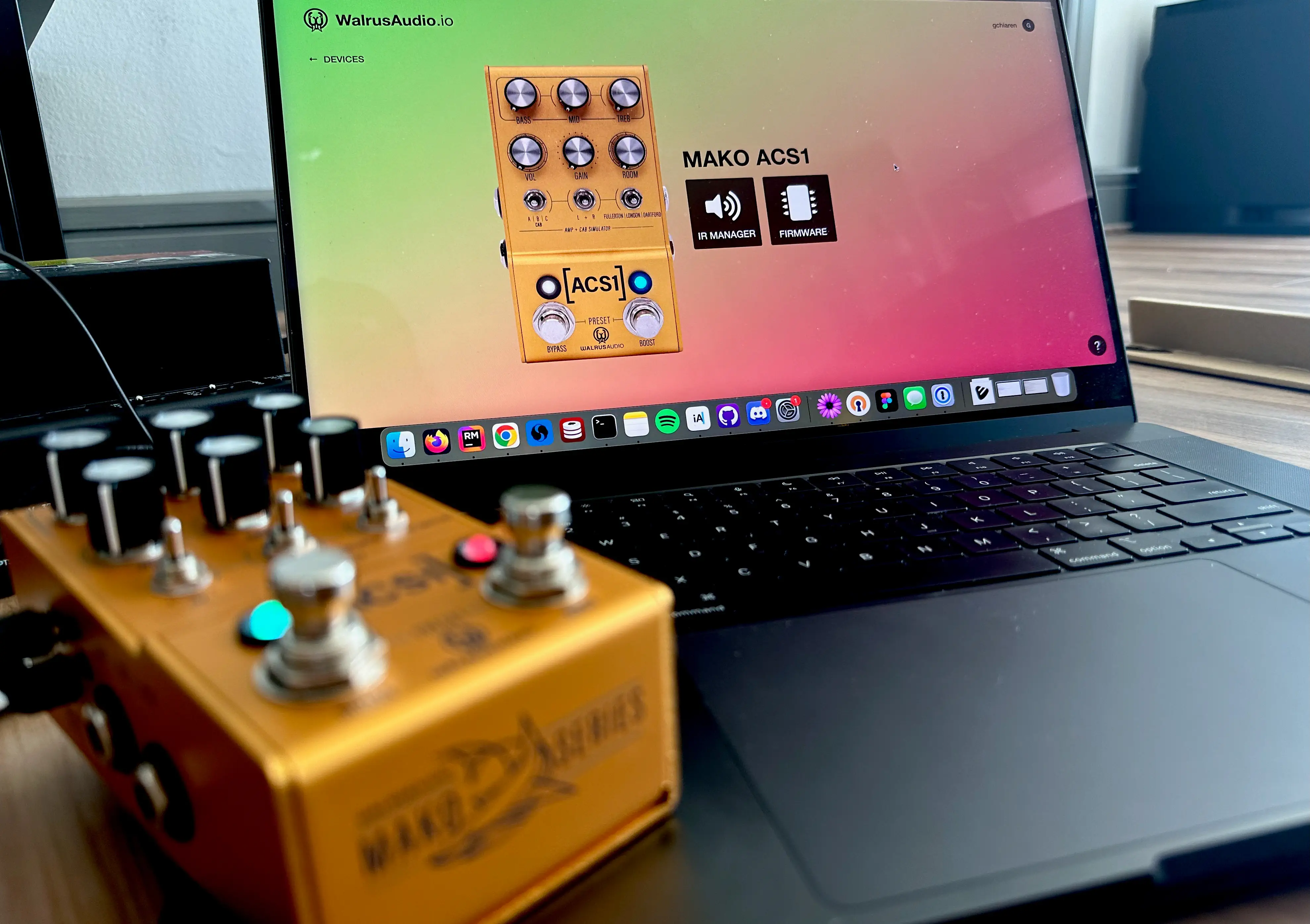
Updating the firmware was straightforward, although we did find it a bit browser-sensitive; Google Chrome worked best for us. The ease of updating and loading IRs directly through the browser (walrusaudio.io) without needing additional software was a huge plus, streamlining the whole process.
When it comes to sound, the ACS1 delivers. The clean tones, especially through headphones with the Fender Deluxe Reverb model, are stellar. We found the natural amp tones to be convincing, and the pedal handled our other pedals admirably. The built-in IRs and room knob enhance the sound quality, providing a diverse palette of tones suitable for various genres. However, we did notice a slight roll-off in the top and bottom ends when pushing into higher gain territories. And speaking of gain, it tops out at a “crunchy overdrive level,” which might not satisfy those seeking a more aggressive sound (but hey, that’s what distortion pedals are for).
Despite these minor quibbles, the ACS1 offers great value for money. It's an excellent tool for silent home practice with its headphone output, and works impressively well in live settings.
Bottom Line: The Walrus Audio MAKO Series ACS1 is ideal for guitarists seeking a reliable, feature-rich amp modeler with high-quality sound and ease of use. Having a Fender, Marshall, and Vox at the flip of a switch is so much fun. Arguably the best part is how incredibly easy the ACS1 is to dial in. It has most of what you need without having to dig into digital menus. However, it might fall short for those needing higher gain textures. For us, the ACS1 is one of the top amp/cab sim pedals out there, offering a blend of functionality and tonal excellence that justifies its price.
See how artists use this

.jpg)

.jpg)





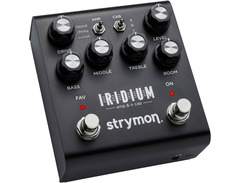
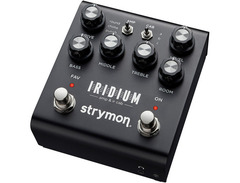
Strymon Iridium Amp & IR Cab
5.0 (21)



Average Price: $373
Standard/Professional
$200
$501+
Budget
Standard
High-end
- Exceptional sound quality, mimicking vintage amps convincingly
- Versatile, catering to a wide range of genres from jazz to hard rock
- Simplifies setup, ideal for live performances and reducing gear load
- User-friendly, easy to tweak without complex menus
- See 6 more
- Room sounds could be improved; lacks a reverb algorithm
- Factory presets may not satisfy metal genre players without adjustments
- Marshall amp simulation can be noisy with high gain settings
- The Fender model may require additional IRs for authenticity
- See 1 more
| Analog/Digital | digital |
| Power | 9V |
| Current Draw | up to 500ma |
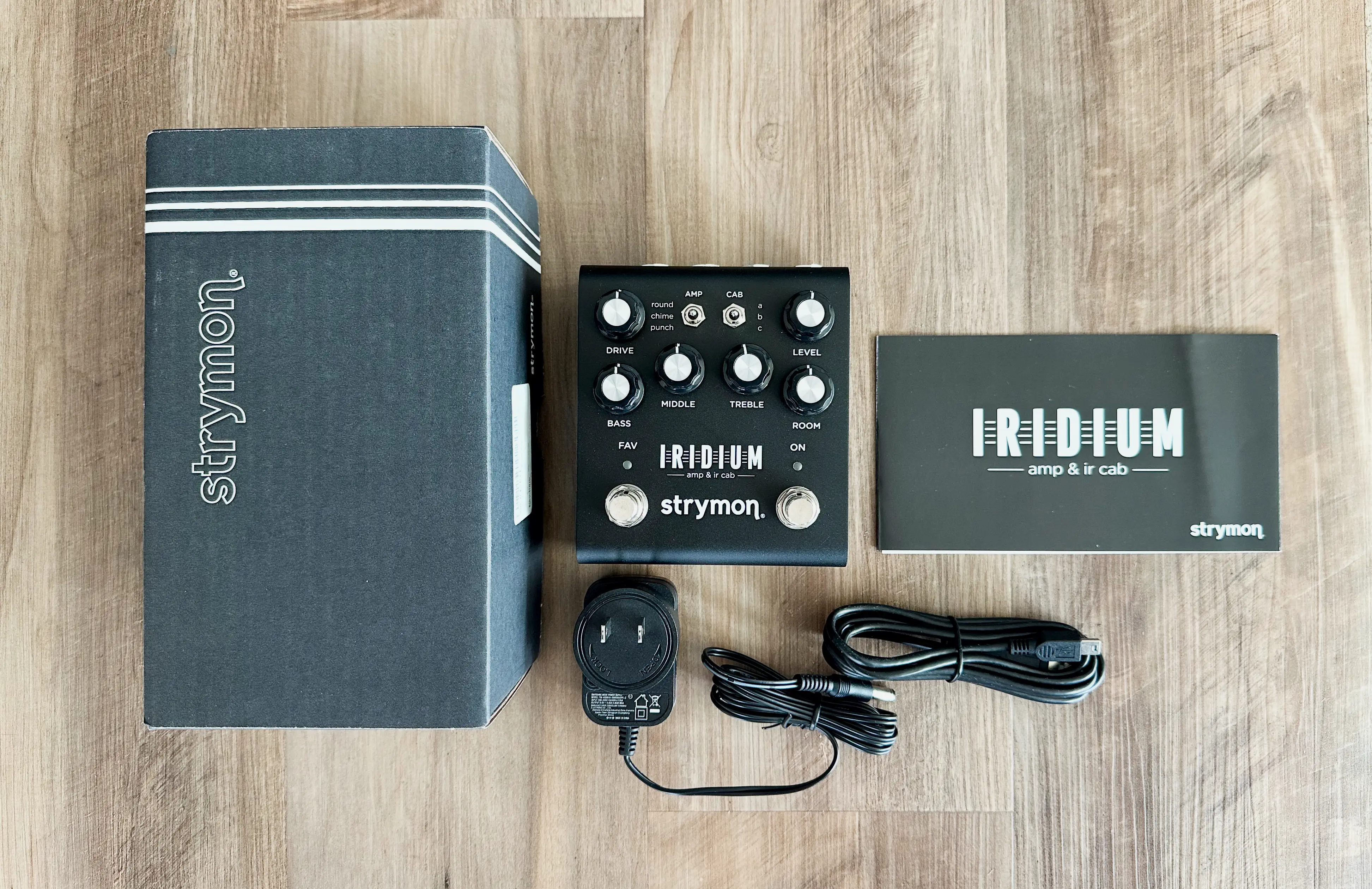
Widely regarded as one of the gold standards in amp and cab modeling, the Strymon Iridium has made a significant impact in the world of guitar pedals. With Strymon's solid reputation for reliable and high-quality products, does the Iridium live up to the hype?
Right from the unboxing, the Iridium immediately impressed us with its sleek aesthetic and robust build quality - it’s a Strymon product after all. It measures about 4 inches wide, which should fit seamlessly into most pedalboard setups without dominating space (note that it is a bit wider than the Walrus ACS1).
Guitarists tend to appreciate amp/cab sim pedals for their relative simplicity, avoiding the need to wade through digital menus. The Iridium truly delivers on this front, offering one of the simplest interfaces among amp sim pedals we tested. Of all of them, this had the most intuitive and user-friendly controls, making it a great choice even for those who get intimidated by complex gear.
The pedal offers three amp models:
- round (Fender Deluxe Reverb)
- chime (Vox AC 30TB)
- punch (Marshall Plexi)
Each of those can paired with three cabinets, for a total of 9 stock tones to choose from. The three-band EQ (BASS, MIDDLE, and TREBLE) allows for quick and effective tone shaping. Additionally, the Room knob adds a touch of reverb to emulate a real-life amp in a room. It won’t replace a dedicated reverb pedal, but it sounds really nice and truly does make the space feel bigger.
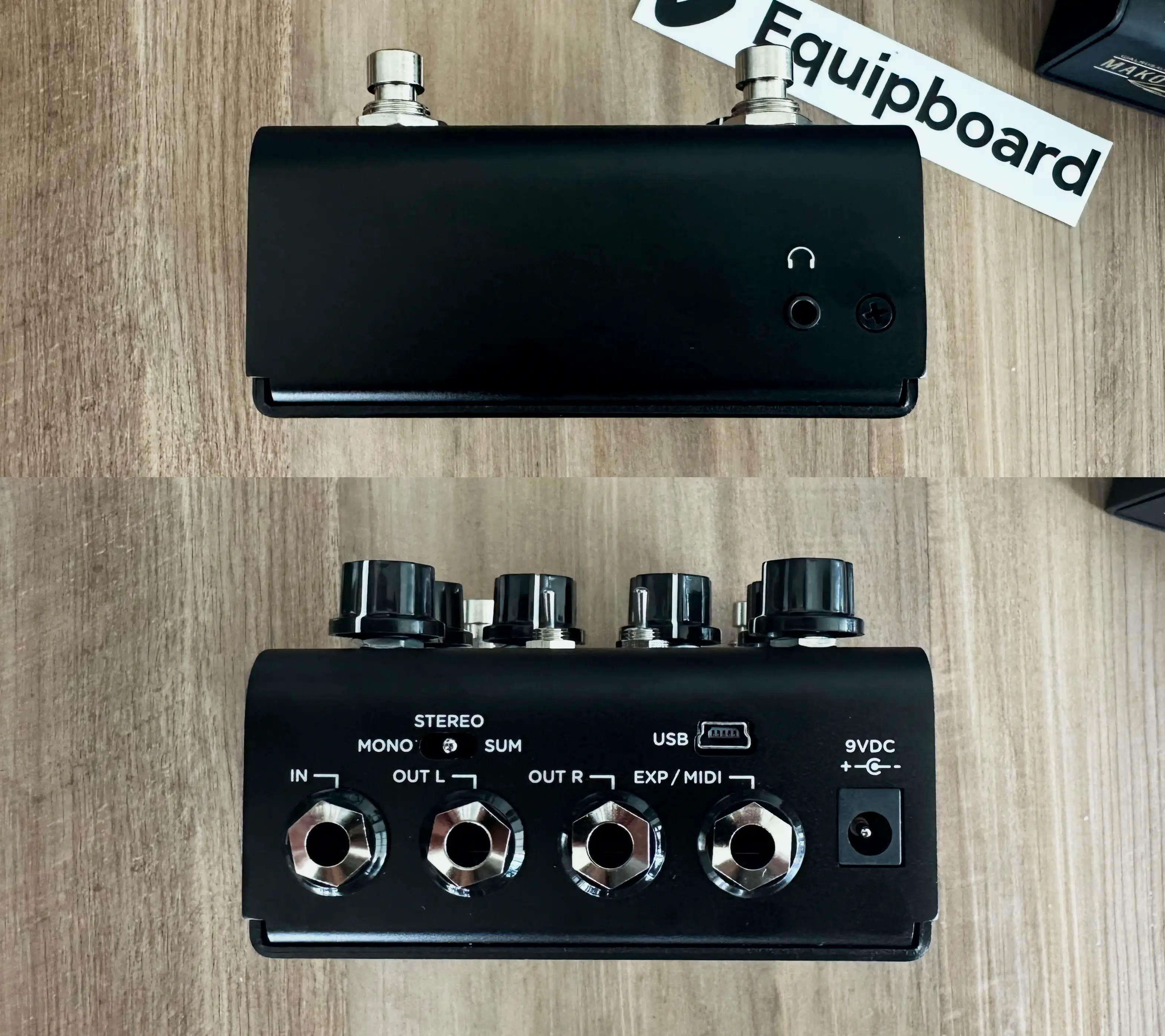
One standout feature is the ability to load third-party impulse responses (IRs), providing endless possibilities for customization. We also appreciated that the Iridium takes other pedals well, from overdrive to distortion, making it a versatile addition to any setup. However, it's worth noting that you can only store one preset, which might be a limitation for those who need quick access to multiple settings.

When it comes to sound quality, the Iridium is truly impressive. The tones are convincing and close to real tube amps, making it a fantastic option for both recording and live use. Whether dialing in clean sounds with the Fender Deluxe Reverb amp model or pushing high-gain boundaries with the Marshall Plexi, the Iridium delivers great tone and responsiveness across various genres. It’s hard to pinpoint exactly what it is, but the Iridium just has this extra presence and “width” when A/B testing it alongside other amp sim pedals (note that the Marshall model can get a bit noisy with high gain, but adjusting the settings can mitigate this issue).
The Iridium's stereo in and out, along with a mono/sum/stereo switch on the back, offers flexible routing options. The inclusion of a headphone jack is a feature we love for silent practice, adding to the pedal's convenience.
Bottom Line: In no world will the Strymon Iridium disappoint you - it's an absolutely stellar-sounding and convincing simulation of real tube amps, especially with a high-fidelity sound system or great headphones. It's perfect for studio recording, live performances, and silent practice. We cannot stress how easy it is to just plug it in and dial in an amazing amp tone. That simplicity COULD however be a drawback for tone snobs who demand surgical precision when it comes to tone shaping options.
Honestly the high price tag is the biggest ding we can come up with. If the price were $100 lower, it would be close to perfect. Given its price, it opens the door to comparison shopping with other amp sim pedals on this list, which are all great in their own right.
See how artists use this



.jpg?v=1784640202)



NuX NGS-6 Amp Academy


Average Price: $167
Budget/Beginner
$200
$501+
Budget
Standard
High-end
- Feature-loaded with multiple outputs and inputs
- Accurate and versatile voice settings
- Useful and intuitive software, no account required
- Effects loop and third-party IR compatibility
- See 5 more
- Documentation and manual are not user-friendly
- Firmware updates required before full functionality
- Difficult toggle switch access in live situations
- Some users report issues with input noise and reliability
- See 4 more
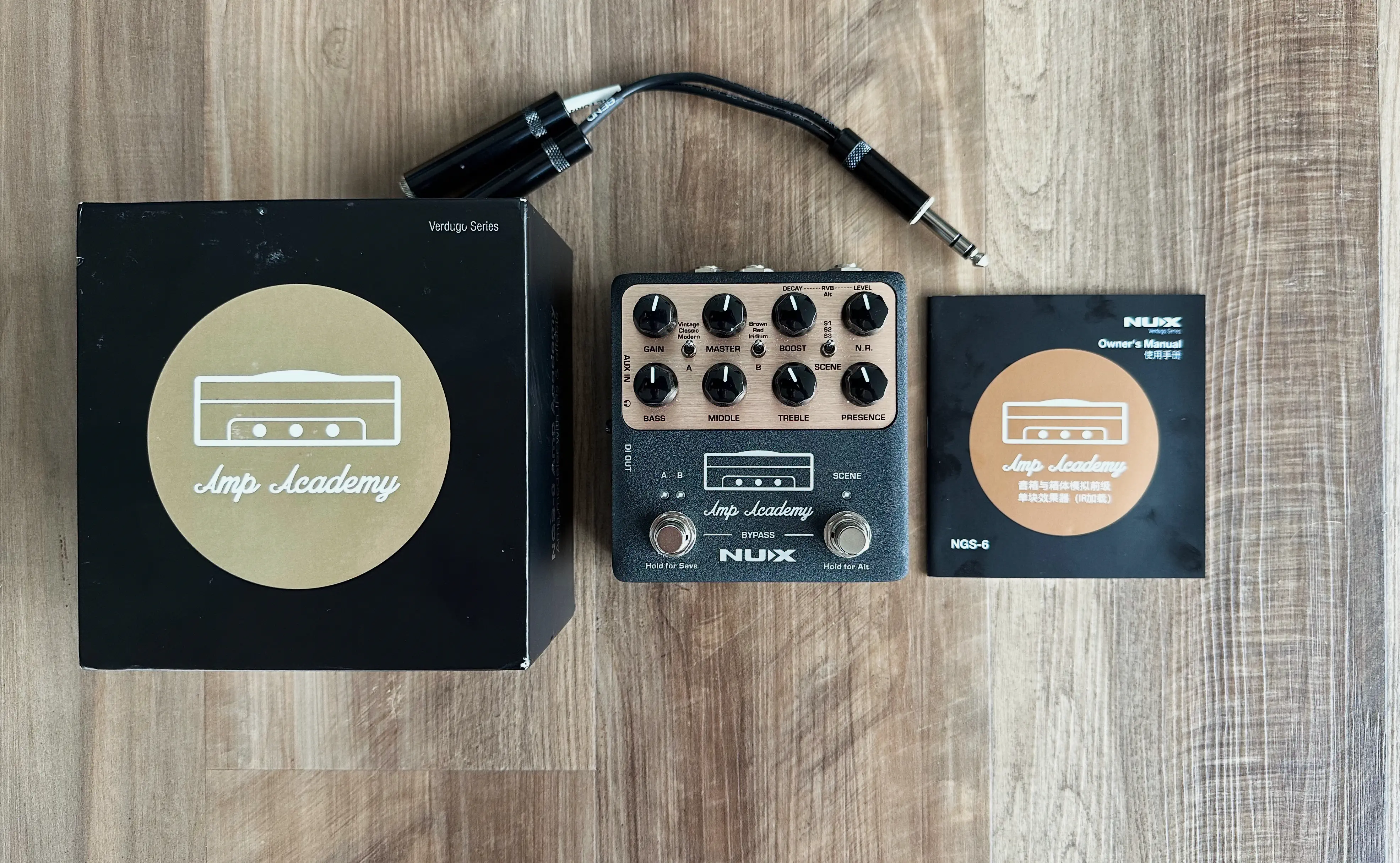
From a lesser-known manufacturer compared to the likes of Boss, Strymon, or Walrus, the Nux Amp Academy costs considerably less than your average amp/cab sim pedal. There’s a lot of noise about it on YouTube and forums, with some even calling it a "Strymon Iridium killer." So, we had to get our hands on it and see for ourselves.
Upon unboxing the Nux Amp Academy feels robust and well-built, with a hefty weight that suggests durability. The casing is solid, and the switches, knobs, and jacks all have a reassuringly sturdy feel. The aesthetic is reminiscent of classic Marshall amps, giving it a vintage vibe that many musicians will appreciate.
One of the most striking aspects of the Amp Academy is its extensive feature set. It boasts six built-in amp models and 12 cab sims, with the ability to load custom IRs. Many amp/cab pedals tend to cover the “big 3” - Fender, Vox, and Marshall. The Amp Academy bucks this trend, opting to model the likes of Fender, Mesa Boogie, Friedman, and Bogner.
The I/O of this pedal is one of its strongest aspects. It has an effects loop, DI out, USB-C audio interface, AUX in, and a headphone out. The downside is that it’s mono, not stereo, which is a bummer but likely not a deal-breaker for most. The range of features is impressive, offering great versatility and control over presets. The inclusion of both a 1/4” output and an XLR output ensures compatibility with a wide range of setups, making it suitable for both studio and live use.
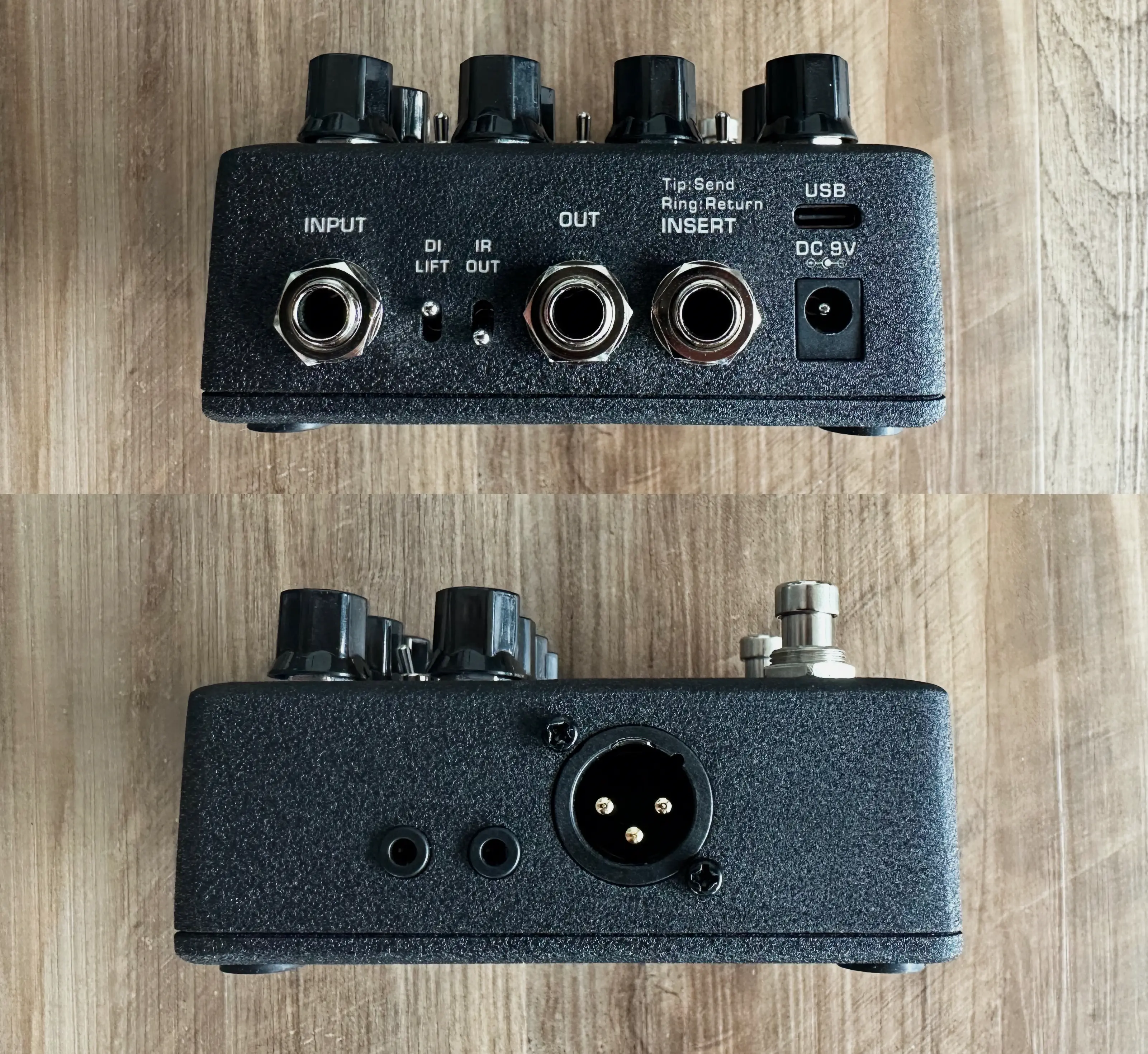
In fact, if you play live or have a complex routing setup, you’ll really appreciate the Nux Amp Academy’s I/O. The ability to set three “scenes” for each amp model adds another layer of flexibility, allowing for quick and seamless transitions between different tones during performances.
In terms of sound quality, the Amp Academy delivers, especially with its Fender amp models. We found that it takes pedals well, making it a versatile addition to any pedalboard setup. However, the built-in IRs were less impressive, often sounding fizzy or harsh unless meticulously configured. High-gain amp models, while good, didn’t shine as much as the cleaner, Fender-inspired tones.

While the Nux Amp Academy offers excellent sound quality, it is not quite a plug-and-play pedal like the Strymon Iridium. The real power of this pedal lies in the Amp Academy editor software, which provides an impressive array of editing tools, EQ, and various effects. However, unlocking its full potential requires a significant investment of time, watching YouTube tutorials, and patience in front of your computer. You also need to ensure that you have the latest firmware update installed.
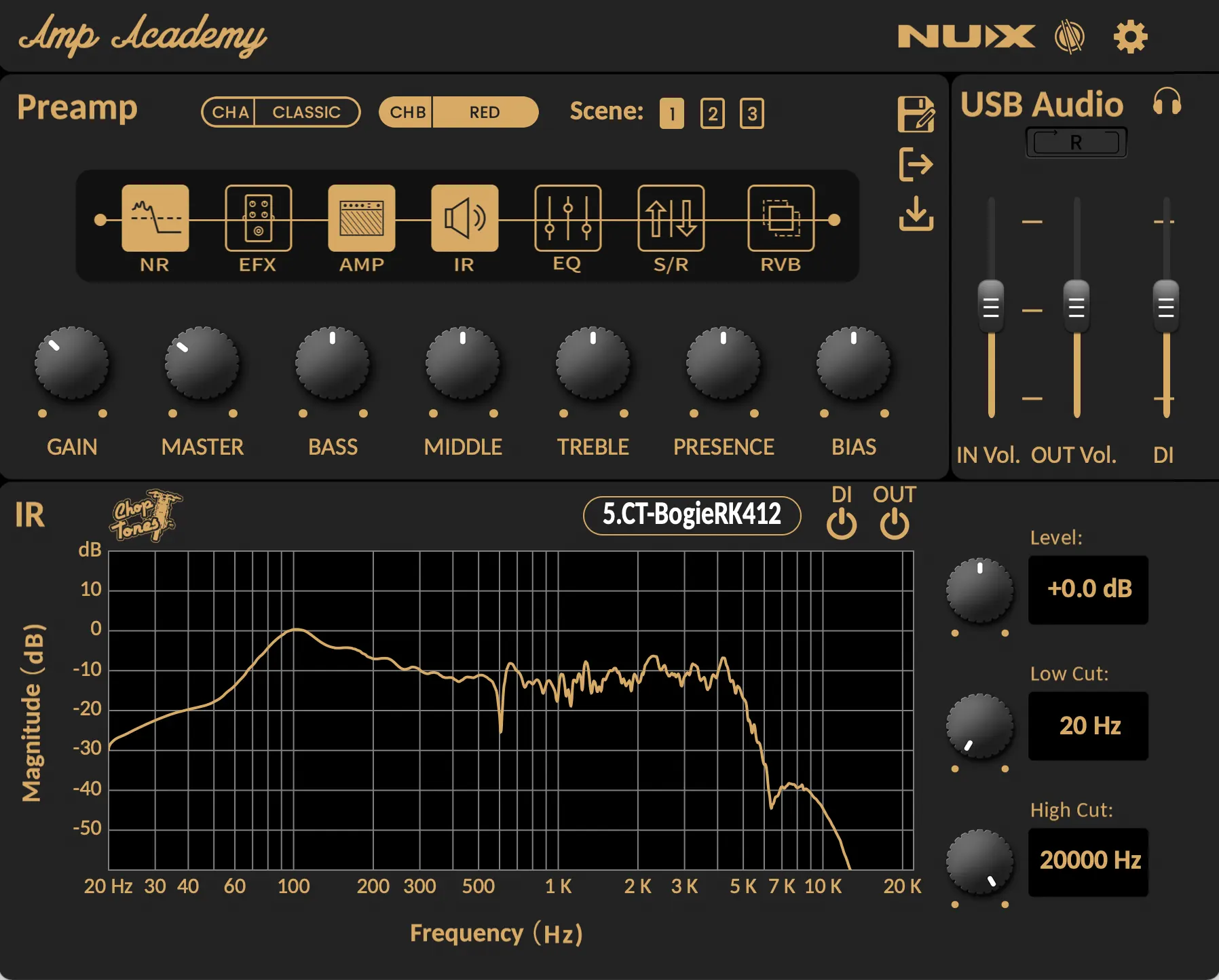
Reliability is a bit of a concern. The first unit we received wouldn't power on, and we had to send it back for a replacement. Additionally, other users have reported issues such as noise problems developing over time. This might just be one of the trade-offs for the lower cost of this unit.
Bottom Line: For us, the Nux Amp Academy is a mixed bag but ultimately worth including on a list of the best amp/cab simulator pedals. In our book, the biggest knocks against it are that 1) it’s not stereo, 2) it might me prone to reliability issues, and 3) to get the best out of it you have to be willing to spend some time with the software editor.
But here’s the great news - the Amp Academy is roughly HALF THE PRICE of a Strymon Iridium, and that’s significant. The fact that it has an in-depth software editor isn’t even necessarily a negative - it’s just that we believe most guitarists appreciate being able to plug in, twist some knobs and have their rig sound amazing right off the rip. All that said, the Nux Amp Academy is versatile, looks great, sounds great, and features some of the best I/O options we’ve seen regardless of price point.


Universal Audio Dream '65 Reverb Amplifier
5.0 (10)




Average Price: $370
Standard/Professional
$200
$501+
Budget
Standard
High-end
- Authentic Fender tones, closely emulates a Deluxe Reverb
- High-quality spring reverb and pleasing tremolo effects
- Solid build quality, reliable for live performances
- Integrates well with other effects like fuzz, overdrive, wah
- See 6 more
- App necessary for certain adjustments, frustrating user experience
- App functionality issues, difficulty accessing saved presets
- May require initial effort to dial in for best results
| Analog/Digital | digital |
| Mono/Stereo | stereo |
| Power | 9V |
| Effects | boost, overdrive, reverb, tremolo |
| Current Draw | 400ma |
The unique thing about the Universal Audio Dream '65 Reverb Amplifier Pedal is that it's a bit one-trick pony - it focuses solely on replicating the 1965 Fender Deluxe Reverb amp, capturing its nuances, as well as spring reverb and tremolo effects. Most other amp sim pedals aim to emulate several iconic amps from different manufacturers, so it begs the question, does UA's hyper-focus on this one amp tone result in magic?
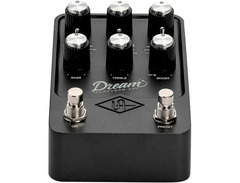
Right out of the box, the Dream '65 exudes a sense of quality. The pedal is solid and durable, with a weight that feels substantial. The design is clean and intuitive, featuring well-labeled controls that make it easy to dial in the perfect tone. The fit and finish of this pedal are what we've come to expect from Universal Audio, known for their high-end studio gear. The aesthetics do have a certain Fender amp vibe to them.
The controls on the Dream '65 are straightforward and useful. The knobs are mostly self-explanatory, with some controlling different things depending what mode you're in. The SPEAKER switch allows you to cycle through three different speaker models, each with a unique character: the GB25 (Vintage Celestion Greenback), the original Oxford 12K5-6, and the EV12 (Electro-Voice EVM12L). The MOD switch offers three settings: stock sound, LEAD (an '80s overdrive special modification), and D-TEX (an SRV modification). These mods add a level of versatility that makes the pedal suitable for a wide variety of genres and playing styles.
When it comes to sound, you'll be hard-pressed to find a better emulation of both clean and overdriven tones of a real Fender Deluxe Reverb amp. The pedal’s response and dynamics mimic a real amp, including the subtle nuances of attack and sag. For those who love classic Fender tones, this pedal is a dream come true (no pun intended).
The spring reverb and tremolo effects are particularly noteworthy, delivering a lush, authentic sound that feels just like the real thing.
We tested the pedal in various setups, and it consistently impressed us. It handles other pedals exceptionally well. The stereo in and out are great for those running a wet/dry or true stereo rig, adding depth and dimension to your sound.
There are a few downsides worth mentioning. The lack of a headphone output is a notable omission. While you can plug it into a headphone amp, it requires additional gear, which can be inconvenient. This was a let down for us, especially considering other amp sim pedals tend to have a headphone jack.
The UAFX app is essential for changing certain settings, downloading custom artist tones, and recalling and archiving your presets. However, its occasional instability can be frustrating.
Bottom Line: The Universal Audio Dream '65 Reverb Amplifier is an outstanding emulation of a Fender Deluxe Reverb amp. Its build quality is excellent, and it offers a level of authenticity that can be both a blessing and a limitation, depending on your needs. If you're someone who loves the sound of a Fender amp and wants to avoid lugging around the real thing, this pedal is a fantastic solution. However, you might find this pedal limiting for the exact same reason. Whether the Dream '65 offers excellent value depends on how much you personally value having a Fender Deluxe Reverb in a box. For us, yes it is a tad more limiting than other amp sim pedals, but it sounds oh so good! It stands out as one of the most accurate and satisfying amp sim pedals we've tested, and we highly recommend it to fellow tone enthusiasts.
It's worth noting that if you like UA's single amp emulation, they also have these models available:
- UA Ruby '63 Top Boost (Vox)
- UA Lion '68 Super Lead (Marshall)
- UA Woodrow '55 (Fender Tweed)
See how artists use this





Boss IR-2 Amp & Cabinet
4.5 (4)


Average Price: $175
Budget/Beginner
$200
$501+
Budget
Standard
High-end
- Compact, easy to manage with a hands-on interface
- Versatile amp and cab simulations catering to various genres
- Stereo output and effects loop for expanded connectivity
- Allows loading of user IRs, enhancing sound customization
- See 4 more
- High gain and Recto simulations lack authenticity and quality
- Factory ambient effect settings are weak and insufficient
- Some users report issues with integrating external gain pedals
- Clean sounds miss tube-like compression, affecting solo playability
- See 2 more
| Analog/Digital | digital |
| Mono/Stereo | stereo |
| Power | 9V |
| Effects | distortion, EQ, overdrive, reverb |
| Current Draw | 160ma |
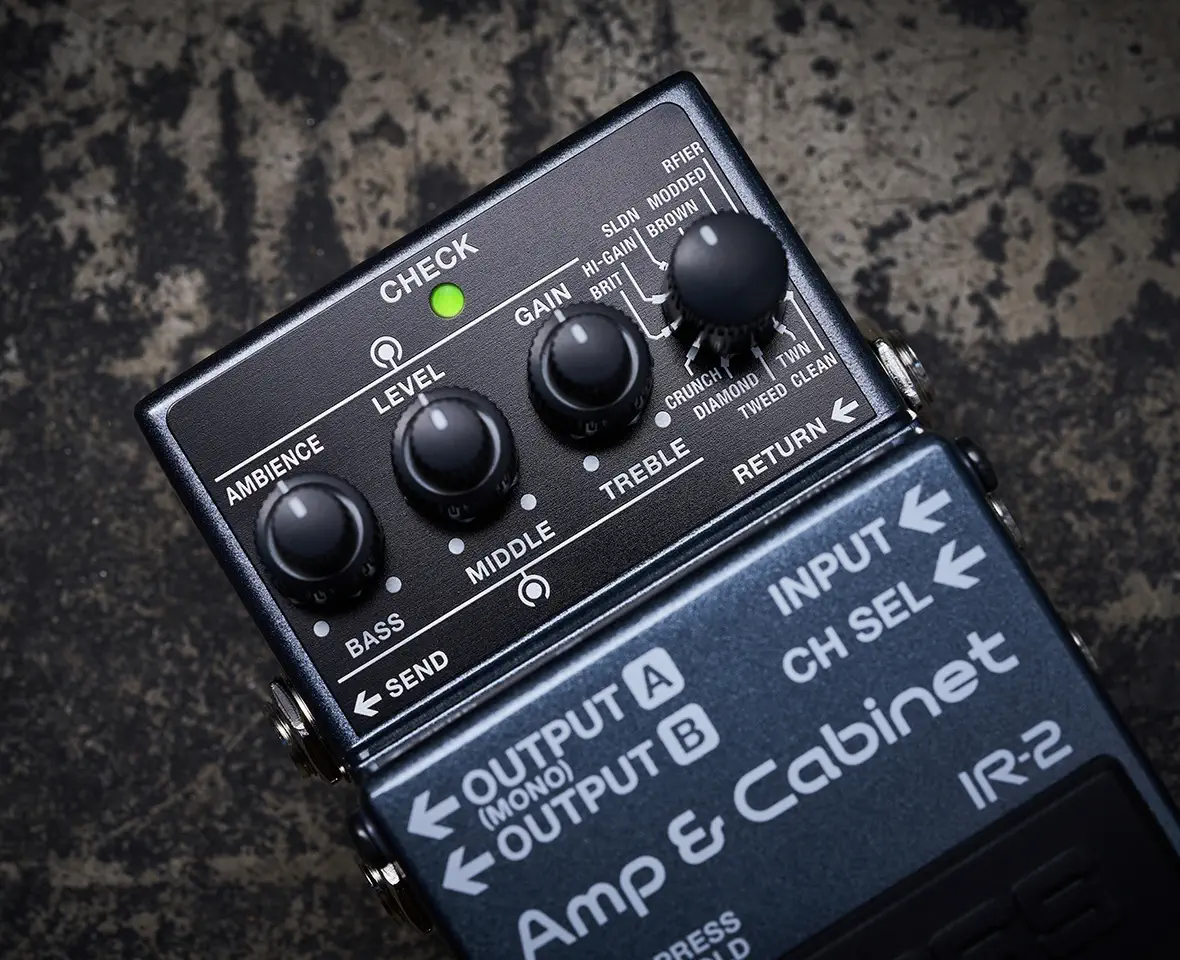
The Boss IR-2 looks to stand out in the world amp sim and IR cab pedals by offering legendary Boss reliability and road-worthiness, while at the same time keeping up with the outstanding sound quality of competitors from the likes of Strymon, Walrus, Universal Audio, and more. Its relatively low price point begs the question, is the IR-2 too good to be true?
In one word - no! This is actually a fantastic amp sim pedal and frankly blew our expectations out of the water.
Chances are you’re familiar with Boss pedals - the IR-2 has a spartan design with a nearly indestructible chassis. Bonus points for being compact, unlike its more complex sibling the Boss IR-200.
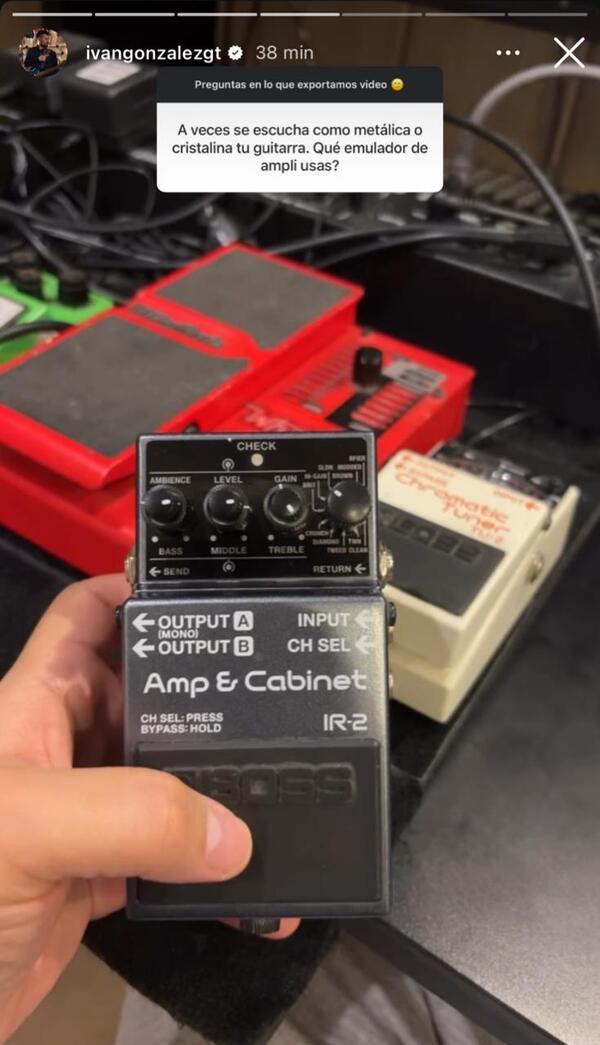
The control layout is straightforward. The dual-concentric knobs allow us to tweak AMBIANCE/LEVEL/GAIN with one knob, and a 3-band EQ BASS/MIDDLE/TREBLE with the other. These types of knobs certainly save a lot of space, though they can be a bit fiddly to use on stage or if lighting conditions aren’t great. The fourth knob on the right is the main feature, letting you select from 11 (yes, 11!) different amp types.
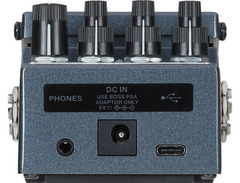
One thing that varies widely between these amp sim pedals is the I/O options, and Boss did not skimp here. It runs in stereo (i.e. stereo ins and outs), it has a headphone jack for silent practice, USB-C so you can load your own custom IRs, and a mono/stereo FX loop. This level of versatility is impressive, especially considering its compact footprint.
In terms of sound quality, the Boss IR-2 delivers. Most of the 11 amp models are dynamic and responsive, making it a joy to play through. You get iconic models like the Fender Twin, Vox AC30, and Marshall Plexi, to Boss's proprietary creations, each paired with Celestion IRs. We found the built-in reverbs (Room, Hall, and Plate) to be lush and natural, enhancing the overall playing experience. The ability to load custom IRs via the dedicated app further extends its sonic palette, allowing us to tailor our tone to perfection.
The USB interface capability is a significant plus, allowing easy connection to a DAW for recording, and the inclusion of a headphone socket and send/return loop adds to its versatility.
Comparatively, the Boss IR-2 holds its own against higher-priced competitors. While the Strymon Iridium boasts exceptional sound and user-friendliness, its steep price tag can be a deterrent. The Nux Amp Academy, although cost-effective like the Boss, lacks the intuitive interface that makes the IR-2 so appealing. The DSM Humboldt Simplifier Mk2 offers great I/O options and a compact form factor but falls short with its inability to load custom IRs. The Walrus ACS1 and UA Dream 65 are formidable contenders, yet the IR-2's balance of features and price makes it a standout.
Bottom Line: So, did Boss make the perfect amp/cab sim pedal?? Of course not, there’s no such thing. But we’d be lying if we said this didn’t come close. Opinions online vary widely on this, but to our ears, the Strymon Iridium has a more “polished” sort of sound, while the DSM Simplifier Mk2 has a more raw analog tube amp feel. Despite this, Boss knocked one out of the park with this offering, especially for its price tag. The IR-2 is a fantastic addition to any pedalboard, particularly for musicians who value portability and versatility whether for practice, recording, or live performance.
See how artists use this



DSM & Humboldt Electronics Simplifier mk2


Average Price: $353
Standard/Professional
$200
$501+
Budget
Standard
High-end
- Realistic amp sounds and feel, providing an authentic playing experience
- Compatible with a wide range of pedals, enhancing versatility
- Offers both mono and stereo outputs for expansive soundscapes
- Portable and lightweight design, ideal for gigging musicians
- See 6 more
- Lacks a spring reverb setting for specific amp reverb tones
- Input/output configuration can be awkward, complicating pedalboard integration
- Some users might miss the harmonic content of real tube amps
- Power supply not included, necessitating an additional purchase
- See 1 more
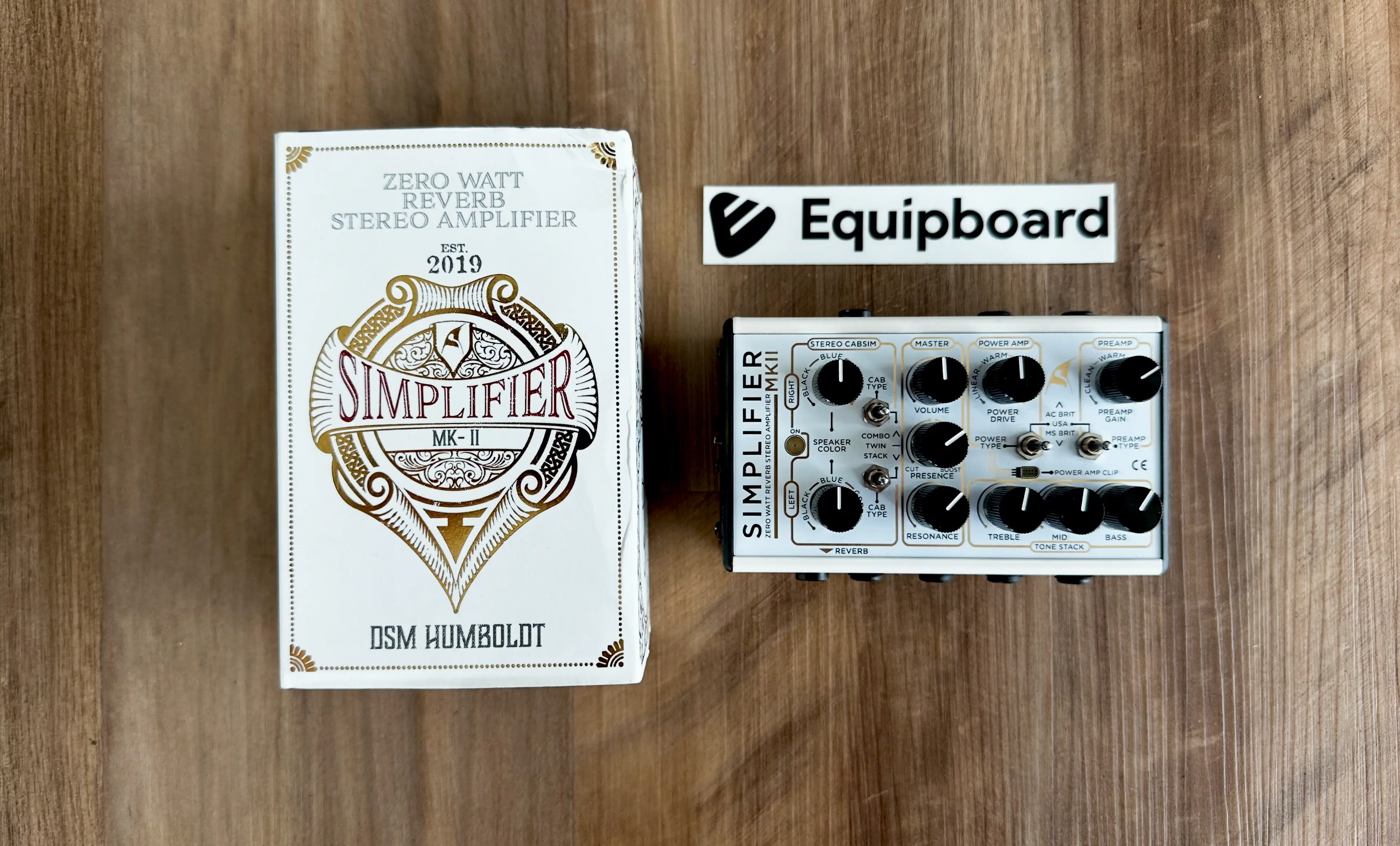
When it comes to compact amp simulators, DSM & Humboldt Electronics have been consistently pushing the envelope, and the Simplifier mk2 is another testament to their innovative prowess. We were eager to dive into it, especially given how game-changing its predecessor was.
The Simplifier mk2's is absurdly small given how many features it has. It’s lightweight, yet feels robust and well-constructed. The layout might take some getting used to. We found the input/output connections a bit too close together, making it tricky to use adjacent connections with certain patch cables. A more linear arrangement might have alleviated this minor inconvenience, though admittedly, fitting all the jacks into such a small pedal is a challenging feat.

Moving on to the controls and features, the Simplifier mk2 is packed with options. It emulates three amps: AC BRIT (Vox), USA (Fender), and MS BRIT (Marshall) - par for the course. It also has a stereo cab sim section, so you can choose between Black (Eminence blackface), Blue (Blue Alnico), and Green (G12 Greenback) speaker styles.
We felt like the three-band EQ could have offered a bit more range, but it still allows for decent tone shaping. Unlike other amp sim pedals we tested, the Simplifier mk2 lets you dial in both the POWER AMP and PREAMP sections independently, with an LED that lights up when the power amp is clipping - super cool. It also has a Reverb knob for some basic plate reverb.
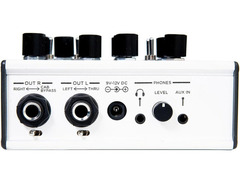
The I/O on this thing is incredibly versatile, especially considering the small footprint of the pedal. It has 1/4” stereo outputs as well as DI XLR outputs, an FX loop (a nice addition not found in every pedal of this type), AUX in, and a headphone jack with its own volume knob.
As far as sound quality goes, the Simplifier mk2 does not disappoint. Playing through it feels remarkably like using a real amp, capturing the nuances of tube amplification with impressive fidelity. We tested all three amp types and were blown away by the quality of tones. The Fender Bassman replication, in particular, stood out with its nuanced and dynamic response. When we tested it, we placed it as the final piece in our signal chain, and it handled other pedals wonderfully.
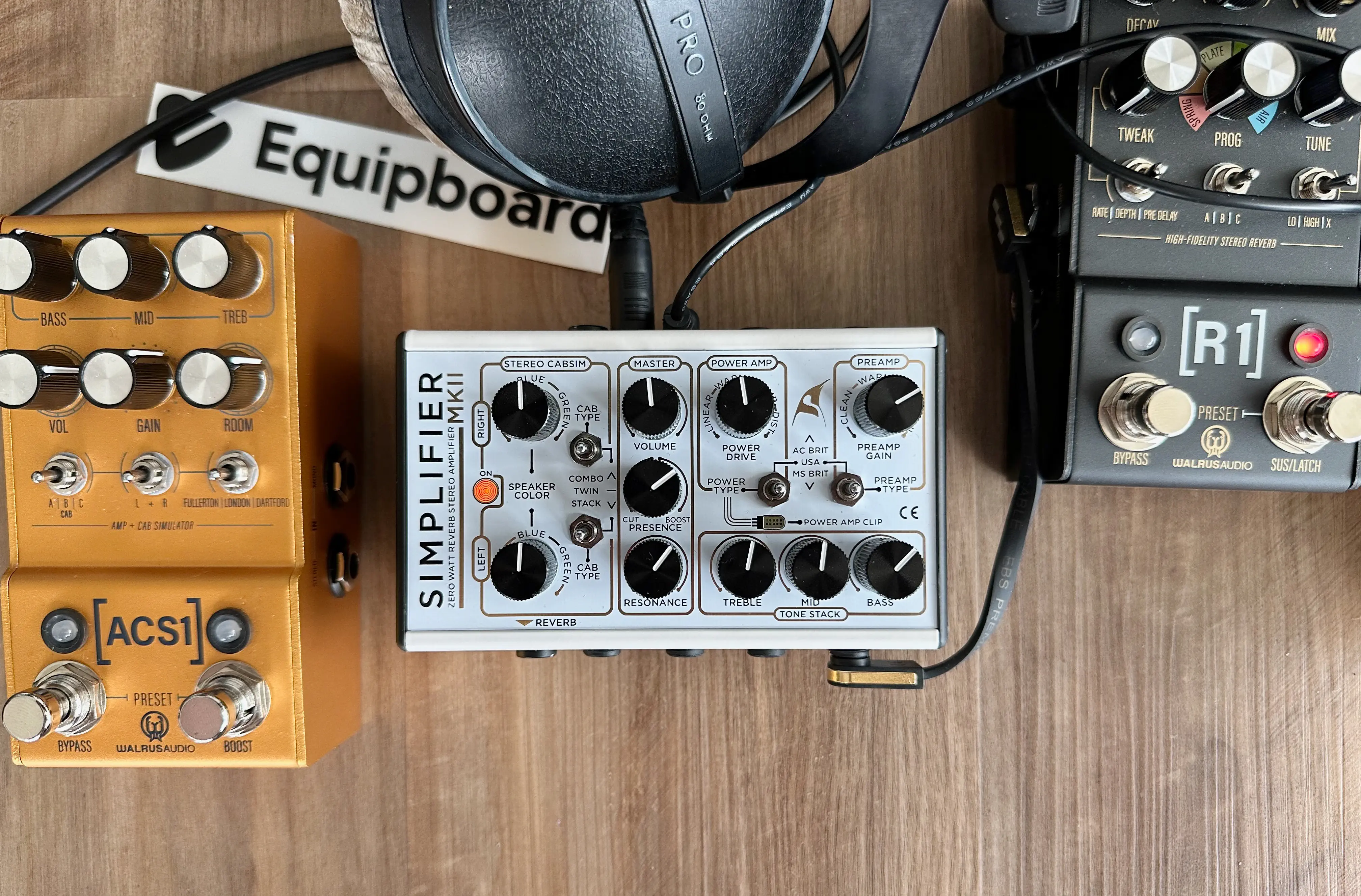
Bottom Line: We asked ourselves the tough question of where it stacks up between all the amp sim pedals we tested. It has a similar comprehensive I/O as the Nux Amp Academy, nearly the same plug-and-play immediacy as the Strymon Iridium, a Fender amp simulation that holds up to the UA Dream, all while being as compact as the Walrus ACS1. What it doesn’t have is the ability to load custom IRs. It’s also within striking distance of the Iridium in terms of price, so it’s not for the budget-minded guitarist.
If you’re a tone geek who loves apps, software editors and loading custom IRs, you might find the Simplifier mk2, well, too simple. Nonetheless, DSM Humboldt has once again proven their innovative capabilities with this incredibly impressive unit.
See how artists use this




.png?v=1784863480)

.png?v=1784831404)

What is an Amp & Cab Simulator Pedal, and Why Use One?
Imagine having the tonal versatility of a world-class recording studio's worth of amps and cabinets, all neatly packed into a single pedal on your board. That’s the magic of an amp and cab simulator pedal! But let’s break it down a bit more.
What is an Amp & Cab Simulator Pedal?
An amp & cab simulator pedal digitally replicates the sound of various amplifiers and speaker cabinets. Instead of lugging around multiple heavy amps and cabs, you can dial in the exact tone you want with just a few twists of a knob or presses of a button. These pedals often include a range of features like different amp models - many will focus on modeling "the big 3": an iconic Fender amp, a Marshall amp, and a Vox. Some pedals venture off the beaten path and attempt to replicate more niche amplifiers.
But it doesn't stop there. Cab simulation is just as important as the amp models. This feature replicates the sound of different speaker cabinets, which can drastically change your tone. Whether you want the tight response of a 1x12" cab or the full-bodied sound of a 4x12" cab, these pedals have you covered.
Additionally, some amp & cab simulators include options for mic placement. This allows you to mimic the subtle nuances of microphone positioning in a studio setting, capturing the warmth of a close-mic'd speaker or the ambient airiness of a room mic. It’s like having a virtual recording studio at your feet!
Why Use an Amp & Cab Simulator Pedal?

There are several reasons why you might want to add one of these pedals to your rig:
Versatility on the Fly: Whether you're a gigging musician, a studio wizard, or a home recording enthusiast, an amp sim pedal offers a plethora of tones at your fingertips. Switching from a sparkling clean tone to a crunchy overdrive is as simple as selecting a new preset.
Travel Light: Touring musicians will love this: no more back-breaking amp hauls. An amp sim pedal fits right on your pedalboard, saving you from the hassle and the chiropractor bills.
Silent Practice: Plug in your headphones and enjoy amp-like tones without disturbing the neighbors. Perfect for those late-night practice sessions.
Consistent Sound: Get the same great tone every time, regardless of the venue. Amp sim pedals provide a reliable sound that doesn't depend on the acoustics of the room or the quality of the house amp.
Recording Made Easy: Dial in professional-quality tones directly into your recording interface. Many amp sim pedals offer direct outputs that make recording a breeze, without the need for mics and soundproof rooms.
Integration with Your Pedalboard: If you're anything like us, you already have a pedalboard full of pedals you love. An amp sim pedal can seamlessly integrate into your existing setup, allowing you to run all your favorite effects into it. This means you can keep your curated tones while adding the versatility of different amps and cabs.
Experimentation: With countless amp and cab combinations, you can experiment with sounds you might never have tried before. It’s almost like owning a room full of vintage, expensive combo amps.
So, whether you're looking to simplify your rig, expand your tonal palette, or just make your life a bit easier, an amp & cab simulator pedal might just be the perfect addition to your setup. Think of it as your personal time machine, teleporting you to any era and genre of guitar tone you desire.
What to Consider When Shopping for an Amp Sim Pedal
When it comes to finding the best amp sim pedal for your setup, there are a few key factors to keep in mind. Let’s dive into what you should consider before making your purchase. We promise to keep things simple and straightforward, even when tackling the trickier bits, like what the heck impulse responses (IRs) are.
Amp Models
First up, let’s talk amp models. An amp sim pedal’s primary job is to emulate real-world amplifiers. Some pedals, like the UA Dream 65, focus on nailing the sound of a single iconic amp. Others, like the Strymon Iridium or Boss IR-2, offer a variety of amp models to give you more tonal flexibility. Think about what you need: What style of music do you play? What amps have you owned (or wish that you owned)? Do you want a pedal that specializes in one classic sound, or are you looking for a Swiss Army knife of amp tones?
Custom IRs
Impulse responses - or IRs - are digital snapshots of speaker cabinets that help shape your tone. Pedals that support custom IRs allow you to load in your own cabinet simulations, giving you even more control over your sound. If this sounds complicated, don’t worry - it’s often as simple as dragging and dropping files from your computer to your pedal. Having the option to use custom IRs is a big plus if you’re a tone tweaker.
Stereo vs Mono
Does your pedalboard setup need stereo? Many modern amp sim pedals come with stereo inputs and outputs, which can make your sound richer and more immersive, especially if you’re using time-based effects like reverb and delay. Mono might be sufficient for some, but stereo capabilities can elevate your overall tone.
Headphone Jack
Want to jam out without disturbing the neighbors? A headphone jack is your best friend. This feature allows you to practice silently, making it perfect for late-night sessions or when you’re on the go. Not all amp sim pedals include this, so it’s a handy feature to look out for.
Ease of Use
Nobody wants to spend hours wading through a manual. Some pedals are more intuitive than others, with straightforward controls that let you dial in your sound quickly. If you’re new to amp simulators, you can usually get a good idea of how "plug and play" they are simply by looking at the front panel. We believe the best pedals are the ones that get you playing instead of fiddling.
Form Factor and Size
Pedalboard real estate is precious. Amp sim pedals come in various sizes, from compact stompboxes to larger units. If space is tight, you’ll want a pedal that fits comfortably on your board. Standard stompbox sizes are around 5 x 2.5 inches, but some amp sim pedals tend to be larger. Make sure to check the dimensions before you buy.
Price
Finally, let’s talk money. The amp sim pedals range in price from around $150 to $400. Higher-end models often come with more features and better build quality, but there are great options at every price point. Think about your budget and what features are most important to you. Sometimes, a more affordable pedal can do the job just as well as a pricier one.
By considering these factors - amp models, custom IRs, stereo vs mono, headphone jack, ease of use, form factor, and price - you’ll be well on your way to finding the perfect amp sim pedal for your needs.
Placement in the Pedal Chain
Now that you’ve got a handle on what to look for in an amp sim pedal, you might be wondering where to place it in your pedal chain. The placement of an amp and cab simulator pedal can significantly impact your overall tone and how your other pedals interact with it.
Before or After Effects?
Generally, an amp sim pedal should go at the end of your signal chain. Here’s why: an amp sim pedal is designed to emulate the sound of an amplifier and speaker cabinet, which is typically the final stage of your guitar signal before it hits the mixing board or PA system. By placing it at the end, you’re ensuring that all your other effects (overdrive, distortion, modulation, etc.) are processed just like they would be through a real amp.
Time-Based Effects
Some players prefer to place time-based effects like reverb and delay after the amp sim pedal. This mimics the natural setup of an effects loop on a real amp, where these effects would typically come after the preamp and power amp stages. It helps keep your delay and reverb clear and defined, without muddying up your tone.
Experiment and Listen
While the end of the chain is the most common placement, there are no hard and fast rules in music. Experimenting with different placements can yield unique and interesting results. For instance, placing modulation effects like chorus or phaser after your amp sim pedal can create some unique textures.
Top Ranked Amp & Cabinet Simulators on Equipboard


About the authors
Michael R. Pierce is the co-founder of Equipboard and a lifelong musician with over 25 years of experience as a guitarist and gear enthusiast. He blends solid music theory chops (thanks to formal training in guitar, piano, and trumpet) with real-world experience, always exploring and experimenting across genres like rock, blues, and hip-hop. Michael launched Equipboard in 2013 after graduating from The University of Texas at Austin, leveraging his unique blend of musical passion, technological acumen, and community building. His current go-to rig features a Fender American Original ‘50s Telecaster, Analogman King of Tone, Strymon Flint, and a Fender ‘57 Custom Champ. Read more
Giulio Chiarenza is the co-founder of Equipboard and a lifelong multi-instrumentalist with a deep passion for music gear. Born in Italy and raised in the U.S., he holds a Computer Science degree from The University of Texas at Austin and blends technical acumen with decades of hands-on experience across guitar, piano, drums, and electronic production. Early in his career, Giulio was signed to a San Francisco-based EDM label, releasing both remixes and original tracks. These days, he helps steer Equipboard’s vision while personally testing and reviewing gear. He's never too far from his go-to guitar: a vintage 1978 Fender Telecaster Custom. Read more
New in Amp & Cab Sims

$99.00 - $258.00
in Amp & Cabinet Simulators Rank


$1,249.00 - $1,479.00
in Amp & Cabinet Simulators Rank


$499.00 - $525.00
in Amp & Cabinet Simulators Rank

$125.60 - $299.00
in Amp & Cabinet Simulators Rank


$279.00 - $369.00
in Amp & Cabinet Simulators Rank

$449.99 - $481.00
in Amp & Cabinet Simulators Rank


$274.00 - $399.00
in Amp & Cabinet Simulators Rank


$453.00 - $829.00
in Amp & Cabinet Simulators Rank


.jpg)



.jpg)

.jpg)