

By Gear Experts
Table of Contents

Equipboard
Equipboard is the world's largest community of artists and their gear. Read our review process.
We are reader-supported. When you buy through links on our site, we may earn an affiliate commission. Learn more.


It’s amazing how rapidly the world of gear for guitarists is evolving. While to many guitarists the digital world can never have the same allure as an all-analog setup, we have to admit things are advancing and improving so quickly that, if blindfolded, many guitar players would have trouble picking out an analog amp or effect next to a digital recreation of it.
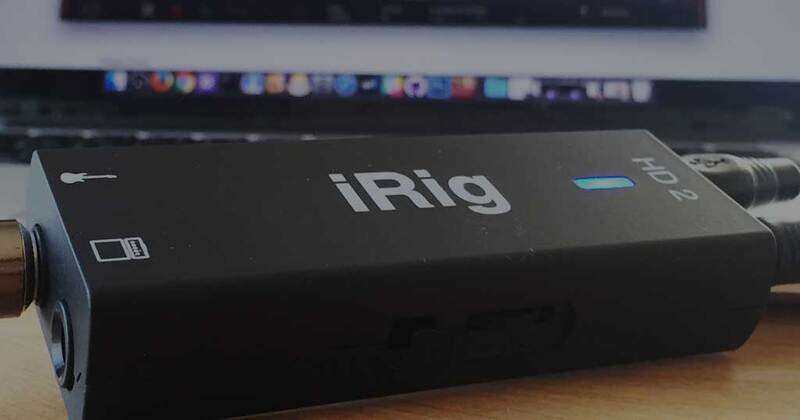
Several manufacturers have taken on the challenge of convincingly porting over hundreds of classic amps and effects into a single piece of software. Italian manufacturer IK Multimedia is in that mix, with their flagship AmpliTube amplifier and effects modeling software and plug-in. To take advantage of such software, we need a way to send our guitar’s signal into our computer or smartphone; Enter the guitar interface. When IK Multimedia asked us if we wanted to take their new iRig HD 2 Digital Guitar Interface for iOS/USB for a spin, we jumped at the chance.
What is a Guitar Interface?
A guitar interface like the IK Multimedia iRig HD 2 is essentially an analog-to-digital converter, taking your guitar’s analog signal and converting it to digital so that you can record and manipulate it using software on your computer or smartphone. It’s a gateway from your electric guitar to your computer/tablet/smartphone; essentially like a full-blown audio interface, except this one is tailor-made for your guitar signal, and is designed with portability in mind.
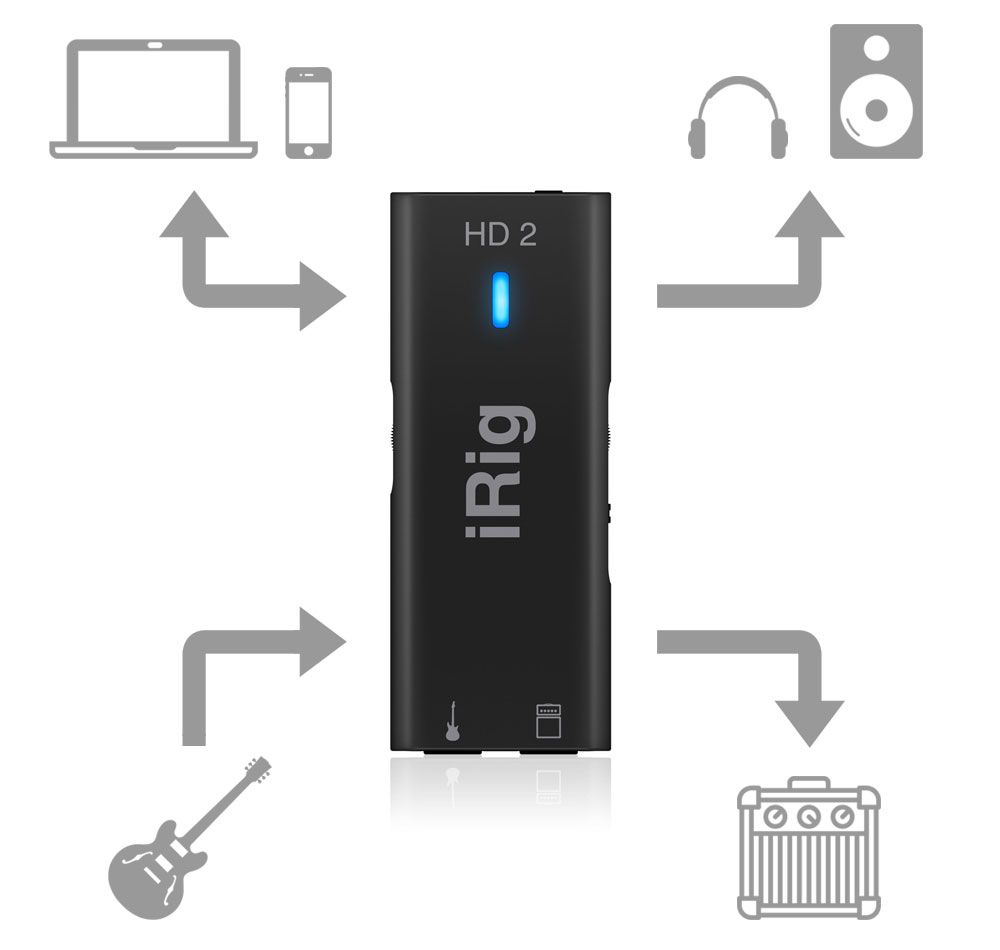
Not all guitar interfaces are created equal, and the iRig HD 2 is in a class of its own. It has 24-bit A/D converters and a 96kHz sample rate, and its super-transparent preamp ensures your guitar’s tone comes through with pristine clarity and no added noise or hiss. And sure, that all sounds great on paper, but rest assured the iRig HD 2 truly delivers the goods... but we’ll get to that later in the review.
Unboxing & First Impressions
Opening the iRig HD 2’s box reveals another box inside of it, with a cutout insert containing two booklets and a single piece of paper. The booklets are the instruction manual and an IK Multimedia product catalog, while the sheet of paper tells you what URL to go to to register your product, and also has your unique serial number printed on it.
Opening the inner box reveals the iRig HD 2 in all its glory, neatly packaged and held securely in its little cutout. Another small box inside contains two cables: a Lightning cable to connect the iRig to an iOS device, and a USB cable to connect it to a Mac or PC.
...And that’s it! We love how elegant and simple IK Multimedia kept the packaging and contents. Exactly what you need, nothing you don’t. You can see the entirety of the contents in the photo below (the guitar pick is not included, it’s just there for size reference). There’s some nice attention to detail in this packaging, and we like the immediacy of flipping open the inner box to reveal the very attractive looking iRig HD 2, just begging to be plugged in and used.
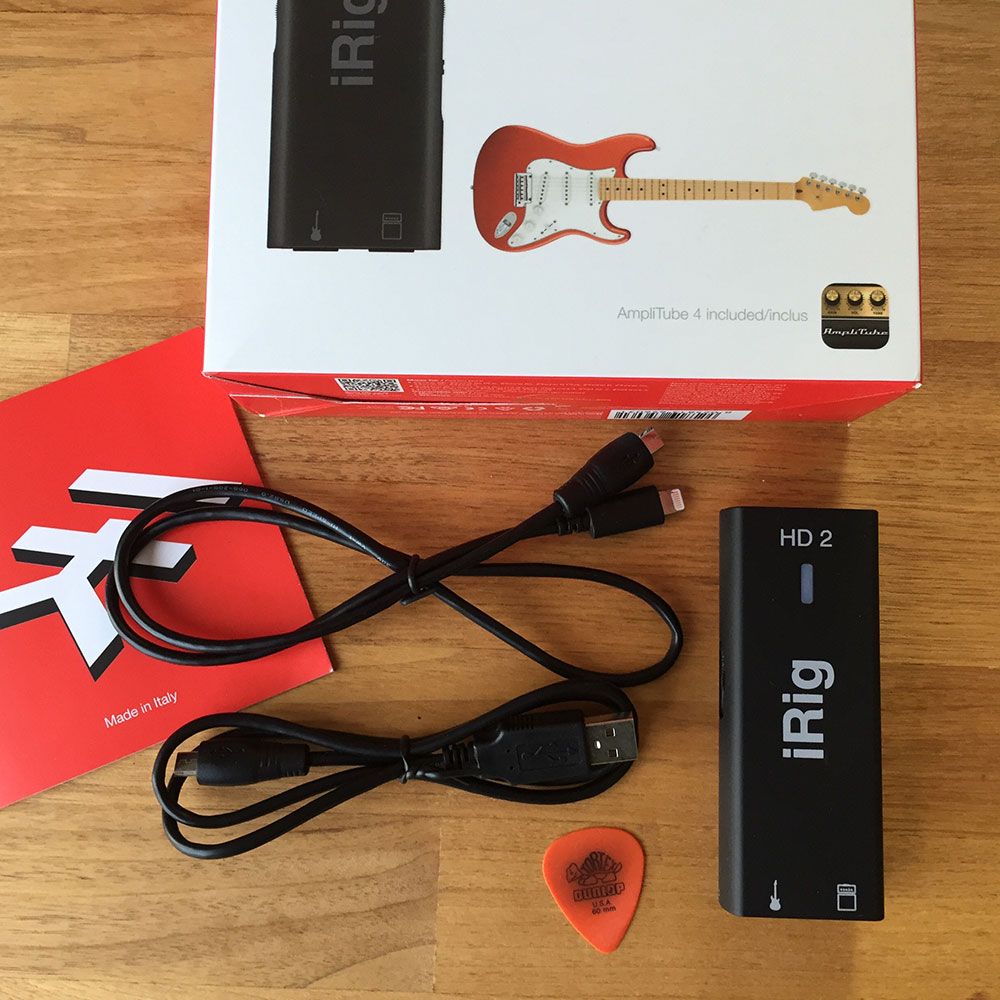
Let’s talk a little bit about the iRig HD 2 itself. This is a very compact device, measuring approximately 3.8” x 1” x 0.75”. It also remarkably weighs next to nothing, yet still somehow feels solidly built. The light weight could be a slight issue, since all of the cables going in and out of it tend to easily move it around on your tabletop. Luckily IK Multimedia includes a little clip and Velcro strap which you can use to fasten it to something. The casing is made of plastic, and the surface is a matte black, almost rubber-like finish. It feels like it could survive being knocked around or dropped to the floor, though to be honest we aren’t too eager to try and break it - we’d much rather use it!
Setup
In our test we tried the iRig HD 2 with the devices we had handy; an Apple MacBook Pro, and an Apple iPhone.
We flipped open the manual and love that IK Multimedia opted to show pictures of how everything works, as opposed to barely legible tiny print. Getting the iRig hooked up is fairly straightforward, so we dove right in. We grabbed the USB cable first, and hooked up one end to the iRig, and the other to the MacBook. The iRig immediately came alive with a blue LED light. It’s fully USB powered, meaning you’ll never have to worry about replacing any batteries.
Next, we needed to download AmpliTube for our Mac, and we’re thrilled to report that it comes included with the iRig. This is a big deal, since not only does that mean the iRig HD 2 gives you everything you need to get playing (save for a guitar of course), but AmpliTube is normally $150 which makes the iRig an amazing value for the money. We followed the instructions on the product registration card, entered our serial number on IK Multimedia’s website, and eventually were able to download AmpliTube. After a painless installation process, we fired it up.
All that was missing between us and rocking out was a guitar and an instrument cable, so we grabbed our 1965 Fender Jazzmaster and 12ft Monster instrument cable, and inserted the other end of the cable right into the iRig’s 1/4” instrument input. At this point we could hear ourselves playing through the MacBook’s speakers (or the MacBook’s headphones output), but we wanted to take advantage of the iRig’s built-in 1/8” headphones output, so we plugged in our trusty Beyerdynamic DT-770 PRO (80 ohm) headphones. Inside of AmpliTube, in the Audio/MIDI settings we selected the iRig HD 2 as both the input and output device.
Setup on iOS was just as straightforward, if not easier. From the App Store we grabbed the AmpliTube app, then just plugged the iRig into the iPhone using the supplied Lightning cable, and a set of earbuds into the iRig’s headphone out. We opened up AmpliTube, registered our device within the app, and off we were, greeted with the sweet tone of a crunchy guitar amp pumping through our headphones.
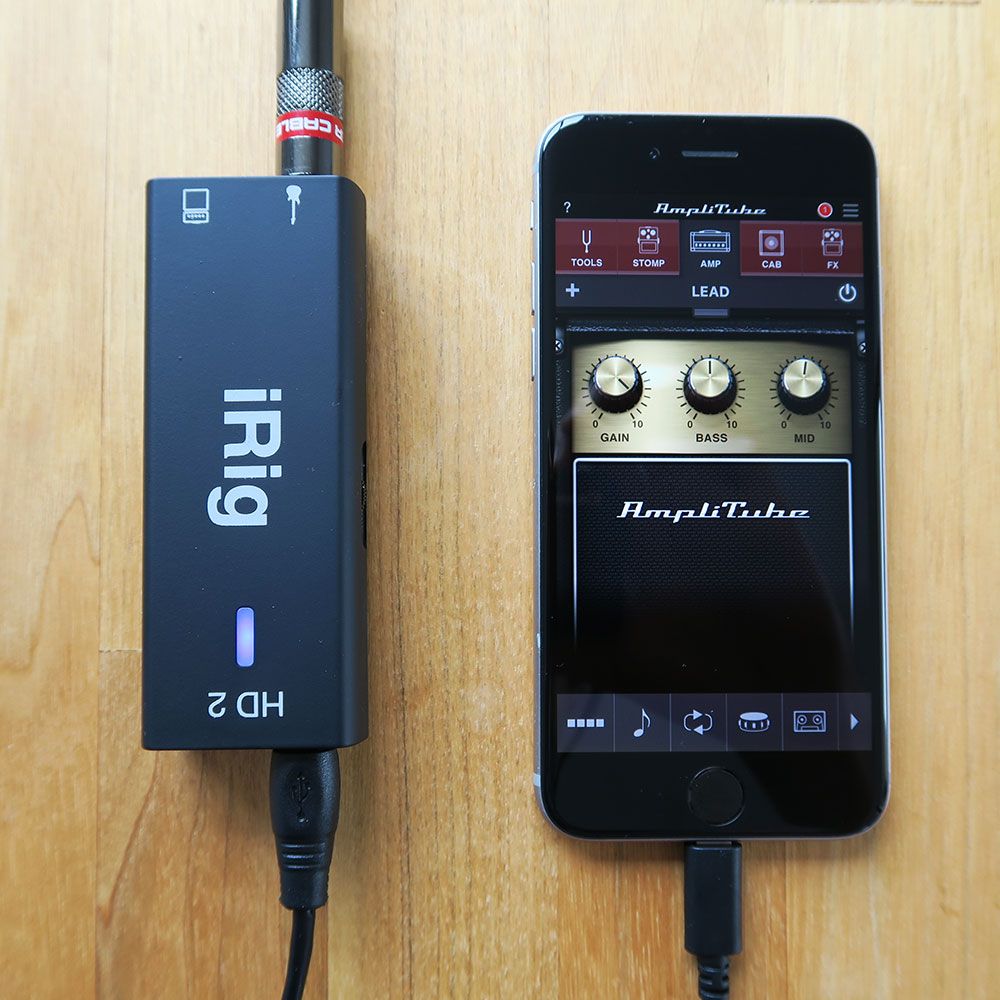
Speaking of iPhone, IK Multimedia is doing a huge favor to users by being fully ready to support the iPhone 7, which doesn’t have a traditional 1/8” headphones jack. When you hook up the iRig HD 2 to your iPhone 7 via the Lightning cable, thanks to the headphones jack on the iRig itself you can keep using your headphones just like you normally would! There’s even a little volume knob on the side of the iRig so you can adjust the volume no matter your preference or what type of headphones you use. We should also mention that while we exclusively tested the iRig with headphones (we like the idea of a fully portable guitar rig), you can of course send the output to any powered speakers or monitors.
Features, Ease of Use, and Sound
The iRig HD 2 strikes a really good balance of being simple and intuitive enough to pick up and figure out within minutes, yet includes a ton of features which makes it very versatile. We’ve already talked about the 1/4” instrument input, the 1/8” headphones output, the headphones volume control, and micro USB port which lets you connect the iRig to your Mac, PC, iPhone, or iPad.
One really cool new feature in the iRig HD 2 is the 1/4” amplifier output. This is where things get really interesting, and the iRig HD 2 becomes much more than a mobile-only device. The amp output can send your signal from AmpliTube out to an external guitar amp, floor tuner... basically anywhere you want. The iRig has a toggle switch where you can choose between THRU and FX, depending on whether you want to send the dry signal or the processed signal to the amp output. This leads to a massive amount of flexibility, since you could for example just use your iPhone or iPad as virtual effects and stompboxes, and then send that processed signal out to your actual guitar amplifier. Whether you’re a bedroom warrior or you gig, IK Multimedia gives you a lot of flexibility with the iRig HD 2.
One other feature we should mention is a GAIN adjustment knob, so you can get the ideal input gain that doesn’t cause unwanted distortion (the bad kind of distortion, that is). The iRig’s LED is really helpful; If it lights up blue or green, you can increase the gain. It it flashes red, you should decrease. Optimally, you’ll want it to alternate between green and orange as you’re playing. Our vintage Gibson with mini-humbucking pickups might have a vastly different sound profile than someone’s Telecaster with single coils or Ibanez with active EMGs, so having these LEDs to perfectly adjust your input gain is extremely handy.
In terms of sound quality, this is as good if not better than high-end guitar interfaces from competitors. A 96kHz sample rate, low noise, and high quality preamp ensures you’re getting pristine sound with no compromises or unwanted artifacts. We were blown away by the sound quality from the moment we plugged our guitar into the iRig HD 2. It’s loud, dynamic, nuanced, the cleans have sparkle and the distortion is deep. Just do yourself a favor and make sure you’re listening through a decent set of headphones or speakers, so you can fully appreciate this quality (for monitors, IK Multimedia’s own iLoud Micro Monitors would be a solid choice).
We won’t delve too deeply into the AmpliTube software in this review, but it’s a fantastic complement to the iRig HD 2, and the fact that it’s included ($150 value) is definitely not insignificant. Prior to doing this review we were more familiar with Guitar Rig by Native Instruments, but it only took us a few minutes to get accustomed to AmpliTube’s intuitive interface. Dozens (if not hundreds) of stompboxes and guitar amp models are at your fingertips, so you can experiment and fully customize your rig to your taste. We scrolled through the presets to familiarize ourselves with what’s available, and were pretty impressed by many of them. One small gripe is that AmpliTube doesn’t quite stretch to the full screen on our MacBook Pro’s Retina display, but it’s not a very big deal. The iOS version of AmpliTube is impressive, and for as many features as it has the UI is surprisingly uncomplicated and intuitive to use. Aside from a handy metronome for those fun scale exercises, we love the Loop Drummer, which plays some high-quality drum loops and fills that you can jam along to. We should also say that AmpliTube has very good DAW integration, but we opted to test the standalone version.
Conclusion & Value for Money
It’s hard to believe that the IK Multimedia iRig HD 2 has a street price of about $100. If it was double that, we would still be calling it a good value. The thing is, this is not a budget piece of gear! Some high quality components went into this, it’s packed with features, and the build quality is solid. Not only that, but to get you playing immediately IK Multimedia throws in AmpliTube for Mac, PC, and iOS for free... that’s a fantastically good deal. Just add your guitar, an instrument cable, and your iPhone or laptop and you’re set.
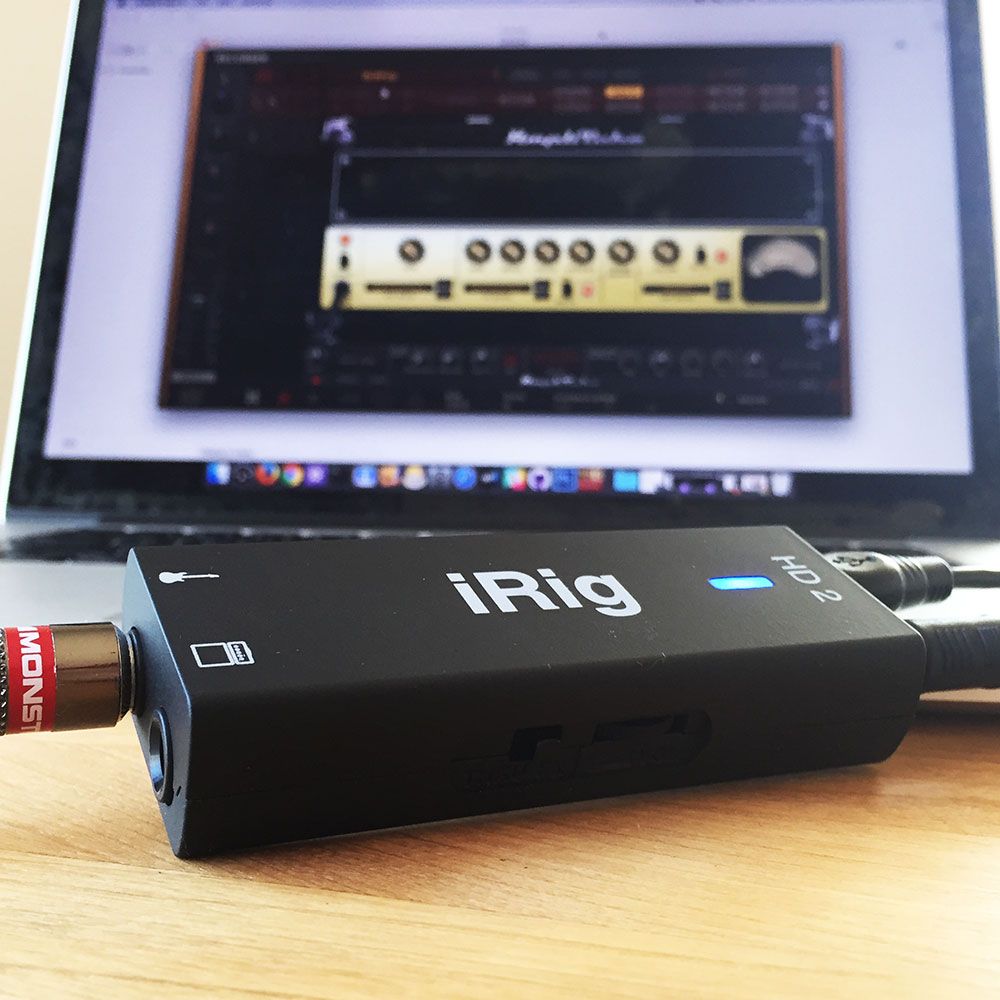
The iRig HD 2 is one of those pieces of gear that makes you sit back and realize how good guitarists have it these days. Sure, a room full of vintage and rare hardware is fun, but also extremely expensive and unwieldy. For the experienced guitarist, iRig is a way to take that room full of gear and compact it into a ultra-portable and very versatile setup. If we were going to gift a beginner something, the iRig would be perfect, since it’s a fantastic intro to the world of electric guitar amps and effects, it’s extremely easy to get started with, it’s inexpensive, and fits in the palm of your hand.
IK Multimedia iRig HD 2 Digital Guitar Interface
4.5 (22)










Average Price: $89
Budget/Beginner
$150
$501+
Budget
Standard
High-end
- Perfect for use with iPad and various apps for hassle-free recording
- High-quality sound, especially clean tones and with AmpliTube
- Extremely portable and durable, ideal for traveling musicians
- Compatible with various DAWs and mobile devices for versatile use
- See 6 more
- Distortion and high-gain effects can be unsatisfactory
- Some users experience compatibility issues with certain apps
- Lacks the ability to drive high impedance headphones effectively
- Micro USB input jack prone to failure, affecting durability
- See 6 more
Top Ranked Audio Interfaces on Equipboard

-m.webp?v=1784804580)


About the authors
Michael R. Pierce is the co-founder of Equipboard and a lifelong musician with over 25 years of experience as a guitarist and gear enthusiast. He blends solid music theory chops (thanks to formal training in guitar, piano, and trumpet) with real-world experience, always exploring and experimenting across genres like rock, blues, and hip-hop. Michael launched Equipboard in 2013 after graduating from The University of Texas at Austin, leveraging his unique blend of musical passion, technological acumen, and community building. His current go-to rig features a Fender American Original ‘50s Telecaster, Analogman King of Tone, Strymon Flint, and a Fender ‘57 Custom Champ. Read more
Giulio Chiarenza is the co-founder of Equipboard and a lifelong multi-instrumentalist with a deep passion for music gear. Born in Italy and raised in the U.S., he holds a Computer Science degree from The University of Texas at Austin and blends technical acumen with decades of hands-on experience across guitar, piano, drums, and electronic production. Early in his career, Giulio was signed to a San Francisco-based EDM label, releasing both remixes and original tracks. These days, he helps steer Equipboard’s vision while personally testing and reviewing gear. He's never too far from his go-to guitar: a vintage 1978 Fender Telecaster Custom. Read more
Comments
Sign Up or Log In to add comments

237
Many people complain about they had loud static noise problem with iPhone7. I'd like to learn from you guys what the version of iOS for trying with iPad/iPhone was. If you can reply I'd be so happy.
.jpg?v=1784931632)
37855
@alicaneren iPhone 6, pretty have used it with every iOS version from Sept 2016 to now. No issues thus far!
New in Audio Interfaces


$1,899.00 - $2,299.99