

Pricing and availability
We compare 600+ stores and found this item at 1 store. Prices updated .
Store
Reviews
Price




* Product prices and availability are updated by Equipboard every 24hrs and are subject to change. Equipboard may receive compensation for purchases made at participating retailers linked on this site. This compensation does not affect what products or prices are displayed, or the order of prices listed. For more information, please refer to our affiliate disclosure.
Description
Elevate your studio's capabilities with the Apogee Symphony 64 PCIe Card, a powerhouse that transforms your Mac Pro into a formidable audio workstation. Designed for musicians and producers who demand the best, this card offers a seamless integration with Apogee's Maestro software, providing an intuitive interface for managing your digital audio environment. With support for 64 channels of 24-bit/192kHz digital I/O per card, the Symphony 64 is perfect for handling large, complex audio projects with ease. Its compatibility with Apogee's X-Series and Rosetta Series converters ensures that you achieve the highest quality sound possible.
The Symphony 64 excels in low-latency performance, making it an ideal choice for live tracking and mixing. Its advanced routing capabilities, powered by Apogee's VBus and SBus technologies, allow for flexible audio management across multiple applications and devices. You can effortlessly route audio between Core Audio applications or even between two Mac computers, unlocking new levels of creativity and efficiency.
Whether you're recording, mixing, or mastering, the Symphony 64 PCIe Card enhances your workflow with its robust performance and versatility. Dive into the world of high-definition audio and experience the difference that professional-grade hardware can make in your productions.
Key Features:
- 64 channels of 24-bit/192kHz digital I/O per card
- Up to 128 channels of I/O per Mac Pro
- Near zero latency performance
- Compatible with Apogee's X-Series and Rosetta Series converters
- Apogee's Maestro Software for advanced control and routing
- VBus and SBus technologies for extended audio routing
- Compatibility with any Core Audio application
Product specs
| Brand | Apogee |
| Model | Symphony 64 PCIe Card |
| Finish | White |
| Year | 2010s |
| Made In | United States |
| Categories | Audio Interfaces |
FAQs
-
What is the primary function of the Apogee Symphony 64 PCIe Card?
-
The Apogee Symphony 64 PCIe Card is designed to provide high-speed, low-latency connectivity between your computer and Apogee audio interfaces, optimizing performance for professional audio recording and production.
-
Is the Apogee Symphony 64 PCIe Card compatible with both Mac and Windows systems?
-
The Apogee Symphony 64 PCIe Card is primarily designed for Mac systems, offering seamless integration and performance with Apogee's audio interfaces.
-
What kind of audio interfaces can be connected to the Apogee Symphony 64 PCIe Card?
-
The Apogee Symphony 64 PCIe Card is compatible with Apogee Symphony I/O audio interfaces, allowing for expanded channel count and enhanced audio performance in professional studio environments.
-
Does the Apogee Symphony 64 PCIe Card support high sample rates?
-
Yes, the Apogee Symphony 64 PCIe Card supports high sample rates up to 192kHz, ensuring top-quality audio resolution for recording and playback.
-
What are the installation requirements for the Apogee Symphony 64 PCIe Card?
-
The Apogee Symphony 64 PCIe Card requires an available PCIe slot in your computer and is typically installed in professional studio setups for optimal performance with Apogee interfaces.
Videos

Apogee Electronics
Apogee Symphony 64 Basic Set up
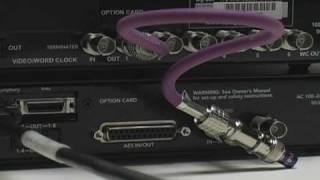
Apogee Symphony 64 Basic Set up
Apogee Electronics

Apogee Symphony 64 Tour
Apogee Electronics
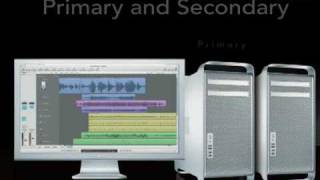
Apogee Symphony64 - SBus & VBus

JRRShop

Apogee Symphony 64 PCIe Card: Apogee Explains Its Advantage At AES

gearwire
Reviews
Owner Insights
We analyzed real musician discussions from forums and Reddit to find what players love, question, and tweak about Apogee Symphony 64 PCIe Card.
Software and compatibility
-
Apogee Symphony64 PCIe card functions with Apple Silicon via OWC Thunderbay Flex 8, using the Symphony 5.5 driver for Mac OS 13.
Source -
The Symphony64 PCIe card is compatible with Mac Mini M1 and OS 13, extending the life of older studio equipment.
Source -
Some users have resolved DAE errors by adding the Symphony to Pro Tools aggregate I/O in audio/midi setup on silicon Macs.
Source -
Reinstalling the Symphony Release 5.5 DMG has fixed work-halting errors for some users on silicon Macs.
Source -
A permissions adjustment for MK1 Symphony on silicon Macs is required, with guidance available on Apogee's website.
Source
User experience
-
Users experienced success integrating the Symphony64 with Apple Silicon, revitalizing older setups while maintaining compatibility with legacy gear.
Source -
Switching to USB mode and using PT aggregate I/O as the playback engine has improved stability for some users transitioning from Intel Macs.
Source
Setup and maintenance
-
Guidance from Apogee Tech Support includes installing the Symphony 5.5 driver and adjusting Mac's Privacy and Security settings for proper detection.
Source
Based on 0 Reviews and 0 Ratings
Artist usage
Add artist

"I have been mixing a lot 'in the box' recently, but when I saw the equipment at the Castle of Doom I made the decision to buy an Apogee Symphony PCI card for my Mac and a couple of X-Symphony cards to hook up to their Apogee DA16 converters. I also got an X-Symphony for the AD16, which allowed me to come 'out of the box', and I thoroughly enjoyed the experience. Summing was through the Euphonix board in the studio, and I set up a few compressors on aux sends so I could get some additional tones going. Two Distressors, two Urei 1176s, two Chandler Germaniums and two Dbx 160As were on eight auxes most of the time. I also used the API 2500 as a buss compressor. I found the Euphonix EQ quite useful as well.”
Genre Usage
Based on how artists on Equipboard use this gear, it is most commonly found in the following genres.
Used With
Based on how musicians on Equipboard use Apogee Symphony 64 PCIe Card, it is most commonly used with the following gear.


More Computers & Peripherals

$1,319.55
in Computers & Peripherals Rank


$69.59 - $79.00
in Computers & Peripherals Rank


$399.15 - $596.86
in Computers & Peripherals Rank


$134.00 - $249.99
in Computers & Peripherals Rank


$1,191.98 - $1,914.49
in Computers & Peripherals Rank


$54.99
in Computers & Peripherals Rank


$579.99 - $799.00
in Computers & Peripherals Rank


$83.83 - $99.00
in Computers & Peripherals Rank


$149.99 - $179.99
in Computers & Peripherals Rank

$109.99 - $129.99
in Computers & Peripherals Rank


$1,299.00
in Computers & Peripherals Rank


$149.99 - $191.00
in Computers & Peripherals Rank


$44.99 - $89.00
in Computers & Peripherals Rank


$389.00
in Computers & Peripherals Rank


$106.69
in Computers & Peripherals Rank


$91.08 - $179.99
in Computers & Peripherals Rank


$509.00 - $867.00
in Computers & Peripherals Rank

$649.99 - $919.99
in Computers & Peripherals Rank


$118.73 - $119.99
in Computers & Peripherals Rank


$1,488.71 - $1,999.00
in Computers & Peripherals Rank


$25.00 - $1,999.99
in Computers & Peripherals Rank

$87.00 - $199.00
in Computers & Peripherals Rank


$549.00
in Computers & Peripherals Rank
.png?v=1784921366)


$128.00
in Computers & Peripherals Rank


$210.99 - $379.99
in Computers & Peripherals Rank

$32.99 - $189.95
in Computers & Peripherals Rank


$19.99 - $29.99
in Computers & Peripherals Rank


$1,399.00 - $1,569.99
in Computers & Peripherals Rank


$189.99 - $249.99
in Computers & Peripherals Rank


$69.00 - $403.00
in Computers & Peripherals Rank


$22.00
in Computers & Peripherals Rank


$94.99 - $294.99
in Computers & Peripherals Rank


$99.99 - $119.99
in Computers & Peripherals Rank


$45.95
in Computers & Peripherals Rank


$24.99 - $29.99
in Computers & Peripherals Rank

$99.99 - $179.99
in Computers & Peripherals Rank

Accessories & Related Items


Community setups


Similar


Gear Guides






.jpg)
Most Popular Computers & Peripherals
Most Popular Brands
-
Added to Equipboard on by
 equipboard
GearIQ 4934
-


