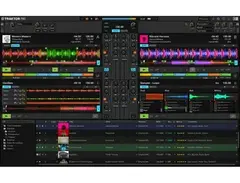


Pricing and availability
We compare 600+ stores and found this item at 4 stores. Prices updated .
Store
Reviews
Price




Price History
Based on price data from 3 merchants for "Native Instruments Traktor Pro 4 DJ Software". Prices shown reflect NEW condition. Tracking began Apr 2, 2026.
* Showing prices and availability for the newer version, Native Instruments Traktor Pro 4 DJ Software.
* Product prices and availability are updated by Equipboard every 24hrs and are subject to change. Equipboard may receive compensation for purchases made at participating retailers linked on this site. This compensation does not affect what products or prices are displayed, or the order of prices listed. For more information, please refer to our affiliate disclosure.
Description
Step into the future of DJing with Native Instruments Traktor Pro 3, a powerhouse of creativity and precision for the modern DJ. Designed to elevate your performance to new heights, this flagship software offers an intuitive interface combined with studio-grade audio quality, ensuring each beat resounds with clarity and impact. Whether you're an aspiring artist or a seasoned pro, Traktor Pro 3 empowers you to craft intricate mixes with ease and sophistication.
With its advanced real-time remixing capabilities, you're in control of every aspect of your set. Seamlessly loop, cue, and beatjump to create dynamic soundscapes, while the Sync button maintains flawless rhythm. Dive into a world of over 40 studio-grade effects, and let the signature Deck FX and new Mixer FX redefine your sound with one-knob modulation.
Traktor Pro 3's audio engine is built to impress, delivering pristine sound at any venue. Thanks to the Elastique 3 time-stretching algorithm, your tracks maintain their integrity, while an improved limiter and top-tier EQ models keep the mix clean and powerful. Plus, the software's versatility ensures seamless integration with any audio interface, granting you the flexibility to perform on diverse DJ rigs.
Customization is at your fingertips with this modular platform. Tailor your interface, create smart playlists, and optimize MIDI mappings to suit your unique style. Plug-and-play compatibility with TRAKTOR gear and most DJ equipment lets you build hybrid setups effortlessly. For creative arrangements, the Stem file support and Remix Decks allow the isolation of track elements, giving you artistic freedom.
Key Features:
- Intuitive interface with color waveforms for precision mixing
- Over 40 studio-grade effects with Deck FX and Mixer FX
- Redesigned audio engine with Elastique 3 time-stretching
- Seamless integration with any audio interface
- Modular platform with extensive customization options
- Compatible with TRAKTOR gear and most DJ equipment
- Stem file support and Remix Decks for creative arrangements
Product specs
| Operating Systems | Mac, Windows |
Videos

Native Instruments
Getting started with TRAKTOR PRO 3 | Native Instruments

Getting started with TRAKTOR PRO 3 | Native Instruments
Native Instruments

TRAKTOR PRO 3.2: Harmonic Mixing with Chris Liebing | Native Instruments
Native Instruments
TRAKTOR PRO 3.6 Walkthrough | Native Instruments
Native Instruments
Traktor Pro 3.0 für Anfänger #1 Tutorial - Native Instruments

Thomas Foster Musikproduktion
Traktor Pro 3.6.0 - Back From The Dead? | Beatsource Tech

DJcityTV
Reviews
PROS
-
Flexible MIDI mapping for wide controller compatibility
-
Customizable UI suits various DJ styles
-
Supports two-to-four deck mixing
-
Offers over 30 effects and 8 custom cue points per deck
-
Remix Decks add creativity and variety to sets
-
Reliable, rarely crashes, and performs fast
-
Colorful waveforms enhance the visual mixing experience
-
Excellent for both beginner and advanced DJs
-
Solid timecode support and mixer variation modes
-
Clean, easy-to-navigate interface
CONS
-
More complex to learn compared to Virtual DJ
-
Lacks correct beatgrid adjustment for tracks with changing tempo
-
Best experience requires external controller or mixer
-
Does not support video mixing, unlike some competitors
Owner Insights
We analyzed real musician discussions from forums and Reddit to find what players love, question, and tweak about Native Instruments Traktor Pro 3.
Features and functionality
-
Traktor Pro 3 is noted for its stable performance, considered more reliable than TP4, especially regarding the integration of new features.
Source -
Traktor Pro Plus offers features such as the Integrated Ozone Maximizer and factory mapping for KONTROL F1, although most users may find these unnecessary.
Source
Software and compatibility
Setup and maintenance
-
There's a strong preference for TP3's handling of stems, as TP4 lacks an automatic or batch stem operation, requiring manual processing.
Source -
Users successfully run Traktor Pro 3 on older hardware, like a 2013 MacBook Pro with Monterey, despite needing a battery replacement and experiencing lower framerates.
Source
Use cases and applications
-
TP3 is preferred by users who emphasize low latency for scratching and beat juggling, with specific settings achieving 4.6ms latency on certain setups.
Source
Mods and upgrades
-
Users recommend using third-party tools like Demucs or Nuo Stems for batch processing of stems, as Traktor Pro 4 does not support this natively.
Source
User experience
-
Many users remain with TP3 to avoid frequent updates that may destabilize performance, opting for a stable and consistent experience.
Source
Critic Reviews
4.5 out of 5
Based on 63 Reviews and 283 Ratings

1708
It's industry-standard for a reason!
I'm not much of a DJ (I prefer buttons and knobs to turntables), but I much prefer Native Instruments Traktor over Ableton Live when it comes to performance software. With two-or-four-deck mixing capabilities, built-in samplers, and insane MIDI mapping capabilities (in some cases even more flexible than Live!), I can get Traktor working with as much or as little gear as I need, in any style of play I'd like.
Whether you're a seasoned DJ or a beginner to performing electronic music at all, Traktor was a HUGE help getting me out there and I submit that it will be the same for you.
Version: Native Instruments Traktor Pro 2
119
Just as good as Serato
It's the great debate, which is better, Traktor vs. Serato? I can't tell you the other side of things as I've never been a Serato user but Traktor gets the job done, and nicely! The UI is clean and easy to navigate and can be customized in all sorts of ways to suit your style of DJing. It comes fully loaded with all the features you could ask for including 8 custom cue points per deck, 30+ effects, 4 individual FX units, loop recorder, the ability to adjust the colour of your wave forms, and that's just scratching the surface.
Version: Native Instruments Traktor Scratch Pro 2
175
been using traktor for years`
For my regular DJ shows, radio show and "boiler room" sets Traktor has always been there for me since the early days. Came up with it, still support it. Great for technical DJs who use a lot of pre-planning and FX, cues and loops. I feel like I still have to use Rekordbox to prep but Traktor is solid for anything else.

296
Best Switch
Not sure about anyone else, but I absolutely fell in love with Traktor recently after making a switch from Serato to Traktor. It is definitely more flexible with Traktor being able to use most (if not all) MIDI controllers with it, although some needs to be custom mapped, but it works. Serato is a bit less flexible with this, considering only certain equipment unlock the use of Serato and not being able to plug in any controller and just map it.
Version: Native Instruments Traktor Pro 2

110
Traktor Pro 2 is Awesome.
First time was inspired by Zedd , started to use this software for DJ Performance. And Traktor was Amazing, easy to use & compatible with many DJ Controller or CDJ+DJM as well. Colorful waves make happy, cool sound quality, effects sound so real, easy to use. Can mix without connect to the DJ, nice when can mix anywhere just using laptop as alternative.
Version: Native Instruments Traktor Pro 2
1536
Great DJ software
Have been really happy with Pro 2, looking forward to digging my hands into Pro 3 now that I've just snagged it! I am not a super advanced DJ, but have not found it hard to learn.

582
For Advance Level And Mixing
After Using Virtual DJ For Quite Some Time, I Decided To Bring My Skill Up To The Next Level By Using Taktor Scratch Pro 2. To Be Honest, It Really More Complicatied Than Virtual DJ But I Manage To Learn Each Of It Function Within 2 Weeks. My Opinion Better Than Virtual DJ !
Version: Native Instruments Traktor Scratch Pro 2
176
One of the best DJ Software's out there.
Traktor Pro 2 is an amazing software for DJ-ing. It offers a ton of options and overall works pretty damn well. It is a bit hard to get used to when transitioning from other software such as Virtual DJ. But once you do, you're golden.
Version: Native Instruments Traktor Pro 2
147
why does anyone use serato?
I love traktor.. for techno DJing and getting creative when mixing. working with 4 decks, building up special moments, etc.. this can't be beat.. Ableton great for DJing but not spontaneous
Version: Native Instruments Traktor Pro 2Artist usage
Add artist
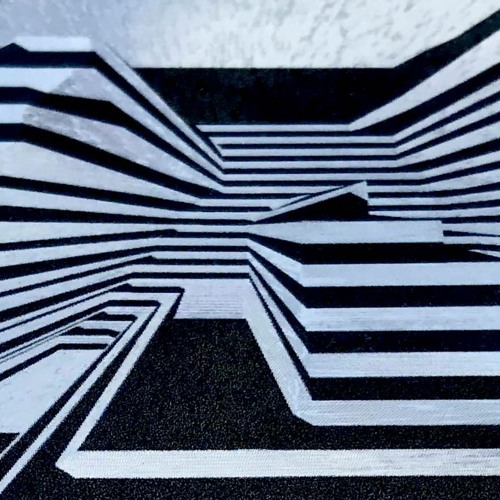
On Richard David James's SoundCloud account named "user18081971", he mentions the use of NI's Traktor on the comments: "also loads of you interested in the setup..running a few progs, Traktor/msp and eurorack modular..dont often use Traktor but its ok but pisses me off it doesn’t do multiple bpms per track, come on NI get with the ‘programme’ will put a modular grid config up to shut you all up :)"


As a longtime Traktor Kontrol fan, Porter has naturally used the accompanying Traktor Pro software for his DJ sets for a long time starting back in the Spitfire era, all the way up to his return to DJing at EDC 2022. This Youtube short shows him controlling the software at a party before the festival.


For their live shows, Krewella DJs with Traktor software.

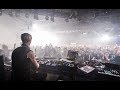
In this video from Richie's YouTube channel, Richie uses Traktor to play four audio tracks simultaneously while DJing. The colors and layout for the software are distinct to Traktor 2.


Carl Cox on DJing with Traktor: "...there's so much in it that you can do to create. And now with the X1s you're able to get to all of those beautiful effects, which I think is amazing."


Since Zomboy uses the Native Instruments Traktor Kontrol S4, it follows that he also uses Traktor Pro DJ software. In this video interview, you can see clips of him performing live. At 2:40 you get a glimpse of his laptop showing him running the software.


In this image, we can see Tom using Traktor with a Traktor controller


Seven Lions runs Traktor on a MacBook Air to perform his live sets.


In this picture from an older setup, he is using Traktor Pro on the MacBook Pro.


In this selfie of the artist we can see traktor on his macbook


At 2:06:50 in this video, one can see Gareth using Traktor while playing his set.


Genre Usage
Based on how artists on Equipboard use this gear, it is most commonly found in the following genres.
Used With
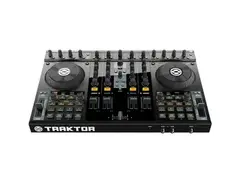
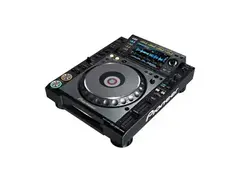
Based on how musicians on Equipboard use Native Instruments Traktor Pro 3, it is most commonly used with the following gear.





Community setups
Show yours

More Native Instruments DJ Software

$74.50 - $149.00
in DJ Software Rank


$189.00 - $349.99
in DJ Software Rank


$99.00 - $199.00
in DJ Software Rank


$649.00 - $1,099.96
in DJ Software Rank


$199.99
in DJ Software Rank


$299.00
in DJ Software Rank


in DJ Software Rank


in DJ Software Rank


in DJ Software Rank


$45.00
in DJ Software Rank


Similar


Gear Guides









Most Popular DJ Software
Most Popular Brands
-
Added to Equipboard on by
 shiftedfocus
GearIQ 78
-


