

Pricing and availability




* Product prices and availability are updated by Equipboard every 24hrs and are subject to change. Equipboard may receive compensation for purchases made at participating retailers linked on this site. This compensation does not affect what products or prices are displayed, or the order of prices listed. For more information, please refer to our affiliate disclosure.


Videos

Laptop Reviews
HP ENVY m4 Review with Windows 8 (October 2012 HP Release)
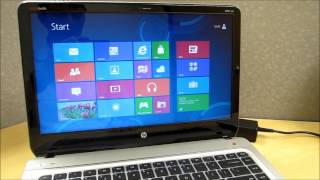
HP ENVY m4 Review with Windows 8 (October 2012 HP Release)
Laptop Reviews
Reviews
Owner Insights
We analyzed real musician discussions from forums and Reddit to find what players love, question, and tweak about HP Envy m4.
Features and functionality
-
The HP Envy M4 can be integrated seamlessly with a 52" Panasonic plasma TV via HDMI, effectively bypassing its own screen for a larger display experience.
Source -
Updating the BIOS is an attempted solution for screen issues, though it’s unlikely to resolve hardware-related damage on the HP Envy M4.
Source
User experience
-
Owners recommend using a Logitech K830 keyboard with a built-in mousepad for remote control, highlighting its effectiveness in low-light environments.
Source
Mods and upgrades
-
Magnetic USB charging cords are suggested for the HP Envy M4 and peripherals to prevent damage to delicate micro USB ports, offering a durable charging solution.
Source
Use cases and applications
-
The HP Envy M4 is suitable for media consumption setups, particularly when combined with Corsair VOID RGB ELITE Wireless Headphones for immersive 7.1 surround sound.
Source
Other
-
An owner notes the setup has been used effectively since 2010, illustrating the durability and long-term viability of the HP Envy M4 for multimedia purposes.
Source
Setup and maintenance
Based on 0 Reviews and 0 Ratings
More HP Computers & Peripherals


$4,499.00 - $7,979.00


Artist usage


Community setups


Similar


Gear Guides




.jpg)





Most Popular Computers & Peripherals
Most Popular Brands
-
Added to Equipboard on by
 facupirrotta
GearIQ 62
-


