

Pricing and availability




* Product prices and availability are updated by Equipboard every 24hrs and are subject to change. Equipboard may receive compensation for purchases made at participating retailers linked on this site. This compensation does not affect what products or prices are displayed, or the order of prices listed. For more information, please refer to our affiliate disclosure.
Description
Unleash the beast within your musical production setup with the Kingston HyperX Beast 32GB 4x8 2400mHz RAM. Designed for musicians and producers who demand seamless performance, this high-capacity memory module is your ticket to smoother digital soundscapes and more intensive multitrack projects. Whether you're layering complex orchestral arrangements or managing multiple virtual instruments, the HyperX Beast ensures that your creative flow never hits a roadblock.
With four 8GB modules clocked at 2400MHz, this RAM is built to handle the most demanding software applications and extensive sound libraries. Each module is equipped with XMP (Extreme Memory Profiles), simplifying your overclocking experience by automatically adjusting the settings for optimal performance. This feature is particularly useful when working with DAWs that benefit from increased memory speeds, allowing you to focus more on creating and less on tweaking settings.
The Kingston HyperX Beast's robust build quality and efficient heat dissipation ensure longevity, even under strenuous workloads. Its compatibility with a wide range of systems makes it a versatile choice for upgrading your musical workstation. Dive into your next project with confidence, knowing that your computer's memory is as ambitious as your creative ambitions.
Key Features:
- 32GB capacity with four 8GB modules
- 2400MHz speed for quick data processing
- XMP (Extreme Memory Profiles) for easy overclocking
- Designed for seamless multitasking in music production
- Efficient heat dissipation for reliable performance
- Wide system compatibility for easy integration into existing setups
Videos

Geekanoids
Geek Gaming PC Build | Video 7 | Kingston HyperX Beast 32GB DDR3 RAM Kit #HyperX
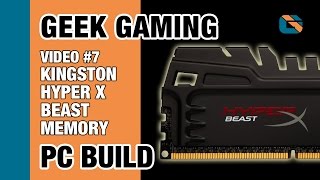
Geek Gaming PC Build | Video 7 | Kingston HyperX Beast 32GB DDR3 RAM Kit #HyperX
Geekanoids
Reviews
Owner Insights
We analyzed real musician discussions from forums and Reddit to find what players love, question, and tweak about Kingston HyperX Beast 32GB 4x8 2400mHz.
Software and compatibility
Setup and maintenance
-
Manual overclocking attempts can result in BIOS beeping errors, indicating memory initialization failure due to high clock or voltage settings.
Source -
Resetting CMOS is necessary when custom profiles fail, but it's cumbersome if the battery is difficult to access.
Source -
It's critical to sync the Infinity Fabric clock (FCLK) in 1:1 mode with RAM frequency for optimal performance; 3200 MHz RAM should align with a 1600 MHz FCLK.
Source -
For Hynix 8Gbit A Die RAM, achieving 3000-3333 MHz at CL16-18-18-38 with 1.35V and specific subtimings (tRRD_S 4, tRRD_L 6, tFAW 16) is feasible.
Source -
RAM with Hynix 8Gbit AFR ICs generally achieves 3000 MHz at CL15-17-17-36, offering a reliable configuration for stability.
Source
Features and functionality
Mods and upgrades
User experience
-
Users experienced reduced system lockups after upgrading to 32GB of Kingston Fury Beast, despite running at 2400MHz instead of the intended 3200MHz.
Source -
Owners mistakenly using manual frequency settings without DOCP/XMP missed out on optimal performance, highlighting the importance of enabling these profiles for better latency and speed.
Source -
Owners report significant FPS improvements in games like PUBG when overclocking from 2400 MHz to 3000 MHz with stable settings.
Source -
Systems with i5-6600k and ASUS Z170-A motherboard demonstrate stable overclocking results, highlighting compatibility with specific older hardware setups.
Source
Based on 0 Reviews and 0 Ratings
More Kingston HyperX Computers & Peripherals


$1,319.55
in Computers & Peripherals Rank


$69.59 - $79.00
in Computers & Peripherals Rank


$399.15 - $596.86
in Computers & Peripherals Rank


$135.00 - $239.99
in Computers & Peripherals Rank


$579.99 - $799.00
in Computers & Peripherals Rank


$1,192.00 - $1,914.49
in Computers & Peripherals Rank


$54.99
in Computers & Peripherals Rank


$149.95 - $179.99
in Computers & Peripherals Rank

$83.83 - $99.00
in Computers & Peripherals Rank


$109.99 - $129.99
in Computers & Peripherals Rank


$1,299.00
in Computers & Peripherals Rank


$149.99 - $187.99
in Computers & Peripherals Rank


$39.99 - $89.00
in Computers & Peripherals Rank


$365.00
in Computers & Peripherals Rank


$509.00 - $867.00
in Computers & Peripherals Rank

$25.00 - $2,119.99
in Computers & Peripherals Rank

$119.98 - $119.99
in Computers & Peripherals Rank


$115.25
in Computers & Peripherals Rank


$1,369.99 - $1,399.00
in Computers & Peripherals Rank


$210.99 - $379.99
in Computers & Peripherals Rank


$1,488.71 - $1,999.00
in Computers & Peripherals Rank


$87.00 - $199.00
in Computers & Peripherals Rank


$17.91 - $25.97
in Computers & Peripherals Rank


$128.00
in Computers & Peripherals Rank


$32.99 - $189.95
in Computers & Peripherals Rank


$629.99 - $919.99
in Computers & Peripherals Rank


$449.00
in Computers & Peripherals Rank
.png?v=1783050948)


$189.99 - $229.00
in Computers & Peripherals Rank


$69.00 - $403.00
in Computers & Peripherals Rank


$90.08 - $127.91
in Computers & Peripherals Rank

$52.19 - $54.99
in Computers & Peripherals Rank

$119.99 - $129.99
in Computers & Peripherals Rank

$94.99 - $294.99
in Computers & Peripherals Rank


Artist usage


Community setups


Similar


Gear Guides









Most Popular Computers & Peripherals
Most Popular Brands
-
Added to Equipboard on by
 spotter
Gear IQ 139
-


