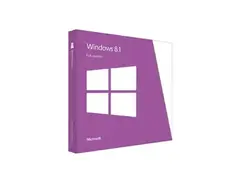

Pricing and availability


* Product prices and availability are updated by Equipboard every 24hrs and are subject to change. Equipboard may receive compensation for purchases made at participating retailers linked on this site. This compensation does not affect what products or prices are displayed, or the order of prices listed. For more information, please refer to our affiliate disclosure.


Videos

Skillsoft YouTube
Microsoft Windows 8.1: Installing Store and Desktop Apps
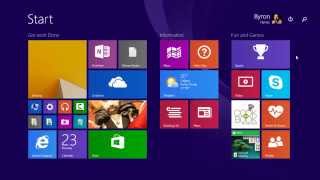
Microsoft Windows 8.1: Installing Store and Desktop Apps
Skillsoft YouTube
Why I still use Windows 8.1 in 2020...

TrigrZolt
Windows 8.1 vs 10

Vlogging Vibes by Pranav R P
Using Windows 8.1 store in 2023

colaWin
Reviews
PROS
-
Works flawlessly with FL Studio 11
-
Compatible with touch-based laptops, enhancing usability
-
Start menu issues can be fixed with 3rd party software
CONS
-
Annoying update notifications during video rendering
-
Largely touch-based interface may not suit non-touch devices
Critic Reviews
3.5 out of 5
Based on 3 Reviews and 6 Ratings

218
Let Me Tell You Something
This is the best mother fucking operating system I've ever used. All the complaints about the start menu can be easily fixed with 3rd party software. The only thing bad about it is when I'm rendering video and this fucking message pops up that says there needs to be some bullshit update then once you restart your pc nothing changes and on top of that you have to render the video again.

1606
Pretty good
I don't really get why people hate on this. I mean, yeah, it's largely touch based, but my laptop has touch, so besides that, it actually works really well. Do not be afraid of it, it actually works really well.

Because I needed it.
The best version of Windows I've used. I run FL Studio 11 on it flawlessly!
More Microsoft Music Software


$225.00 - $599.00
in DAW Software Rank


-m.webp?v=1784620772)

$39.00
in Virtual Instrument Rank

$14.90
in Stereo Width Plugins Rank

$69.00
in Synth Plugins Rank

$169.00 - $199.00
in EQ Plugins Rank


$179.00 - $199.00
in Limiter Plugins Rank

-m.webp?v=1784624893)
$69.00 - $199.00
in Delay Plugins Rank


$144.00 - $199.00
in Compressor Plugins Rank


.jpeg?v=1784574735)

$479.00
in Synth Plugins Rank


-m.webp?v=1784612151)
$175.00 - $199.00
in Saturation Plugins Rank

-m.webp?v=1784612841)
$379.00
in Instrument Bundles Rank


$65.00 - $149.00
in Distortion Plugins Rank


$139.00 - $179.00
in Synth Plugins Rank


$279.00
in Virtual Instrument Rank


$78.70 - $99.00
in Saturation Plugins Rank

$149.00
in Synth Plugins Rank


$69.99 - $189.00
in Synth Plugins Rank


.jpeg?v=1784574737)

$133.00 - $149.00
in Compressor Plugins Rank


$63.00 - $264.00
in Limiter Plugins Rank


$99.00
in Synth Plugins Rank


$32.00 - $39.99
in Delay Plugins Rank


$99.00
in Synth Plugins Rank

-m.webp?v=1784622748)
$95.00 - $99.00
in Synth Plugins Rank


$32.00 - $39.99
in Vocal Processing Plugins Rank

$144.00 - $199.00
in De-Esser Plugins Rank


$34.99 - $149.00
in Channel Strip Plugins Rank
.jpg?v=1784328016)
-m.webp?v=1784611831)
$32.00 - $34.99
in Compressor Plugins Rank


$125.75 - $149.00
in Granular FX Plugins Rank

-m.webp?v=1784612848)
$83.50 - $99.00
in Vocal Processing Plugins Rank

$47.00 - $199.00
in Limiter Plugins Rank


$499.00 - $599.00
in Effects Expansion Packs Rank


-m.webp?v=1784612114)
$32.00 - $34.99
in Compressor Plugins Rank


$268.00 - $349.00
in DAW Software Rank


Artist usage


Community setups


Similar


Most Popular Brands


