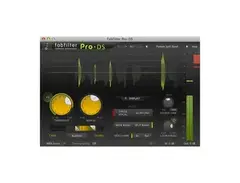

Pricing and availability
We compare 600+ stores and found this item at 7 stores. Prices updated .
Store
Reviews
Price







Price History
Based on price data from 6 merchants for "FabFilter Pro-DS De-Esser Plugin". Prices shown reflect NEW condition. Tracking began Apr 2, 2026.
* Product prices and availability are updated by Equipboard every 24hrs and are subject to change. Equipboard may receive compensation for purchases made at participating retailers linked on this site. This compensation does not affect what products or prices are displayed, or the order of prices listed. For more information, please refer to our affiliate disclosure.
Description
Achieve pristine vocal clarity with the FabFilter Pro-DS De-Esser Plugin, your go-to tool for taming unwanted sibilance in your recordings. Whether you're working with pristine studio vocals or raw live performances, this plugin's sophisticated algorithms detect and reduce sibilance with surgical precision, ensuring your vocal tracks shine without harshness.
FabFilter Pro-DS is powered by its intelligent 'Single Vocal' detection mode, which identifies sibilance with remarkable accuracy. For broader applications, switch to 'Allround' mode and effortlessly control high frequencies on other audio materials like drums or full mixes. The user-friendly interface makes complex processing intuitive, offering a suite of options from wide band to linear-phase split band processing. With up to 15 ms of optional look-ahead and adjustable stereo linking, you can customize your de-essing to fit any project.
Moreover, the Pro-DS is packed with the signature FabFilter touches: real-time de-essing display, a side-chain input meter, and a robust spectrum analyzer that offers visual insight into your adjustments. Its high-quality 64-bit internal processing and GPU-powered graphics acceleration ensure smooth and efficient performance, making it a favorite among professionals.
Key Features:
- Highly intelligent 'Single Vocal' and classic 'Allround' detection modes
- Transparent program-dependent compression/limiting
- Wide Band or linear-phase Split Band processing
- Optional look-ahead time up to 15 ms
- Adjustable stereo linking with mid-only or side-only processing
- Up to four times linear-phase oversampling
- Real-time spectrum analyzer built into the HP/LP filter controller
- High-quality 64-bit internal processing with GPU-powered graphics acceleration
- Extensive help file with interactive help hints
Compatible with both Mac and Windows, and available in VST, VST3, AU, AAX Native, and AudioSuite formats, FabFilter Pro-DS seamlessly integrates into any digital audio workstation environment.
Owner's manual
FabFilter Pro-DS De-Esser Plugin User ManualProduct specs
| Software Type | De-esser |
| Platform | Mac, PC |
| Upgrade/Full | Full |
| Download/Boxed | Download |
| Bit Depth | 64-bit |
| Format | AAX Native, VST, VST3, AU, AudioSuite, CLAP |
| Hardware Requirements - Mac | Intel Core 2 Duo or higher, 4GB RAM minimum |
| Hardware Requirements - PC | Intel Core 2 Duo / AMD Athlon 64 X2 or higher, 4GB RAM minimum |
| OS Requirements - Mac | macOS 10.13 or later |
| OS Requirements - PC | Windows 7 SP1 or later |
FAQs
-
Is the FabFilter Pro-DS De-Esser compatible with my DAW?
-
The FabFilter Pro-DS is compatible with most major DAWs as it supports AAX Native, VST, VST3, AU, AudioSuite, and CLAP formats.
-
What operating systems are supported by the FabFilter Pro-DS?
-
The FabFilter Pro-DS supports macOS 10.13 or later and Windows 7 SP1 or later, making it versatile for both Mac and PC users.
-
What are the key features of the FabFilter Pro-DS De-Esser?
-
The FabFilter Pro-DS features intelligent sibilance detection, wideband and split-band processing, and a real-time spectrum analyzer for precise de-essing.
-
What are the hardware requirements for running FabFilter Pro-DS?
-
The minimum hardware requirements are an Intel Core 2 Duo or AMD Athlon 64 X2 processor and 4GB of RAM for both Mac and PC.
-
How does the FabFilter Pro-DS improve vocal recordings?
-
The FabFilter Pro-DS effectively reduces sibilance in vocal recordings, providing a smoother and more balanced sound without affecting the overall vocal quality.
Videos

FabFilter
Introduction to FabFilter Pro-DS intelligent de-esser
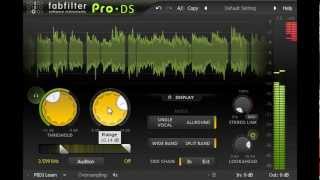
Introduction to FabFilter Pro-DS intelligent de-esser
FabFilter
How To Use a De-Esser on Vocals (with FabFilter Pro DS)

5piece
Fabfilter Pro-DS Plugin - Vocal De-esser Plugin

KdW Mixing & Mastering

Klein aber Fein! Der DE-ESSER von Fabfilter | Pro DS Erklärt DEUTSCH

Mix dich zum Master
Why Fabfilter Pro DS is So Popular

Warrior Sound - Unders
De-Esser aber wer ist besser? FabFilter Pro-DS De-Esser Plug-In

musotalk
Reviews
PROS
-
Effectively reduces sibilance without tone gouging
-
Simple licensing with multi-computer support for non-commercial use
-
Excellent presets for quick and effective de-essing
-
Versatile on vocals, instruments, and full mixes
-
Easy to use with minimal tweaks needed
-
Consistently delivers clear and natural vocals
-
Demo available to test before purchasing
CONS
Owner Insights
We analyzed real musician discussions from forums and Reddit to find what players love, question, and tweak about FabFilter Pro-DS De-Esser Plugin.
Features and functionality
-
Pro-DS is praised for its intuitive UI, allowing quick adjustments without over-processing. It's particularly effective on single vocal tracks.
Source -
Some users find that FabFilter Pro-DS dulls highs without effectively taming harshness, suggesting Pro-MB or Pro-Q3 as alternatives for better results.
Source -
Users appreciate the visual feedback in FabFilter Pro-DS, which allows for precise control by showing a graphic of the effect, aiding in avoiding over-processing.
Source
Comparisons
-
Users note a preference for Pro-DS over Waves for its cleaner sound, avoiding the "fizzy" effect that Waves can produce.
Source -
The Weiss De-Esser is praised for its natural attenuation, often preferred over FabFilter Pro-DS for its ability to control high-end outliers musically.
Source -
Lindell 902 is compared favorably to the hardware DBX 902, noted for its similarity and effectiveness in de-essing.
Source -
Some users find Soothe 2 overpriced for its features, suggesting DSEQ3 as a more affordable alternative that offers similar dynamic EQ capabilities.
Source -
FabFilter Pro-DS is often favored over Waves RDeesser for its graphic interface and ease of use, making it a preferred choice for users who want straightforward operation.
Source
Use cases and applications
-
While effective on vocals, it's less favored for drum overheads or mastering due to its unique sidechain filter behavior.
Source -
Pro-DS may work better before applying heavy compression, where its smart detector can enhance performance compared to frequency-dependent detectors.
Source -
FabFilter Pro-DS is noted for its ease of use, with some describing it as feeling like "cheating" due to its effective performance with minimal adjustments.
Source
Value and pricing
User experience
-
Minimal tweaking is required to achieve desired results, making it highly efficient for those who have tried various de-essers.
Source -
Some users prefer using Melodyne for sibilance reduction, citing its natural output over FabFilter Pro-DS, especially when manually adjusting sibilance during editing.
Source
Critic Reviews
5.0 out of 5
Based on 2 Reviews and 25 Ratings

238
One of the best De-essers
Great for catching sibilance of any kind, on any instrument. I treat snares and hats with this to remove harshness all the time.

Artist usage
Add artist
at 3:05 you can see Deadmau5's fabfilter plugins. Pro-DS is among them.


In this video at 34:27 we can see FabFilter Pro-DS De-Esser Plugin

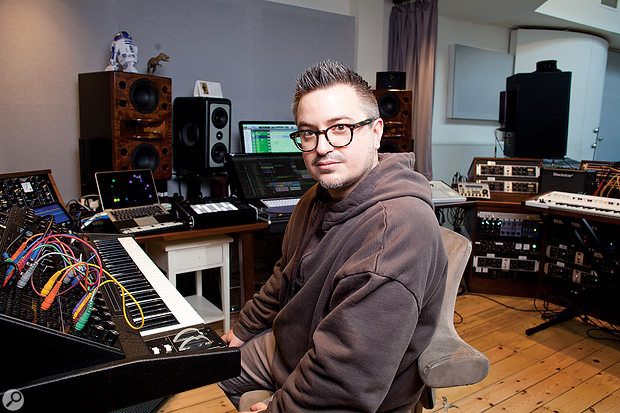
Used on "Hymn for the Weekend", as mentioned by A Head Full of Dreams co-producer Rik Simpson in this Sound on Sound article.
It was very important to get the development and arrangement of the vocals right. Many of the 45 tracks are effect tracks. There’s only one lead vocal track each for the verses [LV Verse], for the bridge [LV Bridge], and the choruses [LV Chorus], and then Chris sang a number of bridge and chorus vocal overdubs. The main verse vocal has the Avid Channel Strip, which is taking out some low end, an SPL TwinTube, which adds some saturation, the UBK1 compressor adding more crunch, and the UAD Fairchild 670 and SSL E Channel. I don’t use a great deal of compression from each unit. I will just tickle it a little bit with each one, and each one adds a different characteristic. I could just add a whole load of compression from one plug–in, but like this it doesn’t sound over–compressed. The Pro–Q 2 is, again, a high–pass filter. In the sends there’s a Waves H–Delay that I recorded elsewhere, and sends to a main D–Verb and two QL Spaces aux tracks. I have different reverbs and delays for each part of the song so that the vocal sound evolves during the song.
“The main chorus lead vocal has the FabFilter Pro–Q 2 EQ, the Waves Rennaissance Vox, again the UBK1, two instances of the FabFilter Pro–DS de–esser, two instances of the UAD Pultec EQP–1A, and the FabFilter Pro–MB multi–band compressor. I like the FabFilter de–esser. I am still trying to find the ultimate de–esser, because it’s quite a hard thing to do right. I have two because one is doing high top sibilance, and the other lower stuff around 2kHz. The sends on chorus lead vocal go to aux tracks with the Waves H–Delay, the FXpansion Bloom with a lush, wide stereo delay, a small chamber from the QL Spaces plug–in, a mono delay from the UAD Echoplex, and several other delays. The sends to the delays are all automated independently, with different words getting different delays.
“One thing of note is that there also is a ‘Hope House M80’ vocal track, recorded when Chris was still using the Telefunken M80, and it’s mixed in very low. There’s also a lead-vocal double that has ‘251’ marked, indicating that Chris was also using that mic. But the main vocals were recorded using the Soyuz. There are two tracks marked ‘251 Melo Lead’ and ‘251 Melo Double’, again mixed in low. ‘Melo’ stands for Melodyne, and these tracks are raised two semitones. They were recorded in a different key for a different version of the song, and detuning them added a certain alien quality to these vocals which we really liked. At the bottom of the session are the Beyoncé vocal tracks, on which I mainly used the SSL E Channel strip, UBK1, L2, SoundToys Echo Boy, Avid ModDelay and the QL Space.”


In the video titled "How Charlie Puth Writes a HIT Chorus (In Real Time)" by Studio on YouTube, Charlie Puth is seen demonstrating the use of the FabFilter Pro-DS De-Esser Plugin at the 13:46 mark.


Used for J. Cole's feature on 21 Savage's "A Lot", as is visible in track "CILdVrDIRTY" in a downloadable photo of the "A Lot" Pro Tools session (available in this .zip file) from this March 2019 Sound on Sound interview with producer Maddmix.


at 25:39 you can see his list of fabfilter plugins
.jpeg?v=1784574735)
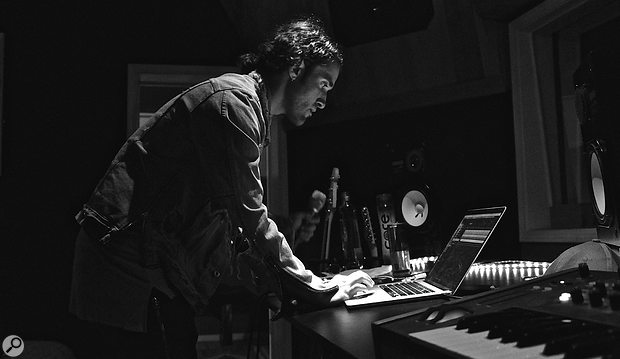
The Weeknd utilized the FabFilter Pro-DS De-Esser Plugin on his track "The Hills," as detailed in Soundonsound's "Inside Track: The Weeknd."


Used for BTS' vocals on "Fake Love", as stated by producer James Reynolds in this August 2018 Sound on Sound interview.
‘All Vocals’ bus: Overloud Tapedesk, DMG Audio EQuilibrium & Kazrog KClip.
“This is pretty much my standard chain. I have the Tapedesk as my first plug-in. I love mixing into this, because I love the saturation that it gives to vocals. This is followed by the EQuilibrium, which notches out some high end. The Eiosis Air EQ Premium is next and does something slightly more interesting, because I am automating it with the green automation line. I use the automation to turn the Strength slider fully up for the pre-choruses and the choruses, which adds real excitement to all the vocals in these areas. Then there’s the Pro-DS de-esser set to a pretty high threshold, because I have already de-essed on the individual tracks. It’s just to catch anything else that I may have missed. Finally the KClip is just catching any remaining peaks.”


In this video at 1:50 the protools analysis of her unreleased song "Fantasize" shows the use of this plugin
.jpg?v=1784591665)
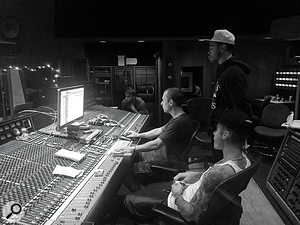
Used on Purpose, as stated by mix engineers Josh Gudwin and Andrew Wuepper in this May 2016 Sound on Sound interview about the mixing of the title track and others.
Gudwin picks out a few other interesting tracks, beginning with a vocal track named ‘vcls’. “That track contains a vocal sample that Blood made of Justin’s vocal. I’m just touching that with the LFO Tool for a bit of pumping, I take out some high frequencies with the Pro-Q 2, and then use the SoundToys Microshift for a slight pitch-shift/chorusing effect. ‘Sry1V’ below that is the vinyl sound in the track. ‘$JBU’ is the main lead vocal bus, on which I have the UAD 1176, Waves De-Esser, Manley Massive Passive, Metric Halo Channel Strip. The sends are to the generic aux tracks at the bottom of the sesion: verb, ping-pong delay, Dimension D. Below the lead vocal bus is the print track of a Bricasti outboard.”
Wuepper: “There are two tracks called ‘Bric’ around the main vocal bus; the one above is the print from the Bricasti effect that was used on the percussion, and the one below is the print of the Bricasti reverb on the vocal. Next are Josh’s vocal delays. Putting delays on audio snippets [ie. copying short vocal clips to new tracks and applying delays as inserts, rather than automating a send from the main vocal track] is a pretty interesting way of doing things. I’ve not seen anyone else do this, but it makes it easier for Josh to manipulate these delays and to go deeper into the effect. He can really fine tune the delay times and decay lengths and so on. Sometimes the feedback you get with plug-ins can act a little weird, and this approach allows him to have more control.”
Gudwin: “The five green tracks are all vocal throws and delays. I don’t like to automate delay throws via aux tracks. The top green track is the master track for the delays, ‘JB Throw All’, and it has a compressor and an SPL Vitalizer. The ‘1147’ delay track has the UAD Cooper Time Cube, with a quick ping-pong-y flutter delay that I use to widen, and the track called ‘1167’ has a basic eighth-note delay from the Echo Boy. The ‘A’ insert is Auto-Tune, but it’s not working on these tracks. When needed, our vocal tuning is normally done by Chris ‘Tek’ O’Ryan in Melodyne. I sometimes do it myself, if I have the time do it, in the stand-alone version.
“The blue vocal tracks below the vocal delay tracks are the main lead vocal comp tracks, and on many of them I have the UAD SSL Channel Strip, UAD LA-2A, and the Waves C6 multiband compressor, and sometimes also the Pro-Q 2 EQ. The ‘DLYP’ track has a delay pan effect, with the SoundToys Primal Tap delay and Panman auto-panner, SSL Channel Strip and the P&M Vinylizer. ‘White’ and ‘Master’ are printed reverbs recorded in two rooms at Henson. They are my main plug-in vocal reverbs, and the green tracks below are pitched with the Elastic Audio X-Form [in Pro Tools] and effected with the Waves H-Compressor for a pumping effect. I pitched the reverbs up an octave or two, and I mixed them in very low. The ‘PCM’ and ‘PC1’ tracks are prints from ping-pong delays from the Lexicon PCM42 outboard.
“Justin’s backing vocal tracks all go to the group track called ‘JBG1’, on which I have a Waves De-esser, an SSL Channel and the C6 multiband compressor, plus there are a number of delays and reverbs via the sends. Trevon’s backing vocals all go to ‘JBTR’, which has similar effects. I wanted to fill the song up a bit more, and sometimes it’s not the most enjoyable process for an artist to sing all these background parts. Plus a different vocalist will add a different texture to the song, as long as it complements the lead vocal and the record. As I mentioned, Julia added her vocals during the final mix in New York, and her group track also has the De-esser, SSl Channel and C6. Right at the bottom are some effects tracks, with the Dimension D and group delay throws, and so on.
(...) 'Love Yourself'
(...) Next are Justin’s vocals, with I overdubbed in New York. Almost all the regular vocal tracks have the UAD SSL Channel, LA2 and the Waves C6 multiband compressor. These three plug-ins work great on his vocals, so I tend to stick with them. Each of the vocal tracks has slightly different settings from them. They all go to Justin’s lead vocal bus above them, which has the FabFilter Pro-DS de-esser and the Pro-2 EQ. Justin’s lead vocals also go through the Bricasti, and the effect is printed. My own four backing vocals went through a vocal bus on which I had the SSL Channel, and a compressor, but they didn’t do much, nor did the sends. These vocals are very much in the background, I just wanted to add some texture really quickly. Finally, at the top of the session everything went through a Master track, on which I had the UAD SSL channel, mainly for compression set to mid-attack and auto-release — without drums you don’t need the slow attack and quick release — a Massey EQ, boosting 100Hz and 16kHz, a FabFilter Pro-L for level, and the Sonnox Oxford Inflator to add some sheen.”
'What Do You Mean?'
(...) “There were a few more complicated vocal effects, like the ‘JG FX’ track, on which I used the Vitalizer doing some spatial expanding, a UAD Fatso to thicken it up, and I then cut some low mids with an EQ, and used a de-esser. This effect track gave more depth to the vocal and made him sound more like an angel! Underneath that are two ‘Radio’ tracks [which sound like they could have come straight from Peter Gabriel’s ’80s Fairlight experiments]. I used Auto-Tune to pitch the vocals up, and then put on a SoundToys AlterBoy, which changed the formant, and then I’m filtering 350Hz and below.
“Below the ‘radio’ tracks are all my vocal delay tracks, in green as usual, with the bus for all delay throws at the top. One delay track, ‘Splaater’, is a flutter delay with Auto-Tune and the Cooper Time Cube, and the other two have the Waves H-Delay and SoundToys Echo Boy. They’re both quarter-note delays, but with different feels. Below the delay tracks are some ad lib tracks, and all the actual lead vocals, pulled out over several tracks. Most of them have my regular trio of UAD SSL Channel, LA2 and Waves C6 plug-ins, and all vocals are sent to the ‘JB Buss’, on which I have the FabFilter DS de-esser, a Manley EQ doing light cuts at 330Hz, 560Hz and 3kHz, and then a whole bunch of sends to my regular aux tracks at the bottom: a hall reverb, a plate reverb, a light quarter-inch delay, a light ping-pong delay and a Dimension D.
“Further down are four Justin backing vocal tracks, which go to a bus above them, ‘JBG1’, on which I have the SSL Channel, boosting highs and cutting lows and doing some heavy compression, a UAD 33609 compressor, and then the Waves Enigma [phaser/flanger] on a Mutron setting, adding some sweeping sounds. The sends are once again hall and plate reverbs, a quarter-note and a ping-pong delay and a UAD Roland Dimension D. Once Justin had decided to go with my rough mix, I spent another half hour on it, doing some EQ adjustments, and that was it.”


Used on "Apeshit", as stated by producer Stuart White in this September 2018 Sound on Sound interview.
The first four aux tracks feature SoundToys effects, namely Little Microshift, two EchoBoy delays, and a delay from the Little PrimalTap. Next are a Hall Reverb aux and a Church Reverb aux, both using Waves’ RVerb, an EMT plate from Audio Ease’s Altiverb, four aux tracks with the Waves H-Delay and various other plug-ins on them as well, and four more reverb auxes with the Avid Revibe II, two Avid D-Verbs and another RVerb.
White: “I use the Little Microshift in pretty much every mix, with the left-right micro pitch-shift effect that’s similar to the classic effect in the Eventide H3000 shift where you pitch one side down six cents and one side up six cents to create width. It’s a good way to get your vocals wider without them being out of phase. It thickens up vocals, and is kind of like a doubler. I do quite a lot of filtering on some of the EchoBoy delays, for example with the Waves REQ, and I am adding colour with the SoundToys Devil-Loc, which is great if you want to colour the delay so it is separate from the main vocal, and compress it with the UAD LA3A and mix that in to taste.”
(...) Beyoncé’s lead vocal tracks consist of three aux tracks, four ‘dirty’ and eight ‘clean’ audio tracks. The audio tracks only have the EQ3 on the inserts and a few of them have a send to the Church Reverb. All White’s processing is done on the three aux tracks. “All lead vocals are sent to the ‘B Aux’ track and the ‘B Parra Aux’ tracks. On the former I have the McDSP DS [sic] 555 de-esser. I use the Waves de-esser the most, but in this particular track, because I wanted to compress her voice really hard, I felt that the 555 would work the best. I am rolling off until 6144Hz into what it is detecting; it’s like a side-chain filter. The FabFilter Pro-DS is doing a little more gentle look-ahead de-essing.
“After that there’s some pretty heavy EQ from the EQ3, with a high-pass at 142Hz, a 9dB cut at 244Hz and a 2dB cut at 3kHz. My cut at 244Hz is because she is singing in this husky, low voice, so there’s not a lot of energy in that. I get the energy from the RComp compression, and the EQs, including from the SSL E-Channel, are there to make her sit in the track, rather than making it sound filtered. I love the RComp, mainly because it doesn’t sound like compression to me. The SSL E-Channel adds a bit more compression, and the [Crane Song] Phoenix II Tape Emulation is really cool because while it doesn’t actually sound like tape, it smoothes out transients in a signal just like much analogue equipment does. It enables me to get a fatter vocal sound that again makes the vocal sit in the mix. The final EQ3 has a notch at 3.2kHz to take out some harshness. I also have sends to the Verb aux track, which are the D-Verb and [Waves] H-Reverb, and the Delay 1-4 aux, with the EchoBoy.
The other aux track, ‘B Parra Aux’, is a parallel compression track, with the RCompressor and the CLA 76, which I mixed in low. Both these aux tracks then go to the ‘LD ALL Aux’, on which I’m doing some more surgery with the McDSP AE400 [dynamic EQ], which allows you to set a threshold, just like on a compressor. It’s like turning a volume knob down on a frequency the moment it gets out of control. Finally, there’s the Waves C4, for some control, to keep the vocal even. This track has a lot of energy, so this is an example of using compression for energy, mood and attitude. I also worked a long time to get the compression on Bey’s breaths to pump on the beat. I wanted her breaths to be another percussive element in the track, and getting the attack and release on the compressor right was key to getting that feel and pumping effect.”
Five of the 22 Beyoncé ad lib, backing and harmony vocals below her lead vocals also go to the above-mentioned aux tracks, while the rest have their own signal chains. These audio tracks are sent to several aux tracks, often with tons of plug-ins, and all aux vocal tracks in the end get sent to the ‘Voc All’ group aux right at the top of the session, which has an RCompressor, with ratio at 10:1. There are more group aux tracks, like ‘TrackAux’, ‘FX Voc Aux’, ‘FX’ and ‘Music Aux’, which all get sent to the ‘All Aux’. This in turn gets sent to the ‘no limiter’ mix print track, and finally there’s a Stereo Master track.

Used for BTS' vocals on "Fake Love", as stated by producer James Reynolds in this August 2018 Sound on Sound interview.
‘All Vocals’ bus: Overloud Tapedesk, DMG Audio EQuilibrium & Kazrog KClip.
“This is pretty much my standard chain. I have the Tapedesk as my first plug-in. I love mixing into this, because I love the saturation that it gives to vocals. This is followed by the EQuilibrium, which notches out some high end. The Eiosis Air EQ Premium is next and does something slightly more interesting, because I am automating it with the green automation line. I use the automation to turn the Strength slider fully up for the pre-choruses and the choruses, which adds real excitement to all the vocals in these areas. Then there’s the Pro-DS de-esser set to a pretty high threshold, because I have already de-essed on the individual tracks. It’s just to catch anything else that I may have missed. Finally the KClip is just catching any remaining peaks.”
Album Usage
The FabFilter Pro-DS De-Esser Plugin has been featured on the following albums:
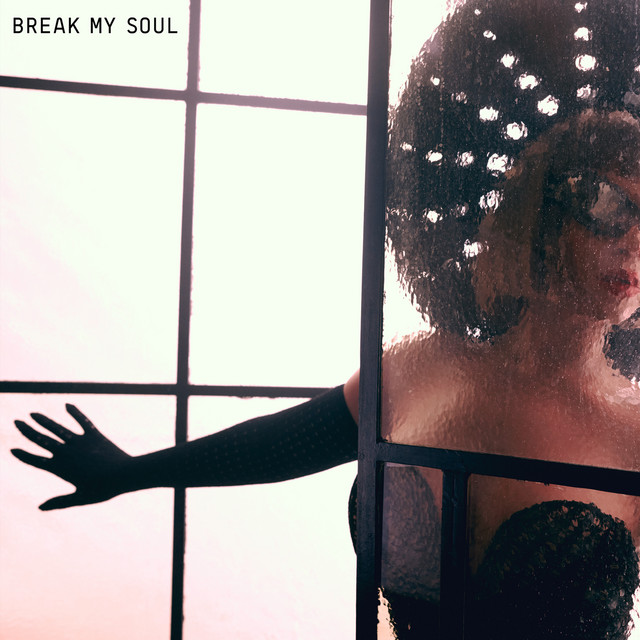
BREAK MY SOUL
Beyoncé (2022)
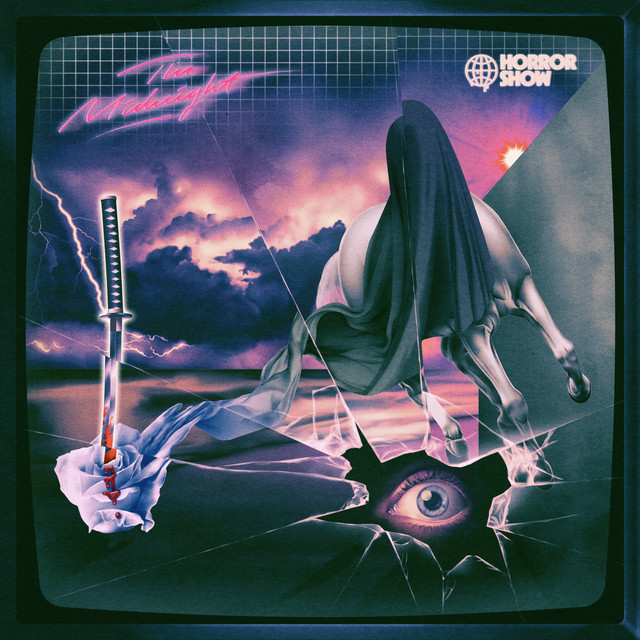
Neon Medusa
The Midnight (2021)

Sum 2 Prove
Lil Baby (2020)
Ex Machina
Metrik (2020)

Rare
Selena Gomez (2020)

Old Town Road (Remix)
Billy Ray Cyrus & Lil Nas X & Mason Ramsey (2019)

Gravity
Metrik (2019)

FAKE LOVE/Airplane pt.2
BTS (2018)

Ain't No Love
Kove (2017)

Bodak Yellow (feat. Kodak Black)
Cardi B & Kodak Black (2017)

Issa Album
21 Savage (2017)
Hymn for the Weekend (Seeb Remix)
Coldplay & seeB (2016)
A Head Full of Dreams
Coldplay (2015)
Purpose (Deluxe)
Justin Bieber (2015)
Can You Hear Me
Denis Kenzo (2015)
Genre Usage
Based on how artists on Equipboard use this gear, it is most commonly found in the following genres.
Used With
Based on how musicians on Equipboard use FabFilter Pro-DS De-Esser Plugin, it is most commonly used with the following gear.


-s.webp?v=1784556073)
-s.webp?v=1784556118)

-s.webp?v=1784333865)


More FabFilter De-Esser Plugins

$29.99 - $34.99
in De-Esser Plugins Rank


$56.00 - $244.00
in De-Esser Plugins Rank


$33.00 - $34.99
in De-Esser Plugins Rank


$29.99 - $34.99
in De-Esser Plugins Rank


$14.99 - $149.00
in De-Esser Plugins Rank

$199.00
in De-Esser Plugins Rank


$0.00
in De-Esser Plugins Rank

$39.99 - $50.00
in De-Esser Plugins Rank

$95.00 - $99.00
in De-Esser Plugins Rank

$59.00 - $129.00
in De-Esser Plugins Rank


$49.00 - $89.99
in De-Esser Plugins Rank

$18.20 - $89.00
in De-Esser Plugins Rank


$99.00
in De-Esser Plugins Rank


$79.00
in De-Esser Plugins Rank


in De-Esser Plugins Rank

$95.00 - $100.00
in De-Esser Plugins Rank


Accessories & Related Items





-s.webp?v=1784556086)
Community setups


Similar


Most Popular De-Esser Plugins
Most Popular Brands
-
Added to Equipboard on by
 equipboard
GearIQ 4934
-


