

Pricing and availability
We compare 600+ stores and found this item at 7 stores. Prices updated .
Store
Reviews
Price







Price History
Based on price data from 6 merchants for "FabFilter Pro-MB Multiband Dynamics Plugin". Prices shown reflect NEW condition. Tracking began Apr 2, 2026.
* Product prices and availability are updated by Equipboard every 24hrs and are subject to change. Equipboard may receive compensation for purchases made at participating retailers linked on this site. This compensation does not affect what products or prices are displayed, or the order of prices listed. For more information, please refer to our affiliate disclosure.
Description
Dive into the world of precise audio control with the FabFilter Pro-MB Multiband Dynamics Plugin. Redefining multiband dynamics, this plugin offers an innovative approach to compression and expansion without the complexity of conventional systems. Instead of splitting the entire frequency spectrum, the Pro-MB allows you to craft new bands directly at your desired frequency range, ensuring unparalleled control over your sound.
The Pro-MB features a unique Dynamic Phase processing mode, delivering the benefits of multiband processing with zero latency and minimal phase change. This, alongside the Linear Phase and Minimum Phase modes, grants you the flexibility to choose the perfect processing style for your project. The intuitive multiband display allows seamless interaction and band management, while the ability to snap bands together offers the versatility of a traditional crossover system when needed.
Designed with both precision and ease-of-use in mind, the Pro-MB is a lifesaver for musicians and producers seeking high-quality processing with minimal fuss. Enjoy the perfectly tuned knobs, Smart Parameter Interpolation for smooth transitions, and a beautiful Retina interface that makes sound shaping a visual pleasure. Whether you're aiming for transparent compression or punchy gating, the Pro-MB is equipped to handle any dynamics processing task.
Key Features:
- Up to six processing bands, freely placeable anywhere in the spectrum
- Unique Dynamic Phase processing mode with zero latency
- Linear and Minimum Phase processing modes for flexible control
- Intelligent and program-dependent attack and release curves
- Customizable per band: threshold, range, attack, release, output gain, and more
- Steepness of crossover slopes adjustable between 6 dB/oct and 48 dB/oct
- Interactive multiband display with band solo/mute and bypass options
- Retina interface with real-time frequency analyzer and GPU acceleration
- MIDI Learn, Smart Parameter Interpolation, and sample-accurate automation
- Available for macOS and Windows in VST2, VST3, AU, and AAX formats
Owner's manual
FabFilter Pro-MB Multiband Dynamics Plugin User ManualProduct specs
| Software Type | Compressor |
| Platform | Mac, PC |
| Upgrade/Full | Full |
| Download/Boxed | Download |
| Bit Depth | 64-bit |
| Format | AAX Native, VST, VST3, AU, AudioSuite, CLAP |
| Hardware Requirements - Mac | Intel Core 2 Duo or higher, 4GB RAM minimum |
| Hardware Requirements - PC | Intel Core 2 Duo / AMD Athlon 64 X2 or higher, 4GB RAM minimum |
| OS Requirements - Mac | macOS 10.13 or later |
| OS Requirements - PC | Windows 7 SP1 or later |
FAQs
-
What is the primary function of the FabFilter Pro-MB plugin?
-
The FabFilter Pro-MB is a multiband dynamics plugin designed for precise audio mixing and mastering. It allows users to apply compression or expansion to specific frequency ranges, enhancing control over the sound.
-
How many bands can the FabFilter Pro-MB handle simultaneously?
-
The FabFilter Pro-MB can handle up to six bands, each independently adjustable for parameters like threshold, attack, release, and ratio, providing detailed dynamic control.
-
Is the FabFilter Pro-MB compatible with my DAW?
-
The FabFilter Pro-MB is compatible with most major DAWs, supporting formats like AAX Native, VST, VST3, AU, AudioSuite, and CLAP on both Mac and PC platforms.
-
What system requirements are needed to run the FabFilter Pro-MB?
-
For Mac, it requires macOS 10.13 or later with an Intel Core 2 Duo or higher and 4GB RAM. For PC, it needs Windows 7 SP1 or later with an Intel Core 2 Duo / AMD Athlon 64 X2 or higher and 4GB RAM.
-
Can the FabFilter Pro-MB be used for both mixing and mastering applications?
-
Yes, the FabFilter Pro-MB is suitable for both mixing and mastering, offering flexible multiband dynamics processing to enhance audio tracks in various production stages.
Videos

FabFilter
Introduction to FabFilter Pro-MB multiband compressor/expander
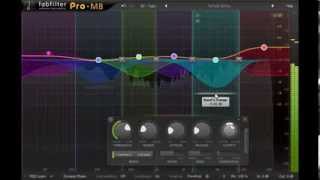
Introduction to FabFilter Pro-MB multiband compressor/expander
FabFilter
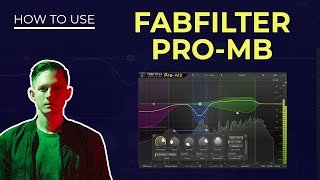
Fabfilter Pro-MB Tutorial - Everything You Need to Know

Sam Smyers
Fabfilter Pro-MB - Review & Demonstration

SadowickProduction

Warum du nur diesen Multiband Kompressor brauchst! Fabfilter Pro MB

Mix dich zum Master
Reviews
PROS
-
Intuitive interface simplifies multiband dynamics processing
-
Customizable bands and frequencies for personalized sound shaping
-
Compatible with high-resolution displays (2K, 4K, 5K, 8K)
-
Allows use on multiple systems without restrictions
-
Offers both upward and downward compression and expansion
-
High-quality oversampling options: 2X and 4X available
-
Excellent visual feedback aids in precise adjustments
-
Effective for de-essing and frequency overlap management
-
Recognized for its appealing and clear visual design
CONS
-
Lacks a dedicated hardware control console
-
Some users find it less impactful than other FabFilter plugins
Owner Insights
We analyzed real musician discussions from forums and Reddit to find what players love, question, and tweak about FabFilter Pro-MB Multiband Dynamics Plugin.
Use cases and applications
-
The plugin is praised for its ability to maintain mid-range presence in dynamic mixes using upward compression, providing a balanced sound without losing energy.
Source -
Pro-MB is recommended for processing wide-spectrum sources with specific frequency issues, such as taming instruments in a stereo mix without stems.
Source -
Pro-MB is favored for shaping vocals by balancing frequencies and compressing lows, mids, highs, and "air" bands for precise vocal control.
Source -
Users find Pro-MB effective for creating dynamics in sub-bass and bringing out highs in percussion without excessive sizzle through upward expansion.
Source
Comparisons
-
Pro-MB offers more dynamic controls like attack, release, and ratio compared to Pro-Q3, which lacks these features.
Source -
Pro-MB's unique character is noted for its ability to impart a distinct sound, unlike the transparent approach of Pro-Q's dynamic EQ.
Source -
Some users prefer Pro-MB over TrackSpacer for frequency ducking due to its comprehensive frequency control, especially when managing overlapping frequencies.
Source -
The dynamic EQ in Ozone can mimic multiband compression using band shelf filters, offering a similar utility to Pro-MB.
Source -
Users describe Pro-MB as having a "softer, rounder" sound compared to the "harder, pointier" tone of Waves C6.
Source
User experience
-
Some users find Pro-MB more attractive after learning about its versatility compared to other dynamic tools.
Source -
Real-time visual feedback in the Pro-MB interface helps users see compression effects clearly, aiding in intuitive adjustments and better understanding of dynamic changes.
Source -
Owners appreciate FabFilter's user interface for its versatility and ease of use, contributing to an efficient workflow.
Source
Features and functionality
-
Pro-MB can mimic a dynamic EQ using its Dynamic Phase setting, offering flexibility in dynamic processing.
Source -
Pro-MB offers a "free sidechain" mode for frequency-specific listening and ducking, enhancing mixing precision across different frequencies.
Source -
Pro-MB allows for frequency-specific sidechain filtering, enabling users to compress one frequency band while using another as the sidechain input for precise control.
Source -
Pro-MB allows creating custom OTT settings, providing additional dynamic processing flexibility not typically needed but valued by some users.
Source -
Pro-MB can perform expansion in addition to compression, allowing for custom dynamic range manipulation not always available in other plugins.
Source
Critic Reviews
5.0 out of 5
Based on 6 Reviews and 60 Ratings

846
Great Sound Shaping Capabilities
Using the Pro-MB, I now favor it over the others (OTT and Maximus) for getting the sound I need. I use it for upward compression transient shaping on the highs, downward compression on the mids, and downward expansion on the low end. It really works well because I can see exactly what is going on. This is characteristic of the Fabfilter plugins and I like that and think you will too.
Copy this link for my OTT-like settings: https://gum.co/DnGMz


Artist usage
Add artist
at 3:05 you can see Deadmau5's fabfilter plugins. Pro-MB is among them.

Zedd was seen using Fabfilter Pro MB in his snapchat video.

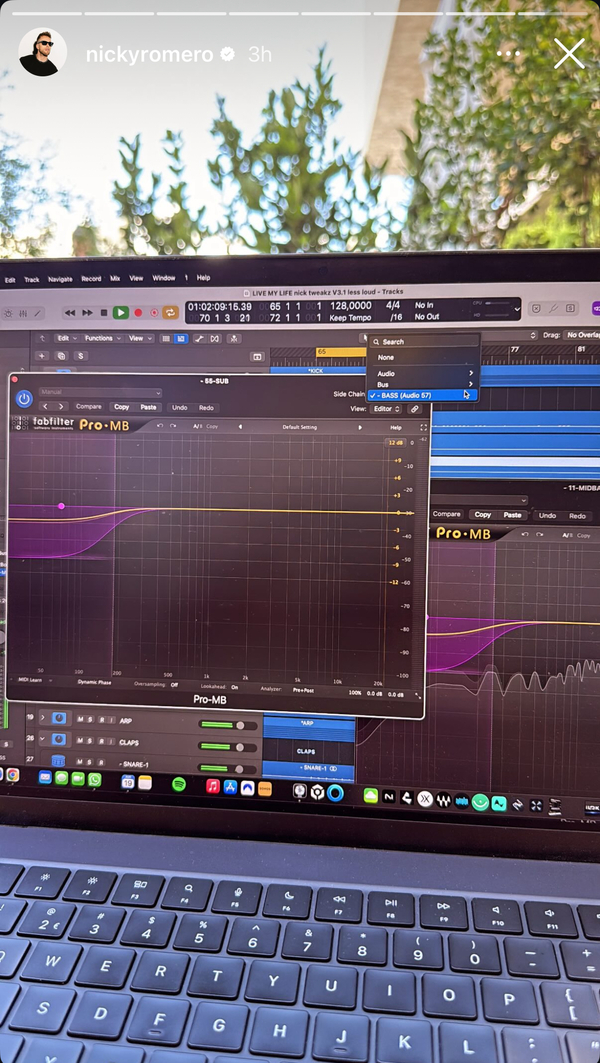
In this screenshot of Nicky Romero’s instagram story, he can be seen with multiple open instances of FabFilter Pro-MB in a project in his DAW called “LIVE MY LIFE nick tweakz V3.1 less loud”


Used on the guitar for Justin Bieber's "Love Yourself", as stated by Purpose mix engineers Josh Gudwin and Andrew Wuepper in this May 2016 Sound on Sound interview about the mixing of the title track and others. An image of the settings can be found here.
“Ed’s original guitar was quite noisy and buzzy. It sounded like he was on the road and had just plugged in quickly to get an idea down. So I selfishly wanted a cleaner guitar sound and had a couple of guys coming in to replay the guitar part, but it never sounded anywhere near as good. It just kept sounding too different and without the right feel. So I decided to go with Ed’s guitar and treated it with the Waves NS1 noise suppressor, the Waves GTR plug-in, and filtered it with the FabFilter Pro-MB, and an Avid EQ, taking out around 3kHz."

In this video at 11:18 we can see FabFilter Pro-MB Multiband Dynamics Plugin


Used on "Hymn for the Weekend", as mentioned by A Head Full of Dreams co-producer Rik Simpson in this Sound on Sound article.
It was very important to get the development and arrangement of the vocals right. Many of the 45 tracks are effect tracks. There’s only one lead vocal track each for the verses [LV Verse], for the bridge [LV Bridge], and the choruses [LV Chorus], and then Chris sang a number of bridge and chorus vocal overdubs. The main verse vocal has the Avid Channel Strip, which is taking out some low end, an SPL TwinTube, which adds some saturation, the UBK1 compressor adding more crunch, and the UAD Fairchild 670 and SSL E Channel. I don’t use a great deal of compression from each unit. I will just tickle it a little bit with each one, and each one adds a different characteristic. I could just add a whole load of compression from one plug–in, but like this it doesn’t sound over–compressed. The Pro–Q 2 is, again, a high–pass filter. In the sends there’s a Waves H–Delay that I recorded elsewhere, and sends to a main D–Verb and two QL Spaces aux tracks. I have different reverbs and delays for each part of the song so that the vocal sound evolves during the song.
“The main chorus lead vocal has the FabFilter Pro–Q 2 EQ, the Waves Rennaissance Vox, again the UBK1, two instances of the FabFilter Pro–DS de–esser, two instances of the UAD Pultec EQP–1A, and the FabFilter Pro–MB multi–band compressor. I like the FabFilter de–esser. I am still trying to find the ultimate de–esser, because it’s quite a hard thing to do right. I have two because one is doing high top sibilance, and the other lower stuff around 2kHz. The sends on chorus lead vocal go to aux tracks with the Waves H–Delay, the FXpansion Bloom with a lush, wide stereo delay, a small chamber from the QL Spaces plug–in, a mono delay from the UAD Echoplex, and several other delays. The sends to the delays are all automated independently, with different words getting different delays.
“One thing of note is that there also is a ‘Hope House M80’ vocal track, recorded when Chris was still using the Telefunken M80, and it’s mixed in very low. There’s also a lead-vocal double that has ‘251’ marked, indicating that Chris was also using that mic. But the main vocals were recorded using the Soyuz. There are two tracks marked ‘251 Melo Lead’ and ‘251 Melo Double’, again mixed in low. ‘Melo’ stands for Melodyne, and these tracks are raised two semitones. They were recorded in a different key for a different version of the song, and detuning them added a certain alien quality to these vocals which we really liked. At the bottom of the session are the Beyoncé vocal tracks, on which I mainly used the SSL E Channel strip, UBK1, L2, SoundToys Echo Boy, Avid ModDelay and the QL Space.”


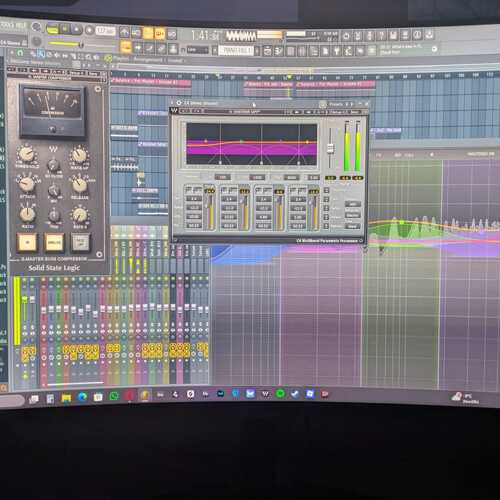
At 0:00 we can see Virtual Riot using the Fabfilter Pro-MB to compress a short loop.


Used for the bass drum on "Living", as shown in this July 11, 2019 video at 15:43.
.jpeg?v=1785025534)

Dynamic plugin used by the Weeknd on 'The Hills'


Album Usage
The FabFilter Pro-MB Multiband Dynamics Plugin has been featured on the following albums:

Ex Machina
Metrik (2020)

Rare
Selena Gomez (2020)
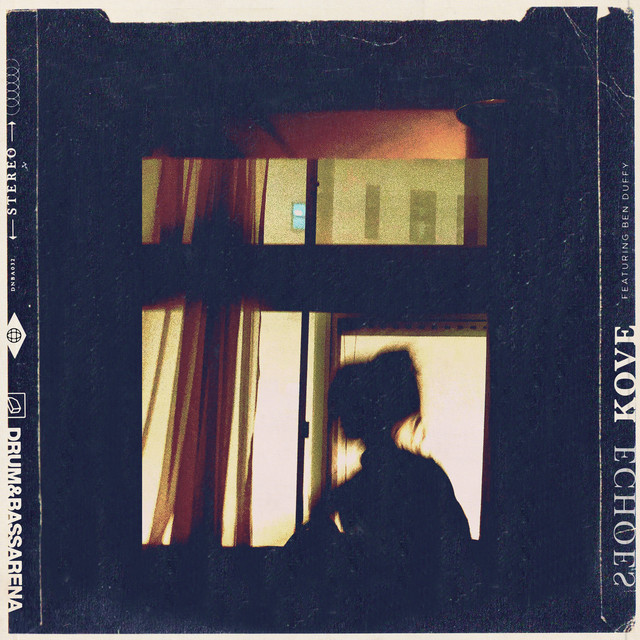
Echoes
Ben Duffy & Kove (2019)

Alabaster
Andrew Huang (2019)

Gravity
Metrik (2019)

Forever
Taska Black (2018)

Sober
Cat Dealers (2017)
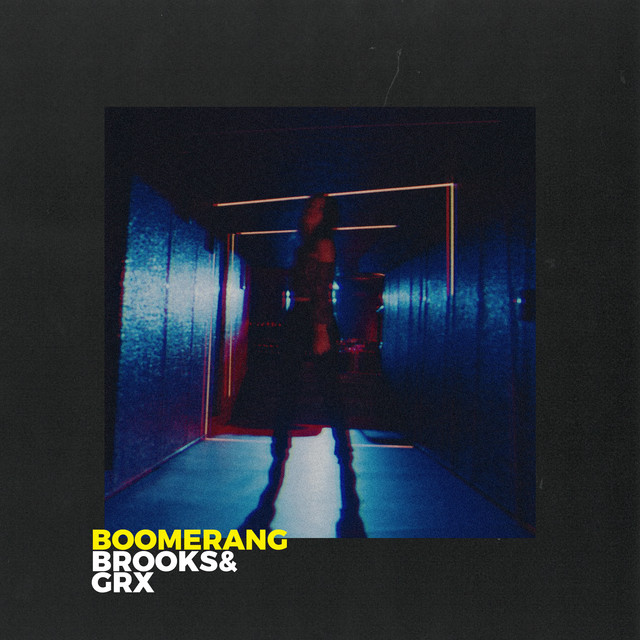
Boomerang (Extended Mix)
Brooks (2017)
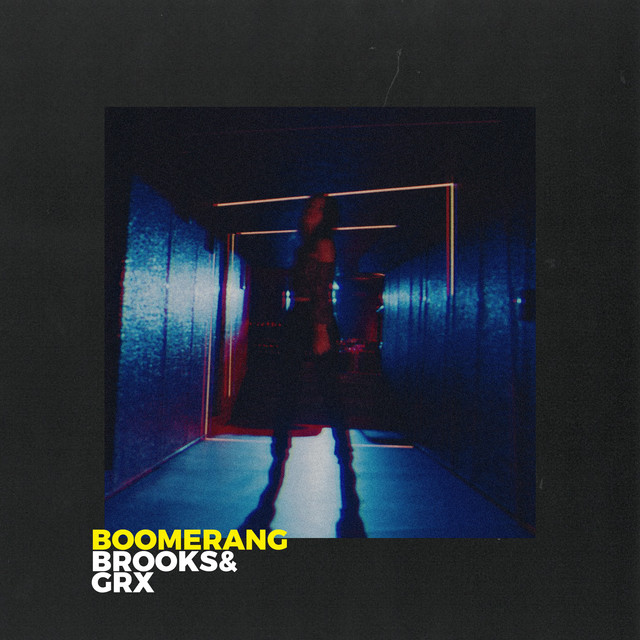
Boomerang
Brooks (2017)
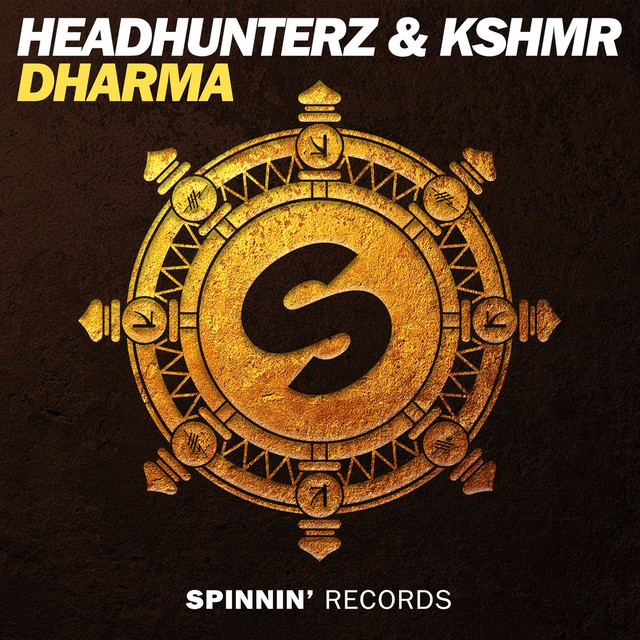
Dharma
Headhunterz & KSHMR (2016)

Hymn for the Weekend (Seeb Remix)
Coldplay & seeB (2016)
![FabFilter Pro-MB Multiband Dynamics Plugin as heard on Here I Stand (feat. Cimo Fränkel) [Radio Edit] by Tom Swoon (2015)](https://images.equipboard.com/uploads/album/image/514930/here-i-stand-feat-cimo-frankel-radio-edit.jpg)
Here I Stand (feat. Cimo Fränkel) [Radio Edit]
Tom Swoon (2015)

A Head Full of Dreams
Coldplay (2015)
Genre Usage
Based on how artists on Equipboard use this gear, it is most commonly found in the following genres.
Used With
Based on how musicians on Equipboard use FabFilter Pro-MB Multiband Dynamics Plugin, it is most commonly used with the following gear.






Community setups
Show yours
Similar
Add recommendation1 alternative for FabFilter Pro-MB Multiband Dynamics Plugin, curated by the Equipboard community.

More FabFilter Compressor Plugins

$144.00 - $199.00
in Compressor Plugins Rank


$133.00 - $149.00
in Compressor Plugins Rank


-m.webp?v=1784988070)
$33.00 - $34.99
in Compressor Plugins Rank


-m.webp?v=1784988114)
$33.00 - $34.99
in Compressor Plugins Rank


$35.99 - $39.99
in Compressor Plugins Rank


$37.00 - $39.99
in Compressor Plugins Rank


$37.00 - $39.99
in Compressor Plugins Rank


-m.webp?v=1784988152)
$39.99
in Compressor Plugins Rank


-m.webp?v=1784988038)
$138.00 - $149.00
in Compressor Plugins Rank


$47.00 - $49.00
in Compressor Plugins Rank
.jpeg?v=1785025534)


$37.00 - $40.00
in Compressor Plugins Rank


$69.00
in Compressor Plugins Rank

$33.00 - $34.99
in Compressor Plugins Rank
.jpg?v=1784894312)

$39.00 - $1,549.00
in Compressor Plugins Rank


$37.00 - $39.99
in Compressor Plugins Rank


$33.00 - $34.99
in Compressor Plugins Rank
.jpg?v=1784921365)


$35.99 - $39.99
in Compressor Plugins Rank


$89.00
in Compressor Plugins Rank

$33.00 - $34.99
in Compressor Plugins Rank


$37.00 - $39.99
in Compressor Plugins Rank

-m.webp?v=1784988070)
$33.00 - $39.99
in Compressor Plugins Rank


$29.99 - $49.00
in Compressor Plugins Rank


$33.00 - $34.99
in Compressor Plugins Rank


$65.00
in Compressor Plugins Rank


$0.00
in Compressor Plugins Rank


$49.00 - $149.00
in Compressor Plugins Rank


$57.00 - $69.00
in Compressor Plugins Rank


$20.00 - $149.00
in Compressor Plugins Rank


$0.00
in Compressor Plugins Rank

$28.00 - $49.00
in Compressor Plugins Rank


$33.00 - $34.99
in Compressor Plugins Rank


$33.00 - $34.99
in Compressor Plugins Rank


$47.00 - $49.99
in Compressor Plugins Rank


$95.00 - $149.00
in Compressor Plugins Rank


$27.00 - $44.00
in Compressor Plugins Rank
Accessories & Related Items



Gear Guides




.webp)




Most Popular Compressor Plugins
Most Popular Brands
-
Added to Equipboard on by
 equipboard
GearIQ 4934
-


