

Pricing and availability




* Product prices and availability are updated by Equipboard every 24hrs and are subject to change. Equipboard may receive compensation for purchases made at participating retailers linked on this site. This compensation does not affect what products or prices are displayed, or the order of prices listed. For more information, please refer to our affiliate disclosure.


Videos

TJCMN
Geek Bytes - Razer Orochi Elite Mobile Gaming Mouse Unboxing
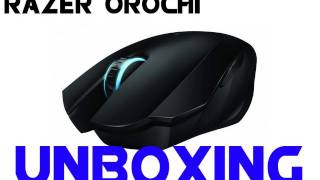
Geek Bytes - Razer Orochi Elite Mobile Gaming Mouse Unboxing
TJCMN
Reviews
Owner Insights
We analyzed real musician discussions from forums and Reddit to find what players love, question, and tweak about Razer Orochi Elite Mobile Gaming Mouse.
Use cases and applications
-
Some users experience significant mouse skipping issues over Bluetooth on Mac, which can be resolved by using the 2.4GHz dongle or disabling the "Shake to Find" cursor feature.
Source -
For users experiencing hand cramps, adjusting the grip forward to cover more of the mouse might reduce discomfort by utilizing the narrower front.
Source -
Ideal for small-hand users with a claw grip; larger hand users report difficulty with anything other than claw grip.
Source
Comparisons
-
The GX Air Wireless is recommended as a larger alternative for users finding the Orochi V2 too small.
Source -
Users with hands around 16.5 x 8.5 cm often prefer the Orochi V2 over alternatives like the M42, Viper Mini, and ZA13 due to grip flexibility.
Source -
A user found the mouse more comfortable than a standard one for general browsing and programming, despite lacking swipe functionality on macOS.
Source -
The Orochi V2 is often compared favorably for fingertip grip, but the Fantech Aria XD7 is preferred by some due to its improved shape and feel.
Source
User experience
-
Owners with hand sizes around 16.5 x 8.5 cm report switching between palm/claw and fingertip/claw hybrid grips comfortably on the Orochi V2.
Source -
Some users comfortably use the Orochi V2 at a slightly tilted angle, which can provide better pinky support.
Source -
Users report that the Orochi V2 works immediately when connected via a USB dongle, with the side buttons functioning as forward and back in browsers without additional setup.
Source -
Some users experience stiff clicks initially, though others report they become less stiff over time with use.
Source
Software and compatibility
-
Mac users may need third-party software like SteerMouse to customize button functions, similar to solutions used for Logitech G603.
Source -
The Orochi V2 may not connect via Bluetooth on newer macOS versions, though it works well when using a USB-C hub with the 2.4GHz dongle.
Source -
Synapse software is Windows-only, limiting the Orochi V2's advanced customization options on macOS systems.
Source -
The side buttons on the Orochi V2 default to middle click on Mac, but can be remapped using Sensible Side Buttons software for forward and back navigation.
Source -
Synapse must remain open for power-saving options, although some users report it functioning without needing constant Synapse access.
Source
Features and functionality
-
The Orochi V2 offers a convenient 2.4GHz/BT switch, allowing seamless use between gaming and work environments.
Source
Value and pricing
-
Significant discounts are often available, making it a strong budget option for a lightweight wireless mouse.
Source
Build quality
-
Frequent reports of the top shell creaking and rattling issues when shaken or moved.
Source
5.0 out of 5
Based on 1 Review and 2 Ratings

1536
Versatile wired and wireless gaming mouse with sleek design
Wired gaming mouse that moonlights as a wireless bluetooth mobile mouse. Looks pretty too!
More Razer Computers & Peripherals

$44.99 - $89.00
in Computers & Peripherals Rank


$109.04 - $179.99
in Computers & Peripherals Rank

$128.00
in Computers & Peripherals Rank


$14.39 - $119.00
in Computers & Peripherals Rank

$1,469.02
in Computers & Peripherals Rank

$49.98
in Computers & Peripherals Rank


Artist usage


Community setups


Similar


Gear Guides







.jpg)
Most Popular Computers & Peripherals
Most Popular Brands
-
Added to Equipboard on by
freezeetchGearIQ 1536
-


