Pricing and availability

* Product prices and availability are updated by Equipboard every 24hrs and are subject to change. Equipboard may receive compensation for purchases made at participating retailers linked on this site. This compensation does not affect what products or prices are displayed, or the order of prices listed. For more information, please refer to our affiliate disclosure.

R Λ Z Ξ R

R Λ Z Ξ R

Introducing The Razer Ouroboros

Video thumbnail for Introducing The Razer Ouroboros by R Λ Z Ξ R

Introducing The Razer Ouroboros

R Λ Z Ξ R
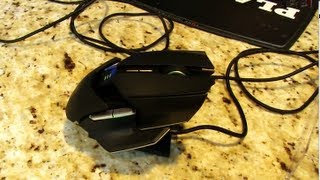
R Λ Z Ξ R

Video thumbnail for Razer Ouroboros Wireless Ambidextrous Gaming Mouse Unboxing & Review Linus Tech Tips by Linus Tech Tips

Razer Ouroboros Wireless Ambidextrous Gaming Mouse Unboxing & Review Linus Tech Tips

Linus Tech Tips

Linus Tech Tips

Video thumbnail for How to Perfectly Customize Your Ouroboros | Razer 101 by R Λ Z Ξ R

How to Perfectly Customize Your Ouroboros | Razer 101

R Λ Z Ξ R
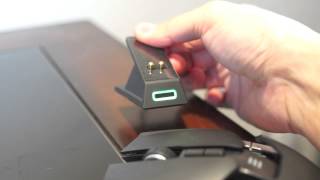
R Λ Z Ξ R

Video thumbnail for Razer Ouroboros Wired / Wireless Ambidextrous Gaming Mouse by Destructoid

Razer Ouroboros Wired / Wireless Ambidextrous Gaming Mouse

Destructoid
Destructoid

Video thumbnail for Razer Ouroboros Gaming Mouse Review by Tech Barn

Razer Ouroboros Gaming Mouse Review

Tech Barn
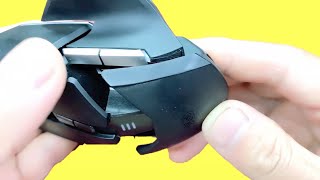
Tech Barn

Video thumbnail for (NO MUSIC)  RELAXING DIY RAZER OUROBOROS TEARDOWN, FULL CLEAN AND INSIDE TUTORIALS by Tech Inside

(NO MUSIC) RELAXING DIY RAZER OUROBOROS TEARDOWN, FULL CLEAN AND INSIDE TUTORIALS

Tech Inside

Tech Inside

Video thumbnail for Razer Ouroboros | $200 Gaming Mouse?? (Full Review and Unboxing) by Mr TechShop

Razer Ouroboros | $200 Gaming Mouse?? (Full Review and Unboxing)

Mr TechShop

Mr TechShop

Video thumbnail for Razer Ouroboros 2015 review (the good, the bad) by Sterling Cobb

Razer Ouroboros 2015 review (the good, the bad)

Sterling Cobb

Sterling Cobb

Reviews

Owner Insights

We analyzed real musician discussions from forums and Reddit to find what players love, question, and tweak about Razer Ouroboros.

Features and functionality

  • The Razer Ouroboros allows customization of its shape, which can be beneficial if you prefer adjustable ergonomics.

    Source
  • The Ouroboros's design includes a palm rest, which some users find essential for properly distributing hand weight, unlike the hump in other models like the G903.

    Source

User experience

  • Some find the mouse too large, leading to hand discomfort, especially for users with smaller hands or incorrect grip.

    Source
  • Some users note the Ouroboros's symmetrical design as crucial for aesthetics, offering a futuristic, spaceship-like look that appeals to symmetry enthusiasts.

    Source

Comparisons

  • Compared to modern mice, the Ouroboros's sensor technology is considered outdated and less precise for gaming.

    Source
  • The G903 is compared unfavorably by some users due to its ergonomic hump, which can cause discomfort by shifting the hand's weight to the finger base.

    Source

Value and pricing

  • Despite high online listings, local resale values are low, suggesting limited demand among collectors or users.

    Source

Setup and maintenance

  • Spare parts for the Ouroboros are available on platforms like AliExpress, allowing users to refurbish their mice rather than replace them.

    Source

Use cases and applications

  • Despite having small hands, some users find the Ouroboros to be their favorite gaming mouse, indicating its versatility across hand sizes.

    Source

Critic Reviews

Razer Ouroboros Review | PCMag

pcmag.com

The Razer Ouroboros is a highly customizable gaming mouse with an impressive array of features, including an ambidextrous design, detachable side panels, adjustable palmrest, and both wired and wireless modes. Its dual-sensor array ensures precision, and the onboard ARM processor boosts performance. However, the mouse is pricey at $149.99 and complicated to set up, which may deter some users. While it excels in customization and performance, its steep price makes it appealing mainly to hardcore gamers willing to invest in top-tier equipment. For those seeking a more affordable option, the simpler Corsair Vengeance M65 might be preferable.

Razer Ouroboros Review: An expensive love letter to lefty mice lovers | PCWorld

pcworld.com

Razer's Ouroboros mouse is a stylish, ambidextrous marvel that caters to left-handers and right-handers alike, with seamless transition between wired and wireless use. Its customizability and comfort are notable, though adjusting it requires a screwdriver—a quirky downside. While it offers a plethora of buttons and top-notch performance, its $150 price tag feels steep, especially with occasional issues like losing button configurations. Despite these hiccups and the obligatory Razer Synapse account, it's a compelling choice for those willing to invest in a high-end gaming mouse. However, more budget-conscious gamers might find equally capable alternatives at lower prices.

Razer Ouroboros Review - Gaming Nexus

gamingnexus.com

The Razer Ouroboros is a visually striking, ambidextrous mouse with high performance in both wired and wireless modes. Its customizable features, such as adjustable palm rest and DPI settings, cater to various gaming styles. However, the design is not without flaws; docking the mouse for charging and connecting the USB cable can be cumbersome, and some ergonomic adjustments may cause discomfort. While it excels in precision and offers solid wireless performance, these design quirks and a high price tag may deter some users.

5.0 out of 5

Based on 1 Review and 1 Rating

5 star
4 star
3 star
2 star
1 star
zeroraven

Awesome Gaming Mouse

Awesome And Sleek.

More Razer Computers & Peripherals

Artist usage

Community setups

Similar

Gear Guides

  • Added to Equipboard on by

    dirtyloud
    dirtyloud

    Gear IQ 130




