

Pricing and availability
We compare 600+ stores and found this item at 6 stores. Prices updated .
Store
Reviews
Price






Price History
Based on price data from 5 merchants for "Waves F6 Floating-Band Dynamic EQ". Prices shown reflect NEW condition. Tracking began Apr 2, 2026.
* Product prices and availability are updated by Equipboard every 24hrs and are subject to change. Equipboard may receive compensation for purchases made at participating retailers linked on this site. This compensation does not affect what products or prices are displayed, or the order of prices listed. For more information, please refer to our affiliate disclosure.
Description
In the world of dynamic soundscapes, your EQ should be as versatile as your music. Enter the Waves F6 Floating-Band Dynamic EQ, a powerhouse plugin designed for those who demand precision in both live and studio environments. This tool isn’t just about equalization; it’s a multi-functional solution that seamlessly integrates compression, expansion, and de-essing into your workflow. With six floating bands, each equipped with robust EQ and dynamic controls, you can target problem frequencies with surgical precision.
Imagine a vocalist's performance where tonal shifts are frequent. The F6 intuitively adapts, engaging only when necessary, much like a seasoned sound engineer. Its dynamic nature ensures that your EQ adjusts in real-time, enhancing frequencies only when needed, rather than applying a static setting.
The F6 also excels in instrument mixing. For instance, its sidechain capabilities can resolve frequency clashes between bass and kick drums, allowing your mix to breathe and be punchy, without compromising other elements. Whether you're looking to isolate a troublesome frequency or give life to a crowded mix, the F6’s advanced mid-side processing has you covered.
Key Features:
- Precision equalization triggered by an onboard dynamic processor
- 6 floating bands deployable anywhere in the spectrum
- Robust EQ and compression/expansion controls per band
- Advanced sidechaining, parallel compression, and mid-side processing
- High- and lowpass filters; bell and notch EQ curves
- Solo/sidechain monitor per band
- Touch-screen compatible
- Zero latency; low CPU usage
- Ideal for both studio and front-of-house applications
Owner's manual
Waves F6 Floating-Band Dynamic EQ User ManualProduct specs
| Software Type | Dynamic EQ |
| Platform | Mac, PC |
| Upgrade/Full | Full |
| Download/Boxed | Download |
| Bit Depth | 64-bit |
| Format | AAX Native, AudioSuite, AU, VST3, VST |
| Hardware Requirements - Mac | Intel Core i7 or higher (M1 support), 8GB RAM minimum |
| Hardware Requirements - PC | Intel Core i5 / AMD Quad-core or higher (AVX required), 8GB RAM minimum |
| OS Requirements - Mac | macOS 10.15.7 or later |
| OS Requirements - PC | Windows 10 or later (21H2), 64-bit |
FAQs
-
What makes the Waves F6 Floating-Band Dynamic EQ different from a standard EQ?
-
The Waves F6 is a dynamic equalizer with six floating parametric bands that can dynamically respond to incoming audio, offering features like multiband compression, expansion, and de-essing within a single interface.
-
Is the Waves F6 Floating-Band Dynamic EQ suitable for live mixing?
-
Yes, the Waves F6 is designed for both studio and live mixing, offering zero latency and low CPU consumption, making it highly effective in live sound environments.
-
Can the Waves F6 EQ be used for mid-side processing?
-
Yes, the Waves F6 supports advanced mid-side processing, allowing you to manipulate the stereo field with precision for more creative and refined mixes.
-
Does the Waves F6 EQ support sidechaining?
-
The Waves F6 features advanced sidechaining capabilities, enabling you to trigger EQ adjustments based on an external audio source, which is useful for dynamic mix scenarios.
-
What are the system requirements for running the Waves F6 EQ on a Mac?
-
For Mac, the Waves F6 requires an Intel Core i7 or higher (M1 support), macOS 10.15.7 or later, and a minimum of 8GB RAM.
-
What plugin formats does the Waves F6 EQ support?
-
The Waves F6 EQ is available in AAX Native, AudioSuite, AU, VST3, and VST formats, making it compatible with a wide range of digital audio workstations (DAWs).
Videos

Waves Audio
EQ Problems SOLVED – Waves F6 Dynamic EQ Plugin Tutorial
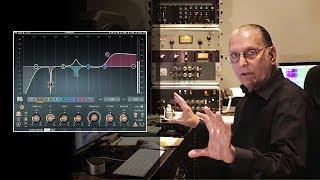
EQ Problems SOLVED – Waves F6 Dynamic EQ Plugin Tutorial
Waves Audio
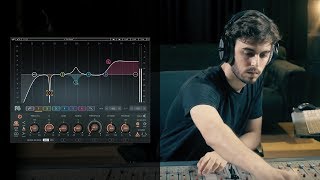
Introducing the F6 Floating-Band Dynamic EQ Plugin
Waves Audio
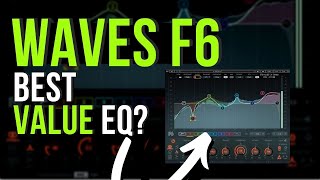
Waves F6 best value Dynamic EQ

Warrior Sound - Unders
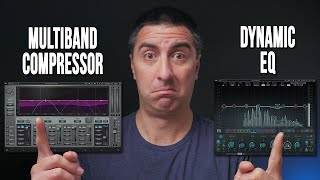
Multiband Compression vs Dynamic EQ

Attaway Audio
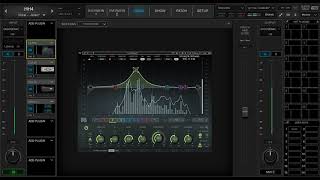
Waves F6 Walkthrough

Grace C&MA Church Tech
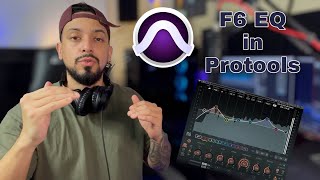
Create SPACE In Your Mix | Using F6 EQ By Waves

Engineering X101
Reviews
PROS
-
Highly flexible with 6 floating bands, ideal for diverse studio needs
-
Integrated RTA assists in identifying problem frequencies
-
Excellent starting presets like "vocal control" and "open up"
-
Competitive pricing, offering great value for money
-
Floating-band feature simplifies achieving polished mixes
-
Logical layout enhances fluid workflow and ease of use
-
Compares favorably to higher-priced competitors
-
Effective de-essing capabilities
-
Suitable for various instruments and vocal applications
-
Strong community support with online tutorials available
CONS
-
RTA may not always pinpoint exact frequencies
-
Attack and Range might feel limiting for some problem frequencies
Owner Insights
We analyzed real musician discussions from forums and Reddit to find what players love, question, and tweak about Waves F6 Floating-Band Dynamic EQ.
Features and functionality
-
The F6's 'Range' control dynamically adjusts EQ reduction based on the 'Threshold,' offering a more musical sound than static EQ cuts.
Source -
Fast attack and release settings on certain frequencies prevent vocal choking in the low/mids, retaining musicality and dynamics.
Source -
The F6 EQ is noted for its enhanced control over frequencies, making it preferable for those seeking more detailed EQ adjustments compared to stock options.
Source -
Boosting a wide band and sweeping frequencies helps identify problem areas, especially for those still developing their ear for EQing.
Source
Use cases and applications
-
Ideal for ducking 808s or basslines when a kick hits, providing clear separation without the coloration of compressors.
Source -
Effective on the Stereo Output/Master Bus for targeted frequency reduction, only acting when problematic frequencies exceed a set threshold.
Source -
Some users continue to utilize the FL stock EQ often, but value the F6 EQ for its additional features when more precision is needed.
Source -
The F6 can be simplified to a basic EQ by setting the Range control to 0, allowing newcomers to focus on Freq, Q, and Gain without complexity.
Source
Comparisons
Software and compatibility
-
While users can configure FL's stock EQ to mimic F6 functionality, those who prioritize detailed control often prefer the F6.
Source
Critic Reviews
4.5 out of 5
Based on 1 Review and 12 Ratings

383
The best EQ I'ver ever touched
I bought F6 as a New Year gift for myself 'cause I've been craving to try it for quite some time. F6 is extremely sufficient and unique in its way. I love the sound difference it brings whenever I throw it on vocals or drums. Surely has its own sound to it
Artist usage
Add artist

The Glitch Mob
“F6 is like a precision scalpel; it’s unreal. If we have a distorted synth lead with one note that is too harsh, we can really get in there and control just that note. The mid-side processing is also huge for us, as so much of our work is about controlling the stereo image. To top it all off, the external sidechain allows us to trigger the F6 at the exact moment we want it to work. ”


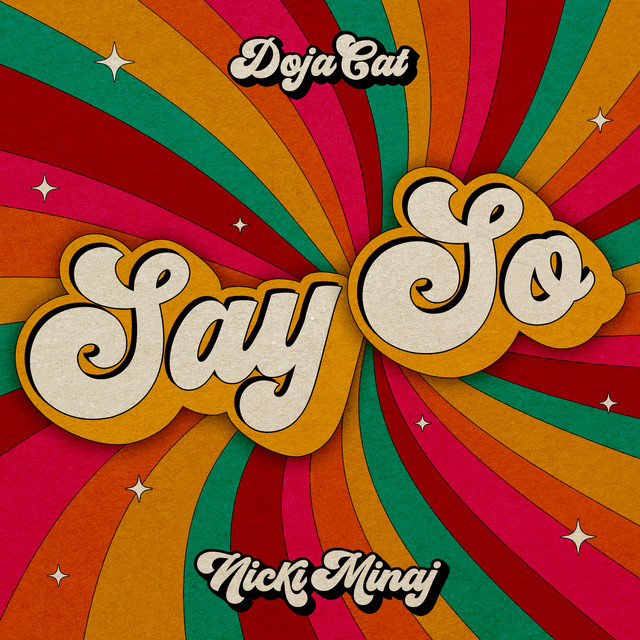
Used for lead vocals on "Say So", as stated by mix engineer Clint Gibbs in this July 2020 Sound on Sound interview.
"All vocal audio tracks have the same signal path: Metric Halo Channel Strip 3, Avid Bomb Factory BF-76, Avid Dyn-3 De-Esser and in the case of the lead vocals, the FabFilter Pro‑Q 3, all on the inserts, plus sends to the quarter- and eighth–note delays and reverb. These are all part of the recording template, and came from Kalani. I am familiar with the settings, because I worked on them, so I didn't change them. The Metric Halo is doing a high-pass, the BF-76 has all buttons in to give it that pop vocal sound. I added the Q 3, cutting 1dB at 279Hz and at 740Hz. I like to do tons of minimal EQ cuts with many plug‑ins.
"The lead vocal audio tracks also have a send called Voc SC, which goes to the side-chain input of the Waves F6 on the Keys bus. It helps make a little extra pocket for the vocal. It creates dynamic dips in the 900Hz and 2kHz range when she is singing. I also have this F6 on the 808 bus of the remix, doing the same thing. All lead vocal audio tracks go to the LD Vocal aux, which has another instance of the Q 3, taking out quite a bit of low end to make space for the bass, and the McDSP AE600 dynamic EQ, taking out problem areas only when they occur. I do a lot of vocal riding on the lead vocal bus, pushing up specific syllables.
"There's also a track called Echo FX Clean. When I have to mute a word, I will take the word before it and will delay it with some reverb to fill the empty space. The additional plug‑in by Vengeance, the VPS philta XL filter, is doing a high and a low cut to give it more of that radio sound. The other vocal tracks are treated in similar ways as the lead vocals, though the BG2 bus has the Valhalla Vintage Verb, with a 2.4s reverb, Mix at 18 percent. I think that came from Kalani, but I added the FabFilter Pro‑DS, because I wanted to take the 's' frequency out of the reverb. All vocals go to the Vocals bus, which has the UAD 1176, switched off, and the JSTClip for some level boosting. The Vocal Rear track is the parallel, with -20dB compression on the 1176. This is where I get my vocal loudness from.

Used for Minaj's feature on Doja Cat's "Say So" remix, as stated by mix engineer Clint Gibbs in this July 2020 Sound on Sound interview.
"All vocal audio tracks have the same signal path: Metric Halo Channel Strip 3, Avid Bomb Factory BF-76, Avid Dyn-3 De-Esser and in the case of the lead vocals, the FabFilter Pro‑Q 3, all on the inserts, plus sends to the quarter- and eighth–note delays and reverb. These are all part of the recording template, and came from Kalani. I am familiar with the settings, because I worked on them, so I didn't change them. The Metric Halo is doing a high-pass, the BF-76 has all buttons in to give it that pop vocal sound. I added the Q 3, cutting 1dB at 279Hz and at 740Hz. I like to do tons of minimal EQ cuts with many plug‑ins.
"The lead vocal audio tracks also have a send called Voc SC, which goes to the side-chain input of the Waves F6 on the Keys bus. It helps make a little extra pocket for the vocal. It creates dynamic dips in the 900Hz and 2kHz range when she is singing. I also have this F6 on the 808 bus of the remix, doing the same thing. All lead vocal audio tracks go to the LD Vocal aux, which has another instance of the Q 3, taking out quite a bit of low end to make space for the bass, and the McDSP AE600 dynamic EQ, taking out problem areas only when they occur. I do a lot of vocal riding on the lead vocal bus, pushing up specific syllables.
"There's also a track called Echo FX Clean. When I have to mute a word, I will take the word before it and will delay it with some reverb to fill the empty space. The additional plug‑in by Vengeance, the VPS philta XL filter, is doing a high and a low cut to give it more of that radio sound. The other vocal tracks are treated in similar ways as the lead vocals, though the BG2 bus has the Valhalla Vintage Verb, with a 2.4s reverb, Mix at 18 percent. I think that came from Kalani, but I added the FabFilter Pro‑DS, because I wanted to take the 's' frequency out of the reverb. All vocals go to the Vocals bus, which has the UAD 1176, switched off, and the JSTClip for some level boosting. The Vocal Rear track is the parallel, with -20dB compression on the 1176. This is where I get my vocal loudness from.
(...) "The Nicki Minaj remix happened very last minute. I got a text from her engineer, Aubry 'Big Juice' Delaine, saying, 'Here's a link for Nicki's vocals.' I opened it up and realised they were for 'Say So'. So I hit up the label and they confirmed that we were doing a remix. As I was mixing, I was getting updated versions of the vocals, verses, and so on. We did the mix, got it mastered, it was all approved, and the day before the remix was supposed to come out, someone wanted to change the beat underneath her vocals. All of a sudden there was an emergency!
"I got an email from Tyson Trax, saying: 'Here are the new beat stems for Nicki.' Among other things they contained some heavy 808s. I had an hour to mix in these new beat stems, because the remix was supposed to be released in Australia a few hours later. I pasted these new beats in just above the vocal VCA of the original session, and in Nicki Minaj's first verse I deactivated the clips from the original beat files for this section. But because the original did not have 808s, they killed my mix bus. I had to automate a new limiter during this part of the remix.
"I put Nicki's vocal at the bottom of the session, and just needed to pair them with the track. I added all plug‑ins on her vocals that you see in the session, but I did not need to do much, because the processed stems Big Juice sent me sounded great! The SoundToys Little Radiator adds a little warmth, and the Metric Halo Channel Strip boosts some top end while also cutting some low end. There are two Waves C6 plug‑ins dynamically suppressing 177Hz and 700Hz, with a -6dB range. There was some build-up in those frequencies that didn't work with the mix. On the inserts of the individual vocal tracks there also is a Waves Q8 doing two sharp 4-6 dB cuts at 10kHz and 11kHz, which was to tame some 's' harshness.
"One of the 808 audio tracks has the FabFilter Pro‑Q 2, with a high pass at 20Hz and a cut around 40Hz, and the Oeksound Soothe on a 'melodic bass control' setting. On the 808s aux bus and 808 parallel bus I have the FabFilter Saturn, Timeless, and the Waves F6. These 808 buses obviously were added for the remix. My approach with them was similar to that of the bass aux. The Saturn is only active on the parallel track, and is a bit dirtier on the 808 than on the bass. The F6 is side-chained to the vocal to suppress the mids of the 808 while Nicki is rapping. The Timeless also is only active on the parallel track, and adds a light chorus that spreads the 808 out slightly."


Album Usage
The Waves F6 Floating-Band Dynamic EQ has been featured on the following albums:
Genre Usage
Based on how artists on Equipboard use this gear, it is most commonly found in the following genres.
Used With
Based on how musicians on Equipboard use Waves F6 Floating-Band Dynamic EQ, it is most commonly used with the following gear.





More Waves EQ Plugins
-m.webp?v=1784872079)
$37.00 - $39.99
in EQ Plugins Rank


$33.00 - $34.99
in EQ Plugins Rank


$33.00 - $34.99
in EQ Plugins Rank

.jpg?v=1784894312)


$33.00 - $35.99
in EQ Plugins Rank


$34.99 - $85.00
in EQ Plugins Rank


$33.00 - $34.99
in EQ Plugins Rank


$33.00 - $35.99
in EQ Plugins Rank


$33.00 - $34.99
in EQ Plugins Rank


$33.00 - $34.99
in EQ Plugins Rank


$29.99 - $34.99
in EQ Plugins Rank


$37.00
in EQ Plugins Rank


$33.00 - $249.00
in EQ Plugins Rank


$29.00 - $29.99
in EQ Plugins Rank


$33.00 - $34.99
in EQ Plugins Rank


$33.00 - $34.99
in EQ Plugins Rank


$34.99 - $129.00
in EQ Plugins Rank

$34.99
in EQ Plugins Rank


$169.00 - $199.00
in EQ Plugins Rank


$63.00 - $271.00
in EQ Plugins Rank


$1,015.75 - $1,195.00
in EQ Plugins Rank


$29.99 - $30.00
in EQ Plugins Rank


$24.50
in EQ Plugins Rank

$80.00 - $99.00
in EQ Plugins Rank


$95.00 - $109.00
in EQ Plugins Rank


$0.00
in EQ Plugins Rank


$39.00
in EQ Plugins Rank


$49.00 - $124.00
in EQ Plugins Rank

$39.00 - $49.00
in EQ Plugins Rank
.jpeg?v=1784733415)


$179.00 - $199.00
in EQ Plugins Rank

$95.00 - $129.00
in EQ Plugins Rank
Accessories & Related Items


-s.webp?v=1784871289)
-s.webp?v=1784871029)




-s.webp?v=1784871993)


Community setups


Similar


Gear Guides









Most Popular EQ Plugins
Most Popular Brands
-
Added to Equipboard on by
 paul_harnisch
GearIQ 54
-