

Pricing and availability
We compare 600+ stores and found this item at 5 stores. Prices updated .
Store
Reviews
Price


Price History
Based on price data from 5 merchants for "Waves Torque". Prices shown reflect NEW condition. Tracking began Apr 2, 2026.
* Product prices and availability are updated by Equipboard every 24hrs and are subject to change. Equipboard may receive compensation for purchases made at participating retailers linked on this site. This compensation does not affect what products or prices are displayed, or the order of prices listed. For more information, please refer to our affiliate disclosure.
Description
Unleash the full potential of your drum tracks with Waves Torque, the ultimate drum tone shifter plugin for musicians and audio engineers. Whether you're fine-tuning live recordings or crafting the perfect studio mix, Torque empowers you to dynamically adjust the pitch of your drum sounds without sacrificing their natural character. By leveraging its Organic ReSynthesis technology, Torque offers real-time pitch-shifting of kick, snare, and toms, ensuring a seamless integration into any musical key or mix context.
Gone are the days of tedious sample replacements. With Torque, you can enhance the tonal quality of your drums directly from the original recordings. Its intuitive Focus Display provides precise control over formants, enabling you to pinpoint and adjust the fundamental pitch with incredible accuracy. This allows for creative transformations—from turning a punchy snare into a deep, resonant tone to achieving perfect intervallic relationships between toms.
The plugin operates with minimal latency, making it a reliable tool for both live performances and studio sessions. Plus, with adjustable thresholds, you can ensure pitch adjustments are applied only where needed, maintaining the integrity of your sound.
Key Features:
- Real-time pitch-shifting of drum sounds up to a full octave (1200 cents)
- Organic ReSynthesis technology for artifact-free processing
- Focus Display for precise formant and frequency adjustment
- Works in mono and stereo, supporting AAX Native, AudioSuite, Audio Units, VST, and SoundGrid formats
- Compatible with Mac OS X and Windows systems
- Minimal latency with options for zero-latency operation in live settings
- Adjustable threshold and torque trim control for exact tonal shaping
Owner's manual
Waves Torque User ManualProduct specs
| Software Type | Percussion Processing |
| Platform | Mac, PC |
| Upgrade/Full | Full |
| Download/Boxed | Download |
| Bit Depth | 64-bit |
| Format | AU, AAX Native, VST, VST3, AudioSuite, SoundGrid |
| Hardware Requirements - Mac | Intel Core i7 or higher (M1 support), 8GB RAM minimum |
| Hardware Requirements - PC | Intel Core i5 / AMD Quad-core or higher (AVX required), 8GB RAM minimum |
| OS Requirements - Mac | macOS 10.15.7 or later |
| OS Requirements - PC | Windows 10 or later (21H2), 64-bit |
FAQs
-
What is Waves Torque used for in music production?
-
Waves Torque is designed to shift the tone of drum tracks precisely without introducing artifacts, making it ideal for enhancing drum sounds in a mix using its Organic ReSynthesis technology.
-
How does Waves Torque differ from traditional pitch-shifting plugins?
-
Unlike traditional pitch-shifting plugins, Waves Torque uses Organic ReSynthesis to separate and manipulate sound elements like pitch and formant, allowing for more natural and artifact-free drum tone adjustments.
-
Is Waves Torque compatible with my DAW?
-
Waves Torque is compatible with most major DAWs, supporting formats such as AU, AAX Native, VST, VST3, and AudioSuite, making it versatile for use in various digital audio workstations.
-
What are the system requirements for running Waves Torque on a Mac?
-
To run Waves Torque on a Mac, you need macOS 10.15.7 or later, an Intel Core i7 processor or higher (M1 support), and at least 8GB of RAM.
-
Can Waves Torque be used on both Mac and PC?
-
Yes, Waves Torque is available for both Mac and PC platforms, with specific hardware and operating system requirements for each to ensure optimal performance.
Videos

Waves Audio
How to Tune Drums in the Mix with Waves Torque
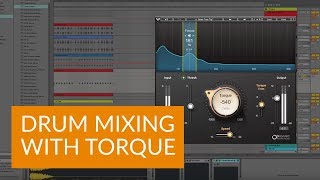
How to Tune Drums in the Mix with Waves Torque
Waves Audio
How to Tune Drums from FOH for Live Performance
Waves Audio
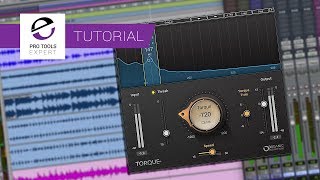
Tutorial - How To Retune Drums Using Waves Torque Plug in

Production Expert
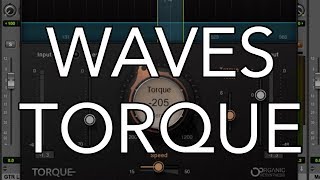
Waves TORQUE Plug-in Overview

MusicTechHelpGuy
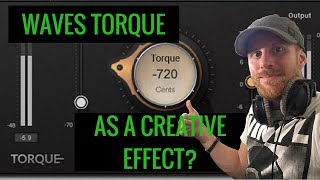
Waves Torque - As a Creative Effect?

Warrior Sound - Unders
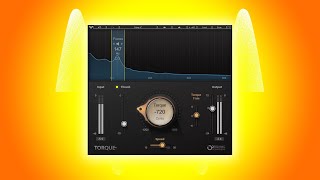
Waves Torque - The BEST Plugin For Drums!! | Tuning Vst

Omoi Senpai
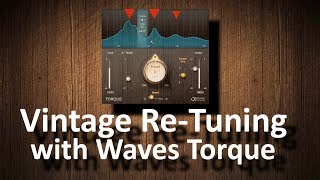
Vintage Drum Re-Tuning with Waves Torque

Andrei Martinez Agras
Reviews
PROS
-
Allows pitch changes while keeping drum tracks sounding natural
-
Saves time by eliminating the need for overdubs
-
Integrates well with Superior Drummer samples
-
Zero artifacts when used correctly
-
Streamlines mixing by aligning drum samples with songs
-
Easy to use and quickly set up
CONS
-
Not revolutionary but still useful
Owner Insights
We analyzed real musician discussions from forums and Reddit to find what players love, question, and tweak about Waves Torque.
Features and functionality
-
Waves Torque targets formants rather than retuning fundamental frequencies, making it more suitable for snares and toms than for kicks.
Source -
Torque's focus filter is praised for its ability to quickly slice and tune drum loops, suggesting potential uses with physical drumpads for enhanced sample selection.
Source
Software and compatibility
Use cases and applications
User experience
-
Owners appreciate Torque for its efficacy in tuning drum loops, specifically highlighting its utility in electronic music production when mapped to hardware.
Source
Value and pricing
-
Regular sales make it strategic to wait for discounts, as Waves plugins are often available at reduced prices, maximizing value for buyers.
Source
Critic Reviews
5.0 out of 5
Based on 0 Reviews and 6 Ratings
Artist usage
Add artist

I’ve found that the Torque plugin is amazing for tuning mid-range drum sounds like toms and snares that have a low mid-range bump.

In the video by DJ DIMIXER titled "Ты слышал его трек, но даже не знаешь его имя! Darude - Sandstorm! ПО СТУДИЯМ," Darude is shown using the Waves Torque plugin at the 51:18 mark.

.jpg)
Pole Folder is seen using the Waves Torque plugin in a studio setting, as shared on their Instagram with the caption "#weekend in #studio."


Genre Usage
Based on how artists on Equipboard use this gear, it is most commonly found in the following genres.
Used With
Based on how musicians on Equipboard use Waves Torque, it is most commonly used with the following gear.
-s.webp?v=1783835471)

-s.webp?v=1783782249)

-s.webp?v=1783834560)


More Waves Drum FX Plugins

$33.00 - $34.99
in Drum FX Plugins Rank


$33.00 - $34.99
in Drum FX Plugins Rank

$33.00 - $34.99
in Drum FX Plugins Rank


-m.webp?v=1783835516)
$128.00 - $129.00
in Drum FX Plugins Rank

$89.00
in Drum FX Plugins Rank


$9.00 - $68.00
in Drum FX Plugins Rank


$119.99 - $120.00
in Drum FX Plugins Rank


Accessories & Related Items

-s.webp?v=1783835080)


-s.webp?v=1783835205)


Community setups


Similar


Most Popular Drum FX Plugins
Most Popular Brands
-
Added to Equipboard on by
 morrismarschik
GearIQ 289
-



