

Pricing and availability
We compare 600+ stores and found this item at 5 stores. Prices updated .
Store
Reviews
Price


Price History
Based on price data from 4 merchants for "Waves Tune Vocal Pitch Correction Plugin". Prices shown reflect NEW condition. Tracking began Apr 2, 2026.
* Product prices and availability are updated by Equipboard every 24hrs and are subject to change. Equipboard may receive compensation for purchases made at participating retailers linked on this site. This compensation does not affect what products or prices are displayed, or the order of prices listed. For more information, please refer to our affiliate disclosure.
Description
Discover the magic of perfect pitch with the Waves Tune Vocal Pitch Correction Plugin, a trailblazer in vocal processing that effortlessly transforms your recordings with precision and finesse. Whether you're correcting a slight pitch drift or completely reimagining a melody, Waves Tune offers an intuitive interface that empowers you to make seamless adjustments, keeping your vocal performances sounding natural and authentic.
Harnessing the power of ReWire support, this plugin allows for real-time edits, providing instantaneous feedback as you fine-tune your tracks without the hassle of exporting and re-importing files. With its advanced formant correction, even drastic pitch changes maintain their natural tone, ensuring your vocals are always at their best.
Waves Tune goes beyond mere correction. Its innovative features allow you to creatively manipulate vibrato, giving you the flexibility to add subtle nuances or dramatic effects to your vocal lines. Plus, with the ability to export notes as MIDI files, you can easily integrate your corrected tracks into broader musical compositions or drive your favorite synthesizers for rich, layered sounds.
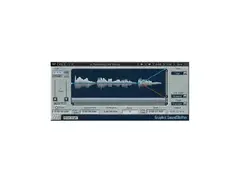
The user-friendly piano-roll interface makes it a breeze to visualize and modify each note, while the non-destructive editing ensures that your original recordings remain untouched, preserving their integrity.
Key Features:
- Real-time pitch correction with ReWire support for seamless integration
- Advanced formant correction for natural-sounding pitch adjustments
- Intuitive piano-roll interface for easy note manipulation
- Non-destructive editing, preserving the original audio
- Export notes as MIDI for versatile musical applications
- Manipulate vibrato naturally or create unique effects with precision controls
Product specs
| Software Type | Pitch Correction |
| Platform | Mac, PC |
| Upgrade/Full | Full |
| Download/Boxed | Download |
| Bit Depth | 64-bit |
| Format | AAX Native, AudioSuite, VST, AU |
| Hardware Requirements - Mac | Intel Core i5 or higher (M1 support), 8GB RAM minimum |
| Hardware Requirements - PC | Intel Core i5 / AMD Quad-core or higher, 8GB RAM minimum |
| OS Requirements - Mac | macOS 10.14.6 or later |
| OS Requirements - PC | Windows 10 or later |
FAQs
-
Is Waves Tune Vocal Pitch Correction Plugin compatible with my DAW?
-
Waves Tune is compatible with most major DAWs that support AAX Native, AudioSuite, VST, and AU formats, including Ableton Live, Pro Tools, and Logic Pro.
-
What are the system requirements for Waves Tune Vocal Pitch Correction Plugin?
-
For Mac, you'll need macOS 10.14.6 or later, Intel Core i5 or higher, and at least 8GB of RAM. For PC, it requires Windows 10 or later, Intel Core i5 or AMD Quad-core, and 8GB RAM minimum.
-
Can Waves Tune be used for real-time pitch correction during live performances?
-
Waves Tune is primarily designed for studio use, offering precise pitch correction during the mixing process rather than real-time live performance adjustments.
-
How does Waves Tune differ from Waves Tune Real-Time?
-
Waves Tune provides detailed pitch correction and editing capabilities for studio use, while Waves Tune Real-Time is optimized for live performances, offering instant pitch correction with minimal latency.
-
Does Waves Tune Vocal Pitch Correction Plugin support 64-bit processing?
-
Yes, Waves Tune supports 64-bit processing, ensuring compatibility with modern DAWs and operating systems for optimal performance.
Videos

Waves Audio
Waves Tune Pitch Correction Plugin – Tips & Tricks
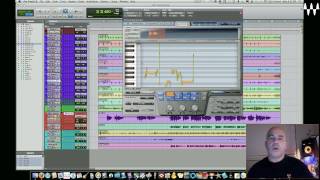
Waves Tune Pitch Correction Plugin – Tips & Tricks
Waves Audio
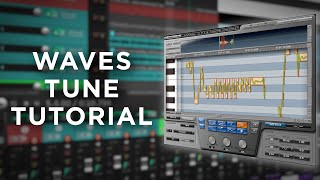
How To Tune Vocals With Waves Tune

Adrian Rascon

How To Use Waves Tune // Waves Pitch Correction

Sky Jordxn
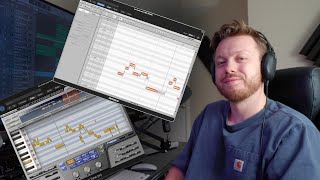
Melodyne vs. Waves Tune (Plugin Comparison)

Ian Bellue Music
Reviews
PROS
-
Offers subtle to extreme pitch correction with adjustable Ratio knob
-
Requires no side-chaining to operate
-
Affordable alternative to more expensive pitch correction plugins
-
Easy to use with intuitive controls, even for beginners
-
Allows for manual pitch changes and timing corrections
-
Includes formant correction and vibrato addition features
-
Compatible with popular DAWs like GarageBand and Pro Tools
-
Comparable results to high-end plugins at a fraction of the cost
-
Fun and engaging to use for vocal editing
CONS
-
Some users experience glitches and mistakes in vocal processing
-
GUI magnification can be clumsy and hard to navigate
-
Editing window size may feel limited for some users
Owner Insights
We analyzed real musician discussions from forums and Reddit to find what players love, question, and tweak about Waves Tune Vocal Pitch Correction Plugin.
Features and functionality
-
Waves Tune cannot handle tempo changes, as mentioned on page 9 of its manual, leading to garbled results when used in tempo-varied projects.
Source -
Users report that Waves Tune lacks keyboard shortcuts, making undo actions cumbersome, as pressing ctrl+z affects the DAW rather than the plugin itself.
Source -
Having Waves Tune active during recording allows for real-time pitch correction, which users found effective for reducing post-production editing.
Source
Comparisons
-
Melodyne offers better handling of tempo changes and provides more control at the micro level compared to Waves Tune.
Source -
Owners highlight Melodyne's ability to transform vocals by shifting octaves for gendered vocal effects, a feature praised in pop music production for creative layering.
Source -
Waves Tune Real Time offers automatic pitch correction like Auto Tune, while the older Waves Tune provides manual pitch correction similar to Melodyne, catering to different user needs.
Source
User experience
-
Waves Tune's interface is described as small and difficult to work with, detracting from its usability for precise vocal tuning.
Source -
It's noted that Waves Tune requires users to manually adjust the zoom for better visibility, which can disrupt the workflow compared to maximizing the screen easily in Melodyne.
Source -
Owners frequently use Waves Tune Real Time for quick results, indicating its efficiency for fast workflows compared to more detailed manual editing tools.
Source
Software and compatibility
-
The software has a limitation of a 10-minute audio track length, unsuitable for film scores or longer compositions.
Source
Use cases and applications
-
Waves Tune Real Time is preferred by some for real-time correction, but lacks the deep manual control needed for post-production detailed tuning.
Source -
Some users prefer Waves Tune for its speed and ease of use in workflows, noting it can effectively pitch correct on input, saving editing time later.
Source
Value and pricing
-
Waves Tune is often found on sale around $30, but its limitations may lead users to consider more expensive alternatives like Melodyne or Antares for better functionality.
Source -
Users note that Waves plugins, including Waves Tune, are often sold as affordable "vanilla" plugins, providing basic functionality as part of budget-friendly packages.
Source
4.5 out of 5
Based on 2 Reviews and 12 Ratings

346
Waves Tune Summary.
Melodyne is the king of pitch correction on single and polyphonic sources but its price is enough to make people look for alternatives. Enter Waves Tune. This is an incredibly useful and flexible pitch correction plugin. It features formant correction and other very useful tools. The editing window is a bit small but once you get used to it, correcting vocals is a breeze. Highly recommended plugin.

212
Editing vocals becomes fun with this plugin.
Editing vocals becomes fun with this plugin.
I use this to pitch-correct my vocals, and I don't try to hide it. I know I don't have the pitch I want, and this plugin can correct that without it sounding too artificial, and sometimes giving my voice a cool formant-shifting effect.
Would recommend to anyone who doesn't feeling going all the way with Melodyne, but still wants to have fun working with their vocals.
Artist usage
Add artist


Genre Usage
Based on how artists on Equipboard use this gear, it is most commonly found in the following genres.
Used With
Based on how musicians on Equipboard use Waves Tune Vocal Pitch Correction Plugin, it is most commonly used with the following gear.






More Waves Vocal Processing Plugins

$32.00 - $39.99
in Vocal Processing Plugins Rank


$32.00 - $34.99
in Vocal Processing Plugins Rank

.jpeg?v=1784733415)


$34.99 - $37.00
in Vocal Processing Plugins Rank


$34.99
in Vocal Processing Plugins Rank
.png?v=1784580320)


$37.00 - $49.99
in Vocal Processing Plugins Rank


$39.99 - $47.00
in Vocal Processing Plugins Rank


$29.99 - $34.99
in Vocal Processing Plugins Rank


$32.00 - $39.99
in Vocal Processing Plugins Rank

$34.99 - $37.00
in Vocal Processing Plugins Rank


$29.99 - $34.99
in Vocal Processing Plugins Rank


$29.99 - $39.99
in Vocal Processing Plugins Rank

$29.99 - $34.99
in Vocal Processing Plugins Rank


$29.99 - $39.99
in Vocal Processing Plugins Rank

$29.99 - $34.99
in Vocal Processing Plugins Rank


$29.99 - $39.99
in Vocal Processing Plugins Rank


$32.00 - $39.99
in Vocal Processing Plugins Rank

$33.00 - $34.99
in Vocal Processing Plugins Rank


$34.99
in Vocal Processing Plugins Rank

$33.00 - $34.99
in Vocal Processing Plugins Rank


$29.99 - $34.99


-m.webp?v=1784815446)
-m.webp?v=1784815472)
$49.00 - $99.00
in Vocal Processing Plugins Rank


$33.00
in Vocal Processing Plugins Rank


$199.00 - $207.00
in Vocal Processing Plugins Rank


$250.00 - $500.00
in Vocal Processing Plugins Rank


$309.00 - $399.00
in Vocal Processing Plugins Rank


$0.00
in Vocal Processing Plugins Rank

$122.00 - $330.00
in Vocal Processing Plugins Rank


in Vocal Processing Plugins Rank


$115.00 - $230.00
in Vocal Processing Plugins Rank


$205.00 - $349.00
in Vocal Processing Plugins Rank


$70.00 - $79.00
in Vocal Processing Plugins Rank

$37.00 - $39.00
in Vocal Processing Plugins Rank

$199.00
in Vocal Processing Plugins Rank

$87.00 - $169.00
in Vocal Processing Plugins Rank


Accessories & Related Items


-s.webp?v=1784815462)




Community setups


Similar


Gear Guides









Most Popular Vocal Processing Plugins
Most Popular Brands
-
Added to Equipboard on by
.jpg?v=1784736721) gchiaren
gchiarenGearIQ 37849
-