

Pricing and availability
We compare 600+ stores and found this item at 5 stores. Prices updated .
Store
Reviews
Price


Price History
Based on price data from 4 merchants for "Waves Renaissance De-Esser". Prices shown reflect NEW condition. Tracking began Apr 2, 2026.
* Product prices and availability are updated by Equipboard every 24hrs and are subject to change. Equipboard may receive compensation for purchases made at participating retailers linked on this site. This compensation does not affect what products or prices are displayed, or the order of prices listed. For more information, please refer to our affiliate disclosure.
Description
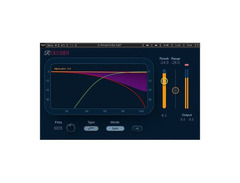
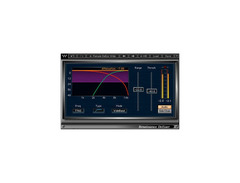
Achieve pristine vocal clarity with the Waves Renaissance De-Esser, a go-to solution for taming harsh sibilance in any mix. This user-friendly plugin effortlessly reduces excessive high-frequency sounds, ensuring your vocal tracks shine without undue harshness. Harnessing both broadband and split-band compression, it provides versatile control over your sound, allowing you to tailor the de-essing process to the unique needs of each track.
The Renaissance De-Esser stands out with its special sidechain filters, ensuring precise and effective sibilance reduction without compromising the natural tone of the vocals. Whether you're working on a nuanced vocal track or a dynamic mix, this plugin offers intuitive controls that make it accessible for both beginners and seasoned audio engineers. An innovative sidechain monitor feature allows real-time listening adjustments, giving you the confidence to make informed decisions while fine-tuning your sound.
By offering a combination of simplicity, power, and precision, the Waves Renaissance De-Esser is an essential tool for anyone looking to achieve polished, professional-quality audio. Ideal for studio recordings and live performances alike, this plugin keeps your vocals smooth and intelligible.
Key Features:
- Reduces excess sibilance in vocal tracks
- Offers both broadband and split-band compression
- Special sidechain filters for precise editing
- Sidechain monitor for real-time adjustments
Product specs
| Available since | October 2016 |
| Los artikel / bundelartikel | Los artikel |
| Delay | No |
| Dynamics | Yes |
| Effect Filter | No |
| Encoder/Decoder | No |
| Equalizer | No |
| Guitar amps/-effects | No |
| Channel Strip | No |
| Metering / Analysis / Correction | No |
| Modulation Effects | No |
| Multieffect / Plugin-Host | No |
| Overdrive/Distortion | No |
| Preamp / Saturation | No |
| Psychoacoustic tool / Enhancer / Exciter | No |
| Restauration | No |
| Reverb | No |
| Special FX | No |
| Summer / Mixing Consoles | No |
| Tape Simulation | No |
| Pitch Shifter / Harmonizer / Timestretching | No |
| Transient Processing | No |
| Vocoder / Vocal effect | No |
| Mastering Tools | No |
| Hardware Controller | No |
| Download | 1 |
FAQs
-
What is the primary function of the Waves Renaissance De-Esser?
-
The Waves Renaissance De-Esser is designed to reduce excessive sibilance in vocal tracks, specifically targeting and attenuating harsh 'ess' and 'shh' sounds for a smoother, more natural vocal performance.
-
Is the Waves Renaissance De-Esser suitable for use on instruments?
-
While primarily designed for vocals, the Waves Renaissance De-Esser can also be used on instruments that produce unwanted high-frequency sounds, such as cymbals, to achieve a balanced mix.
-
Does the Waves Renaissance De-Esser require a specific DAW to function?
-
The Waves Renaissance De-Esser is compatible with most major DAWs, including Ableton Live, Pro Tools, and Logic Pro, as it supports standard plugin formats like VST, AU, and AAX.
-
How does the Waves Renaissance De-Esser differ from other de-essing plugins?
-
The Waves Renaissance De-Esser is known for its intuitive interface and natural sound, providing precise control over sibilance reduction without affecting the overall vocal quality, making it a favorite among mixing engineers.
-
Can the Waves Renaissance De-Esser be used in real-time during live performances?
-
Yes, the Waves Renaissance De-Esser can be used in real-time for live performances, provided your setup includes a compatible DAW and sufficient processing power to handle live plugin usage.
Videos

Waves Audio
Smoothen the Top End of Vocals with Waves R-DeEsser
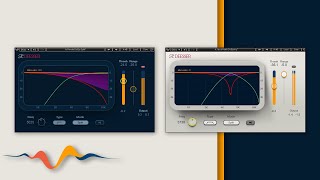
Smoothen the Top End of Vocals with Waves R-DeEsser
Waves Audio
Reviews
Owner Insights
We analyzed real musician discussions from forums and Reddit to find what players love, question, and tweak about Waves Renaissance De-Esser.
Features and functionality
-
Renaissance series plugins are noted for being user-friendly and effective, adding to their appeal among users looking for ease of use without sacrificing performance.
Source -
The traditional Waves De-Esser is preferred for its less drastic sibilance control, allowing dual instances in a chain for nuanced sound management.
Source -
The traditional De-Esser is noted for its transparency when used in wide mode, with some users preferring it over more advanced options like FabFilter DS.
Source
Comparisons
-
Some users perceive the Waves De-Esser to have a cleaner interface and better sound quality than the Renaissance De-Esser, highlighting subjective preferences in usability and output.
Source -
Fabfilter and Eiosis de-essers are noted for using more advanced algorithms that preserve essential audio elements while reducing sibilance, suggesting a performance edge over Waves.
Source -
Sibilance is viewed as having a more complicated interface and less effective sound compared to the traditional Waves De-Esser.
Source
Use cases and applications
-
There's a discussion about using parametric EQs for sibilance reduction, but it's cautioned that steep EQ cuts can introduce phasing issues, emphasizing the specialized role of de-essers.
Source -
Placing a de-esser before a reverb can effectively minimize excessive hissing from "s" sounds being amplified by the reverb effect.
Source -
The traditional De-Esser is favored in live settings for its reliable performance across various vocalists, whereas Sibilance is inconsistent.
Source
User experience
-
Some users perceive Waves plugins as repurposing older software with updated interfaces, likening it to basic functionality akin to budget tools.
Source -
Users find the traditional De-Esser has a more attractive sound in the 3-5k range, while Sibilance struggles with faster attacks needed for live performances.
Source
4.5 out of 5
Based on 0 Reviews and 2 Ratings
Artist usage
Add artist

Used for Albarn's vocals on Gorillaz's "Charger", as mentioned by recording engineer and frequent collaborator Stephen Sedgwick in this July 2017 Sound on Sound interview about the production of Humanz.
“The vocals start at track 42, with Damon’s lead vocal. The main lo-fi telephone-like effect is the typical 2-D sound, because this is a 2-D song. I can’t tell you what it is, but it’s done with hardware. The plug-ins on the inserts are a Waves Renaissance De-esser and RVox, and the Waves Kramer PIE [compressor], which I use a lot on vocals. Below are two tracks of lead vocals with delays.
While recording, I often use the SoundToys EchoBoy for delays, but I replace that with hardware delays to get more character. In this case these two tracks are prints of me running Damon’s vocals through a Roland SDE 2000. I was having fun with that, doing fast delays and delays with modulation. Then there are some Damon harmonies, and the yellow tracks are him singing the chorus, and some of these are pitched down an octave with the Little AlterBoy. I usually compress vocals with outboard, either using Empirical Labs Distressors or sometimes the Summit TLA 100A or Tube-Tech CL1B compressor. If want to impose a lot of character I’ll engage an old Collins broadcast limiter. For reverbs on the vocals I often use the studio’s EMT 140 plate.


Mentioned by mixing engineer Michael Brauer as being used on "Violet Hill" in this Sound on Sound interview about the production of Viva la Vida & Death and All of His Friends.
Vocals: Waves Renaissance & Digidesign de–essers, AMS reverb, Zoom 1202, Lexicon PCM81, Watkins Copicat, Empirical Labs Distressor, Federal, Gates, Fairchild 666, EAR 660, Neve 1176 & Awa G7201 compressors
"I used two Renaissance de–essers on Chris's voice that were doing different things, and then a stock Digidesign de-esser. That was it for the plug–ins I added on this session. The Sonnox Oxford and the Eoisis were not out yet at the time.
"The analogue things I did on the lead vocal are really interesting. As I said, I initially mixed the songs on my own, because the band was in England re–recording some songs, so I knew I might have to recall each song. But on this song I pretty much nailed it, apart from that Chris wanted the vocals to be more exciting and different. In the end the vocal had some AMS non–linear reverb on it, while the main sound came from an old Zoom 1202 reverb and a Watkins Copicat delay, plus a special patch that I created in the PCM81, which is a much bigger reverb. So it's a combination of things, but you don't really notice them, all you notice is that Chris is in a very present, big room. When I had found that combination 'Violet Hill' really became a song, it really came alive, because his voice was able to fight through all the stuff that was going on and make it personable. There's no reverb on the rest of the track, which is another reason why the lead vocal sounds so huge: it's not fighting another bunch of reverbs. If you send everything to reverb, you don't hear it, but if you send only one thing to reverb, it'll be huge.
"For the main part of the song I had a Distressor on the insert of the lead vocal, and I sent this to another five compressors: the Federal, the Gates, the Fairchild 666, the Neve 1176 and another Distressor in Nuke mode. They're all coming back individually on the board, and it was a matter of blending those compressors. As usual in my way of working, the compressors are there to give attitude and tone, and don't necessarily compress. For the end bit of the song, where it's just Chris and the piano, I used the Awa G7201 limiter/compressor. It's an Australian compressor and it has an incredible air and presence. It's a unique sound that you can clearly hear at the end, as it's the only effect on the vocal on that point. Finally, the church group background vocals are sent to the same combination of reverbs as the main vocals. No other effects, no EQ. It means that all the vocals in the main section blend together."

"Next we have a de-esser, also from Waves..."
In the video description, Huang writes "Waves Renaissance De-Esser (usually de-esser after all compressors, I made this track really fast so that was a slightly less optimal order)".


Used on "Closer", as stated by producer DJ Swivel in this February 2017 Sound on Sound interview. The settings for "Halsey LD 1.01" can be found here and here.
“All Halsey’s vocals apart from her hook vocals further down have tons of plug-ins and sends! The insert chain on these tracks is Auto-Tune, Waves Renaissance De-essser, Waves SSL Channel, Waves RVox, Waves RDe-esser and SPL Vitalizer, and on two tracks I add the Waves RVerb, and on the ‘Delay Chop’, which happens just one moment towards the end, the Valhalla Vintage Verb. Each of Halsey’s vocals here is EQ’ed slightly differently, and also the same with the de-essers. The first in the chain usually works as a normal de-esser, and the second functions more as corrective EQ. They each have different frequencies that they act on, with different thresholds and amounts, and they tend to correct small issues in just one word or so. It may be a harsh upper-mid thing, which female vocals can have, and I just carve out those frequencies with the RDe-esser. I don’t want to take it out of the entire performance, because that frequency may add energy to the overall vocals.
“I also like using the RVox as a second compressor, to really tame the vocal. It just brings it right out in front and sticks the vocal in your face. I usually am pretty subtle with the RVox, but every once and a while I’ll slam it and you get this really cool sound. I learned that from Pensado’s Place. Finally, the SPL Vitalizer again adds some sheen to these vocals. The ‘Halsey Delay’ track adds four delays at the end of the song, with the second one pitched down with Auto-Tune. You can get some cool things by pitching down the vocals in Auto-Tune and changing the throat length and things like that.
“In addition, all these tracks have tons of sends, going to the Lexicon plate reverb, in some cases the Lexicon hall reverb as well, and the H-Delay medium delay and the Doubler for more width. The ‘Halsey Lead 1’ track also has a send to the ‘Tape Delay’ track, on which I have a delay from the Waves Kramer Master Tape plug-in, which is set to a 15ips slap with not a lot of feedback. That delay adds a nice tonality and space. I also have several delay throws on certain words she sings, like in her opening line, where it goes ‘you... you’ on the upbeat.
“By comparison, there are very few treatments on Halsey’s hook vocals, which only have Auto-Tune, the SSL Channel, and the Doubler. Similarly, Drew’s backing vocals also have these plug-ins, and some Lexicon plate reverb. I’m using the SSL Channel to get rid of some high end on some of the tracks, because they were a little too bright, and had different effects on each of them to make sure they were not too similar.

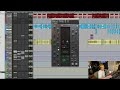
At 7:29 of Neek's video, we can see the use of the RDeEsser to focus on the vocal track


Used on T-Pain's vocals for "Low", as stated by mixer Fabian Marasciullo.
"There were lots of vocals and I chose not to bounce them down, because I prefer to process every individual bit separately. It uses more DSP on the computer, but you have more flexibility in the way you can treat sections, and hence more depth in the overall vocal sounds this way. The 'Lead' and 'Dbl' tracks are the main verse vocals by Flo Rida, he's doubling himself like many vocalists will do. Flo has a keen melodic sense when he's rapping. The A, B and C auxes separate the three different parts of the verse. The 'Whine 1, 2, 3' backing vocals only occur in the third verse. Underneath 'Aux 4' are T–Pain's backing vocals. 'Main Hk1,2,3,4' are all T–Pain doing a unison of one note.
"As is usual for me, I began the mix with the vocals, set against the rough music bed. You can see the latter in the left pane track window in the Edit Window, where it's called 'T_Pain_5 LO'. Of course I later muted that track. After having cleaned up and EQ'd the vocals I worked on the drums, and then the synths. I then brought the vocals back in to get their levels in relation to the music and do some automation.
"In addition, I used the Waves De–esser and Renaissance Vox on both Flo's and T–Pain's vocals. With the De–esser on Flo I cut around 5424Hz and T–Pain around 4500Hz. Some people put a de–esser on an aux, but I find that this doesn't really grab the frequency enough. So I de–ess twice. I will first grab a mid–frequency with a plug–in directly on the channel, and I will then put a de–esser on an aux. You will see my second de–esser on the Mix Window, on the 'Verse' auxiliary track.
"The RVox got rid of extreme peaks on both Flo and T–Pain's vocals. I used it to just clean things up if there were big level differences. But it's not hitting the vocals heavy, it only works when the vocals hit the threshold. It also has a great gating feature, and so it cleans up little blips here and there. The settings on all plug–ins were very similar for both Flo and T–Pain, because they have very similar voices. I had the McDSP Analog Channel only on T–Pain, though, basically to take off some edge. I use that plug–in when vocals are a little too brittle or bright. It really simulates hitting a tape recorder, and it also provides a little bit of analogue tape compression. It's a pretty good plug–in and you can select different tape recorders, like Tascam, Ampeg, Studer and so on. For this record I used the Studer preset.
An image of the settings for "Hk 1" can be found here.


In this video at 14:38 we can see Waves Renaissance De-Esser


Serge Tsai on the production of Shakira's "Hips Don't Lie": "The only plug-ins I used on Shakira's vocals were the Renaissance De-esser, just to get rid of any high sibilance above 4k and smooth things out, and the Renaissance Compressor, which is set very gently, with quite a long release of 50.2. It's not capturing a lot, because the threshold was way up at 1.6. The Renaissance and LA2A are pretty much doing the same thing, but I added the LA2A more for warmth. With digital recording you try to add as much warmth as you can."


Used for the vocals on "Intro", as stated by Kirk mix engineer Kevin "Black Pearl" McCloskey in this December 2019 Sound on Sound interview.
"There also is a Softube Weiss De-ess mastering de-esser, again in part to compensate for the C800. If you do too much de-essing with one de-esser it sounds like someone has a lisp, so I do little bits with several de-essers. The Weiss is a very transparent plug-in, which I interchange with the UAD Precision De-Esser, which has a similar vibe. I also used the Waves Renaissance DeEsser, and the Waves RVox, with a threshold set to -16.3, so it does a lot. The RVox is a slow-attack, fast-release type of compressor, and it basically puts the vocal in your face. The RDeEsser has a rounder sound, with a bit more colour."

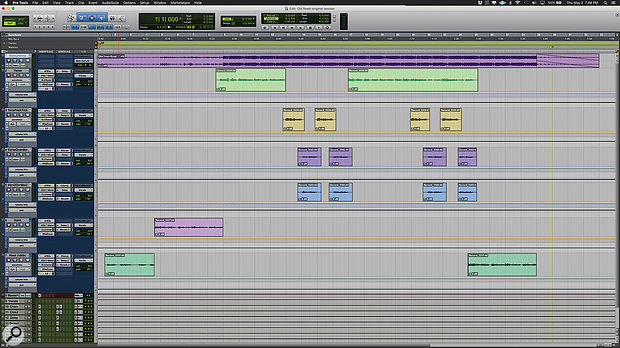
Used for the vocals on "Old Town Road (Remix)", as stated by mix engineer Andrew "VoxGod" Bolooki in this August 2019 Sound on Sound interview. An image of the settings can be found here.
Bolooki's 'Old Town Road' session also has an incredibly [sic] amount of plug-ins. Most tracks have plug-ins on the inserts, in some cases up to six, and many tracks also have sends to the aux tracks. A complete analysis of exactly what they all do would take up several pages, so Bolooki selected some of the most important processors, starting with Nas X's tracks.
"I did not really mess much with what they sent me. If you listen to the original, there were some Auto‑Tune anomalies, because the plug-in had some notes out of scale. The key of the song is a little weird, so I had to do automation on Nas' Auto‑Tune EFX instances to bypass certain notes in certain passages, to make sure the AT did not warp notes in the wrong way. I also did a lot of vocal riding, nudging the volume of each phrase, so that every single word was crystal-clear, and I did some panning automation in the stacked parts. They wanted Billy and Nas to sing at the same time in the pre-choruses, and I wanted to prevent Billy's harmonies from overwhelming Nas' lead vocals, so I used panning to give them each their own space.
"All Nas X's vocal tracks have an insert effect chain that consists of Antares Auto‑Tune EFX, Avid EQ3 7-band, Waves SSL Channel, Waves Renaissance De-Esser and Waves L2. I made some basic changes, also to some of the delay and reverb sends, but nothing crazy. There's a lazy half-note delay in the intro of the song, that becomes part of the flow of the song, and I did not want to mess with that. The aux track with the AIR Phaser added some modulation in the pre-chorus, and the Waves RVox and UAD Precision K-Stereo made Nas' lead vocal stand out a bit more.
"Also, the original engineer who recorded Nas' vocals did something that I would not normally do, but that made a big difference. I picked it up as a trick. It's having the L2 hit really hard at the end of the effects chain for every single vocal track. Initially I thought: that is pretty extreme to put that on every single vocal track, and it breaks all the rules for gain-staging, so I took it off, but then I realised he had put it there for a saturation effect, and it greatly helped the tone of his vocal. It was part of Nas' sound."

Used on Flo Rida and T-Pain's vocals for "Low", as stated by mixer Fabian Marasciullo.
"There were lots of vocals and I chose not to bounce them down, because I prefer to process every individual bit separately. It uses more DSP on the computer, but you have more flexibility in the way you can treat sections, and hence more depth in the overall vocal sounds this way. The 'Lead' and 'Dbl' tracks are the main verse vocals by Flo Rida, he's doubling himself like many vocalists will do. Flo has a keen melodic sense when he's rapping. The A, B and C auxes separate the three different parts of the verse. The 'Whine 1, 2, 3' backing vocals only occur in the third verse. Underneath 'Aux 4' are T–Pain's backing vocals. 'Main Hk1,2,3,4' are all T–Pain doing a unison of one note.
"As is usual for me, I began the mix with the vocals, set against the rough music bed. You can see the latter in the left pane track window in the Edit Window, where it's called 'T_Pain_5 LO'. Of course I later muted that track. After having cleaned up and EQ'd the vocals I worked on the drums, and then the synths. I then brought the vocals back in to get their levels in relation to the music and do some automation.
"In addition, I used the Waves De–esser and Renaissance Vox on both Flo's and T–Pain's vocals. With the De–esser on Flo I cut around 5424Hz and T–Pain around 4500Hz. Some people put a de–esser on an aux, but I find that this doesn't really grab the frequency enough. So I de–ess twice. I will first grab a mid–frequency with a plug–in directly on the channel, and I will then put a de–esser on an aux. You will see my second de–esser on the Mix Window, on the 'Verse' auxiliary track.
"The RVox got rid of extreme peaks on both Flo and T–Pain's vocals. I used it to just clean things up if there were big level differences. But it's not hitting the vocals heavy, it only works when the vocals hit the threshold. It also has a great gating feature, and so it cleans up little blips here and there. The settings on all plug–ins were very similar for both Flo and T–Pain, because they have very similar voices. I had the McDSP Analog Channel only on T–Pain, though, basically to take off some edge. I use that plug–in when vocals are a little too brittle or bright. It really simulates hitting a tape recorder, and it also provides a little bit of analogue tape compression. It's a pretty good plug–in and you can select different tape recorders, like Tascam, Ampeg, Studer and so on. For this record I used the Studer preset.
An image of the settings for "Hk 1" can be found here.
Album Usage
The Waves Renaissance De-Esser has been featured on the following albums:
Low
Flo Rida (2022)

4NEM
Chief Keef (2021)

Ex Machina
Metrik (2020)

KIRK
DaBaby (2019)

Old Town Road (Remix)
Billy Ray Cyrus & Lil Nas X & Mason Ramsey (2019)

Gravity
Metrik (2019)

Humanz (Deluxe)
Gorillaz (2017)

Perfect Strangers
Jonas Blue & JP Cooper (2016)

Cosmic
Andrew Huang (2016)

Edge EP
Neonlight (2015)

Viva La Vida or Death and All His Friends
Coldplay (2008)
Violet Hill
Coldplay (2008)

Low (feat. T-Pain)
Flo Rida (2008)
Hips Don't Lie - Bamboo (feat. Wyclef Jean)
Shakira (2006)
Genre Usage
Based on how artists on Equipboard use this gear, it is most commonly found in the following genres.
Used With
Based on how musicians on Equipboard use Waves Renaissance De-Esser, it is most commonly used with the following gear.


-s.webp?v=1784728869)


More Waves De-Esser Plugins

$29.99 - $34.99
in De-Esser Plugins Rank


.jpg?v=1784733415)

$29.99 - $34.99
in De-Esser Plugins Rank


$144.00 - $199.00
in De-Esser Plugins Rank


$56.00 - $244.00
in De-Esser Plugins Rank


$14.99 - $149.00
in De-Esser Plugins Rank

$199.00
in De-Esser Plugins Rank


$0.00
in De-Esser Plugins Rank

$39.99 - $50.00
in De-Esser Plugins Rank

$95.00 - $99.00
in De-Esser Plugins Rank

$119.00 - $129.00
in De-Esser Plugins Rank


$49.00 - $89.99
in De-Esser Plugins Rank

$18.20 - $89.00
in De-Esser Plugins Rank

$99.00
in De-Esser Plugins Rank


$79.00
in De-Esser Plugins Rank


$95.00 - $100.00
in De-Esser Plugins Rank

in De-Esser Plugins Rank


Accessories & Related Items


-s.webp?v=1784728942)


-s.webp?v=1784728908)


-s.webp?v=1784728936)


-s.webp?v=1784699100)



Community setups


Similar


Gear Guides









Most Popular De-Esser Plugins
Most Popular Brands
-
Added to Equipboard on by
 adria_sierra
GearIQ 304
-