

Pricing and availability
We compare 600+ stores and found this item at 4 stores. Prices updated .
Store
Reviews
Price


Average Price: $35
Budget/Beginner
$59
$150+
Price Tier
Budget
Standard
High-end
Price History
Based on price data from 3 merchants for "Waves L2 Ultramaximizer Plugin". Prices shown reflect NEW condition. Tracking began Apr 2, 2026.
* Product prices and availability are updated by Equipboard every 24hrs and are subject to change. Equipboard may receive compensation for purchases made at participating retailers linked on this site. This compensation does not affect what products or prices are displayed, or the order of prices listed. For more information, please refer to our affiliate disclosure.
Description
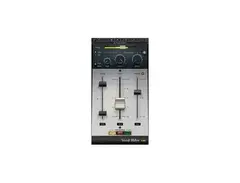
Elevate your audio projects to professional heights with the Waves L2 Ultramaximizer Plugin, a staple in the world of peak limiting and level maximization. This plugin offers look-ahead brickwall peak limiting, giving you a sophisticated tool for maintaining the integrity and impact of your sound. Whether you're mastering a chart-topping single or refining the audio for a cinematic trailer, the L2 Ultramaximizer stands as a crucial asset in your digital toolkit.
The L2's intuitive interface is designed to streamline your workflow, making dynamic control effortless. With features like Automatic Release Control (ARC), the plugin intelligently adjusts release times, ensuring your audio remains smooth and natural. Its enhanced digital resolution, supported by double-precision bit processing, guarantees pristine sound quality that meets the demands of high-resolution audio formats.
Beyond mastering, the L2 is versatile enough to add creative flair to any track. Use it to sculpt your sound and explore new sonic landscapes, all while maintaining the clarity and punch that your music deserves. With precise input, output, and attenuation meters, you can monitor your audio with exceptional accuracy, making critical adjustments with confidence.
For musicians and producers seeking a reliable and powerful limiting solution, the Waves L2 Ultramaximizer Plugin is an indispensable tool that enhances your creative potential and brings your audio to the forefront of professional sound.
Key Features:
- Look-ahead brickwall peak limiting and level maximization
- Manual and Automatic Release Control (ARC)
- Increased Digital Resolution (IDR) with double precision
- Bit re-quantization and dither with 9th-order noise-shaping filter
- Double-precision bit resolution processing
- Resolution: Up to 24-bit/192kHz
- Mono and Stereo components
Product specs
| Software Type | Limiter/Maximizer |
| Platform | Mac, PC |
| Upgrade/Full | Full |
| Download/Boxed | Download |
| Bit Depth | 64-bit |
| Format | AAX Native, AudioSuite, VST, AU, SoundGrid |
| Hardware Requirements - Mac | Intel Core i7 or higher (M1 support), 8GB RAM minimum |
| Hardware Requirements - PC | Intel Core i5 / AMD Quad-core or higher (AVX required), 8GB RAM minimum |
| OS Requirements - Mac | macOS 10.15.7 or later |
| OS Requirements - PC | Windows 10 or later (21H2), 64-bit |
FAQs
-
What is the primary function of the Waves L2 Ultramaximizer Plugin?
-
The Waves L2 Ultramaximizer Plugin is designed to be a peak limiter and level maximizer, enhancing audio tracks by increasing loudness while preventing distortion through advanced limiting and dithering technologies.
-
Is the Waves L2 Ultramaximizer Plugin compatible with my DAW?
-
The L2 Ultramaximizer is compatible with major DAWs that support AAX Native, AudioSuite, VST, AU, and SoundGrid formats, making it versatile for various production environments on both Mac and PC platforms.
-
What are the system requirements for running the Waves L2 Ultramaximizer Plugin on a Mac?
-
To run the Waves L2 Ultramaximizer on a Mac, you'll need at least macOS 10.15.7, an Intel Core i7 processor or higher (M1 supported), and a minimum of 8GB RAM.
-
Can the Waves L2 Ultramaximizer Plugin be used for mastering?
-
Yes, the Waves L2 Ultramaximizer is widely used in mastering to increase track loudness while maintaining audio clarity, thanks to its advanced peak limiting and dithering capabilities.
-
How does the Waves L2 Ultramaximizer differ from other limiter plugins?
-
The L2 Ultramaximizer stands out with its precise peak limiting and IDR (Increased Digital Resolution) technology, which minimizes audible artifacts and enhances audio quality, making it a staple in professional mastering.
Videos

Waves Audio
How to Optimize Maximum Level in Waves L2 Limiter
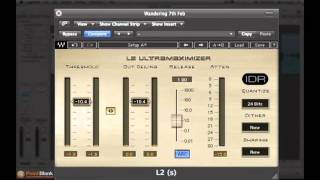
How to Optimize Maximum Level in Waves L2 Limiter
Waves Audio
How to use the Waves L2 Ultramaximizer for mastering – our favourite trick! | Mastering Explained

Mastering Explained
How to Use the Waves L2 Ultramaximizer To Maximize The Loudness Of Your Song

Fly Guy J Productions
Mixing With Mike Plugin of the Week: L2 Ultramaximizer

Mixing With Mike
Reviews
PROS
-
Excels as a transparent limiter with minimal artifacts
-
Ideal as a final step in mixing and mastering
-
Simple interface with easy-to-use controls
-
Compatible with various DAWs, notably Sony Sound Forge
-
Provides professional-level results for budget-conscious users
-
Effectively elevates track volume without compromising quality
-
Reliable for both live and studio recordings
-
Part of the versatile Waves Diamond Bundle
-
Offers excellent resolution for high-quality output
-
Highly recommended for use on drum busses
CONS
-
Limited control options may not satisfy advanced users
-
Risk of mix distortion if pushed too hard in loudness wars
-
Dithering feature can interfere with professional mastering efforts
Owner Insights
We analyzed real musician discussions from forums and Reddit to find what players love, question, and tweak about Waves L2 Ultramaximizer Plugin.
Comparisons
-
The UA Precision Maximizer is noted to be cleaner than the Waves L2, which can reduce dynamic range without achieving comparable loudness.
Source -
Ozone's Maximizer is recommended for in-the-box mastering, outperforming the Waves L2 in user experiences.
Source -
The Invisible Limiter, priced around $100, is favored by some for its transparency over other limiters.
Source -
LoudMax and W1 Limiter are mentioned as the closest alternatives to Waves L2 for those seeking a similar sound without using Waves.
Source
User experience
-
The Waves L2 is considered outdated by multiple users, referencing its 20-year-old coding compared to modern alternatives.
Source -
Some users still prefer the Waves L2 for its specific tone and vibe, even if they switch to modern limiters for volume control.
Source -
Owners note the L2 can overly compress tracks if there's not enough headroom, especially in styles needing dynamic breathing room.
Source
Value and pricing
-
A 75% sale on Sonnox Inflator and Limiter non-UAD plugins is highlighted, offering a potentially cost-effective alternative.
Source
Features and functionality
-
The Waves L2 offers a unique transient softening and midrange focus that some users find difficult to replicate with other limiters.
Source -
The L2 Ultramaximizer should have its ceiling set to -0.3 to prevent overpeaking, as it's not a True Peak Limiter.
Source -
Adjusting the L2's gain reduction to between 4-6 dB can result in significant loudness, but caution is advised to avoid over-compression.
Source
Use cases and applications
Critic Reviews
4.5 out of 5
Based on 4 Reviews and 43 Ratings

204
one trick pony that's really good at that one trick as long as you don't overdo it and keep dithering OFF
DANGER: Do not go crazy and try to win the loudness wars with this or your mix will suffer. If you already have a nice blend of plugins handling other types of compression at the track and busses, then this can be the last bit of push to get you to a decent mix. People with tons of high end gear and/or plugins will use it for reference mix dailies and never on the final mix, so if you're that perfectionist, skip it or relegate it to this position. If you are a musician or producer on a budget, then this can stand in for much more expensive bits of kit, and as long as you don't push it too hard, you will like the results better.
My suggestion is to never try to go for more than 6db of boost unless your material somehow magically doesn't get messed up when you push it further. If you plan to send your final mix to a real mastering house, then either skip it or use it in very subtle ways with the Dithering option turned OFF! If you dither prior to sending it to a mastering engineer, you've sabotaged their efforts before they even get a chance. If however mastering is not in the equation and you need to make do, this will get you over the hump of what's required to get decent sound into an online streaming format. It is a useful and affordable tool, if you don't abuse it.


65
XDXDXD https://www.youtube.com/watch?v=tHZUY1VJHZk XDXDXD
Artist usage
Add artist

In this Twitch video, deadmau5 can be seen using the L2 Plugin for his master track at 7:45:46


The Waves L2 Maximizer is seen on Afrojack's screen in one of his Instagram posts.


Tony of Above & Beyond on the Waves L2: "...we've done Waves and still use the L2 (who doesn't, let's be honest!)"


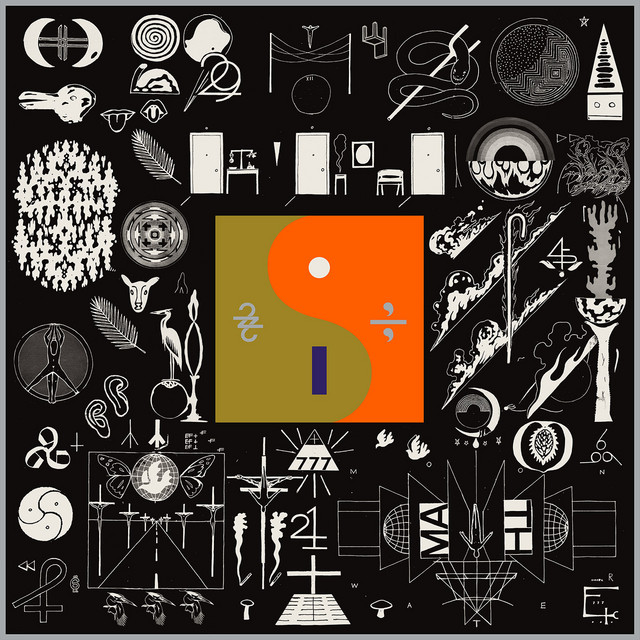
This plugin was used on 10 Death Breast on Bon Iver's album 22, A Million as stated in this article


"I used the PSP Vintage Warmer and The Waves L2 to hack-master "Blow" back in the day :)"

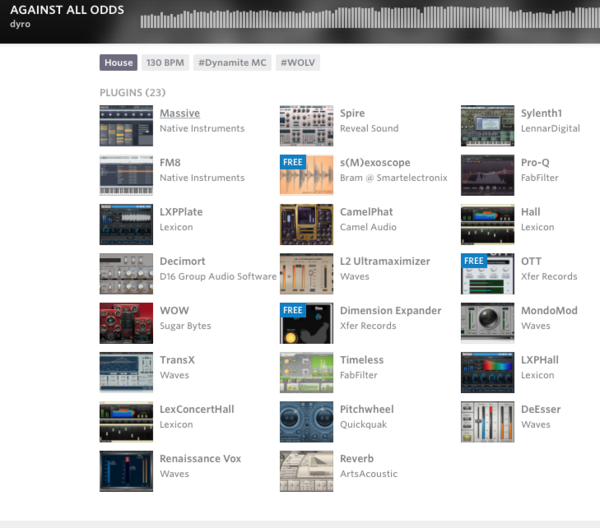
Dyro lists Waves L2 among the plugins he used on this Splice project.


In the video attached at 11:45 on the left hand side of the screen you can see the Waves L2


In a video posted on his Facebook page, Wolfgang Gartner is seen using the Waves L2 Ultramaximizer Plugin at the beginning.


"but we do use software limiting on our tunes (waves L2, kjaerhus classic limiter, waves L3 multimaximiser for multiband limiting )"


The Waves L2 Ultramaximizer Plugin can be seen on the right side of the screen in a photo of the plugins Dirty South uses.

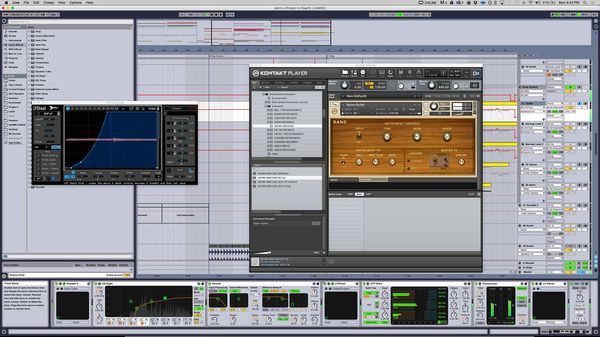
"I've made a video showing the key elements of JAMMU and what I used to make them. It should be out next week"
In this picture you are able to see the plugin at the right side in corner. "L2 Stereo"


Album Usage
The Waves L2 Ultramaximizer Plugin has been featured on the following albums:






Genre Usage
Based on how artists on Equipboard use this gear, it is most commonly found in the following genres.
Used With
Based on how musicians on Equipboard use Waves L2 Ultramaximizer Plugin, it is most commonly used with the following gear.
-s.webp?v=1784642488)




-s.webp?v=1784642440)
More Waves Limiter Plugins
-m.webp?v=1784642527)
$33.00 - $35.99
in Limiter Plugins Rank


$34.99 - $39.99
in Limiter Plugins Rank


$39.99 - $49.99
in Limiter Plugins Rank

$35.99 - $39.99
in Limiter Plugins Rank


-m.webp?v=1784333865)


$179.00 - $199.00
in Limiter Plugins Rank


$63.00 - $264.00
in Limiter Plugins Rank


$47.00 - $199.00
in Limiter Plugins Rank


$36.00 - $399.00
in Limiter Plugins Rank
.jpg?v=1784591665)


-m.webp?v=1784668530)
$83.50 - $99.00
in Limiter Plugins Rank


$28.00 - $99.00
in Limiter Plugins Rank


$43.00
in Limiter Plugins Rank


$0.00
in Limiter Plugins Rank


$0.00
in Limiter Plugins Rank


$52.00 - $60.00
in Limiter Plugins Rank


$15.00 - $69.00
in Limiter Plugins Rank

$59.00
in Limiter Plugins Rank


$49.00
in Limiter Plugins Rank
.jpeg?v=1784574735)


$19.99 - $149.00
in Limiter Plugins Rank


$105.00 - $109.00
in Limiter Plugins Rank

$39.99 - $40.00
in Limiter Plugins Rank

$191.00 - $199.00
in Limiter Plugins Rank


$191.00 - $199.00
in Limiter Plugins Rank


$49.99
in Limiter Plugins Rank


$9.99 - $89.00
in Limiter Plugins Rank


$54.00 - $55.00
in Limiter Plugins Rank


$43.00
in Limiter Plugins Rank


$79.00 - $149.00
in Limiter Plugins Rank

$47.00 - $99.99
in Limiter Plugins Rank

$99.99 - $124.99
in Limiter Plugins Rank

$59.00 - $129.00
in Limiter Plugins Rank


$40.00 - $124.00
in Limiter Plugins Rank


$299.00
in Limiter Plugins Rank

Accessories & Related Items


-s.webp?v=1784649627)

-s.webp?v=1784642547)


-s.webp?v=1784649883)

-s.webp?v=1784642514)




Community setups


Similar


Most Popular Limiter Plugins
Most Popular Brands
-
Added to Equipboard on by
 equipboard
GearIQ 4934
-