.webp)
Table of Contents

Equipboard
Equipboard is the world's largest community of artists and their gear. Read our review process.
We are reader-supported. When you buy through links on our site, we may earn an affiliate commission. Learn more.
Our Picks

Focusrite Scarlett 2i2 4th Gen USB Audio Interface
The industry standard that continues to set the bar for quality and reliability.
Read more


-l.webp?v=1784819419)
Simplifying gain staging with innovative auto-gain technology.
Read more
Professional-grade audio for multi-host setups without breaking the bank.
Read more
IK Multimedia iRig PRO DUO I/O
Ultra-portable dual-channel interface for podcasters on the move.
Read more-l.webp?v=1784818757)
Versatile handheld recorder with advanced audio interface capabilities.
Read more

Zoom PodTrak P4 4-input Ultimate Recorder for Podcasting
A feature-packed interface tailored for on-the-go podcast production.
Read more
Focusrite Scarlett 18i20 Fourth Generation USB Audio Interface
Expansive connectivity for complex podcast setups and professional studios.
Read more
Bringing legendary audio heritage to your podcasting setup.
Read more

Rode Microphones RØDECaster Pro II
A comprehensive solution that revolutionizes podcast production workflow.
Read moreIn the bustling podcast universe, your voice is your North Star. But even the most captivating content can be lost in a sea of static if your audio quality isn't up to par. Enter the unsung hero of crystal-clear podcasts: the audio interface.
Imagine you're about to hit record on your groundbreaking podcast idea. Your script is polished, your guests are primed, but there's a subtle hiss in your headphones. Or worse, your co-host's voice sounds like it's coming through a tin can. These are the moments when a quality audio interface becomes not just a tool, but a lifeline.
Whether you're a seasoned podcaster looking to upgrade your setup or a newcomer ready to elevate your game beyond the basic USB microphone, this guide is your compass. We'll navigate the sometimes choppy waters of technical specs, demystify the jargon, and chart a course to the perfect audio interface for your unique podcasting voyage.
From budget-friendly options that punch above their weight to professional-grade gear that can handle a full panel discussion, we've got you covered. We'll explore the key features that can make or break your audio quality, uncover the hidden gems that seasoned podcasters swear by, and help you avoid the common pitfalls that can sink your sound.
So, tune in, turn up the gain, and let's dive into the world of audio interfaces. Your listeners' ears will thank you, and who knows? This might just be the upgrade that takes your podcast from background noise to must-hear content.
Understanding Audio Interfaces
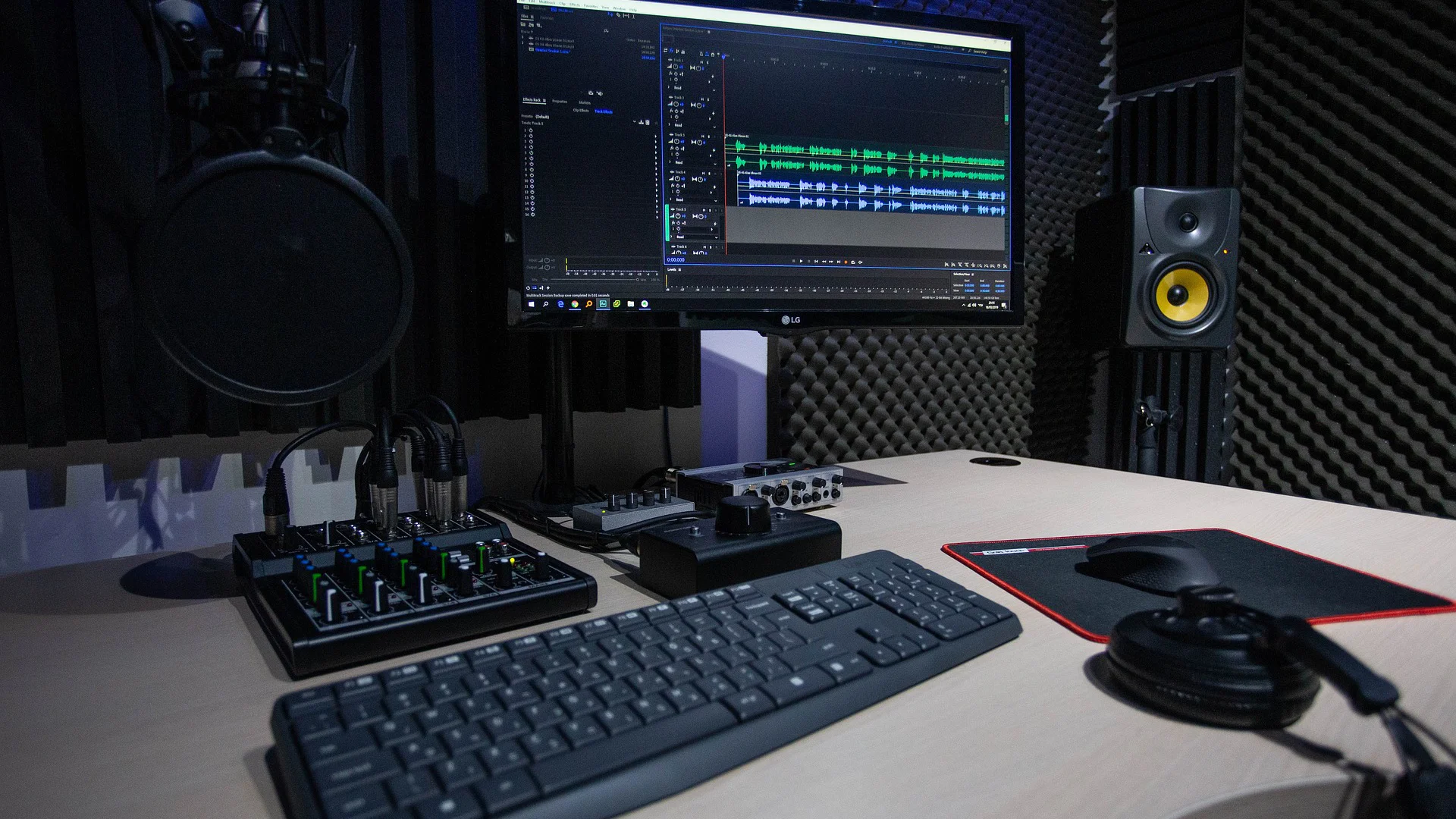
The audio interface often goes unnoticed by listeners but makes all the difference to creators. Let's demystify the world of audio interfaces and explore why they're indispensable for podcasters who are serious about their craft.
What is an Audio Interface?
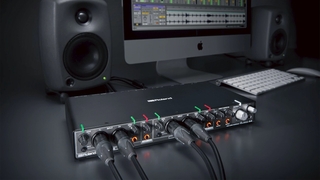
Think of an audio interface as the bridge between your analog world and the digital realm of your computer. It's a device that converts the sound waves captured by your microphone into digital data that your computer can understand and record. But it's more than just a simple converter - it's the guardian of your audio quality.
An audio interface typically features inputs for microphones and instruments, preamps to boost weak signals, and outputs for headphones and speakers. It's the central hub where all your audio gear connects, ensuring that every word you speak is captured with clarity and precision.
Why Audio Interfaces Matter for Podcasting
You might wonder, "Can't I just plug my microphone directly into my computer?" While that's possible with USB mics, using an audio interface opens up a world of possibilities and improvements:
Superior Sound Quality: Audio interfaces are designed with high-quality components that capture audio with greater fidelity than your computer's built-in sound card. This means cleaner recordings with less noise and distortion.
Professional Microphone Compatibility: Most professional-grade microphones use XLR connections, which require an audio interface. This allows you to use the same high-end microphones favored by radio broadcasters and recording studios.
Multiple Input Options: Whether you're recording a solo show or hosting a roundtable discussion, audio interfaces offer the flexibility to connect multiple microphones and even instruments simultaneously.
Real-Time Monitoring: Many interfaces allow for zero-latency monitoring, meaning you can hear yourself in real-time without any delay. This is crucial for maintaining natural speech patterns and catching technical issues before they ruin your recording.
Greater Control: Audio interfaces give you hands-on control over input levels, allowing you to adjust gain on the fly and ensure optimal recording levels for each speaker.
Key Factors to Consider
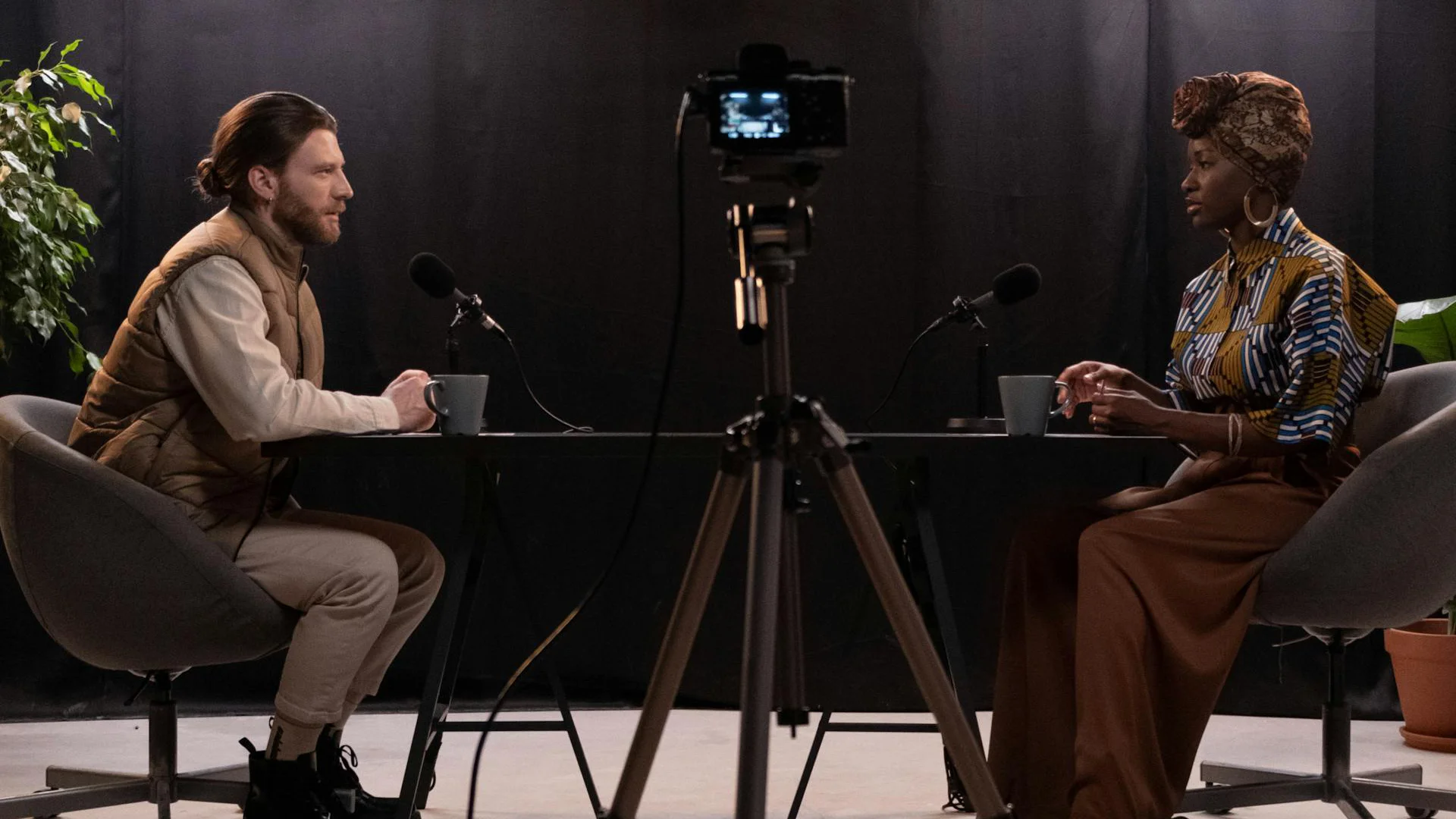
Choosing the right audio interface for your podcasting setup is crucial for achieving professional-quality sound. Let's explore the essential factors that will guide you towards making an informed decision tailored to your specific needs.
Number of Inputs and Outputs
The number of inputs and outputs on an audio interface is a critical consideration that directly impacts the versatility of your podcasting setup.
Inputs: Consider how many people you'll typically record simultaneously. For solo podcasts, a single input might suffice. However, if you frequently host guests or co-hosts, you'll want multiple inputs. Some interfaces offer two inputs, ideal for one-on-one interviews, while others provide four or more for panel discussions.
Outputs: Multiple outputs allow you to send different audio mixes to various destinations. For instance, you might want separate headphone mixes for you and your guest, or the ability to connect to external speakers for monitoring.
Preamp Quality
Think of the preamp as the audio chef, seasoning your sound to perfection. It amplifies the weak signal from your microphone to a level that can be properly recorded.
High-quality preamps provide clean amplification without adding unwanted noise or coloration to your voice. They're particularly important if you're using dynamic microphones popular in podcasting, like the Shure SM7B, which require significant gain.
Look for interfaces with preamps that offer enough gain (usually 60dB or more) to drive demanding microphones without introducing noise. Some interfaces even feature preamps modeled after high-end studio equipment, offering a touch of professional polish to your recordings.
Portability vs. Studio Use
Your recording environment plays a significant role in choosing the right interface. Are you always on the move, or do you have a dedicated recording space?
Portable Interfaces: If you often record on location or travel for interviews, consider compact, bus-powered interfaces that don't require an external power supply. These are lightweight, built well, and can easily slip into a laptop bag.
Studio Interfaces: For a fixed recording setup, you might prioritize features over portability. Rack-mountable interfaces with additional I/O options are suitable for permanent installations.
Many interfaces strike a great balance, offering enough inputs for studio use while remaining portable enough for occasional field recording.
Connection Types
The way your interface connects to your computer can affect compatibility, performance, and future-proofing.
USB-A: The most common and versatile option. USB interfaces are compatible with most computers and are typically plug-and-play.
Thunderbolt: Offers faster data transfer and lower latency, ideal for complex setups or when recording multiple tracks simultaneously. However, ensure your computer has a compatible port.
USB-C: Becoming more common, USB-C offers high-speed data transfer and can provide power to the interface, reducing cable clutter.
Consider your current computer setup and any planned upgrades when choosing the connection type.
Latency Performance
Latency refers to the delay between the moment you speak into the microphone and when you hear it in your headphones. Low latency is crucial for a natural recording experience.
Look for interfaces that offer direct monitoring, which routes the input signal directly to your headphones before it's processed by your computer, effectively eliminating latency.
Some interfaces also feature onboard DSP (Digital Signal Processing), allowing you to add effects like EQ and compression without taxing your computer's resources or introducing latency.
Essential Features for Podcasters
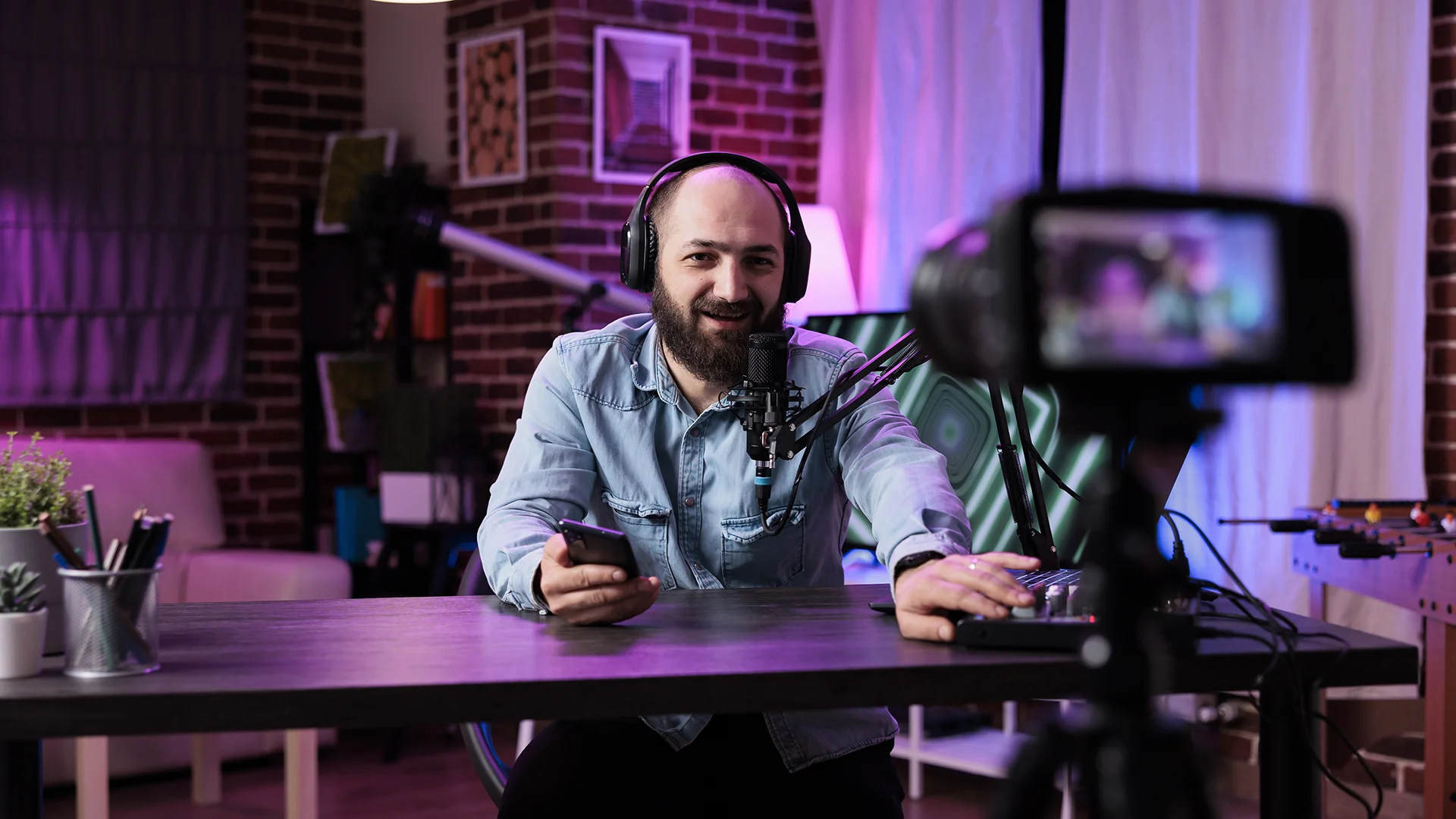
When selecting an audio interface for podcasting, certain features can significantly enhance your recording experience and the quality of your output. Let's explore the key features that can take your podcast production to the next level.
Built-in Digital Signal Processing (DSP)
Digital Signal Processing is like having a miniature recording studio inside your audio interface. It allows you to apply effects and processing to your audio in real-time, before it even reaches your computer.
EQ and Compression: Some interfaces offer built-in equalizers and compressors. These tools can help you shape your voice, reduce sibilance (the hissing sound produced when pronouncing "s," "sh," "z," or similar consonants), or even out volume levels on the fly. This can be particularly useful for live streaming or when you need to minimize post-production work.
Noise Reduction: Advanced DSP can include noise reduction algorithms, helping to eliminate background hum or air conditioning noise during recording. This feature can be a lifesaver for podcasters who don't have access to professionally treated recording spaces.
Remember, while DSP can be powerful, it's important to use it judiciously. Subtle adjustments often yield the best results, preserving the natural quality of your voice.
Direct Monitoring
Direct monitoring is a crucial feature that allows you to hear yourself in real-time without any perceptible delay. This is achieved by routing the audio signal directly from the input to the output, bypassing the computer entirely.
The benefit? You can hear yourself naturally as you speak, which is essential for maintaining a comfortable and confident delivery. It also allows you to catch any technical issues immediately, rather than discovering them later during editing.
Look for interfaces that offer a blend control, which lets you balance the level between your live input and any backing tracks or other audio playing from your computer.
Phantom Power
If you're using condenser microphones - a popular choice for capturing the rich nuances of the human voice - you'll need an interface that provides phantom power. This is typically labeled as "+48V" on the interface.
Phantom power supplies the necessary electricity to power the active electronics in condenser microphones. Without it, these mics simply won't work. Even if you're not using a condenser mic now, having this feature ensures compatibility with a wider range of microphones in the future.
Headphone Outputs
Multiple headphone outputs are invaluable for podcasts involving co-hosts or guests. They allow each participant to have their own personalized listening experience.
Individual Volume Controls: Look for interfaces that offer separate volume controls for each headphone output. This allows each person to adjust their listening level without affecting others.
Multiple Mixes: Some advanced interfaces even allow you to create different mixes for each headphone output. For example, you might want to hear more of your own voice, while your guest might prefer a balanced mix of all participants.
Software Integration
The software ecosystem that comes with your audio interface can significantly impact your workflow. Many interfaces come bundled with Digital Audio Workstation (DAW) software, which can be used for recording, editing, and producing your podcast.
Compatibility: Ensure the interface you choose is compatible with your preferred recording and editing software. Most modern interfaces work well with popular DAWs, but it's always worth double-checking.
Control Software: Some manufacturers provide dedicated control software for their interfaces. These can offer additional features like input routing, low-latency mixing, and even the ability to save and recall settings for different recording scenarios.
Plugin Suites: Look out for interfaces that come bundled with audio processing plugins. These can include professional-grade EQs, compressors, and other effects that can elevate the quality of your podcast production.
The goal is simple: to make recording effortless so you can concentrate on what matters most - creating great content - while trusting your audio to deliver.
Top Audio Interfaces for Podcasting
Choosing the right audio interface can significantly elevate your podcast's sound quality. Let's explore some of the best options available for podcasters, from beginners to seasoned professionals.
Focusrite Scarlett 2i2 4th Gen USB Audio Interface
4.5 (6)
Entry-level: The Podcaster's Workhorse










Average Price: $369
Standard/Professional
$150
$501+
Budget
Standard
High-end
- Loopback feature ideal for streaming DAW sound to platforms like YouTube
- Clean preamps capture audio with impressive detail and clarity
- High-quality build; sturdy and portable for on-the-go recording
- Excellent noise performance with low distortion
- See 6 more
- No off button; needs to be unplugged to turn off
- Initial setup instructions are not clear and can be frustrating
- Incompatibility with older operating systems like Windows 7
- Packaging lacks proper protection for transportation
- See 1 more
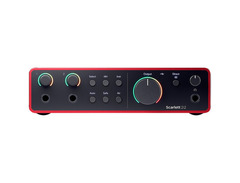
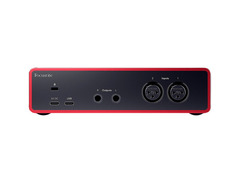
The Focusrite Scarlett 2i2, now in its 4th generation, has earned its reputation as a go-to audio interface for podcasters. This device offers exceptional sound quality with its high-performance preamps and top-notch digital converters, delivering a professional-grade audio experience right out of the box.
Featuring two combo XLR/TRS inputs, the Scarlett 2i2 is perfect for solo podcasts or one-on-one interviews. Its Air mode adds a subtle brightness to recordings, enhancing vocal presence and clarity without the need for extensive post-processing. The interface's intuitive design includes gain halos that visually indicate proper input levels, glowing green when the signal is optimal and red when it's too hot, making it easy for beginners to achieve professional-sounding results.
The latest iteration introduces features like Auto Gain and Clip Safe, which help prevent audio distortion and simplify the recording process. Auto Gain automatically sets the optimal input level for your microphone, while Clip Safe mode provides an extra layer of protection against unexpected peaks in volume. With its impressive 120dB dynamic range, the Scarlett 2i2 captures every nuance of your voice, from whispers to excited exclamations, ensuring your podcast sounds crisp and professional.
Built with durability in mind, the Scarlett 2i2 features a robust metal chassis that can withstand the rigors of regular use. Its compact size and USB connectivity make it highly portable, ideal for podcasters who need to record on location. The interface is bus-powered, eliminating the need for an external power supply and further enhancing its portability.
For podcasters who occasionally incorporate music or instruments, the Scarlett 2i2 supports sample rates up to 192kHz and offers low-latency performance, making it versatile enough to handle a variety of audio tasks beyond just voice recording. Its compatibility with most recording software on both Mac and Windows platforms ensures a smooth integration into your existing workflow.


Audient Evo 4
5.0 (4)
Entry-level: The Beginner's Dream
-s.webp?v=1784819419)
Average Price: $142
Budget/Beginner
$150
$501+
Budget
Standard
High-end
- Superior audio quality and clarity across price range
- Compact, lightweight design enhances portability
- Smart gain feature simplifies mic level adjustments
- Versatile compatibility with Windows and Mac, easy setup
- See 6 more
- Plastic construction feels fragile, raising durability concerns
- Lightweight design prone to being pulled off the table by cables
- Windows system updates may cause compatibility issues
- Monitors deactivated when headphones are plugged in
- See 2 more
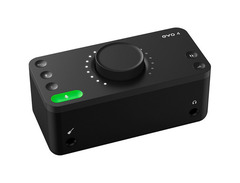
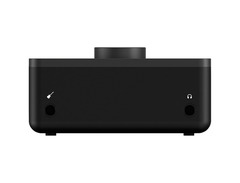
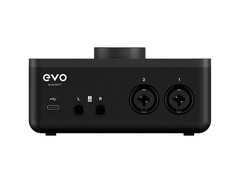
The Audient EVO 4 is a compact, portable audio interface that's tailor-made for podcasting beginners. Its standout feature is the innovative Smartgain function, which automatically sets the optimal input level for your microphone with the push of a button, taking the guesswork out of gain staging and simplifying the recording process.
This interface offers two combo XLR/TRS inputs, each powered by Audient's renowned console-grade preamp technology, ensuring clean and transparent audio capture. The EVO 4 supports sample rates up to 96kHz, striking a balance between high-quality recording and manageable file sizes for podcast production.
One of the EVO 4's unique features is its JFET instrument input, making it versatile for both voice and instrument recording. This is particularly useful for podcasters who incorporate live music elements into their shows or need to record both vocals and instruments simultaneously.
The device's loopback feature is a game-changer for many podcasters, allowing you to capture audio from any app on your computer and send it into your recording software. This is perfect for recording podcast episodes with remote co-hosts or guests, as you can easily incorporate audio from video calls into your recordings.
The EVO 4's sleek, minimalist design includes a large, centrally-positioned volume knob that controls both speaker and headphone output. The interface also features a direct monitoring option, allowing you to hear your input signal without latency, which is crucial for maintaining natural speech patterns during recording.
While the EVO 4 excels in many areas, users should be aware of potential electronic interference, particularly from mobile phones. Keeping your phone at a distance from the interface can mitigate this issue. Despite this minor concern, the EVO 4's combination of user-friendly features, compact design, and high-quality audio make it an excellent choice for podcasters just starting their journey.

Behringer U-PHORIA UMC404HD
4.5 (49)
Multi-Person Podcasts: The Budget-Friendly Powerhouse


Average Price: $140
Budget/Beginner
$150
$501+
Budget
Standard
High-end
- Affordable with high-quality recording
- 4 Midas Designed preamps for clear audio capture
- Versatile I/O options including XLR/TRS, MIDI
- Low latency ideal for various projects
- See 6 more
- Small control labels and lights may challenge beginners
- Requires specific driver installation for optimal performance
- Main output level may be lower than some competitors
- Can overload with high input signals, causing dropouts
- See 4 more
The Behringer U-Phoria UMC404HD is a versatile audio interface that offers exceptional value for podcasters needing multiple inputs. This device strikes an impressive balance between affordability and professional-grade features, making it an excellent choice for multi-person podcast setups.
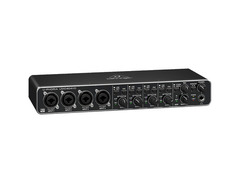
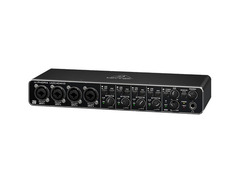
At the heart of the UMC404HD are four MIDAS-designed preamps, renowned for their clarity and warmth. These preamps provide ample gain and low noise, ensuring that even gain-hungry dynamic microphones like the Shure SM7B can be used without additional boosters. Each of the four combo XLR/TRS inputs has its own gain control and pad switch, offering flexibility for different microphone types and speaker volumes.
The interface supports up to 24-bit/192kHz resolution, ensuring high-quality audio capture that exceeds the needs of most podcasting applications. Its zero-latency direct monitoring feature is crucial for a smooth podcasting experience, allowing participants to hear themselves without any noticeable delay.
For output, the UMC404HD offers dual headphone outputs with independent volume controls, enabling hosts and guests to adjust their monitoring levels individually. The main outputs can be switched between balanced XLR and unbalanced RCA, providing flexibility in studio setups.
The device's build quality is noteworthy, especially considering its price point. The metal chassis feels sturdy and durable, capable of withstanding the rigors of regular use or occasional travel. The large, easy-to-read level meters on the front panel make it simple to monitor input levels at a glance.
While the UMC404HD lacks some of the advanced features found in more expensive interfaces, such as onboard DSP or loopback functionality, it excels in its primary purpose: providing clean, professional-grade audio inputs for multiple microphones. Its straightforward design and operation make it accessible for beginners while offering the quality demanded by experienced podcasters.
For podcasters looking to host panel discussions, conduct in-person interviews, or future-proof their setup for potential expansion, the Behringer U-Phoria UMC404HD offers a compelling combination of performance, versatility, and value.


IK Multimedia iRig PRO DUO I/O
On-the-Go Podcasting: The Pocket-Sized Studio

Average Price: $210
Standard/Professional
$150
$501+
Budget
Standard
High-end
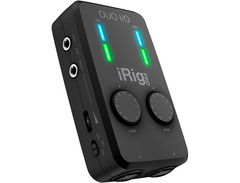
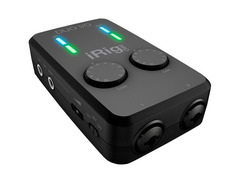
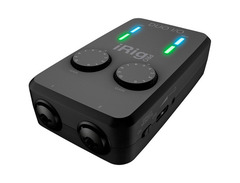
The IK Multimedia iRig Pro Duo I/O is a compact, portable audio interface that's perfect for podcasters who need professional-quality audio on the go. This pocket-sized device offers two XLR/TRS combo inputs, making it suitable for solo podcasts or interviews in the field without compromising on audio quality.
One of the iRig Pro Duo I/O's standout features is its cross-platform compatibility. It works seamlessly with iOS devices, Android, Mac, and PC, offering flexibility for recording in various environments. This versatility is further enhanced by its multiple power options: it can be powered via USB, two AA batteries, or an optional DC power supply, ensuring you're never caught without a way to record.
Each input channel features a dedicated gain control and 48V phantom power switch, allowing for use with both dynamic and condenser microphones. This level of individual channel control is rare in such a compact device and allows for precise adjustment of input levels on the fly.
The interface also includes MIDI I/O, making it versatile for podcasters who incorporate music production into their workflow or need to connect MIDI controllers for live elements in their podcasts. With its high-quality preamps and 24-bit/96kHz audio conversion, the iRig Pro Duo I/O delivers professional-grade sound in a remarkably compact package.
For monitoring, the device offers a direct monitoring switch for zero-latency listening and a headphone output with its own volume control. There are also two balanced 1/4" outputs for connecting to speakers or other audio equipment.
Its rugged build quality, featuring a durable aluminum housing, ensures it can withstand the rigors of on-the-go recording sessions. While its small size might make some controls feel cramped for users with larger hands, the iRig Pro Duo I/O offers an impressive balance of portability and professional features for podcasters who value mobility.


Zoom H6 Portable Recorder
5.0 (31)
On-the-Go Podcasting: The Swiss Army Knife of Portable Recording
-s.webp?v=1784818757)


Average Price: $287
Standard/Professional
$149
$400+
Budget
Standard
High-end
- Multifunctional device with up to 20h battery life
- High-quality recording
- Easy to use interface
- Versatile mic options, easy to swap
- See 6 more
- A bit heavy
- Issues when used as an audio interface for some
- Not ideal for passive guitar direct recording
- Audio interface output in inconvenient location (front)
- See 1 more
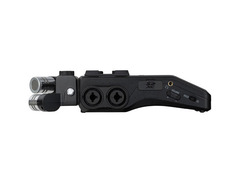
The Zoom H6 is a powerhouse of portable recording that doubles as a capable audio interface for podcasting. This device stands out with its modular microphone system and six-track simultaneous recording capability, making it an excellent choice for podcasters who need both studio and on-location recording flexibility.
As an audio interface, the H6 offers four XLR/TRS combo inputs with high-quality microphone preamps, each with its own gain control and pad switch. It supports up to 24-bit/96kHz audio resolution, ensuring crisp and detailed recordings. The device can connect to computers and iOS devices via USB, functioning as a plug-and-play audio interface for most DAWs.
One of the H6's unique features is its interchangeable microphone capsule system. It comes with an X/Y stereo microphone module, but you can swap this out for other options like a mid-side stereo mic or a shotgun mic, providing incredible versatility for different recording scenarios. This feature is particularly useful for podcasters who incorporate field recordings or ambient sound into their productions.
The H6 boasts a large, full-color LCD display that makes navigating menus and monitoring levels a breeze, even in low-light conditions. It also features a built-in mixer with pan and volume controls for each input, allowing you to create a balanced mix on the fly.
For backup and standalone recording, the H6 can record directly to SD cards, supporting up to 128GB SDXC cards. This provides ample storage for long recording sessions and offers an extra layer of security when used as an interface.
The device's rugged build quality and compact size make it ideal for podcasters who frequently record on location. Its ability to run on **four AA batteries for up to 20 hours gives you the freedom to record anywhere without worrying about power sources.
While it may not offer the same level of integration with DAWs as some dedicated interfaces, the Zoom H6's combination of high-quality preamps, modular mic system, and versatility as both a recorder and interface makes it an outstanding tool for podcasters who need flexibility in their recording setup.
See how artists use this






Zoom PodTrak P4 4-input Ultimate Recorder for Podcasting
On-the-Go Podcasting: The Mobile Podcasting Powerhouse

Average Price: $148
Budget/Beginner
$150
$501+
Budget
Standard
High-end
- Seamless setup with intuitive interface
- Handles even gain-hungry dynamic mics well
- Mix-minus functionality prevents feedback during remote calls
- Four XLR mic inputs with independent phantom power
- See 6 more
- All plastic construction feels fragile
- Slow USB data transfer speeds
- No MP3 recording option, only 16-bit/44.1 kHz WAV
- Limited to 2-channel USB output
- See 1 more
The Zoom PodTrak P4 is designed specifically for podcasters, offering a blend of portability and professional features that make it ideal for multi-person shows. This compact device can handle up to four XLR inputs simultaneously, making it perfect for panel discussions or multi-guest interviews without the need for additional equipment.
One of the P4's standout features is its mix-minus function, which automatically adjusts input volumes for phone interviews, eliminating echo and feedback. This is particularly useful for podcasters who frequently incorporate remote guests into their shows. The interface also includes four headphone outputs with individual volume controls, ensuring each participant can hear themselves clearly during recording without interfering with others' audio levels.
The PodTrak P4 comes equipped with built-in recording capability, allowing you to capture your podcast directly to an SD card. This feature, combined with the option to use it in battery-powered mode (using four AA batteries), makes it an excellent choice for field recording or podcasting on the move. You can record up to 4 hours on battery power, giving you ample time for longer recording sessions away from power outlets.
With four programmable sound pads, you can trigger sound effects, jingles, or pre-recorded segments on the fly, adding a professional touch to live recordings or streaming sessions. The P4 also offers the ability to connect to smartphones and computers via USB, providing flexibility in how you incorporate different audio sources into your podcast.
The device's intuitive interface, with clearly labeled controls and a straightforward layout, makes it accessible to beginners while offering the depth of features that experienced podcasters demand. Its compact size and durable construction make it ideal for podcasters who need to set up quickly in various locations.
While the P4 excels in many areas, users should note that it's limited to 16-bit/44.1kHz recording. However, for most podcasting applications, this provides more than enough quality for professional-sounding results.
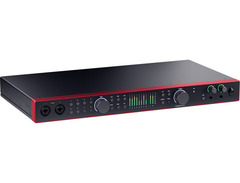
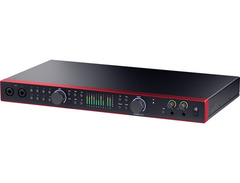
Focusrite Scarlett 18i20 Fourth Generation USB Audio Interface
Multi-Person Podcasts: The Studio-Grade Powerhouse


Average Price: $680
High-end/Boutique
$150
$501+
Budget
Standard
High-end
- All inputs include preamps, ideal for boosting weak signals
- Digitally-set headphone levels allow precise, repeatable audio setups
- Front and rear input access for flexible connectivity
- Power switch enables easy power management without disconnecting USB
- See 6 more
- 48V settings not retained after power down, unlike previous generation
- Installation issues reported on some PCs, requiring resets or troubleshooting
- Software sliders don't control physical knobs, limiting remote adjustments
The Focusrite Scarlett 18i20, now in its fourth generation, is a robust audio interface designed for podcasters who need to handle multiple inputs and outputs simultaneously. This rack-mountable device offers eight high-quality Scarlett mic preamps, making it perfect for large panel discussions, complex podcast setups, or even small podcast networks operating from a single studio.
With its extensive I/O options, including eight XLR/TRS combo inputs on the front panel, ten line outputs, ADAT input for expanding with eight additional channels, S/PDIF I/O, and MIDI I/O, the 18i20 provides unparalleled flexibility for routing audio. This level of connectivity allows for sophisticated setups, such as routing different mixes to various participants or incorporating multiple audio sources into your podcast.
The device features two independent headphone outputs on the front panel, each with its own volume control, allowing for customized monitoring setups. This is particularly useful for producers who need to monitor the mix separately from the podcast participants.
The 18i20 boasts Focusrite's renowned Air mode on all mic preamps, which can add brightness and openness to vocal recordings, emulating the sound of Focusrite's classic ISA preamps. Its high-performance converters deliver a dynamic range of 120dB (A-D) / 120dB (D-A), ensuring crystal-clear audio capture and playback.
For ease of use, the 18i20 includes Focusrite Control software, allowing for intuitive routing and mixing via a straightforward graphical interface. This software enables you to create custom mixes for each output, set up low-latency monitoring, and save presets for quick recall of complex routing setups.
The interface supports sample rates up to 192kHz, catering to podcasters who may also work with music production or other high-fidelity audio applications. Its low-latency performance, coupled with direct monitoring capabilities, ensures a seamless recording experience for all participants.
New to the fourth generation is improved A-D and D-A conversion, lower noise floor, and higher headroom. The latest iteration also includes Focusrite's auto-gain feature, which automatically sets the gain for optimal recording levels.
While its size and feature set might be overkill for solo podcasters, the Scarlett 18i20 shines in professional studio environments or for podcasters looking to future-proof their setups. Its robust build quality, rack-mountable design, and comprehensive feature set make it an excellent choice for those who need maximum flexibility and expandability in their podcast production setup.


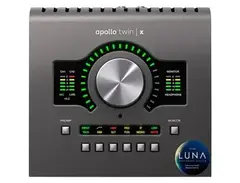
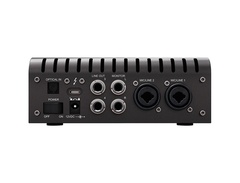
Universal Audio Apollo Twin X
4.5 (10)
Advanced Studio Setups: The Compact Trailblazer
Average Price: $855
High-end/Boutique
$150
$501+
Budget
Standard
High-end
- Superior audio quality enhances recording and production capabilities
- UAD plug-ins power boosts creative and technical possibilities
- Easy setup and operation, even on Windows platforms
- Noticeable difference in audio resolution compared to previous models
- See 3 more
- Only one headphone output limits monitoring options
- All UAD plugins are pre-installed, potentially cluttering DAW views
- Some users report connection issues unresolved by customer support
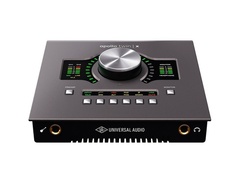
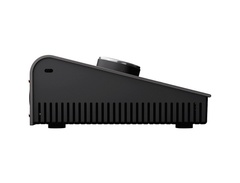
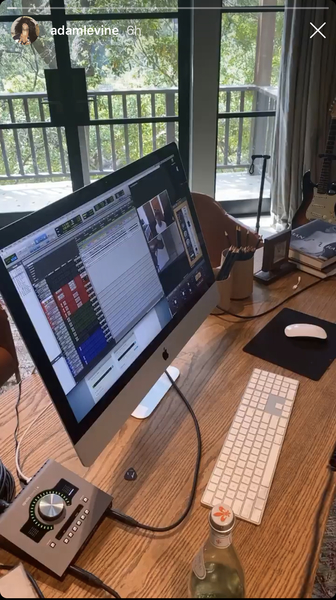
The Universal Audio Apollo Twin X is a high-end audio interface that brings professional studio quality to your podcasting setup. It features Universal Audio's renowned preamps and advanced DSP capabilities, making it suitable for podcasters who demand the highest audio fidelity and processing power.
At the heart of the Apollo Twin X are its pristine AD/DA converters and two Unison-enabled microphone preamps. The Unison technology allows for accurate modeling of classic microphone preamps, giving you access to the sound of legendary studio gear directly from your interface. This can add warmth, character, and professional polish to your podcast recordings without the need for expensive outboard equipment.
One of the Apollo Twin X's standout features is its onboard DSP processing. This allows you to run Universal Audio's high-quality plugins in real-time with near-zero latency. For podcasters, this means you can apply professional-grade EQ, compression, and other effects during recording or monitoring without taxing your computer's CPU.
The interface offers two combo XLR/TRS inputs on the rear, plus a Hi-Z instrument input on the front panel. It also includes optical TOSLINK connectivity, allowing you to expand your input count to 10 channels if needed. This scalability makes the Apollo Twin X suitable for growing podcast setups.
With its Thunderbolt 3 connectivity, the Apollo Twin X offers extremely low latency and high bandwidth, ensuring smooth operation even with multiple tracks and plugins. The device also features a large, centrally-positioned knob for easy control of monitor levels, preamp gain, and other parameters.
The Apollo Twin X comes in two DSP variations: DUO and QUAD, with the QUAD offering more processing power for running additional plugins. While this level of processing might be overkill for basic podcast setups, it provides room for growth and experimentation with more complex productions.
Users should note that the device can heat up during use, which is a common characteristic of this model due to its powerful processing capabilities. Additionally, the reliance on Thunderbolt connectivity might require an adapter for some computers.
See how artists use this
.png?v=1784580320)









Rode Microphones RØDECaster Pro II
5.0 (1)
Advanced Studio Setups: The All-in-One Podcasting Studio

Average Price: $576
Standard/Professional
$200
$1001+
Budget
Standard
High-end
- Replaces almost a whole studio setup, versatile for various audio tasks
- Simplified setup with quick setup mode for common microphones
- Exceptional sound quality with preamps, eliminating need for mic activators like cloudlifters
- Intuitive interface with touchscreen and smart pads for easy navigation and control
- See 6 more
- Initial firmware update can be lengthy and problematic
- Some users experience software glitches and crashes, especially after updates
- Power button design and only one USB-C cable included, which may not work with all setups
- Custom routing for main monitors and specific inputs not available without beta firmware
- See 1 more
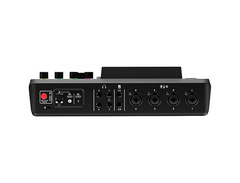
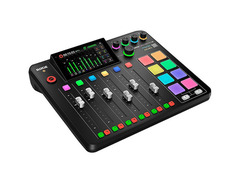
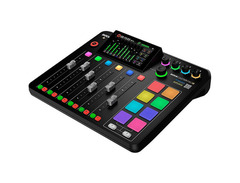
The RØDE RødeCaster Pro II is a complete podcasting production studio in a single unit, designed to streamline the entire podcasting process from recording to post-production. This second-generation device builds upon the success of its predecessor, offering even more features and flexibility for advanced podcast setups.
At its core, the RødeCaster Pro II features four high-quality XLR inputs with RØDE's Revolution Preamps, offering exceptional clarity and ultra-low noise performance. These preamps provide a generous 76dB of gain, making them suitable for even the most gain-hungry microphones popular in podcasting.
One of its standout features is the 5.5-inch high-definition touchscreen, which provides intuitive control over all aspects of your podcast production. The interface is user-friendly and responsive, allowing for quick adjustments and easy navigation through its various functions.
The RødeCaster Pro II includes eight fully programmable SMART pads. These can be used to trigger sound effects, music beds, or pre-recorded segments, adding a professional touch to live recordings. Each pad can store up to eight banks of sounds, giving you access to 64 sounds in total.
For remote guests, the RødeCaster Pro II excels with its mix-minus feature on USB, Bluetooth, and 3.5mm TRRS channels, eliminating echo for these remote connections. It also features a dedicated phone input for easily incorporating phone calls into your podcast.
One of the most powerful aspects of the RødeCaster Pro II is its onboard processing capabilities. Each channel has its own compressor, noise gate, high-pass filter, and three-band EQ. There's also the innovative APHEX audio processing, including a de-esser, which can significantly enhance voice quality in real-time.
The device can record directly to a microSD card or connect to a computer via USB, offering flexibility in how you capture your podcast. It also functions as a fully-featured audio interface, allowing integration with your preferred Digital Audio Workstation for more complex productions.
New to the Pro II is the addition of dual USB-C ports, enabling connection to two computers simultaneously. This can be particularly useful for podcasters who use separate machines for recording and streaming.
While the RødeCaster Pro II offers a comprehensive feature set, users should note that it's limited to 24-bit/48kHz operation. For most podcasting applications, this provides more than enough quality, but it may not suit those looking for high-resolution audio recording.
The learning curve for utilizing all of the RødeCaster Pro II's features can be steep, but for podcasters looking for a powerful, all-in-one solution, it offers unparalleled functionality and convenience in a single device.


Setting Up Your Audio Interface For A Podcast
Once you've selected the perfect audio interface for your podcasting needs, setting it up correctly is crucial for achieving the best sound quality. Let's walk through the essential steps to get your new interface up and running smoothly.
Connecting Your Interface
Setting up your audio interface is generally a straightforward process, but attention to detail can make a significant difference in your recording quality.
First, connect your interface to your computer using the appropriate cable, typically USB or Thunderbolt. Most modern interfaces are plug-and-play, meaning your computer should recognize the device automatically. However, you may need to download and install specific drivers from the manufacturer's website for optimal performance.
Next, connect your microphone(s) to the interface using XLR cables. If you're using condenser microphones, don't forget to engage the phantom power switch on your interface. For dynamic microphones, this step isn't necessary.
Finally, plug your headphones into the designated headphone output on the interface. This will allow you to monitor your audio directly from the interface with minimal latency.
Optimizing Sound Quality
With your hardware connected, it's time to fine-tune your setup for the best possible sound:
Set Input Levels: Adjust the gain for each input channel. Speak into your microphone at your normal volume and adjust the gain so that the loudest parts of your speech register around -12dB on the interface's meters. This provides ample headroom to prevent clipping.
Configure Software Settings: Open your recording software and select your audio interface as both the input and output device. Set your project's sample rate to match your interface's capabilities, typically 44.1kHz or 48kHz for podcasting.
Test Direct Monitoring: If your interface offers direct monitoring, enable this feature to hear yourself without latency. Adjust the balance between your live input and any backing tracks or other audio from your computer.
Check for Interference: Listen carefully for any unwanted noise or interference. Sometimes, simply repositioning cables or moving your interface away from other electronic devices can eliminate unwanted buzz or hum.
Experiment with Microphone Placement: The position of your microphone can dramatically affect your sound quality. Generally, speaking slightly off-axis (at an angle) to the microphone can reduce plosives and achieve a more natural sound.
With practice, these steps will become second nature, allowing you to focus on creating engaging content for your listeners.
Future-Proofing Your Podcasting Setup
As the podcasting landscape evolves, it's important to consider how your audio interface choice fits into your long-term plans. Here are some factors to consider:
Scalability
Consider interfaces that offer room for growth. Even if you're starting with a solo show, choosing an interface with additional inputs could accommodate future guests or co-hosts without requiring an immediate upgrade.
Emerging Technologies
Keep an eye on emerging trends like virtual podcasting studios and advanced audio processing. Some interfaces offer software integration that can position you to take advantage of these innovations as they become more mainstream.
Compatibility with New Hardware
As new microphones and other audio equipment enter the market, ensure your interface has the versatility to accommodate them. Features like high-resolution audio support and varied input types can extend the lifespan of your setup.
Software Updates and Support
Choose interfaces from manufacturers known for long-term support. Regular firmware updates can add new features and improve performance, extending the useful life of your equipment.
Adaptability to Different Recording Environments
If you anticipate recording in various locations, consider how portable and adaptable your interface is. Features like battery power options or rugged construction might become more valuable over time.
Frequently Asked Questions (FAQ)
1. Can I use a USB microphone instead of an audio interface?
Yes, USB microphones are a simpler option as they connect directly to your computer without the need for an audio interface. However, audio interfaces provide superior sound quality, compatibility with professional XLR microphones, and more flexibility in recording setups, especially for multi-person podcasts.
2. How many inputs do I need in an audio interface?
The number of inputs you need depends on your podcasting setup:
- Solo podcasters: A single input is sufficient.
- Interviews: Two inputs are ideal - one for you and one for your guest.
- Panel discussions: Look for interfaces with four or more inputs to accommodate multiple microphones.
3. What’s the difference between dynamic and condenser microphones, and how does it affect my choice of audio interface?
Dynamic microphones are less sensitive and better suited for untreated rooms with background noise. Condenser microphones are more sensitive and capture more detail but require phantom power (+48V), which most audio interfaces provide. Ensure your chosen interface supports phantom power if you plan to use a condenser mic.
4. Do I need onboard DSP (Digital Signal Processing) in my audio interface?
Onboard DSP allows you to apply effects like EQ, compression, or noise reduction in real-time without taxing your computer's CPU. While not essential for all podcasters, it can be useful for live recordings or reducing post-production work.
5. Can I use my audio interface with a smartphone or tablet?
Some audio interfaces, like the IK Multimedia iRig Pro Duo I/O or Zoom PodTrak P4, are compatible with smartphones and tablets via USB or dedicated adapters. Check the compatibility of your device before purchasing if mobile recording is part of your workflow.
Conclusion
Selecting the right audio interface is a crucial step in elevating your podcast's sound quality and streamlining your production workflow. As we've explored, there's no one-size-fits-all solution – the best interface for you depends on your specific needs, budget, and podcasting goals.
For beginners, user-friendly options like the Focusrite Scarlett 2i2 or Audient EVO 4 offer an excellent entry point, combining ease of use with professional-grade audio quality. If you're running a multi-person podcast or need more flexibility, interfaces like the Focusrite Scarlett 18i20 provide the necessary inputs and features to handle complex setups.
On-the-go podcasters will appreciate the portability of devices like the IK Multimedia iRig Pro Duo I/O or the versatile Zoom H4n Pro. For those seeking top-tier audio quality and advanced features, the Universal Audio Apollo Twin X or RØDE RødeCaster Pro II represent excellent choices for a professional studio setup.
As podcast technology continues to evolve, stay curious and open to learning. Your audio interface is the bridge between your ideas and your audience – choose wisely, set it up carefully, and let your voice shine through with clarity and professionalism.
Join the Conversation
Your voice matters - and not just on your podcast! We're curious about your audio interface experiences. Which one helps you capture that perfect sound? Is there a feature you can't live without? Or maybe you're still on the fence about which interface to choose?
Drop a comment below and share your insights. Whether you're a seasoned pro or just starting out, your experience could be the missing piece in another podcaster's setup. And if you're stuck on a technical question, ask away - our community is here to help.
Top Ranked Audio Interfaces on Equipboard

-m.webp?v=1784804580)


About the authors

S. Jino is an accomplished multi-instrumentalist and music producer based in Kolkata, India, distinguished by his self-taught mastery and unique blend of technical acumen and musical performance. His extensive experience was forged through hands-on dedication, starting with the full restoration of a broken guitar. Jino's capabilities span keyboards, pedals, and advanced digital production, reflecting a comprehensive skill set developed independently. As a significant contributor to the music scene, Jino regularly performs with worship bands and college ensembles. He has also established himself as a reliable and authoritative professional in freelance mixing, mastering, and original music creation. Inspired by the innovative sounds of Brian May and David Gilmour, and influenced by Kolkata's vibrant metal community, Jino is committed to the intricate art of vintage gear restoration and the continuous exploration of music and technology fusion. His current professional setup, featuring a meticulously restored nameless guitar, a Fender Player Strat, and a Boss Katana 50. Read more
New in Audio Interfaces


$1,899.00 - $2,299.99