

Pricing and availability
We compare 600+ stores and found this item at 10 stores. Prices updated .
Store
Reviews
Price









Average Price: $148
Budget/Beginner
$150
$501+
Price Tier
Budget
Standard
High-end
Price History
Based on price data from 6 merchants for "Zoom PodTrak P4 4-input Ultimate Recorder for Podcasting". Prices shown reflect NEW condition. Tracking began Apr 2, 2026.
* Product prices and availability are updated by Equipboard every 24hrs and are subject to change. Equipboard may receive compensation for purchases made at participating retailers linked on this site. This compensation does not affect what products or prices are displayed, or the order of prices listed. For more information, please refer to our affiliate disclosure.
Description
Unleash your podcasting potential with the Zoom PodTrak P4, a compact powerhouse designed to simplify your recording process, whether you're in a studio or on the go. Perfect for podcasters of all levels, the PodTrak P4 offers an array of features that make capturing professional-quality audio straightforward and accessible.
Equipped with four XLR microphone inputs, each with its own gain control and switchable +48V phantom power, this recorder supports a wide range of microphones, ensuring everyone on your panel is heard loud and clear. Its four independent headphone outputs, each with its own volume control, keep all your hosts in sync without missing a beat.
Remote interviews are a breeze thanks to the PodTrak P4’s intuitive Mix-Minus function, which eliminates echo and feedback when connecting your phone or computer. You can even enhance your episodes with sound effects or music intros using the four programmable sound pads, adding a unique touch to your podcast’s signature sound.
For those marathon recording sessions, worry not—the PodTrak P4 can be powered by two AA batteries or a USB power supply, giving you up to four hours of uninterrupted creativity. Plus, its USB interface function allows seamless integration with your favorite DAW for post-production editing.
Key Features:
- Four XLR mic inputs with individual gain control and phantom power
- Four headphone outputs with independent volume controls
- Mix-Minus function for feedback elimination during remote calls
- Four programmable sound pads for triggering sound effects
- USB interface for direct DAW recording and editing
- Records to SD, SDHC, and SDXC cards up to 512 GB
- Up to four hours of operation on AA batteries or USB power
Product specs
| Simultaneous Rec Tracks | 4 (SD card) |
| Simultaneous Play Tracks | 4 (SD card) |
| Sample Rate | 44.1kHz |
| Bit Depth | 16-bit |
| Compression | Yes |
| Phantom Power | Yes |
| Number of Mic Preamps | 4 |
| Audio Interface | Yes |
| Computer Connectivity | USB (2 x 2) |
| Analog Inputs | 2 x XLR (mic), 2 x XLR (mic/line), 1 x 1/8" TRRS (BTA-2) |
| Analog Outputs | 4 x 1/8" TRS (headphones) |
| USB | 1 x USB-C (audio), 1 x USB-C (power) |
| Storage | SD Card Slot ; SDHC (32GB max), SDXC (512GB max) |
| Power | 2 x AA Batteries / USB 5V DC |
| Height | 1.85" |
| Depth | 6.10" |
| Width | 4.40" |
| Weight | 0.64 lbs. |
FAQs
-
How many microphones can the Zoom PodTrak P4 record simultaneously?
-
The Zoom PodTrak P4 can record up to four microphones simultaneously, thanks to its four mic preamps and XLR inputs.
-
Does the Zoom PodTrak P4 provide phantom power for condenser microphones?
-
Yes, the Zoom PodTrak P4 provides phantom power, allowing you to use condenser microphones that require it.
-
Can the Zoom PodTrak P4 be used as an audio interface with a computer?
-
Yes, the Zoom PodTrak P4 can function as a 2-in/2-out USB audio interface, making it easy to connect to your computer for recording or streaming.
-
What type of power sources can the Zoom PodTrak P4 use?
-
The Zoom PodTrak P4 can be powered by two AA batteries or via USB 5V DC, giving you flexibility for portable or stationary use.
-
What is the maximum storage capacity for SD cards used with the Zoom PodTrak P4?
-
The Zoom PodTrak P4 supports SDHC cards up to 32GB and SDXC cards up to 512GB for ample recording time.
Videos

Chris Spiegl
Unlock Professional Podcasting: Complete Setup Guide for the Zoom PodTrak P4
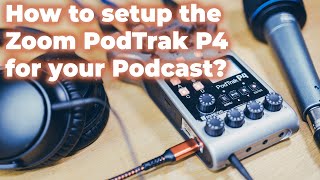
Unlock Professional Podcasting: Complete Setup Guide for the Zoom PodTrak P4
Chris Spiegl

Zoom PodTrak P4: An Audio Recorder Designed for Podcasting! | Hands-on Review

B&H Photo Video Pro Audio

ZOOM PodTrak P4 Podcast Recorder Review

Curtis Judd
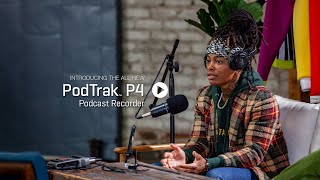
The Zoom PodTrak P4

ZoomSoundLab

Best audio interface for beginner? How I use Zoom Podtrak P4 | Audio interface for XLR mics

Stephanie Lin
IS THE ZOOM PODTRAK P4 STILL GOOD IN 2024?

Dark Corner Studios
Best Simple Podcast Gear Setup | zoom PodTrak P4

Joshua Thomas Gray
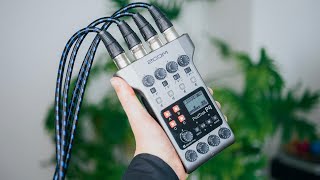
Podcast Recorders just got Cheaper — Zoom PodTrak P4 with 4 XLR Ports, Sound Pads, and Much More
Chris Spiegl
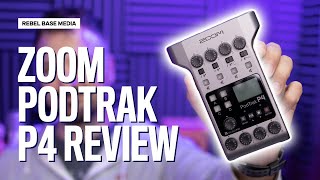
Zoom PodTrak P4 Podcast Recorder Review | Is the Zoom P4 Good for Podcasting?

Captivate - Start & Grow Your Podcast!
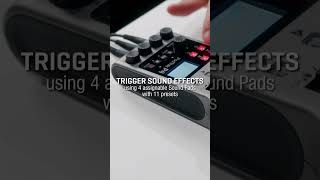
Zoom Podtrak P4 - The ultimate Podcast Recorder

Ion
Reviews
PROS
-
Seamless setup with intuitive interface
-
Handles even gain-hungry dynamic mics well
-
Mix-minus functionality prevents feedback during remote calls
-
Four XLR mic inputs with independent phantom power
-
Portable and lightweight for on-the-go recording
-
Can record to internal memory and output over USB simultaneously
-
Offers strong gain boosts for quiet mics
-
Multiple power options: batteries or USB
-
Includes four programmable sound pads
-
High-quality sound recording with minimal noise
CONS
-
All plastic construction feels fragile
-
Slow USB data transfer speeds
-
No MP3 recording option, only 16-bit/44.1 kHz WAV
-
Limited to 2-channel USB output
-
Potential issues with memory card compatibility and read/write errors
Owner Insights
We analyzed real musician discussions from forums and Reddit to find what players love, question, and tweak about Zoom PodTrak P4 4-input Ultimate Recorder for Podcasting.
Software and compatibility
Use cases and applications
-
Utilizing a mixer with phono inputs allows headphone jack output from the Podtrak to integrate seamlessly for live sound reinforcement.
Source -
To play music clips during a podcast, sounds programmed on the Podtrak's pads can be outputted through headphone jacks to a mixer, though stereo output may require additional splitters.
Source -
For live events, routing mics directly to a mixer and using Podtrak for playback can avoid latency and interference issues when outputting audio to speakers.
Source -
The PodTrak P4 allows recording of both piano and vocal tracks separately while sending an audio signal to a camera, aiding in synchronized video and audio capture.
Source -
The P4's functionality includes recording phone interviews easily, especially when paired with the optional Bluetooth adapter for added connectivity.
Source
Setup and maintenance
-
When setting up for live shows, it's recommended to test the setup onsite without time pressure, especially to check feedback levels and stereo sound capability.
Source -
Users recommend using an SD card for optimal performance, as using the PodTrak P4 directly with a computer can limit recording capabilities and cause track issues in software like Audacity.
Source
Features and functionality
-
The Podtrak's headphone jacks are single-channel and unbalanced, potentially causing interference if used for long cable runs to mixers.
Source -
Recording with the PodTrak P4 limits the use of sound pads and multiple inputs when connected to a computer, which may affect some users' recording setups.
Source -
The Zoom PodTrak P4 records audio in separate tracks and combines them, simplifying the editing process for users handling multiple microphones.
Source -
The PodTrak P4 can record separate tracks for multiple inputs and simultaneously create a compiled recording, providing flexibility in post-production editing.
Source -
The P4 supports simultaneous recording to an SD card while functioning as a USB interface, beneficial for remote guest interviews.
Source
User experience
-
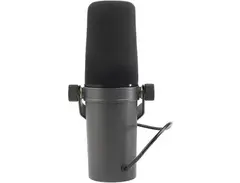
Users find that setting the gain above 6 can introduce hiss, which is a consideration for those using microphones like the SHURE SM7b that require higher gain levels.
Source -
Owners report the P4 can power the SHURE SM7b microphone without needing a cloud lifter, enhancing its utility for podcasters.
Source
Comparisons
-
Unlike the Rodecaster Pro, the P4 cannot record and stream at 48 KHz but is more portable and can run on a laptop's USB power.
Source
Critic Reviews
Based on 0 Reviews and 0 Ratings
More Zoom Audio Interfaces

$62.00 - $159.99


$80.00 - $237.49


$159.99 - $224.99
in Audio Interfaces Rank


-m.webp?v=1784804580)
$749.99
in Audio Interfaces Rank


$59.38 - $239.00
in Audio Interfaces Rank


$79.00 - $299.99
in Audio Interfaces Rank


$360.00 - $799.00
in Audio Interfaces Rank


$239.00 - $495.00
in Audio Interfaces Rank


$84.00
in Audio Interfaces Rank


$79.99 - $149.99
in Audio Interfaces Rank
.jpg?v=1784763257)


$749.00 - $999.00
in Audio Interfaces Rank

.png?v=1784921366)


$799.00 - $1,299.00
in Audio Interfaces Rank


$1,000.00
in Audio Interfaces Rank


$239.00 - $799.00
in Audio Interfaces Rank


$85.00 - $391.13
in Audio Interfaces Rank


$118.00 - $189.99
in Audio Interfaces Rank


$190.00 - $872.49
in Audio Interfaces Rank


$689.00 - $899.00
in Audio Interfaces Rank


$224.99
in Audio Interfaces Rank


$1,468.00 - $1,999.00
in Audio Interfaces Rank

.jpeg?v=1785048582)

$83.45 - $299.99
in Audio Interfaces Rank


$859.00 - $1,199.00
in Audio Interfaces Rank

.png?v=1785048585)
.jpg?v=1784480765)
-m.webp?v=1784331838)
$70.00
in Audio Interfaces Rank


$69.54 - $159.99
in Audio Interfaces Rank


in Audio Interfaces Rank


$699.00 - $1,899.00
in Audio Interfaces Rank


$400.00
in Audio Interfaces Rank


Accessories & Related Items


-s.webp?v=1785020665)











Artist usage

Community setups


Similar


Gear Guides






.webp)
Most Popular Audio Interfaces
Most Popular Brands
-
Added to Equipboard on by
 s_jino
GearIQ 33729
-


