

Pricing and availability




* Product prices and availability are updated by Equipboard every 24hrs and are subject to change. Equipboard may receive compensation for purchases made at participating retailers linked on this site. This compensation does not affect what products or prices are displayed, or the order of prices listed. For more information, please refer to our affiliate disclosure.
Description
The Mini Expression Knob Footswitch is the ultra compact pedal for use with the Fractal Audio FX8
You need is a TRS patch cable to connect it to your pedal.
TO CONNECT & CALIBRATE AN EXPRESSION PEDAL. Calibration is required for the FX8 to recognize the full range of your particular expression pedal. Connect your expression pedal to the PEDAL 1 or PEDAL 2 jack with a TRS cable, then follow these instructions to calibrate:
Press the SETUP button, followed by the #2 footswitch to select the I/O menu. Press the PAGE button until you reach the PEDAL page. Ensure that the pedal TYPE is set to “CONTINUOUS”. Navigate to the PEDAL # CAL function and press the ENTER button. Follow the on-screen instructions to perform calibration.


Reviews
Based on 0 Reviews and 0 Ratings
More Loopi Pedals Expression Effects Pedals


-m.webp?v=1783164469)
$49.00 - $64.90
in Expression Effects Pedals Rank


$199.00 - $330.32
in Expression Effects Pedals Rank


$55.91 - $85.99
in Expression Effects Pedals Rank


$97.60 - $142.99
in Expression Effects Pedals Rank


$185.00 - $249.00
in Expression Effects Pedals Rank


$69.00 - $79.00
in Expression Effects Pedals Rank


$219.00 - $280.00
in Expression Effects Pedals Rank


Artist usage


Community setups


Similar


Gear Guides
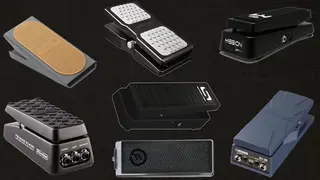



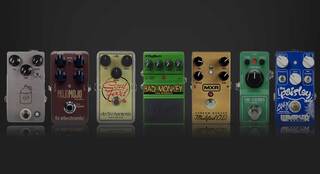


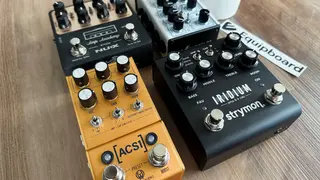
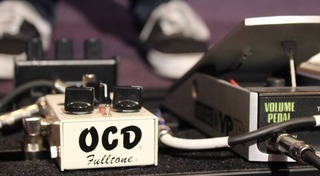
Most Popular Expression Effects Pedals
Most Popular Brands
-
Added to Equipboard on by
 troyrk
Gear IQ 1363
-


