


Pricing and availability
We compare 600+ stores and found this item at 3 stores. Prices updated .
Store
Reviews
Price




Price History
Based on price data from 1 merchant for "Mackie DL1608". Prices shown reflect NEW condition. Tracking began Apr 2, 2026.
* Product prices and availability are updated by Equipboard every 24hrs and are subject to change. Equipboard may receive compensation for purchases made at participating retailers linked on this site. This compensation does not affect what products or prices are displayed, or the order of prices listed. For more information, please refer to our affiliate disclosure.
Description
Elevate your live sound game with the Mackie DL1608, a powerhouse in the world of digital mixing. This 16-channel mixer combines the finesse of traditional analog sound with the versatility of digital control. Designed for musicians who value both quality and innovation, the DL1608 allows you to mix and control your audio from anywhere in the room, thanks to its seamless integration with iPad devices. Whether you're in a bustling club or an intimate venue, this mixer provides the flexibility and control needed to craft the perfect sound experience.
The DL1608’s intuitive design makes it easy to navigate, even for those new to digital mixing. Its compact form factor doesn’t compromise on performance, boasting a robust set of features that cater to both amateurs and professionals alike. With 16 Onyx mic preamps, you’re guaranteed crystal-clear, studio-quality sound that captures every nuance of your performance. Plus, its built-in DSP effects provide endless possibilities for sound shaping, ensuring your mix is as unique as your style.
Perfect for live performances, studio sessions, or any event requiring high-quality sound, the Mackie DL1608 is the ideal companion for musicians striving for excellence.
Key Features:
- 16-channel digital mixer with iPad compatibility
- 16 Onyx mic preamps for premium sound quality
- Wireless mixing capability via iPad
- Built-in DSP effects for creative sound manipulation
- Compact and portable design
- Seamless integration with various sound systems
- Intuitive user interface for easy navigation
Product specs
| Brand | Mackie |
| Model | DL1608 16-Channel Wireless Digital Mixer with Lightning Connector |
| Finish | Black |
| Year | 2014 - 2025 |
| Made In | China |
| Categories | Audio Mixers, Consoles and Summing Boxes |
| Bit Depth | 24-bit |
| Electronics | Analog, Digital, Solid State |
| Format | Desktop Standalone |
| Number of Analog Inputs | 16 |
| Number of Analog Outputs | 6 |
| Number of Channels | 16 |
| Number of Digital Inputs | 0 |
| Number of Digital Outputs | 0 |
| Number of Headphone Outputs | 1 |
| Number of MIDI Inputs | 0 |
| Number of MIDI Outputs | 0 |
FAQs
-
What iPad models are compatible with the Mackie DL1608?
-
The Mackie DL1608 is compatible with all iPad models that support the Master Fader app, including iPad (1st to 4th generation) and iPad mini. There are versions of the DL1608 with both 30-Pin and Lightning connectors to accommodate these models.
-
Can the Mackie DL1608 be used for recording?
-
Yes, the Mackie DL1608 allows for recording and playback when an iPad is connected. This functionality is managed through the Master Fader app, which offers an intuitive interface for capturing live performances.
-
How do I connect the Mackie DL1608 to a Wi-Fi network?
-
To connect the Mackie DL1608 to Wi-Fi, attach a Wi-Fi router to the Ethernet port on the back of the mixer. The iPad will then connect wirelessly to this network, allowing for remote control of the mixer.
-
Does the Mackie DL1608 support wireless control?
-
Yes, the Mackie DL1608 supports wireless control via an iPad using the Master Fader app. This enables you to mix from anywhere in the venue, offering flexibility and convenience during live performances.
-
What are the main connectivity options for the Mackie DL1608?
-
The Mackie DL1608 features 16 analog inputs and 6 analog outputs, along with a headphone output. It lacks digital and MIDI inputs/outputs, focusing on analog and wireless connectivity for live sound applications.
Videos

Sweetwater
Mackie DL1608 iPad Mixer Overview - Sweetwater Sound
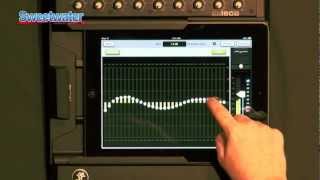
Mackie DL1608 iPad Mixer Overview - Sweetwater Sound
Sweetwater
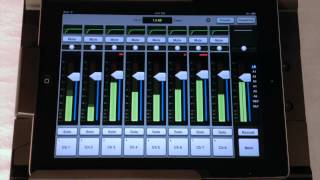
Mackie DL1608 Podcast - Episode 1 - The Basics

loudshop gr
Mackie DL1608 Digital Live Sound Mixer With IPad Controller Demo

Guitar Center
Mackie DL1608

B&H Photo Video Pro Audio
Mackie DL1608 & DL806 - Overview

MackieTV
Mackie DL1608 Podcast - Episode 2 - Input Processing
loudshop gr
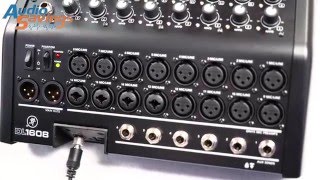
Live Demo and In-Depth Product Research for Mackie DL1608 Lightning 16-channel Mixer

audiosavings
Reviews
Owner Insights
We analyzed real musician discussions from forums and Reddit to find what players love, question, and tweak about Mackie DL1608.
Setup and maintenance
-
It's useful to have male TRS to male XLR adapters for AUX outs, as many wedges accept XLR inputs.
Source
Build quality
Features and functionality
-
The Master Fader app excels on tablets, offering a superior interface compared to phone usage, which can be cumbersome.
Source -
The Mackie DL1608 lacks wireless solo monitoring via headphones, a feature some users wish was enabled for more flexible mixing.
Source -
The Mackie DL1608 offers comprehensive mixing capabilities, including gates, compressors, effects, and graphic EQs, which are often essential for live sound setups.
Source
Software and compatibility
Use cases and applications
-
In loud environments, double or triple busing vocals can enhance volume without altering fader positions.
Source -
Utilizing a wireless IEM system can allow for solo channel monitoring while moving around, using aux outputs to transmit audio to the IEMs.
Source -
The mixer is ideal for reducing the footprint and weight of a rig, especially for small wedding bands mixing sidestage.
Source
Other
-
It's critical to bring your own router for reliable network performance, as the mixer doesn't include one.
Source
Comparisons
-
The Line 6 StageScape m20d is noted for its superior multitrack recording, virtual soundcheck, and overall I/O flexibility compared to the Mackie DL1608.
Source
4.5 out of 5
Based on 0 Reviews and 4 Ratings
Artist usage
Add artist



Genre Usage
Based on how artists on Equipboard use this gear, it is most commonly found in the following genres.
Used With
Based on how musicians on Equipboard use Mackie DL1608, it is most commonly used with the following gear.


-s.webp?v=1784559462)


More Mackie Powered Mixers


$1,555.02
in Powered Mixers Rank

$799.99
in Powered Mixers Rank

$800.00
in Powered Mixers Rank


-m.webp?v=1784559910)
$239.00 - $549.00
in Powered Mixers Rank


$1,199.00
in Powered Mixers Rank


$369.00 - $509.00
in Powered Mixers Rank

$1,265.00 - $2,827.49
in Powered Mixers Rank


$89.10 - $549.99
in Powered Mixers Rank

$1,222.00 - $1,699.00
in Powered Mixers Rank

$1,900.00 - $3,499.99
in Powered Mixers Rank

$359.00 - $549.98
in Powered Mixers Rank

$3,069.00 - $5,317.99
in Powered Mixers Rank

$33.62 - $419.00
in Powered Mixers Rank

$199.99 - $249.99
in Powered Mixers Rank

$299.94 - $329.99
in Powered Mixers Rank

$539.00
in Powered Mixers Rank

$252.50 - $419.00
in Powered Mixers Rank

$219.00 - $269.99
in Powered Mixers Rank

$159.90
in Powered Mixers Rank


$1,999.99 - $3,999.99
in Powered Mixers Rank


$1,785.31 - $3,069.00
in Powered Mixers Rank

$315.00 - $489.00
in Powered Mixers Rank

$275.00 - $519.00
in Powered Mixers Rank

$7,485.00 - $10,990.00
in Powered Mixers Rank

$390.00 - $499.99
in Powered Mixers Rank


$699.95 - $799.99
in Powered Mixers Rank
-m.webp?v=1784553888)
$61.00 - $222.49
in Powered Mixers Rank


$975.00 - $1,599.99
in Powered Mixers Rank


$250.00
in Powered Mixers Rank


$14,999.00 - $18,990.00
in Powered Mixers Rank


$159.00 - $249.00
in Powered Mixers Rank

$311.00 - $529.00
in Powered Mixers Rank
Community setups


Similar


Most Popular Powered Mixers
Most Popular Brands
-
Added to Equipboard on by
 delta_music
GearIQ 126
-


