

Pricing and availability
We compare 600+ stores and found this item at 4 stores. Prices updated .
Store
Reviews
Price


Price History
Based on price data from 3 merchants for "Steinberg SpectraLayers Elements 11". Prices shown reflect NEW condition. Tracking began Apr 2, 2026.
* Product prices and availability are updated by Equipboard every 24hrs and are subject to change. Equipboard may receive compensation for purchases made at participating retailers linked on this site. This compensation does not affect what products or prices are displayed, or the order of prices listed. For more information, please refer to our affiliate disclosure.
Description
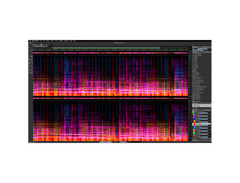
Unleash your audio creativity with the Steinberg SpectraLayers Elements 11, an innovative spectral analysis plugin designed to transform sound editing into a visual art form. Whether you’re a seasoned professional or a budding musician, this software offers a seamless bridge between sound and vision, allowing you to dive deep into the sonic spectrum with precision and ease.
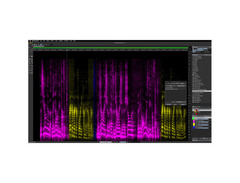
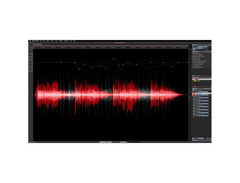
SpectraLayers Elements 11 stands out with its intuitive AI-assisted processes that empower you to unmix vocals, repair audio, and reduce noise with unprecedented speed. The software’s AI-driven audio extraction capabilities redefine how you interact with sound, providing tools that range from broad strokes to fine-tuned edits. By visualizing audio as a tangible object, you can sculpt and reshape your tracks effortlessly, making it an indispensable tool for both restoration and creative sound design.
Integrated with advanced ARA 2 technology, SpectraLayers Elements 11 can seamlessly operate within popular DAWs like Cubase and Nuendo. This integration ensures non-destructive editing directly on your DAW timeline, offering flexibility and enhancing your workflow. Whether you’re isolating instruments, erasing imperfections, or experimenting with freeform mixes, SpectraLayers Elements 11 delivers a powerful and flexible solution for all your audio needs.
Key Features:
- AI-assisted processes for enhanced audio extraction and repair
- Seamless ARA 2 integration for use with DAWs like Cubase and Nuendo
- Visual audio editing with intuitive spectral display
- Automatic noise and hum reduction
- Vocal unmixing capabilities for precise editing
- Compatible with macOS Big Sur and later, Windows 10 and 11
Product specs
| Available since | June 2024 |
FAQs
-
What are the main features of Steinberg SpectraLayers Elements 11?
-
Steinberg SpectraLayers Elements 11 offers powerful spectral editing tools for audio repair and restoration. It includes advanced features such as AI-assisted processes for noise reduction and audio separation, making it ideal for users looking to enhance and clean their audio tracks.
-
Is Steinberg SpectraLayers Elements 11 suitable for beginners?
-
Yes, Steinberg SpectraLayers Elements 11 is designed to be user-friendly, making it accessible for beginners who need basic spectral editing and audio repair tools. It provides an intuitive interface, allowing newcomers to start editing with ease.
-
Can Steinberg SpectraLayers Elements 11 be used for music production?
-
Steinberg SpectraLayers Elements 11 is suitable for music production, particularly for tasks like audio cleanup, noise reduction, and sound design. Its spectral editing capabilities allow producers to manipulate audio in ways that traditional DAWs may not offer.
-
Does Steinberg SpectraLayers Elements 11 support VST plugins?
-
Steinberg SpectraLayers Elements 11 does not directly host VST plugins, as it functions as a standalone spectral editing tool. However, it can be used in conjunction with DAWs that support VST plugins for a comprehensive production workflow.
-
What are the system requirements for Steinberg SpectraLayers Elements 11?
-
The specific system requirements for Steinberg SpectraLayers Elements 11 depend on your operating system, but generally, it requires a modern computer with a capable processor, adequate RAM, and a compatible audio interface for optimal performance. Always check the latest specifications from Steinberg for detailed requirements.
Videos

Steinberg
How to Eliminate Unwanted Sounds From a Song | SpectraLayers Elements Tutorials
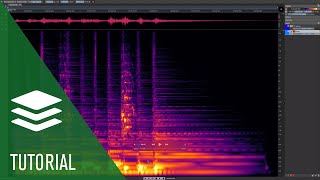
How to Eliminate Unwanted Sounds From a Song | SpectraLayers Elements Tutorials
Steinberg
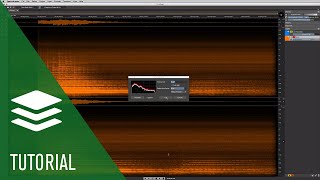
Noise Reduction | SpectraLayers Elements Tutorials
Steinberg
Reviews
Owner Insights
We analyzed real musician discussions from forums and Reddit to find what players love, question, and tweak about Steinberg SpectraLayers Elements 11.
Features and functionality
-
SpectraLayers 11 offers advanced audio unmixing and restoration, setting new industry standards with enhanced workflow improvements.
Source -
SpectraLayers One, included with Cubase Pro, can only separate vocals and instrumentals into two stems; upgrading to Pro is necessary for more detailed stem extraction.
Source
Software and compatibility
User experience
-
Users report consistent issues with Steinberg's customer service, suggesting the SpectraLayers forum as a more effective resource for support and information.
Source -
Owners note that SpectraLayers provides better final results with manual control and visualization capabilities, compared to free alternatives that lack these features.
Source
Comparisons
-
Some users find SpectraLayers 11 superior to iZotope RX's latest update, praising its capabilities in audio restoration and unmixing.
Source -
Some users find Ultimate Vocal Remover produces nearly perfect results for full stem separation and it's free, but lacks visual and manual control compared to SpectraLayers.
Source
Use cases and applications
-
The software is particularly noted for its utility in freeform sound design and audio post-production, rivaling other spectral analysis tools.
Source -
SpectraLayers is used creatively for generating backing tracks by processing ambient recordings, such as elevator music, through AI tools for cleanup.
Source
Based on 0 Reviews and 0 Ratings
Genre Usage
Based on how artists on Equipboard use this gear, it is most commonly found in the following genres.
More Steinberg Spectral Analysis Plugins


$32.00 - $35.99
in Spectral Analysis Plugins Rank


$0.00
in Spectral Analysis Plugins Rank


$0.00
in Spectral Analysis Plugins Rank


$0.00 - $99.00
in Spectral Analysis Plugins Rank

$149.25 - $206.00
in Spectral Analysis Plugins Rank


$50.00 - $65.00
in Spectral Analysis Plugins Rank

in Spectral Analysis Plugins Rank


$120.00
in Spectral Analysis Plugins Rank


in Spectral Analysis Plugins Rank


$29.99
in Spectral Analysis Plugins Rank

$46.00 - $49.00
in Spectral Analysis Plugins Rank

$149.00 - $4,771.25
in Spectral Analysis Plugins Rank

$27.00 - $69.00
in Spectral Analysis Plugins Rank

$95.00 - $99.00
in Spectral Analysis Plugins Rank

$99.00
in Spectral Analysis Plugins Rank


$19.99 - $27.00
in Spectral Analysis Plugins Rank


$49.00 - $129.00
in Spectral Analysis Plugins Rank

$92.00 - $99.00
in Spectral Analysis Plugins Rank


in Spectral Analysis Plugins Rank


$79.99
in Spectral Analysis Plugins Rank


in Spectral Analysis Plugins Rank


$99.99
in Spectral Analysis Plugins Rank


$29.00
in Spectral Analysis Plugins Rank

$24.00
in Spectral Analysis Plugins Rank


in Spectral Analysis Plugins Rank

in Spectral Analysis Plugins Rank

in Spectral Analysis Plugins Rank

in Spectral Analysis Plugins Rank


Accessories & Related Items


Artist usage


Community setups


Similar


Most Popular Spectral Analysis Plugins
Most Popular Brands
-
Added to Equipboard on by
 equipboard
GearIQ 4934
-



