

Pricing and availability
We compare 600+ stores and found this item at 6 stores. Prices updated .
Store
Reviews
Price






Price History
Based on price data from 5 merchants for "Waves PAZ Analyzer Plugin". Prices shown reflect NEW condition. Tracking began Apr 2, 2026.
* Product prices and availability are updated by Equipboard every 24hrs and are subject to change. Equipboard may receive compensation for purchases made at participating retailers linked on this site. This compensation does not affect what products or prices are displayed, or the order of prices listed. For more information, please refer to our affiliate disclosure.
Description
Elevate your audio mixing and mastering game with the Waves PAZ Analyzer Plugin, a must-have tool for engineers who demand precision and clarity in their audio analysis. This cutting-edge plugin provides a comprehensive real-time visual representation of your audio's stereo positioning, frequency spread, and peak/RMS levels. With its intuitive interface, you can easily dissect and understand every nuance in your mix, ensuring nothing goes unnoticed.
The PAZ Analyzer is not just about visualization—it offers a suite of powerful features like 52- or 68-band analysis and optional 10 Hz resolution for precise frequency analysis below 250 Hz. Whether you're working with mono or stereo components, this plugin provides accurate peak and RMS displays with re-settable peak hold values. For those who prefer to delve deeper, the real-time vector display with zoom functionality lets you focus on specific areas of interest.
Unique among its peers, the PAZ Analyzer supports up to 24-bit/192 kHz resolution, ensuring high-fidelity audio analysis. Plus, with the ability to save your graphic outputs and results as text files, you can easily share or archive your analysis for future reference. Compatible with SoundGrid and native environments, this plugin is versatile enough to fit seamlessly into any workflow.
Embrace the power of visual audio analysis with the Waves PAZ Analyzer Plugin and transform how you perceive and tweak your soundscape.
Key Features:
- Real-time visual representation of stereo positioning and frequency spread
- 52- or 68-band analysis options
- Optional 10 Hz resolution below 250 Hz
- L/R peak and RMS analysis with re-settable peak hold values
- Real-time vector display with zoom
- Up to 24-bit/192 kHz resolution
- Compatible with SoundGrid and native environments
- Save results as text files for easy sharing and archiving
Owner's manual
Waves PAZ Analyzer Plugin User ManualProduct specs
| Software Type | Stereo Analyzer |
| Platform | Mac, PC |
| Upgrade/Full | Full |
| Download/Boxed | Download |
| Bit Depth | 64-bit |
| Format | AAX Native, AudioSuite, VST, AU |
| Hardware Requirements - Mac | Intel Core i5 or higher (M1 support), 8GB RAM minimum |
| Hardware Requirements - PC | Intel Core i5 / AMD Quad-core or higher, 8GB RAM minimum |
| OS Requirements - Mac | macOS 10.14.6 or later |
| OS Requirements - PC | Windows 10 or later |
FAQs
-
What does the Waves PAZ Analyzer Plugin do?
-
The Waves PAZ Analyzer Plugin provides detailed stereo positioning, frequency spread, and peak/RMS level analysis, helping users visualize and adjust their audio signal for optimal sound quality.
-
Is the Waves PAZ Analyzer Plugin compatible with my DAW?
-
The Waves PAZ Analyzer Plugin is compatible with DAWs that support AAX Native, AudioSuite, VST, and AU formats, making it versatile for use in most major audio production environments.
-
Can I use the Waves PAZ Analyzer Plugin on both Mac and PC?
-
Yes, the Waves PAZ Analyzer Plugin is available for both Mac and PC platforms, requiring macOS 10.14.6 or later and Windows 10 or later, respectively.
-
What are the system requirements for running the Waves PAZ Analyzer Plugin on a Mac?
-
To run the Waves PAZ Analyzer Plugin on a Mac, you need an Intel Core i5 or higher processor (with M1 support) and at least 8GB of RAM.
-
Does the Waves PAZ Analyzer Plugin support 64-bit processing?
-
Yes, the Waves PAZ Analyzer Plugin supports 64-bit processing, ensuring efficient performance and compatibility with modern DAWs.
Videos

Gabriel Toma
Waves Mastering Lesson 16 - Paz Analyzer Tool
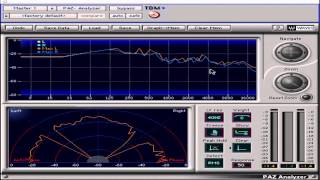
Waves Mastering Lesson 16 - Paz Analyzer Tool
Gabriel Toma
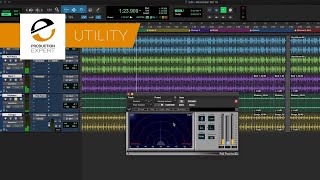
Identify Stereo Or Mono Tacks With Waves PAZ Analyzer

Production Expert
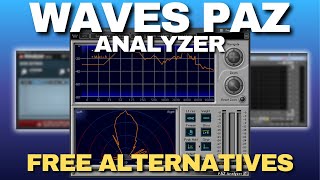
WAVES PAZ ANALYZER PLUGIN - FREE ALTERNATIVES

CoinxDaProducer
Reviews
Owner Insights
We analyzed real musician discussions from forums and Reddit to find what players love, question, and tweak about Waves PAZ Analyzer Plugin.
Features and functionality
-
The PAZ Analyzer has adjustable low-end resolution settings, allowing users to choose between 40Hz, 20Hz, and 10Hz for finer low-frequency analysis.
Source -
The PAZ Analyzer is considered essential by some users for its straightforward spectral analysis capabilities, despite its dated interface compared to modern plugins.
Source
User experience
-
Some users find the PAZ Analyzer vague in low-end detail, suggesting it may not be optimal for precise low-frequency work.
Source -
Continuous CPU errors are reported by some when using Meldaproduction plugins, suggesting the need for further troubleshooting or updates for stability.
Source -
Users appreciate the reliability of Waves plugins, noting that once a desired sound is achieved, it can be consistently recreated in various scenarios.
Source
Comparisons
Software and compatibility
-
Meldaproduction plugins, such as MAnalyzer, have been reported to cause processor overload on certain systems compared to Waves plugins, highlighting potential compatibility concerns.
Source
4.0 out of 5
Based on 3 Reviews and 13 Ratings

1463
NOICE!!!
Great for spectating the mix also the stereo analyzer helps for mixing and balancing!
Artist usage
Add artist

In a user-uploaded photo on Vk, Armin Van Buuren is seen using the Waves PAZ Analyzer Plugin while working on a yearmix.


In this Facebook picture, the plugin can be seen open on the MacBook's screen


Around 5:28 - 5:31, on the left of their studio screen, the "PAZ Anal" (which is the Waves PAZ Analyzer, as abbreviated by Logic's channel strip) can be seen on the second channel strip from the left.


At around 8:00, on the right side of the video, Waves PAZ Analyser can be seen on Dannic's screen.

.jpg)
in this Vinai's instagram pict, you can see at the screen monitor there are sylenth1 and Waves PAZ Analyzer Plugin. Waves PAZ Analyzer Plugin at the top left of screen


At 0:23 into the video "Max Vangeli talks about 'Swedish Beauty', his single with AN21 on Refune Records" he can be seen using the Waves PAZ Analyzer Plugin.


In this video at 3:05 Scooter using Waves PAZ Analyzer Plugin.


In the official "Furious 7 - Brian Tyler" video hosted on YouTube, it is evident that composer and music producer Brian Tyler utilizes the Waves PAZ Analyzer Plugin during his music production process. This specific gear, categorized under Spectral Analysis Plugins in music software, is clearly shown as part of his workflow in the video.


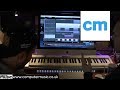
Sigma can be seen using the Waves Paz analyzer at 6:23 of their Production Masterclass.


In a YouTube video titled "Sébastien Léger - In The Studio With Future Music" by MusicRadar Tech, Sébastien Léger is shown using the Waves PAZ Analyzer Plugin, a spectral analysis tool for music production.


Album Usage
The Waves PAZ Analyzer Plugin has been featured on the following albums:



Genre Usage
Based on how artists on Equipboard use this gear, it is most commonly found in the following genres.
Used With
Based on how musicians on Equipboard use Waves PAZ Analyzer Plugin, it is most commonly used with the following gear.




-s.webp?v=1783609017)



More Waves Spectral Analysis Plugins

$149.25 - $206.00
in Spectral Analysis Plugins Rank


in Spectral Analysis Plugins Rank


$119.00
in Spectral Analysis Plugins Rank


$50.00 - $65.00
in Spectral Analysis Plugins Rank

$0.00 - $99.00
in Spectral Analysis Plugins Rank

in Spectral Analysis Plugins Rank


$29.99
in Spectral Analysis Plugins Rank

$46.00 - $49.00
in Spectral Analysis Plugins Rank

$149.00 - $4,762.50
in Spectral Analysis Plugins Rank

$95.00 - $99.00
in Spectral Analysis Plugins Rank

$99.00
in Spectral Analysis Plugins Rank


$19.99 - $27.00
in Spectral Analysis Plugins Rank


$114.00 - $129.00
in Spectral Analysis Plugins Rank

$92.00 - $99.00
in Spectral Analysis Plugins Rank


$27.00 - $69.00
in Spectral Analysis Plugins Rank

in Spectral Analysis Plugins Rank


$79.99
in Spectral Analysis Plugins Rank


$0.00
in Spectral Analysis Plugins Rank


$0.00
in Spectral Analysis Plugins Rank


in Spectral Analysis Plugins Rank

$75.00 - $79.99
in Spectral Analysis Plugins Rank


$99.99
in Spectral Analysis Plugins Rank


$29.00
in Spectral Analysis Plugins Rank

$24.00
in Spectral Analysis Plugins Rank


in Spectral Analysis Plugins Rank

in Spectral Analysis Plugins Rank

in Spectral Analysis Plugins Rank

in Spectral Analysis Plugins Rank


Accessories & Related Items


-s.webp?v=1783662576)


-s.webp?v=1783662592)


-s.webp?v=1783662309)


Community setups


Similar


Most Popular Spectral Analysis Plugins
Most Popular Brands
-
Added to Equipboard on by
 equipboard
Gear IQ 4934
-