

Pricing and availability
We compare 600+ stores and found this item at 7 stores. Prices updated .
Store
Reviews
Price







Price History
Based on price data from 6 merchants for "MeldaProduction MMultiAnalyzer". Prices shown reflect NEW condition. Tracking began Apr 2, 2026.
* Product prices and availability are updated by Equipboard every 24hrs and are subject to change. Equipboard may receive compensation for purchases made at participating retailers linked on this site. This compensation does not affect what products or prices are displayed, or the order of prices listed. For more information, please refer to our affiliate disclosure.
Description
Unlock the hidden intricacies of your audio with the MMultiAnalyzer by MeldaProduction, a groundbreaking tool for spectral analysis. Designed for musicians and producers who demand precision, this plugin offers a comprehensive suite of powerful features to elevate your music production. Imagine being able to dive deep into your audio material and unearth frequency collisions and potential issues with unparalleled accuracy. MMultiAnalyzer simplifies complex audio analysis with its user-friendly interface and advanced multitrack capabilities.
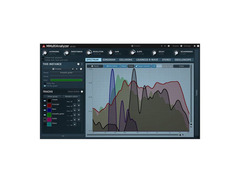
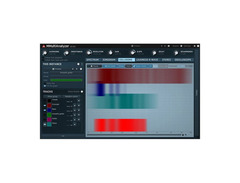
Experience the ease of setting up your tracks with MMultiAnalyzer's automatic recognition system, where each instance of the plugin seamlessly communicates with others. This facilitates a streamlined workflow, allowing you to focus more on creativity and less on technical hassles. The plugin’s unique visualization engine provides intuitive insight into your audio through spectrum analyzers, sonograms, and collision detection.
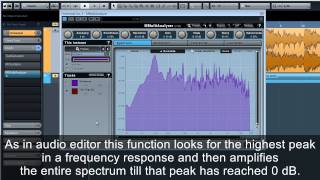
Whether you're fine-tuning a mix or mastering a track, the MMultiAnalyzer is equipped with essential features like normalization, super-resolution, and deharmonization, making your audio analysis clearer and more actionable. It supports a wide array of formats and works seamlessly across Windows and macOS platforms, ensuring compatibility with your existing setup.
With the MMultiAnalyzer, you’re not just looking at numbers and graphs—you're engaging with your music on a deeper, more precise level.
Key Features:
- Multitrack analyzer with automatic plugin recognition
- Spectrum analyzer, sonogram, and collision detection
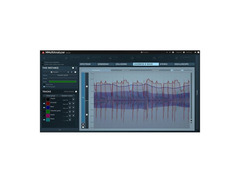
- Unique visualization engine with classic meters and time graphs
- Supports up to 8 channels surround processing
- Advanced user interface: stylable, resizable, and GPU accelerated
- Includes features like normalization, super-resolution, and deharmonization
- VST, VST3, AU, and AAX support for both Windows and macOS
- Free-for-life updates with no dongle or internet activation required
Owner's manual
MeldaProduction MMultiAnalyzer User ManualProduct specs
| Software Type | MMultiAnalyzer |
| Platform | Mac, PC |
| Upgrade/Full | Full |
| Download/Boxed | Download |
| Bit Depth | 64-bit |
| Format | AAX, VST, VST3, AU |
| Hardware Requirements - Mac | Intel with SSE2 / Apple Silicon CPU, 4GB RAM minimum |
| Hardware Requirements - PC | Intel with SSE2 / AMD CPU, 4GB RAM minimum |
| OS Requirements - Mac | OS X 10.9.5 or later |
| OS Requirements - PC | Windows 7 SP1 or later |
FAQs
-
What operating systems are compatible with the MeldaProduction MMultiAnalyzer?
-
The MeldaProduction MMultiAnalyzer is compatible with macOS X 10.9.5 or later and Windows 7 SP1 or later.
-
What audio plugin formats does the MMultiAnalyzer support?
-
The MMultiAnalyzer supports AAX, VST, VST3, and AU formats, making it versatile for various digital audio workstations.
-
Can the MMultiAnalyzer run on Apple Silicon Macs?
-
Yes, the MMultiAnalyzer is compatible with Apple Silicon CPUs, as well as Intel CPUs with SSE2 on Mac systems.
-
What are the minimum system requirements for running MMultiAnalyzer on a PC?
-
To run MMultiAnalyzer on a PC, you need an Intel or AMD CPU with SSE2 support and at least 4GB of RAM.
-
Does the MeldaProduction MMultiAnalyzer offer multitrack analysis capabilities?
-
Yes, the MMultiAnalyzer is designed for multitrack analysis, allowing you to visualize and compare audio signals across multiple tracks in your DAW.
Videos

meldaproduction
MMultiAnalyzer tutorial
MMultiAnalyzer tutorial
meldaproduction
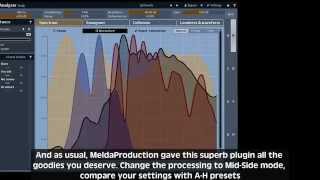
MeldaProduction MMultiAnalyzer teaser
meldaproduction
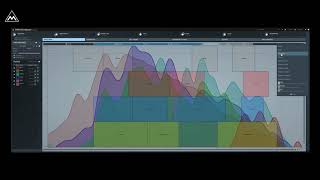
MMultiAnalyzer Quick Introduction
meldaproduction
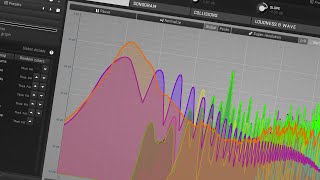
Using MMultiAnalyzer to fix mixing mistakes

Projektor
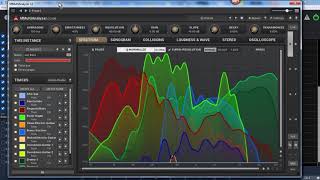
MeldaProduction MMultiAnalyzer Demonstration

Gary Hoover
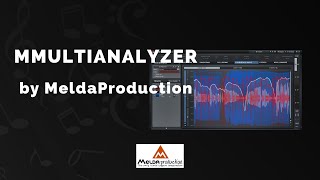
MeldaProduction MMultiAnalyzer - 3 Min Walkthrough Video (75% off for a limited time)

VSTBuzz Audio Software Deals
Reviews
Owner Insights
We analyzed real musician discussions from forums and Reddit to find what players love, question, and tweak about MeldaProduction MMultiAnalyzer.
Features and functionality
-
MMultiAnalyzer allows for automatic instance names and colors from respective tracks for consistent setup.
Source -
Offers a unique split-window display with adjustable time-window, smoothing, and tilt options for better accuracy, especially in bass frequencies.
Source -
Displays more than just frequencies; also shows stereo image and amplitude/loudness, providing a comprehensive analysis tool.
Source -
Playing with the resolution setting can enhance frequency visibility; turning it up results in a spikier display, contrasting with smoother defaults in similar tools.
Source -
Adjusting Decay and Smoothness settings can significantly alter the visualization, providing precision tweaks for different analysis scenarios.
Source
Software and compatibility
-
Free lifetime updates and discounts on bundles for existing plugin owners enhance long-term value.
Source
Use cases and applications
-
Users benefit from its ability to show 'collisions', aiding in frequency conflict resolution across multiple tracks.
Source -
Essential for those avoiding complex routing, as setups can be templated for efficiency.
Source -
Users find value in placing instances on each track to view all on the UI simultaneously, enhancing multitrack analysis efficiency.
Source
Comparisons
-
Chosen over Voxengo SPAN and Hornet MultiFreqs for its broader feature set and lack of track count limitations.
Source
User experience
Critic Reviews
4.0 out of 5
Based on 0 Reviews and 6 Ratings
Genre Usage
Based on how artists on Equipboard use this gear, it is most commonly found in the following genres.
More MeldaProduction Spectral Analysis Plugins

$0.00
in Spectral Analysis Plugins Rank


$0.00
in Spectral Analysis Plugins Rank


$33.00 - $35.99
in Spectral Analysis Plugins Rank


$0.00 - $99.00
in Spectral Analysis Plugins Rank

$149.25 - $207.00
in Spectral Analysis Plugins Rank


in Spectral Analysis Plugins Rank


$120.00
in Spectral Analysis Plugins Rank


in Spectral Analysis Plugins Rank


$22.00
in Spectral Analysis Plugins Rank

$46.00 - $49.00
in Spectral Analysis Plugins Rank

$63.00 - $69.00
in Spectral Analysis Plugins Rank

$149.00 - $4,758.34
in Spectral Analysis Plugins Rank

$94.00 - $99.00
in Spectral Analysis Plugins Rank

$99.00
in Spectral Analysis Plugins Rank


$19.99 - $27.00
in Spectral Analysis Plugins Rank


$49.00 - $129.00
in Spectral Analysis Plugins Rank

$92.00 - $99.00
in Spectral Analysis Plugins Rank


in Spectral Analysis Plugins Rank


$79.99
in Spectral Analysis Plugins Rank


in Spectral Analysis Plugins Rank


$75.00 - $79.99
in Spectral Analysis Plugins Rank


$99.99
in Spectral Analysis Plugins Rank


$29.00
in Spectral Analysis Plugins Rank

$24.00
in Spectral Analysis Plugins Rank


in Spectral Analysis Plugins Rank

in Spectral Analysis Plugins Rank

in Spectral Analysis Plugins Rank

in Spectral Analysis Plugins Rank


Accessories & Related Items







Artist usage


Community setups


Similar


Gear Guides









Most Popular Spectral Analysis Plugins
Most Popular Brands
-
Added to Equipboard on by
.jpg?v=1784736721) gchiaren
gchiarenGearIQ 37849
-


