

Pricing and availability
We compare 600+ stores and found this item at 2 stores. Prices updated .
Store
Reviews
Price


Average Price: $39
Budget/Beginner
$49
$130+
Price Tier
Budget
Standard
High-end
Price History
Based on price data from 2 merchants for "Unfiltered Audio (Plugin Alliance) TAILS Reverb Plug-in". Prices shown reflect NEW condition. Tracking began Apr 2, 2026.
* Product prices and availability are updated by Equipboard every 24hrs and are subject to change. Equipboard may receive compensation for purchases made at participating retailers linked on this site. This compensation does not affect what products or prices are displayed, or the order of prices listed. For more information, please refer to our affiliate disclosure.
Description
Elevate your sonic landscape with the Unfiltered Audio TAILS Reverb Plug-in from Plugin Alliance, where innovative design meets exceptional sound. This collaboration with acclaimed producer BT offers a reverb experience that is both polytonal and harmonious, ensuring your audio projects resonate with clarity and depth. Whether you’re in a professional studio or crafting hits at home, TAILS provides a suite of features that cater to every creative need.
Dive into four distinct reverb modes—Shimmer, Deep, Renoun, and Spatial—each designed to enhance your tracks with unique textures. The plug-in’s dual-buffer technology ensures maximum consonance, while the auto-ducking feature effortlessly removes unwanted transients and dissonant notes, leaving only the purest reverb tails. With advanced MIDI integration, you have real-time control over pitch, modulation, and more, allowing for intricate rhythmic edits and dynamic sound shaping.
Thanks to its ultra-efficient CPU usage, TAILS ensures that your digital audio workstation runs smoothly, no matter how complex your projects become. Perfect for both studio recordings and live performances, the scalable user interface and extensive preset library—including artist presets and a randomize function—make this plug-in a versatile tool for any musician.
Key Features:
- Developed in collaboration with BT for clear and harmonious reverb tails
- Polytonal dual-buffer technology for enhanced consonance
- Four reverb modes: Shimmer, Deep, Renoun, and Spatial
- Auto-ducking and buffer swap functions to clean reverb tails
- Extensive sound shaping and sample rate control for creative textures
- Advanced MIDI integration with real-time control capabilities
- Extremely CPU-efficient, ideal for both studio and live performances
- Scalable interface with light and dark themes
- Includes a comprehensive preset library with artist presets and randomize function
Product specs
| Software Type | Reverb |
| Platform | Mac, PC |
| Upgrade/Full | Full |
| Download/Boxed | Download |
| Bit Depth | 64-bit |
| Format | AAX, AU, VST2, VST3 |
| Hardware Requirements - Mac | Intel Core 2 Duo or higher, 4GB RAM minimum |
| Hardware Requirements - PC | Intel Core 2 Duo / AMD Athlon 64 X2 or higher, 4GB RAM minimum |
| OS Requirements - Mac | macOS 10.11 or later |
| OS Requirements - PC | Windows 8 or later |
FAQs
-
What makes the Unfiltered Audio TAILS Reverb Plug-in unique compared to other reverb plugins?
-
The TAILS Reverb Plug-in offers real-time modulation and a unique decay control, allowing users to create evolving, dynamic reverb effects that can be tailored to fit various musical contexts.
-
Is the Unfiltered Audio TAILS Reverb Plug-in compatible with my DAW?
-
The TAILS Reverb Plug-in is compatible with DAWs that support AAX, AU, VST2, or VST3 formats, making it suitable for use with most modern digital audio workstations.
-
Can I use the Unfiltered Audio TAILS Reverb Plug-in on both Mac and PC?
-
Yes, the TAILS Reverb Plug-in is available for both Mac and PC platforms, requiring macOS 10.11 or later, or Windows 8 or later.
-
Does the Unfiltered Audio TAILS Reverb Plug-in support 64-bit processing?
-
Yes, the TAILS Reverb Plug-in supports 64-bit processing, ensuring high-quality audio performance and compatibility with modern systems.
-
What are the minimum hardware requirements for running the Unfiltered Audio TAILS Reverb Plug-in?
-
The minimum hardware requirements are an Intel Core 2 Duo or higher with at least 4GB of RAM for both Mac and PC systems.
Videos

Plugin Alliance
BT Walkthrough of Unfiltered Audio TAILS reverb | Plugin Alliance
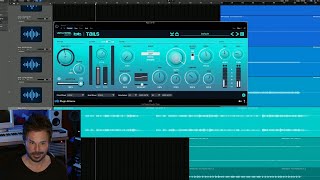
BT Walkthrough of Unfiltered Audio TAILS reverb | Plugin Alliance
Plugin Alliance

Mick Schulz demos the limitless creative potential of Unfiltered Audio TAILS | Plugin Alliance
Plugin Alliance
Production Pioneer BT talks reverb & why TAILS is special | Plugin Alliance
Plugin Alliance
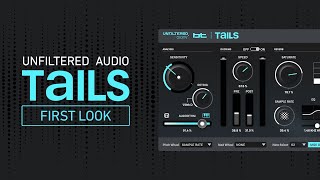
Unfiltered Audio Tails - FIRST LOOK 😱

Sonic Academy
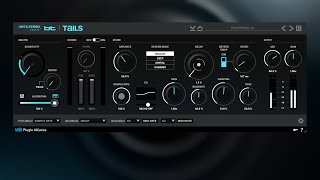
Unfiltered Audio X BT TAILS Reverb Playthrough | Plugin Alliance
Plugin Alliance
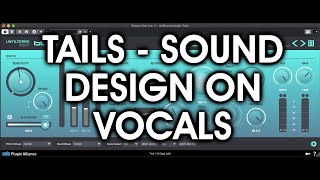
Unfiltered Audio TAILS on Vocals

Heron Island Studio
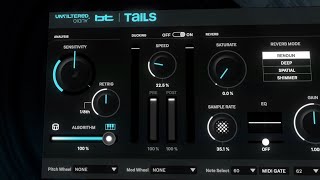
Unfiltered Audio TAILS Reverb Plugin Trailer | Plugin Alliance
Plugin Alliance

Unfiltered Audio founders & BT on TAILS & their NEXT plugins | Plugin Alliance
Plugin Alliance
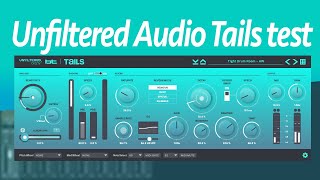
Unfiltered Audio Tails plugin sound test

vain saturation
Reviews
Owner Insights
We analyzed real musician discussions from forums and Reddit to find what players love, question, and tweak about Unfiltered Audio (Plugin Alliance) TAILS Reverb Plug-in.
Features and functionality
-
TAILS uses auto-ducking to keep transients clear, but achieving a good sound can be challenging for some users.
Source
Software and compatibility
-
This plugin is notably CPU-intensive, requiring either powerful processing capabilities or frequent audio bouncing to manage performance.
Source
User experience
-
Despite enthusiasm for its launch, multiple users report difficulty integrating TAILS effectively into their workflow.
Source
Use cases and applications
Value and pricing
-
This reverb plugin often experiences significant price drops, with some users having seen it for as low as $31, suggesting patience may yield better deals.
Source
Based on 0 Reviews and 0 Ratings
Artist usage
Add artist

BT collaborated with Unfiltered Audio to create the TAILS Reverb Plug-in. In a video by Plugin Alliance, BT provides an in-depth walkthrough of this innovative reverb plugin, demonstrating its application on various instruments such as electric piano, vocals, and drums.
Genre Usage
Based on how artists on Equipboard use this gear, it is most commonly found in the following genres.
More Unfiltered Audio Reverb Plugins

$29.99 - $30.00
in Reverb Plugins Rank


$37.00 - $349.00
in Reverb Plugins Rank


$29.99 - $49.00
in Reverb Plugins Rank


$179.00 - $199.00
in Reverb Plugins Rank


$37.00 - $39.99
in Reverb Plugins Rank


$0.00
in Reverb Plugins Rank


$37.00 - $39.99
in Reverb Plugins Rank


$149.00
in Reverb Plugins Rank


$75.00 - $535.00
in Reverb Plugins Rank


-m.webp?v=1783581851)

$58.00 - $69.00
in Reverb Plugins Rank


$138.00 - $149.00
in Reverb Plugins Rank


$62.00 - $69.00
in Reverb Plugins Rank

$0.00
in Reverb Plugins Rank

$49.00 - $199.00
in Reverb Plugins Rank


$47.00 - $49.00
in Reverb Plugins Rank

$0.00
in Reverb Plugins Rank

$37.00 - $39.99
in Reverb Plugins Rank


$94.00 - $99.00
in Reverb Plugins Rank


$34.99
in Reverb Plugins Rank


$37.00 - $39.99
in Reverb Plugins Rank


$99.00
in Reverb Plugins Rank


$29.00 - $38.00
in Reverb Plugins Rank

$94.00 - $99.00
in Reverb Plugins Rank

$93.00 - $99.00
in Reverb Plugins Rank

$69.00 - $169.00
in Reverb Plugins Rank

$47.00 - $199.00
in Reverb Plugins Rank
-m.webp?v=1784689486)


$99.00 - $104.00
in Reverb Plugins Rank

$99.00
in Reverb Plugins Rank


$33.00 - $249.00
in Reverb Plugins Rank


$43.00 - $45.00
in Reverb Plugins Rank


$59.00
in Reverb Plugins Rank

$59.00
in Reverb Plugins Rank

$29.99 - $37.00
in Reverb Plugins Rank

$68.00 - $299.00
in Reverb Plugins Rank


Accessories & Related Items


Community setups


Similar


Gear Guides









Most Popular Reverb Plugins
Most Popular Brands
-
Added to Equipboard on by
 equipboard
GearIQ 4934
-


