


Pricing and availability
We compare 600+ stores and found this item at 4 stores. Prices updated .
Store
Reviews
Price


Average Price: $263
Standard/Professional
$199
$500+
Price Tier
Budget
Standard
High-end
Price History
Based on price data from 3 merchants for "Waves Diamond Plugin Bundle". Prices shown reflect NEW condition. Tracking began Apr 2, 2026.
* Product prices and availability are updated by Equipboard every 24hrs and are subject to change. Equipboard may receive compensation for purchases made at participating retailers linked on this site. This compensation does not affect what products or prices are displayed, or the order of prices listed. For more information, please refer to our affiliate disclosure.
Description
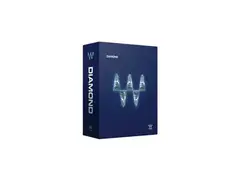
The Waves Diamond Plugin Bundle is your all-in-one solution for unparalleled audio processing power. Designed for musicians, producers, and audio engineers who demand versatility and precision, this extensive collection of over 60 plug-ins covers every aspect of audio production. Whether you're mixing, mastering, or restoring, the Diamond Bundle brings together the best of the Waves Platinum, Restoration, and Transform bundles, ensuring you have the right tool at your fingertips.
Explore the multifaceted array of effects that cater to every creative need. From the surgical precision of the Q-Clone to the lush reverberations of the IR-L Convolution Reverb, each plug-in is crafted to elevate your sound. The bundle also includes the L3 Multimaximizer and Linear Phase Multiband Compressor for those who need to push their audio's dynamic range to new heights. With Waves' reputation for engineering excellence, the Diamond Bundle delivers a powerful, cost-effective way to expand your sonic palette.
For those looking to add that professional polish to their tracks, the Waves Diamond Plugin Bundle is a treasure trove of possibilities. Whether you're aiming for the clarity of digital precision or the warmth of analog processing, this bundle provides the tools to achieve your vision.
Key Features:
- Includes over 60 powerful processors for comprehensive audio processing.
- Combines Waves Platinum, Restoration, and Transform bundles.
- Features tools for tracking, mixing, mastering, sound design, and audio restoration.
- Offers a variety of processing styles including transparent, surgical, analog, and vintage.
- Supports all popular plug-in formats and audio editors through WaveShell.
- Cost-effective solution compared to purchasing bundles separately.
Product specs
| Software Type | Processing Bundle |
| Platform | Mac, PC |
| Upgrade/Full | Full |
| Download/Boxed | Download |
| Bit Depth | 64-bit |
| Format | AAX Native, AudioSuite, VST, AU, SoundGrid |
| Hardware Requirements - Mac | Intel Core i7 or higher (M1 support), 8GB RAM minimum |
| Hardware Requirements - PC | Intel Core i5 / AMD Quad-core or higher (AVX required), 8GB RAM minimum |
| OS Requirements - Mac | macOS 10.15.7 or later |
| OS Requirements - PC | Windows 10 or later (21H2), 64-bit |
FAQs
-
What types of plugins are included in the Waves Diamond Plugin Bundle?
-
The Waves Diamond Plugin Bundle includes a comprehensive collection of over 65 audio plugins for mixing, mastering, and sound design, such as EQs, compressors, reverbs, delays, and more.
-
Is the Waves Diamond Plugin Bundle compatible with my DAW?
-
The Waves Diamond Plugin Bundle is compatible with major DAWs that support AAX Native, AudioSuite, VST, AU, and SoundGrid formats, including Ableton Live, Pro Tools, Logic Pro, and more.
-
What are the system requirements for running the Waves Diamond Plugin Bundle on a Mac?
-
To run the Waves Diamond Plugin Bundle on a Mac, you need macOS 10.15.7 or later, an Intel Core i7 processor or higher (M1 support), and a minimum of 8GB RAM.
-
Can I use the Waves Diamond Plugin Bundle on a Windows PC?
-
Yes, the Waves Diamond Plugin Bundle is compatible with Windows 10 or later (21H2), requiring an Intel Core i5 or AMD Quad-core processor or higher (AVX required) and at least 8GB of RAM.
-
Does the Waves Diamond Plugin Bundle support 64-bit processing?
-
Yes, the Waves Diamond Plugin Bundle supports 64-bit processing, ensuring high-quality audio performance and compatibility with modern DAWs.
-
Is there a demo mode available for the Waves Diamond Plugin Bundle?
-
Yes, you can install the Waves Diamond Plugin Bundle in demo mode, which allows you to test the plugins with periodic mutes before activating a full license.
Videos

RecordingHomeAudio
Waves Diamond Bundle Plugins - Noise Gate from RecordingHomeAudio.com
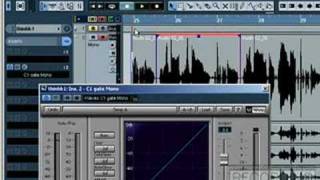
Waves Diamond Bundle Plugins - Noise Gate from RecordingHomeAudio.com
RecordingHomeAudio
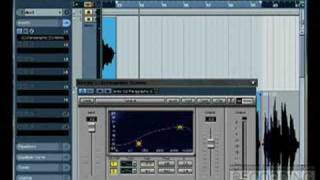
Waves Diamond Bundle Plug Ins - EQ Parametric from RecordingHomeAudio.com
RecordingHomeAudio
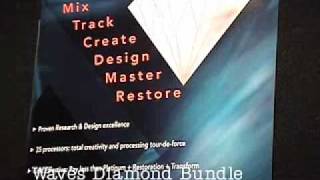
Waves Diamond Bundle

JamnettVideos
Reviews
PROS
-
Extensive collection of high-quality plugins for various music genres
-
Excellent price-to-performance ratio
-
Renowned for professional sound quality
-
Suitable for both beginners and experienced producers
-
Includes essential mastering and mixing tools
-
Plugins work flawlessly with vocals and instruments
-
Comprehensive bundle with diverse effects like compressors and de-essers
-
Reliable support from Waves and retailers if issues arise
CONS
-
Single license requires manual transfer for multiple computers
-
Potential extra fees for multiple computer use
-
Can be overwhelming with more plugins than most users need
Owner Insights
We analyzed real musician discussions from forums and Reddit to find what players love, question, and tweak about Waves Diamond Plugin Bundle.
Software and compatibility
Value and pricing
Features and functionality
User experience
Comparisons
5.0 out of 5
Based on 6 Reviews and 65 Ratings

324
All you really need in a bundle
Of course you will want more. But then get those ala carte. Spending 5,000 on a bundle doesn't even make sense to me and I have plenty of cash. I use even the Renaissance ones, but usually the CLA compressors and the H-Series. And of course the Aphex Exciter. everything else to taste, plus there are a lot of good stand alone & free plug ins... though I need to modify them to work with HD. I have a guy for that.
I have Final Cut Pro for simple editing. I thought it would be cool to add 1000 fonts to my Mac Font Book. They all appear in my Video editor now. Problem: it will only load about 300 fonts, so it only goes to the letter G now, So I really screwed myself adding those fonts. Plus it takes an extra 15 minuted to load fonts I can not even see now. -- My point, you CAN have too many plugins and scroll right past the ones that might best help you and not even know it. Get a reasonable bundle for 6-700 and learn them well. Make presets.
Whoever said "less is more" failed at kindergarten math. But sometimes "more" can be too much.


1203
Diamond!!!!
This is amazing...probably way more plugins than what most people will ever use or need. But in terms of sound quality it's the best.


Artist usage
Add artist

Nicky Romero tweets about using the Waves Diamond Bundle, specifically he mentions liking the SoundShifter plugin.


Waves Diamond Bundle is included in the "Software Effects" list.


Waves Diamond V8 Bundle is included in the list of plugins used at Trevor Horn's Sarm LA studio.


According to the official gear list on Darude's Website (Click on the studio tab), it says he owns a license for Waves Diamond Plugin Bundle.

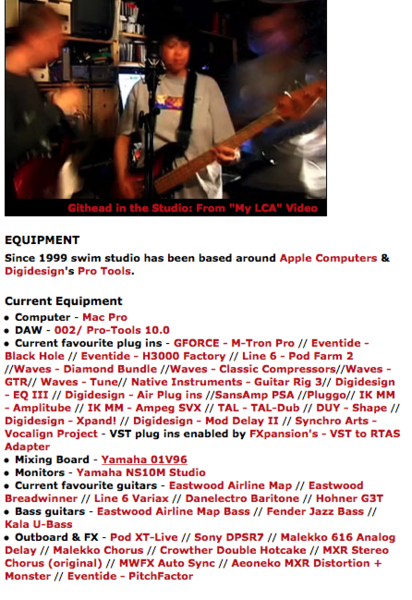
On his website, Colin lists Waves' Diamond Plugin Bundle among his plugins.


This article states that Jerry's studio includes "Digidesign Pro Tools HD 7.2; McDSP plug-ins; MOTU Mach Five; Spectrasonics Stylus RMX, Atmosphere, and Trilogy; Waves Diamond, Platinum, and Surround bundles; and 5.1 plug-ins, including Digidesign Impact and Digidesign ReVibe."


$1 Bin screenshots a tweet of him using several plugins that are included in the Waves Diamond Plugin Bundle.


The item can be seen 1:47 into this video...


Mentioned on the official Waves artist page.
I use Waves plugins extensively. From tonal shaping to cleaning noise, I rely on every tool in my Diamond Bundle. I also love the Abbey Road plugins, H-Series and old standbys like the Renaissance series.


Genre Usage
Based on how artists on Equipboard use this gear, it is most commonly found in the following genres.
Used With
Based on how musicians on Equipboard use Waves Diamond Plugin Bundle, it is most commonly used with the following gear.

-s.webp?v=1784213867)




More Waves FX Bundle Plugins

$181.00 - $199.00
in FX Bundle Plugins Rank


$123.00 - $129.00
in FX Bundle Plugins Rank


$1,722.00 - $1,999.00
in FX Bundle Plugins Rank


$149.00 - $159.00
in FX Bundle Plugins Rank


$85.00 - $89.99
in FX Bundle Plugins Rank


$94.00 - $99.00
in FX Bundle Plugins Rank


$69.99 - $89.99
in FX Bundle Plugins Rank


$268.00 - $299.00
in FX Bundle Plugins Rank


$114.00 - $119.00
in FX Bundle Plugins Rank


$209.00 - $229.00
in FX Bundle Plugins Rank


$66.00 - $69.99
in FX Bundle Plugins Rank

$75.00 - $79.99
in FX Bundle Plugins Rank


$85.00 - $89.99
in FX Bundle Plugins Rank

-m.webp?v=1784267066)
$23.90 - $24.99
in FX Bundle Plugins Rank

$181.00 - $199.00
in FX Bundle Plugins Rank


$94.00 - $99.00
in FX Bundle Plugins Rank

$85.00 - $89.99
in FX Bundle Plugins Rank


$85.00 - $89.99
in FX Bundle Plugins Rank

$34.99
in FX Bundle Plugins Rank

$75.00 - $79.99
in FX Bundle Plugins Rank

$85.00 - $89.99
in FX Bundle Plugins Rank


$75.00 - $79.99
in FX Bundle Plugins Rank


$37.00 - $39.99
in FX Bundle Plugins Rank


$279.00
in FX Bundle Plugins Rank


$89.99
in FX Bundle Plugins Rank


$75.00 - $79.99
in FX Bundle Plugins Rank


$94.00 - $99.00
in FX Bundle Plugins Rank


-m.webp?v=1784266901)
$349.00 - $599.00
in FX Bundle Plugins Rank


$849.00 - $1,166.11
in FX Bundle Plugins Rank
.jpeg?v=1784219222)

Accessories & Related Items





Community setups


Similar


Most Popular FX Bundle Plugins
Most Popular Brands
-
Added to Equipboard on by
 equipboard
GearIQ 4934
-