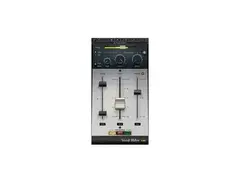

Pricing and availability
We compare 600+ stores and found this item at 5 stores. Prices updated .
Store
Reviews
Price


Price History
Based on price data from 4 merchants for "Waves Vocal Rider Plugin". Prices shown reflect NEW condition. Tracking began Apr 2, 2026.
* Product prices and availability are updated by Equipboard every 24hrs and are subject to change. Equipboard may receive compensation for purchases made at participating retailers linked on this site. This compensation does not affect what products or prices are displayed, or the order of prices listed. For more information, please refer to our affiliate disclosure.
Description
Achieving the perfect vocal mix can be a daunting task, but with the Waves Vocal Rider Plugin, it becomes a seamless process. This innovative tool is designed to automatically maintain the balance between your vocals and the rest of your mix, ensuring consistent volume levels without sacrificing the natural dynamics of your performance. Unlike traditional compressors, the Vocal Rider acts as a virtual sound engineer, actively adjusting levels in real-time, allowing you to focus on what truly matters - the music.
Simply insert the Vocal Rider on your vocal track, send a summed instrumental mix to the side-chain, and let it do its magic. It listens to your mix and adjusts the vocal volume, making sure your voice stays in the sweet spot. This plugin is perfect for those who want to save time and effort, as it eliminates the need for manual volume automation, all while preserving the integrity of your sound.
Beyond vocals, the Vocal Rider can also tame unruly instrument tracks, like bass, that require careful volume management without compression artifacts. Its intuitive design writes automation data directly to your DAW, allowing for fine-tuning of adjustments later on.
Whether you're a seasoned producer or just starting, the Waves Vocal Rider Plugin is an essential tool in your audio arsenal, offering a blend of precision and ease that enhances any production.
Key Features:
- Automatic level balancing tailored for vocal tracks
- Preserves audio dynamics while controlling volume
- Real-time adjustments without compressing the signal
- Writes automation data for further editing and refinement
Product specs
| Software Type | Vocal Processor |
| Platform | Mac, PC |
| Upgrade/Full | Full |
| Download/Boxed | Download |
| Bit Depth | 64-bit |
| Format | AAX Native, AudioSuite, VST, AU, SoundGrid |
| Hardware Requirements - Mac | Intel Core i7 or higher (M1 support), 8GB RAM minimum |
| Hardware Requirements - PC | Intel Core i5 / AMD Quad-core or higher (AVX required), 8GB RAM minimum |
| OS Requirements - Mac | macOS 10.15.7 or later |
| OS Requirements - PC | Windows 10 or later (21H2), 64-bit |
FAQs
-
What does the Waves Vocal Rider Plugin do?
-
The Waves Vocal Rider Plugin automatically adjusts vocal levels in real-time, ensuring consistent vocal presence in a mix without the need for manual fader rides.
-
Is the Waves Vocal Rider Plugin compatible with my DAW?
-
The Vocal Rider Plugin supports AAX Native, AudioSuite, VST, AU, and SoundGrid formats, making it compatible with most major DAWs like Pro Tools, Logic Pro, and Ableton Live.
-
Can the Waves Vocal Rider Plugin be used on both Mac and PC?
-
Yes, the Waves Vocal Rider Plugin is compatible with both Mac (macOS 10.15.7 or later) and PC (Windows 10 or later), supporting 64-bit systems.
-
Does the Waves Vocal Rider Plugin require a lot of processing power?
-
The plugin requires a minimum of an Intel Core i7 (Mac) or Intel Core i5/AMD Quad-core (PC) processor with 8GB RAM, ensuring smooth operation on modern systems.
-
How does the Waves Vocal Rider differ from traditional compression?
-
Unlike traditional compression, which squashes dynamic range, the Vocal Rider Plugin maintains natural dynamics by adjusting volume levels automatically, preserving the vocal's natural character.
Videos

Waves Audio
How to Quickly Achieve Perfect Vocal Levels – Vocal Rider Plugin Tutorial

How to Quickly Achieve Perfect Vocal Levels – Vocal Rider Plugin Tutorial
Waves Audio

How to Level Vocals Perfectly WITHOUT Compression
Waves Audio

Mixing A Lead Vocal Using Waves Vocal Rider Plug-in

Production Expert
Using Vocal Rider with Logic Pro X to Automate Vocals Quickly

Charles Potashner
Waves Vocal Rider Tutorial

Mike Russell

Perfekte Vocals: Der Waves Vocal Rider hilft immer | Abmischen Tutorial Deutsch | Recording-Blog #57

Recording-Blog
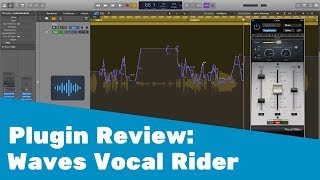
Geniales Tool für Lead Vocals! || Waves Vocal Rider - Plugin Review

Martin Wolfinger
Reviews
PROS
-
Creates smooth volume automation for a natural vocal sound
-
Saves significant time compared to manual volume automation
-
Easy to use with intuitive interface
-
Improves vocal consistency and balance in the mix
-
Allows compressors to focus on adding character rather than leveling
-
Highly accurate response to vocal dynamics
-
Versatile; works well on both vocals and other tracks
-
Seamless integration with various DAWs
-
Helps lead vocals stand out without heavy compression
-
Considered superior to other vocal rider plugins by users
CONS
-
Requires reading the user manual for optimal use
Owner Insights
We analyzed real musician discussions from forums and Reddit to find what players love, question, and tweak about Waves Vocal Rider Plugin.
Use cases and applications
-
Vocal Rider is favored for podcast audio consistency over long recordings, reducing the need for manual automation in lengthy episodes.
Source -
The plugin is effective on background vocal busses and smoothing out dynamic instruments like saxophones without over compression.
Source -
For precise vocal control, set fader to desired vocal level, allowing Vocal Rider to reduce by 2-3db but limit boosting to a maximum of 0.5db.
Source -
It's ideal for maintaining consistent vocal levels, similar to manual fader riding on a mixer, especially effective for dynamic vocal performances.
Source -
When using Pro Tools, copying Vocal Rider automation to Trim automation allows for macro changes while maintaining detailed leveling adjustments.
Source
Comparisons
-
Users suggest TB Pro Audio's Gain Rider as a better alternative to Vocal Rider, offering more control and visual feedback.
Source -
Several users indicate MeldaProduction's MAutoVolume as a preferred alternative, citing a clearer interface and well-chosen parameters.
Source -
Some users consider it more effective than traditional compressors for transparent level management, as Vocal Rider can write automation for further editing.
Source
Features and functionality
-
Vocal Rider is praised for its ability to process dynamic vocals without the audible impact of compression, often used before compressors in the signal chain.
Source -
Proper setup involves sending all non-vocal tracks to an AUX without Vocal Rider, then using that AUX as a side chain for optimal performance.
Source -
Vocal Rider acts more like a compander with a program-dependent knee, performing upward and downward compression to maintain a balanced signal.
Source -
Vocal Rider includes a lookahead feature, allowing it to adjust signal levels more transparently than conventional compressors.
Source
Software and compatibility
-
Some users find Vocal Rider's automation writing feature time-consuming, preferring manual adjustments for finer control.
Source
Critic Reviews
4.5 out of 5
Based on 3 Reviews and 31 Ratings

238
Love it when a plugin picks one thing and does it well
Saved so much time when it comes to vox pre-processing. Compressors added after end up being more about flavors.

230
Time saver
This plugin is a verified time saver. Set it up on the track and let it automate volume for you. Works great on all track, not just vocals.

Artist usage
Add artist

In this video at 33:05 we can see Waves Vocal Rider Plugin


In The "Breaking the Mix Rules with billie eilish" Interview Rob Kinelski mentions that he used Waves Vocal Rider just to level things out.
.jpeg?v=1783959100)

Vocal rider plugin used by the Weeknd on 'The Hills'


In an Instagram story, TOKiMONSTA shared that she purchased the Waves Vocal Rider Plugin.





In this video at 7:58 we can see Waves Vocal Rider Plugin

.jpg)


Album Usage
The Waves Vocal Rider Plugin has been featured on the following albums:



Genre Usage
Based on how artists on Equipboard use this gear, it is most commonly found in the following genres.
Used With
Based on how musicians on Equipboard use Waves Vocal Rider Plugin, it is most commonly used with the following gear.





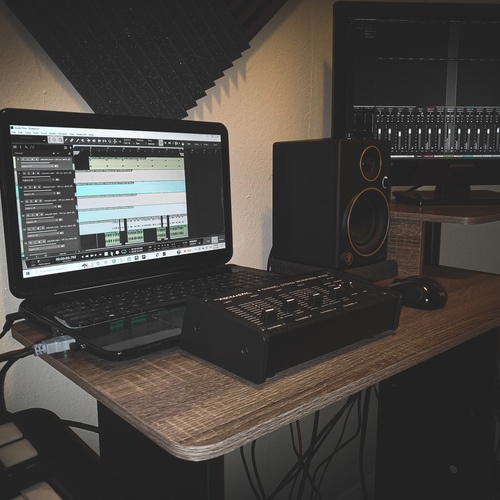
Community setups
Show yours
More Waves Vocal Processing Plugins

$37.00 - $39.99
in Vocal Processing Plugins Rank


$35.99 - $49.99
in Vocal Processing Plugins Rank


$37.00 - $39.99
in Vocal Processing Plugins Rank


$34.99
in Vocal Processing Plugins Rank
.png?v=1783787053)


$39.99 - $49.99
in Vocal Processing Plugins Rank


$29.99 - $34.99
in Vocal Processing Plugins Rank


$47.00 - $49.99
in Vocal Processing Plugins Rank


$37.00 - $39.99
in Vocal Processing Plugins Rank

$29.99 - $34.99
in Vocal Processing Plugins Rank


$29.99 - $34.99
in Vocal Processing Plugins Rank

$35.99 - $39.99
in Vocal Processing Plugins Rank


$29.99 - $34.99
in Vocal Processing Plugins Rank


$29.99 - $39.99
in Vocal Processing Plugins Rank

$29.99 - $34.99
in Vocal Processing Plugins Rank


$29.99 - $39.99
in Vocal Processing Plugins Rank


$32.00 - $34.99
in Vocal Processing Plugins Rank


$37.00 - $39.99
in Vocal Processing Plugins Rank

$34.99
in Vocal Processing Plugins Rank

$32.00 - $34.99
in Vocal Processing Plugins Rank


$32.00 - $34.99
in Vocal Processing Plugins Rank

$29.99 - $34.99


-m.webp?v=1783951329)
-m.webp?v=1783951231)
$83.50 - $99.00
in Vocal Processing Plugins Rank


$199.00 - $206.00
in Vocal Processing Plugins Rank


$250.00 - $500.00
in Vocal Processing Plugins Rank


$309.00 - $399.00
in Vocal Processing Plugins Rank


$70.00 - $79.00
in Vocal Processing Plugins Rank

$122.00 - $330.00
in Vocal Processing Plugins Rank


in Vocal Processing Plugins Rank

.jpeg?v=1783959100)


$115.00 - $230.00
in Vocal Processing Plugins Rank


$37.00 - $39.00
in Vocal Processing Plugins Rank

$205.00 - $349.00
in Vocal Processing Plugins Rank


$199.00
in Vocal Processing Plugins Rank


$87.00 - $171.00
in Vocal Processing Plugins Rank


$149.00
in Vocal Processing Plugins Rank


$66.00 - $199.00
in Vocal Processing Plugins Rank
Accessories & Related Items


-s.webp?v=1783951246)
-s.webp?v=1783951314)


-s.webp?v=1783951341)

-s.webp?v=1783951258)



-s.webp?v=1783951286)


Similar


Most Popular Vocal Processing Plugins
Most Popular Brands
-
Added to Equipboard on by
 mattinho
GearIQ 124
-