

Pricing and availability
We compare 600+ stores and found this item at 6 stores. Prices updated .
Store
Reviews
Price






Price History
Based on price data from 5 merchants for "Waves SuperTap". Prices shown reflect NEW condition. Tracking began Apr 2, 2026.
* Product prices and availability are updated by Equipboard every 24hrs and are subject to change. Equipboard may receive compensation for purchases made at participating retailers linked on this site. This compensation does not affect what products or prices are displayed, or the order of prices listed. For more information, please refer to our affiliate disclosure.
Description
Elevate your sound to new dimensions with the Waves SuperTap, a versatile delay plugin that bridges the gap between classic warmth and modern precision. Perfect for musicians and producers alike, this plugin is a powerhouse that delivers the charming character of vintage tape delays while offering the control needed for contemporary production.
SuperTap's user-friendly interface makes it easy to access its rich feature set. From tempo, modulation, and EQ to pan and gain controls, every element is right at your fingertips. The innovative TapPad allows for intuitive tap tempo setting and pattern switching, letting your creativity flow without hindrance. One standout feature is the Pan Graph, empowering you to place delay effects precisely within the stereo field, adding spatial depth to your tracks.
Whether you need the subtle ambiance of a 2-tap delay or the complex textures of a 6-tap setup, SuperTap has you covered. Its global LFO modulation and dual feedback modes provide further sound-shaping possibilities, ensuring your delays are as dynamic as your music. With support for up to 24-bit 192kHz resolution, your audio will retain its pristine clarity across all formats.
SuperTap is compatible with mono, mono-to-stereo, and stereo configurations, making it a flexible tool for any mix. Embrace the endless possibilities and take your audio production into the future with Waves SuperTap.
Key Features:
- 2-tap and 6-tap components
- TapPad for intuitive tempo tapping and pattern switching
- Global LFO modulation with 2 feedback modes
- Spatial positioning vector display via Pan Graph
- Up to 24-bit 192kHz resolution
- Mono, Mono-to-Stereo, and Stereo components
Owner's manual
Waves SuperTap User ManualProduct specs
| Software Type | Analog Delay |
| Platform | Mac, PC |
| Upgrade/Full | Full |
| Download/Boxed | Download |
| Bit Depth | 64-bit |
| Format | AAX Native, AudioSuite, VST, AU, SoundGrid |
| Hardware Requirements - Mac | Intel Core i7 or higher (M1 support), 8GB RAM minimum |
| Hardware Requirements - PC | Intel Core i5 / AMD Quad-core or higher (AVX required), 8GB RAM minimum |
| OS Requirements - Mac | macOS 10.15.7 or later |
| OS Requirements - PC | Windows 10 or later (21H2), 64-bit |
FAQs
-
What are the key features of the Waves SuperTap delay plugin?
-
The Waves SuperTap offers up to 4958 ms of delay time, tap delay, and host tempo sync. It includes six independent delay lines, each with full functionality and six filter curves to tailor the tone, making it versatile for creating evocative solos, polyrhythms, and slapback effects.
-
Is the Waves SuperTap plugin compatible with my DAW?
-
The Waves SuperTap is compatible with DAWs that support AAX Native, AudioSuite, VST, AU, and SoundGrid formats, making it versatile for use with most major DAWs on both Mac and PC platforms.
-
What are the system requirements for running Waves SuperTap on a Mac?
-
To run Waves SuperTap on a Mac, you'll need macOS 10.15.7 or later, an Intel Core i7 processor or higher (M1 support included), and a minimum of 8GB RAM.
-
Can Waves SuperTap be used on a PC?
-
Yes, Waves SuperTap can be used on a PC with Windows 10 (21H2) or later, requiring an Intel Core i5 or AMD Quad-core processor (AVX required) and at least 8GB RAM.
-
How does Waves SuperTap enhance my sound design capabilities?
-
Waves SuperTap enhances sound design by offering multiple delay lines with customizable filter curves, allowing you to create complex delay patterns, spatial effects, and unique textures for your tracks.
Videos

Waves Audio
Using the Waves SuperTap Plugin for Delay Effects on a Lead Synth
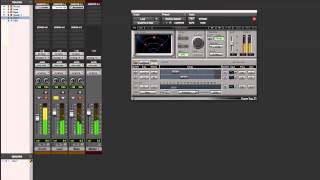
Using the Waves SuperTap Plugin for Delay Effects on a Lead Synth
Waves Audio
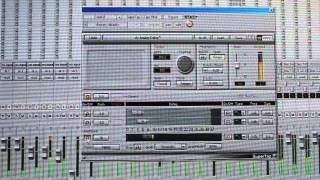
Waves Supertap Delay

Rockstar Rant
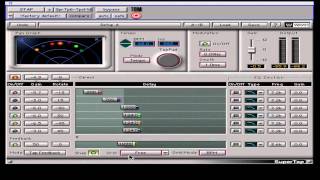
Waves Mastering Lesson 26 - SuperTap Tool

Gabriel Toma
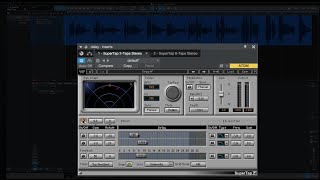
Waves Supertap Delay free for Studio One users

Czar
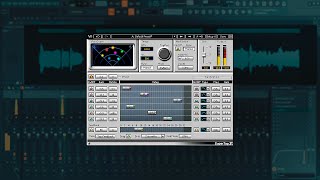
🏃 ESSE PLUGIN DA WAVES ESTÁ G****S POR TEMPO LIMITADO - SuperTap Delay

AquinoProds
![Video thumbnail for WAVES SUPERTAP for CROWD DELAY [Sunday Funday #190] by Sunday Funday](https://img.youtube.com/vi/ClvthEjlMV8/mqdefault.jpg)
WAVES SUPERTAP for CROWD DELAY [Sunday Funday #190]

Sunday Funday
Reviews
Owner Insights
We analyzed real musician discussions from forums and Reddit to find what players love, question, and tweak about Waves SuperTap.
Features and functionality
-
Waves SuperTap allows tweaking each delay repetition individually, including timing, EQ, and stereo field positioning, providing precise control over the delay effect.
Source
Comparisons
-
Waves SuperTap is considered alongside Sound Particles InDelay and Unfiltered Audio BYOME for complex delay patterns with unique modulation options.
Source
4.0 out of 5
Based on 1 Review and 9 Ratings

1608
Lots of control
I really appreciate how SuperTap allows you to carefully control how and where your delay is. You can manually control how your delay ping-pongs as well as how long it goes on for. I highly recommend this delay plugin.

41029
reverb and delay are not interchangeable terms.... when you get down below the has effect D times you can use even a single delay to make 'bathtub' reverb I guess, but, ell, you get it
1608
I see. I must not have been paying attention when I wrote this.
Artist usage
Add artist

"Imogen favours delay effects over reverb, and mainly uses the Waves Super Tap plug-in." (From Imogen's interview with Sound On Sound magazine.)


In a Facebook photo, 7 Skies is seen using the Waves SuperTap plugin. It appears on the lower right side of the screen, distinguishable by its unique large knob positioned fully to the right.


Mentioned by sound engineer Trevor Muzzy in this Sound on Sound interview about the production of "Starships".
"You can see that the pre-chorus and chorus vocals have a lot of timing and comp edits. They were imported directly from the session I cut the vocals in. I did not merge or consolidate them, they just are the way they are. There's quite a lot going on with the vocals. I tried to create a nice basic vocal sound using the inserts, and once they sat well in the track, most of the sonic variations between the sections came from the sends. There was no tuning on the rapping, but the sung vocals in this track had a fair amount of tuning with the Logic Pitch Corrector plug-in on the inserts. The tuning is part of the sound of the record, with vocals needing to be very, very precise. In some cases, we pitched them up or down for vocal effects. Logic Pitch Corrector is a little harder-sounding than Auto-Tune, but it has its own distinct sound that we liked for the vocals in this track. It really fits the song.
"The other inserts on most of the vocals were all Waves: the C1 compressor, SSL Channel, Renaissance Channel, De-Esser, Renaissance Compressor, API 2500, and the Logic Channel EQ. The C1 compressor is the first in line on several lead vocals, and it does the same Pensado trick I used on the guitars, which is to compress a specific band — in the case of the verse lead vocal, around 2849Hz — focusing on notes that sounded a little harsh. It smooths this problem out more elegantly than using an EQ. Then the signal goes through the R Channel with some basic EQ, cutting significantly at 281Hz. Again, it was a matter of removing some less pleasant things to let the nice aspects shine. I bypassed the compressor in the R Channel. I needed a bit of de-essing, and the Waves De-Esser is a great all-purpose de-esser, in this case working at 5634Hz with the side-chain set to high-pass.
"There were two more compressors on her vocal. There was no science behind this, it was just a matter of experimenting to find a unique sound. The first is the Renaissance Compressor, which I love and which is set to a fast attack time and takes off about 6dB, so quite subtle, not too intense. The API 2500 is set pretty aggressively and you can hear it pumping a little bit on the vocal. It was already in the session — it had been used on the demo vocal. I pulled it over to Nicki's channel and liked what it was doing, so I adjusted it to fit her vocal. Finally, the Channel EQ notches quite a lot around 600Hz and a little bit more around 235Hz, just carving out some low-mids to make the vocal sit better in the track.
"Regarding the sends, there are some really distinct things happening here. The main lead vocal was similar throughout the song, but I tweaked it as it went along. The pre-chorus and chorus vocals all have Bus 1, which went to the same Altiverb effect that I had on the drums, to add some ambience to the vocal. The rap verses are much drier. Bus 35 is the Waves Doubler, which gives a bit of spread to the lead vocal — I used this on the rap as well as on the sung vocals. Bus 4 is the Waves CLA with a drastic telephone effect. That was another effect that was there from the demo version and added a cool quality. Bus 50 is the [Sound Toys] Echo Boy, which is the main plug-in I use for delay throws, whenever I want to repeat a word. In this case it's on a quarter-note Echoplex setting. It's a single, mono echo that I panned a little bit to the side. Bus 7 has the Waves VX1 Maserati Vocal Enhancer, and that was, again, a plug-in I inherited. It is set to a very compressed, bright vocal sound that I brought in and out to add some sparkle to the sound when necessary.
"Bus 6 has the main reverb in the track, which you are hearing in the pre-chorus and chorus, and which is a Lexicon Plate plug-in on the 'VocalPlate2' preset. It's a really bright, over-the-top plate sound that is not trying to blend in but that's actually brightening the vocal up a lot. It's loud and wet. Busses 16 and 29 are different stereo delays: the Waves SuperTap was already in the session and I kept it, and the other is a standard Logic stereo delay that I use all the time on vocals. Bus 3 is the Logic Bitcrusher, which gives the vocals a grainy sound. The vocals already had an aggressive sonic quality to them because of the 251-TG2-1176 chain, and the Bitcrusher enhanced that. It's nasty, there's nothing nice about a bit-crusher, and it adds a bit of attitude. I used it on some of the background vocals as well, like in the second verse, where you have the pitch effects. You can hear it in the very processed harmony vocals that come in. That was something we added when we were doing the final vocal comp and arrangement. It gave that second verse some more life and helped the track build. The background vocals are a very big part of the hook vocal sound as well, and, for example, track 140 has many effects on it. That actually contains the vocals of the demo singers. Nicki's lead and background vocals are dominant, but in the chorus the background vocals from Mohombi and Wayne Hector added to the crowd feeling. The chorus vocals are really big in this track, and they were part of that.”


Used on the vocals for "When the Curtain Falls", as stated by mix engineer Al Sutton in this January 2019 Sound on Sound interview.
"The main lead vocal, track 48, has the Opticom for some compression, and I'll always have a parallel lead vocal channel next to it, called 'smash', again for parallel compression, and it'll have tons of plug-ins and I'll just crush it to pieces, almost to the point of distortion, and tuck that underneath the main vocal. The plug-ins on the 'smash' channel include the Waves SSL Channel, Waves CLA-76, Waves DeEsser, Waves H-Delay, and the Soundtoys PhaseMistress. The latter is to get the choruses to sound wider, and the track has some automated delays. For vocal reverb I use the Echoplate 2 [plate reverb] with a Delta Labs Effectron II for pre-delay, and depending on the song either a Lexicon Primetime II or Fulltone Echoplex for slap-back delay.
"Finally there are the backing vocals, on which I had again the Waves SSL-Channel, CLA-76 and DeEsser, and then the Waves SuperTap delay, for stereo delays in the choruses, also to get them to sound wider. I do the vocal blend in Pro Tools and, depending on the parts, will send the blends out on one of the two stereo outs. In this case I had two sets of stereo outs to the API and I compressed each pair lightly with the Inward Connections TSL3 and TSL1."
To glue everything together, Al Sutton once again employs parallel compression. "The API Legacy has an A bus and a B bus, and I'll put a Shadow Hills compressor on the B bus. I'll blend that back in with the A bus, and I'll print that back on as a stereo track in the session. I'll print a brickwalled track as well so we can hear the mix really loud, and get some idea of where we'll end up. But I'll send my mix uncompressed to mastering, which for this album was done by Ryan Smith at Sterling Sound. I leave loudness up to the mastering engineer, because I don't want to play that game any more. It just ruins your mixes. If you can get at a competitive volume without having all the dynamics smacked out of your mixes, I think it will resonate more with people."


"I'm very very fond of in SuperTap that you can clock the modulation. If you create detuning delays using the clocked modulation, you get that kind of spread that synths need. There's that kind of pulsing quality that gives it a kind of modern edge." - at 7:42 in the Waves webinar with Guy Sigsworth
Album Usage
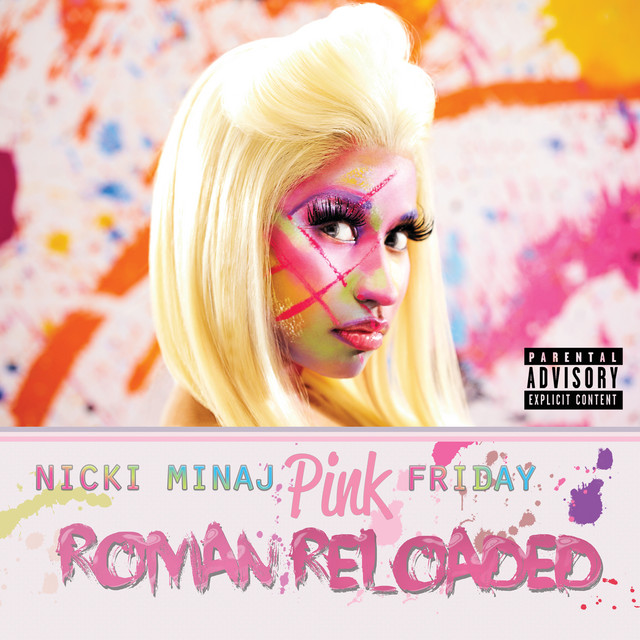
The Waves SuperTap has been featured on the following albums:

Genre Usage
Based on how artists on Equipboard use this gear, it is most commonly found in the following genres.
Used With
Based on how musicians on Equipboard use Waves SuperTap, it is most commonly used with the following gear.
-s.webp?v=1783231064)


-s.webp?v=1783231137)


-s.webp?v=1783231392)
More Waves Delay Plugins

$33.00 - $39.99
in Delay Plugins Rank


-m.webp?v=1783236081)
$160.00 - $199.00
in Delay Plugins Rank


$139.00 - $149.00
in Delay Plugins Rank
.jpeg?v=1783200117)


-m.webp?v=1783230676)
$80.00 - $99.00
in Delay Plugins Rank
.jpg?v=1783082401)


$140.00 - $149.00
in Delay Plugins Rank


$99.00
in Delay Plugins Rank


$49.00
in Delay Plugins Rank


$64.00 - $69.00
in Delay Plugins Rank

-m.webp?v=1783005997)
$59.00 - $89.00
in Delay Plugins Rank


$42.00 - $49.00
in Delay Plugins Rank


$72.00 - $89.00
in Delay Plugins Rank

$66.00 - $79.00
in Delay Plugins Rank


$33.00 - $99.00
in Delay Plugins Rank

$75.00 - $99.00
in Delay Plugins Rank

$82.50 - $99.00
in Delay Plugins Rank

$14.99 - $17.00
in Delay Plugins Rank

$630.00
in Delay Plugins Rank


$49.00
in Delay Plugins Rank

$24.50 - $49.00
in Delay Plugins Rank


Accessories & Related Items


-s.webp?v=1783231392)


Community setups


Similar


Most Popular Delay Plugins
Most Popular Brands
-
Added to Equipboard on by
.jpg?v=1782968794) gchiaren
gchiarenGear IQ 37552
-