
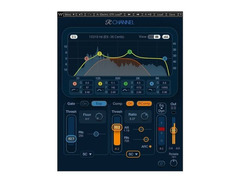
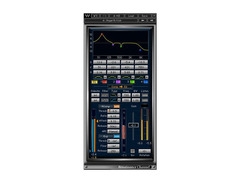

Pricing and availability
We compare 600+ stores and found this item at 4 stores. Prices updated .
Store
Reviews
Price


Price History
Based on price data from 4 merchants for "Waves Renaissance Channel". Prices shown reflect NEW condition. Tracking began Apr 2, 2026.
* Product prices and availability are updated by Equipboard every 24hrs and are subject to change. Equipboard may receive compensation for purchases made at participating retailers linked on this site. This compensation does not affect what products or prices are displayed, or the order of prices listed. For more information, please refer to our affiliate disclosure.
Description
Experience the ultimate in sonic versatility with the Waves Renaissance Channel, a powerhouse plugin designed to elevate your mixes with precision and clarity. This complete channel strip combines the essential tools you need—EQ, compressor, limiter, and gate—into one intuitive interface, allowing you to craft your sound with ease. Whether you're fine-tuning vocals, giving drum tracks more punch, or smoothing out bass lines, the Renaissance Channel is your all-in-one solution for professional-grade audio processing.
One of the standout features of this plugin is its switchable compressor, which can be positioned either before or after the EQ. This flexibility empowers you to shape your audio with pinpoint accuracy, giving you control over dynamics in a way that suits your artistic vision. The Renaissance Channel is renowned for its warm, rich sound that faithfully captures the essence of analog gear, making it a favorite among both seasoned professionals and aspiring musicians alike.
Dive into its user-friendly interface, where you can effortlessly sculpt frequencies, manage dynamics, and enhance your mix with precision. The plugin's intelligent design does not compromise on power, offering you the best of both worlds—advanced features without the complexity.
Key Features:
- Complete channel strip with EQ, compressor, limiter, and gate
- Switchable compressor pre- or post-EQ
- Intuitive interface designed for ease of use
- Renowned for its warm, analog sound quality
- Ideal for a wide range of audio applications, from vocals to instruments
Product specs
| Available since | October 2016 |
| Los artikel / bundelartikel | Los artikel |
| Delay | No |
| Dynamics | Yes |
| Effect Filter | No |
| Encoder/Decoder | No |
| Equalizer | Yes |
| Guitar amps/-effects | No |
| Channel Strip | Yes |
| Metering / Analysis / Correction | No |
| Modulation Effects | No |
| Multieffect / Plugin-Host | No |
| Overdrive/Distortion | No |
| Preamp / Saturation | No |
| Psychoacoustic tool / Enhancer / Exciter | No |
| Restauration | No |
| Reverb | No |
| Special FX | No |
| Summer / Mixing Consoles | No |
| Tape Simulation | No |
| Pitch Shifter / Harmonizer / Timestretching | No |
| Transient Processing | No |
| Vocoder / Vocal effect | No |
| Mastering Tools | No |
| Hardware Controller | No |
| Download | 1 |
FAQs
-
What features does the Waves Renaissance Channel plugin offer?
-
The Waves Renaissance Channel plugin combines EQ, compression, gating, and limiting in a single channel strip, designed to enhance audio processing efficiency. It offers a user-friendly interface with precise control over dynamics and equalization, making it suitable for both mixing and mastering applications.
-
Is the Waves Renaissance Channel plugin compatible with all DAWs?
-
The Waves Renaissance Channel plugin is compatible with most major DAWs, including Ableton Live, Pro Tools, and Logic Pro, as long as they support VST, AU, or AAX formats. Always check your DAW's plugin compatibility to ensure seamless integration.
-
Can the Waves Renaissance Channel be used for mastering?
-
Yes, the Waves Renaissance Channel is suitable for mastering due to its comprehensive dynamics and EQ controls, allowing for precise tonal shaping and dynamic range management. However, it is primarily designed for channel processing rather than dedicated mastering tasks.
-
Does the Waves Renaissance Channel plugin require a lot of CPU resources?
-
The Waves Renaissance Channel plugin is designed to be CPU-efficient, allowing it to run smoothly on most modern systems without significantly impacting performance. However, the exact CPU usage will depend on your specific system and project complexity.
-
How does the Waves Renaissance Channel differ from other channel strip plugins?
-
The Waves Renaissance Channel is known for its transparent sound and intuitive interface, combining multiple processing tools like EQ and dynamics in one plugin. Its unique combination of features and ease of use sets it apart from other channel strip plugins on the market.
Videos

Waves Audio
Mixing with the Renaissance Channel Strip – 2019 Update

Mixing with the Renaissance Channel Strip – 2019 Update
Waves Audio
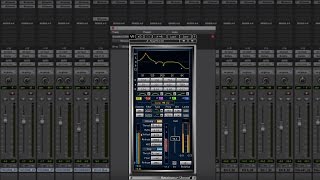
How to Mix with Just One Plugin – Waves Renaissance Channel
Waves Audio

Waves Renaissance Channel Strip Plugin - Mixing Channel Strip Plugin

KdW Mixing & Mastering

Renaissance Channel from Waves || Tuesday Review Day

Topmop Productions
Reviews
PROS
-
High sound quality and versatile for various genres and situations
-
Musical dynamics section with gate/expander and two compression types
-
Offers excellent value, especially when purchased on sale
-
User-friendly layout with modern and classic skin options
-
Effective sidechain filter function integrated within the EQ graphic
-
Compressor includes a "hidden" limiter for added control
-
Fully parametric four-band EQ with resonance functions and integrated analyzer
-
Frequency and note value display in EQ graphic is extremely helpful
-
Quick and easy to use for channels and group applications
CONS
-
Interface size could be larger for easier usability
-
Lacks a de-esser, which could be limiting
Owner Insights
We analyzed real musician discussions from forums and Reddit to find what players love, question, and tweak about Waves Renaissance Channel.
Features and functionality
-
Renaissance Channel is often included in the Horizon bundle, praised for providing a wide range of useful plugins at a competitive price during sales.
Source -
Renaissance Axx is praised for its ability to achieve substantial gain reduction without sounding overcompressed, attributed to its soft knee and automatic release time.
Source -
Renaissance plugins are described as "classic" and are still widely used by professionals, despite being older in the Waves lineup.
Source -
The Analog dial on certain Waves plugins adjusts emulation type rather than adding noise, a unique feature to be aware of.
Source
Use cases and applications
-
It's recommended to try Renaissance Axx on synths for unique compression effects, highlighting its versatility beyond guitar applications.
Source -
Users note that Renaissance Axx works exceptionally well on guitars and radio vocals, bringing out quiet details naturally without pumping effects.
Source -
Renaissance Channel and similar Waves plugins are frequently used in major album productions, retaining their relevance despite newer alternatives.
Source -
C6 and F6 plugins offer significant control over audio but require careful handling to avoid issues.
Source -
Waves Tune Real Time is highlighted for effective real-time pitch correction, useful for vocals.
Source -
The Silk Vocals plugin is praised for its ability to remove undesirable frequencies, enhancing vocal clarity.
Source
Comparisons
Software and compatibility
-
Waves plugins generally maintain backward compatibility, allowing users to open older sessions without issues, unlike some other brands like iZotope.
Source -
Renaissance Channel remains stable on older Windows systems; Mac users may face more frequent update needs due to OS changes.
Source -
Abbey Road plugins are noted for being resource-intensive, which may impact system performance.
Source
Value and pricing
-
Waves' bundles like Mercury offer significant savings during sales, often bringing the cost down to $20 per plugin with updates included.
Source
Based on 0 Reviews and 0 Ratings
Artist usage
Add artist
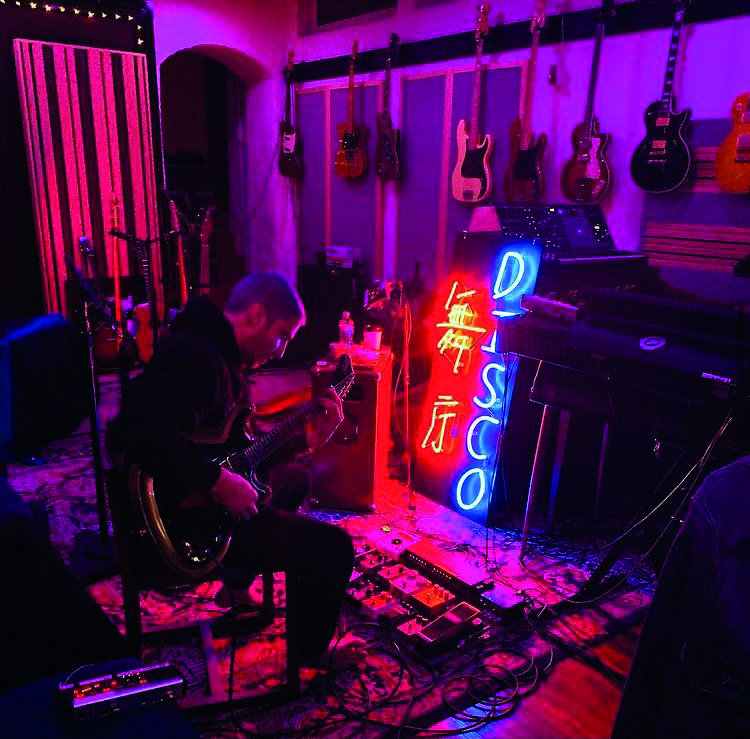
Andrew Watt confirms that the vocal chain he employs for all artists he collaborates with, including Miley Cyrus, incorporates the Waves Renaissance Channel. He states, "Whether it’s Lipa or Osbourne, Cyrus or Malone on vocals, the exact same microphone and vocal chain is used: Sony C-800G to a Neve 1073 and UAD CL-1B, to Renaissance Channel, RVox for level, iZotope Nectar EQ, Fab-Filter ProDS (or Massey De-Esser) and usually a Magic Death Eye last—then a variety of effects including Valhalla Vintage Verb, a Plate of choice, various delays and often some sort of tight modulation (i.e. Waves Doubler, SoundToys Microshift, or TAL-CHORUS)." This information is sourced from Lily Moayeri's article "The Andrew Watt Touch" on Mixonline.


Mentioned by sound engineer Trevor Muzzy in this Sound on Sound interview about the production of "Starships".
"You can see that the pre-chorus and chorus vocals have a lot of timing and comp edits. They were imported directly from the session I cut the vocals in. I did not merge or consolidate them, they just are the way they are. There's quite a lot going on with the vocals. I tried to create a nice basic vocal sound using the inserts, and once they sat well in the track, most of the sonic variations between the sections came from the sends. There was no tuning on the rapping, but the sung vocals in this track had a fair amount of tuning with the Logic Pitch Corrector plug-in on the inserts. The tuning is part of the sound of the record, with vocals needing to be very, very precise. In some cases, we pitched them up or down for vocal effects. Logic Pitch Corrector is a little harder-sounding than Auto-Tune, but it has its own distinct sound that we liked for the vocals in this track. It really fits the song.
"The other inserts on most of the vocals were all Waves: the C1 compressor, SSL Channel, Renaissance Channel, De-Esser, Renaissance Compressor, API 2500, and the Logic Channel EQ. The C1 compressor is the first in line on several lead vocals, and it does the same Pensado trick I used on the guitars, which is to compress a specific band — in the case of the verse lead vocal, around 2849Hz — focusing on notes that sounded a little harsh. It smooths this problem out more elegantly than using an EQ. Then the signal goes through the R Channel with some basic EQ, cutting significantly at 281Hz. Again, it was a matter of removing some less pleasant things to let the nice aspects shine. I bypassed the compressor in the R Channel. I needed a bit of de-essing, and the Waves De-Esser is a great all-purpose de-esser, in this case working at 5634Hz with the side-chain set to high-pass.
"There were two more compressors on her vocal. There was no science behind this, it was just a matter of experimenting to find a unique sound. The first is the Renaissance Compressor, which I love and which is set to a fast attack time and takes off about 6dB, so quite subtle, not too intense. The API 2500 is set pretty aggressively and you can hear it pumping a little bit on the vocal. It was already in the session — it had been used on the demo vocal. I pulled it over to Nicki's channel and liked what it was doing, so I adjusted it to fit her vocal. Finally, the Channel EQ notches quite a lot around 600Hz and a little bit more around 235Hz, just carving out some low-mids to make the vocal sit better in the track.
"Regarding the sends, there are some really distinct things happening here. The main lead vocal was similar throughout the song, but I tweaked it as it went along. The pre-chorus and chorus vocals all have Bus 1, which went to the same Altiverb effect that I had on the drums, to add some ambience to the vocal. The rap verses are much drier. Bus 35 is the Waves Doubler, which gives a bit of spread to the lead vocal — I used this on the rap as well as on the sung vocals. Bus 4 is the Waves CLA with a drastic telephone effect. That was another effect that was there from the demo version and added a cool quality. Bus 50 is the [Sound Toys] Echo Boy, which is the main plug-in I use for delay throws, whenever I want to repeat a word. In this case it's on a quarter-note Echoplex setting. It's a single, mono echo that I panned a little bit to the side. Bus 7 has the Waves VX1 Maserati Vocal Enhancer, and that was, again, a plug-in I inherited. It is set to a very compressed, bright vocal sound that I brought in and out to add some sparkle to the sound when necessary.
"Bus 6 has the main reverb in the track, which you are hearing in the pre-chorus and chorus, and which is a Lexicon Plate plug-in on the 'VocalPlate2' preset. It's a really bright, over-the-top plate sound that is not trying to blend in but that's actually brightening the vocal up a lot. It's loud and wet. Busses 16 and 29 are different stereo delays: the Waves SuperTap was already in the session and I kept it, and the other is a standard Logic stereo delay that I use all the time on vocals. Bus 3 is the Logic Bitcrusher, which gives the vocals a grainy sound. The vocals already had an aggressive sonic quality to them because of the 251-TG2-1176 chain, and the Bitcrusher enhanced that. It's nasty, there's nothing nice about a bit-crusher, and it adds a bit of attitude. I used it on some of the background vocals as well, like in the second verse, where you have the pitch effects. You can hear it in the very processed harmony vocals that come in. That was something we added when we were doing the final vocal comp and arrangement. It gave that second verse some more life and helped the track build. The background vocals are a very big part of the hook vocal sound as well, and, for example, track 140 has many effects on it. That actually contains the vocals of the demo singers. Nicki's lead and background vocals are dominant, but in the chorus the background vocals from Mohombi and Wayne Hector added to the crowd feeling. The chorus vocals are really big in this track, and they were part of that.”


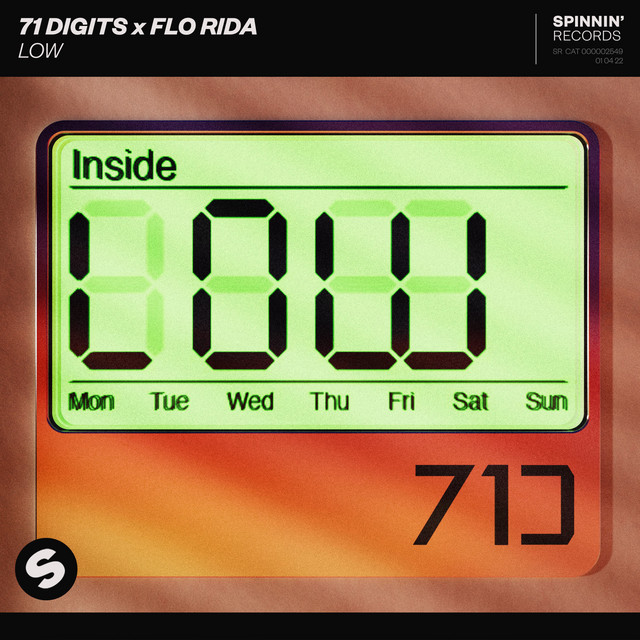
Used on Flo Rida and T-Pain's vocals for "Low", as stated by mixer Fabian Marasciullo in this Sound on Sound interview.
"There were lots of vocals and I chose not to bounce them down, because I prefer to process every individual bit separately. It uses more DSP on the computer, but you have more flexibility in the way you can treat sections, and hence more depth in the overall vocal sounds this way. The 'Lead' and 'Dbl' tracks are the main verse vocals by Flo Rida, he's doubling himself like many vocalists will do. Flo has a keen melodic sense when he's rapping. The A, B and C auxes separate the three different parts of the verse. The 'Whine 1, 2, 3' backing vocals only occur in the third verse. Underneath 'Aux 4' are T–Pain's backing vocals. 'Main Hk1,2,3,4' are all T–Pain doing a unison of one note.
"As is usual for me, I began the mix with the vocals, set against the rough music bed. You can see the latter in the left pane track window in the Edit Window, where it's called 'T_Pain_5 LO'. Of course I later muted that track. After having cleaned up and EQ'd the vocals I worked on the drums, and then the synths. I then brought the vocals back in to get their levels in relation to the music and do some automation.
"I used the Waves Renaissance Channel on the A, B and C auxes. I use the RChannel on all my vocals. It's basically a combination of the RCompressor, the REQ, and the RVox, all in one, and it's great. For this record I used a pretty cool preset called 'CloseWarmVox', and I tweaked from there. You can see that it rolls off at the bottom and it has a little touch at the top. I almost used it as a filter on this particular song to get clarity in the bottom, add some high and have a bit of compression. I also used it on T–Pain's vocals.

Used on Flo Rida and T-Pain's vocals for "Low", as stated by mixer Fabian Marasciullo in this Sound on Sound interview.
"There were lots of vocals and I chose not to bounce them down, because I prefer to process every individual bit separately. It uses more DSP on the computer, but you have more flexibility in the way you can treat sections, and hence more depth in the overall vocal sounds this way. The 'Lead' and 'Dbl' tracks are the main verse vocals by Flo Rida, he's doubling himself like many vocalists will do. Flo has a keen melodic sense when he's rapping. The A, B and C auxes separate the three different parts of the verse. The 'Whine 1, 2, 3' backing vocals only occur in the third verse. Underneath 'Aux 4' are T–Pain's backing vocals. 'Main Hk1,2,3,4' are all T–Pain doing a unison of one note.
"As is usual for me, I began the mix with the vocals, set against the rough music bed. You can see the latter in the left pane track window in the Edit Window, where it's called 'T_Pain_5 LO'. Of course I later muted that track. After having cleaned up and EQ'd the vocals I worked on the drums, and then the synths. I then brought the vocals back in to get their levels in relation to the music and do some automation.
"I used the Waves Renaissance Channel on the A, B and C auxes. I use the RChannel on all my vocals. It's basically a combination of the RCompressor, the REQ, and the RVox, all in one, and it's great. For this record I used a pretty cool preset called 'CloseWarmVox', and I tweaked from there. You can see that it rolls off at the bottom and it has a little touch at the top. I almost used it as a filter on this particular song to get clarity in the bottom, add some high and have a bit of compression. I also used it on T–Pain's vocals.
Album Usage
The Waves Renaissance Channel has been featured on the following albums:


Genre Usage
Based on how artists on Equipboard use this gear, it is most commonly found in the following genres.
Used With
Based on how musicians on Equipboard use Waves Renaissance Channel, it is most commonly used with the following gear.


More Waves Channel Strip Plugins

$32.00 - $149.00
in Channel Strip Plugins Rank


.jpg?v=1782886998)

$33.00 - $34.99
in Channel Strip Plugins Rank


$37.00 - $39.99
in Channel Strip Plugins Rank


$33.00 - $34.99
in Channel Strip Plugins Rank


$37.00 - $39.99
in Channel Strip Plugins Rank


$33.00 - $34.99
in Channel Strip Plugins Rank


$29.99 - $34.99
in Channel Strip Plugins Rank


$29.99 - $34.99
in Channel Strip Plugins Rank


$32.00 - $34.99
in Channel Strip Plugins Rank

$29.99 - $34.99
in Channel Strip Plugins Rank


$34.99
in Channel Strip Plugins Rank

$29.99 - $149.00
in Channel Strip Plugins Rank

$33.00 - $39.99
in Channel Strip Plugins Rank

$79.00 - $399.00
in Channel Strip Plugins Rank


$39.99 - $169.00
in Channel Strip Plugins Rank


$37.00 - $79.00
in Channel Strip Plugins Rank


$91.00 - $249.00
in Channel Strip Plugins Rank


$19.99 - $159.00
in Channel Strip Plugins Rank

$39.99 - $40.00
in Channel Strip Plugins Rank


$39.00 - $149.00
in Channel Strip Plugins Rank


$181.00 - $199.00
in Channel Strip Plugins Rank

$34.00 - $39.00
in Channel Strip Plugins Rank


$39.99 - $171.00
in Channel Strip Plugins Rank

$99.00
in Channel Strip Plugins Rank

$19.99 - $74.00
in Channel Strip Plugins Rank


$94.00 - $99.00
in Channel Strip Plugins Rank


$49.00 - $215.00
in Channel Strip Plugins Rank


$49.00
in Channel Strip Plugins Rank

$39.99 - $171.00
in Channel Strip Plugins Rank
-m.webp?v=1783748842)
$39.99 - $148.00
in Channel Strip Plugins Rank


$39.00
in Channel Strip Plugins Rank


$159.00
in Channel Strip Plugins Rank

$79.00 - $99.99
in Channel Strip Plugins Rank

$39.00
in Channel Strip Plugins Rank
Accessories & Related Items


-s.webp?v=1783748922)


-s.webp?v=1783748662)

-s.webp?v=1783748944)
Community setups


Similar


Most Popular Channel Strip Plugins
Most Popular Brands
-
Added to Equipboard on by
 eyeseeofficial
GearIQ 161563
-


