

Pricing and availability
We compare 600+ stores and found this item at 6 stores. Prices updated .
Store
Reviews
Price






Average Price: $35
Budget/Beginner
$49
$150+
Price Tier
Budget
Standard
High-end
Price History
Based on price data from 5 merchants for "Waves C1 Compressor / Gate". Prices shown reflect NEW condition. Tracking began Apr 2, 2026.
* Product prices and availability are updated by Equipboard every 24hrs and are subject to change. Equipboard may receive compensation for purchases made at participating retailers linked on this site. This compensation does not affect what products or prices are displayed, or the order of prices listed. For more information, please refer to our affiliate disclosure.
Description
Unlock the full potential of your audio dynamics with the Waves C1 Compressor / Gate, a versatile plugin that brings professional-grade sound processing to your fingertips. This dynamic processor is not just a one-trick pony; it features three distinct modules: compressor/expander, gate/expander, and a filter/EQ section. Whether you're mixing a live performance or mastering a studio recording, the C1 offers precision and flexibility, allowing you to tailor your sound with unmatched clarity.
The split-band dynamics feature lets you focus on specific frequency ranges, giving you the power to enhance or isolate certain elements of your track. Integrated with both internal and external side-chaining capabilities, the C1 ensures you have the control you need to achieve the perfect mix. The look-ahead function further refines your sound by preserving transients, ensuring your audio remains crisp and clear.
Compatible with Native, SoundGrid, and TDM licenses, the Waves C1 fits seamlessly into various workflows, whether you're using MultiRack, StudioRack, or eMotion ST Mixer. With support for up to 24-bit/192 kHz resolution, this plugin is as powerful as it is precise, making it an essential tool for any serious audio engineer.
Key Features:
- Three distinct modules: Compressor/Expander, Gate/Expander, and Filter/EQ
- Split-band dynamics for targeted frequency processing
- Internal and external side-chaining
- Look-ahead feature for precise transient handling
- Supports up to 24-bit/192 kHz resolution
- Compatible with Native, SoundGrid, and TDM licenses
- Mono and stereo components available
Owner's manual
Waves C1 Compressor / Gate User ManualProduct specs
| Software Type | Compressor |
| Platform | Mac, PC |
| Upgrade/Full | Full |
| Download/Boxed | Download |
| Bit Depth | 64-bit |
| Format | AAX Native, AudioSuite, VST, AU, SoundGrid |
| Hardware Requirements - Mac | Intel Core i7 or higher (M1 support), 8GB RAM minimum |
| Hardware Requirements - PC | Intel Core i5 / AMD Quad-core or higher (AVX required), 8GB RAM minimum |
| OS Requirements - Mac | macOS 10.15.7 or later |
| OS Requirements - PC | Windows 10 or later (21H2), 64-bit |
FAQs
-
What are the main features of the Waves C1 Compressor / Gate plugin?
-
The Waves C1 Compressor / Gate offers three modules: Compressor/Expander, Gate/Expander, and Filter/EQ. It includes split-band dynamics, internal and external side-chaining (external for Pro Tools only), and a look-ahead feature for precision transient processing.
-
Is the Waves C1 Compressor / Gate compatible with my DAW?
-
The Waves C1 Compressor / Gate is compatible with DAWs that support AAX Native, AudioSuite, VST, AU, and SoundGrid formats, making it versatile for both Mac and PC users.
-
Can I use the Waves C1 Compressor / Gate on both Mac and PC?
-
Yes, the Waves C1 Compressor / Gate is compatible with both Mac (macOS 10.15.7 or later) and PC (Windows 10 or later, 64-bit), ensuring broad usability across platforms.
-
Does the Waves C1 Compressor / Gate support high-resolution audio?
-
Yes, the Waves C1 Compressor / Gate supports up to 24-bit 192kHz resolution for both Compressor and Gate modules, providing high-quality audio processing.
-
Does the Waves C1 Compressor / Gate offer sidechain capabilities?
-
Yes, the Waves C1 Compressor / Gate features both internal side-chaining and external side-chaining, with the latter available exclusively in Pro Tools.
Videos

5piece
How To Use A Gate On Vocals

How To Use A Gate On Vocals
5piece
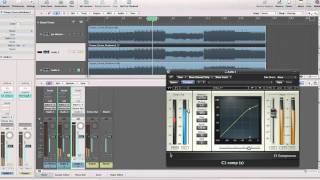
Mastering Tutorial -- Parallel Compression with Waves C1

Waves Audio
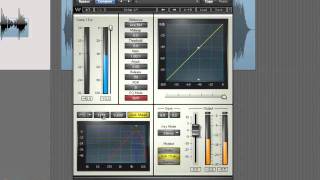
Mastering Audio in Logic - De-essing Vocals with Waves C1 Compressor

pointblank Music School
Waves C1 Compressor Tutorial - Compressor Gate (3/6)

Streamworks Audio

🛠️ Expert-Level Podcast Editing & Noise Reduction: the Must-Have Waves C1 Gate Plugin

Pod Sound School
WAVES C1 COMPRESSOR GATE plugin test and review

RBA-PRODUCTION
Reviews
PROS
-
Exceptional side chain feature for precise control over vocal aggressiveness
-
Offers a fast attack option faster than 0.1ms, unique in its category
-
Maintains transparency while effectively managing vocal dynamics
-
Suitable for both home studios and professional environments
-
Excellent for creating a balanced mix of analog warmth and digital precision
CONS
-
Lacks the analog warmth that some users prefer for vocals
-
Not considered magical or distinctive on vocals by some users
Owner Insights
We analyzed real musician discussions from forums and Reddit to find what players love, question, and tweak about Waves C1 Compressor / Gate.
Software and compatibility
-
Waves Central may install the WavesShell in a non-standard location, requiring manual directory pointing in FL Studio for proper plugin recognition.
Source -
Switching to 32-bit versions of both FL Studio and the plugin may resolve compatibility issues for some users.
Source -
Some users prefer FabFilter Pro-MB for multiband compression but consider C4 as a viable alternative within the Waves suite for budget reasons.
Source
Setup and maintenance
-
Resolving plugin disappearance may involve uninstalling and reinstalling the license package, followed by multiple PC restarts.
Source
User experience
-
Some users encounter authentication issues with WavesShell, which may be resolved by using a USB key for authentication instead.
Source -
Despite frustrations with WavesShell, users frequently praise Waves' support team for their effectiveness and pleasant interactions.
Source -
In discussions of Waves plugins for drums, C1 is consistently mentioned as an essential component, highlighting its reliability and effectiveness in drum contexts.
Source
Features and functionality
-
The C1 Gate excels in both transparent control and extreme pumping or sidechain effects for synthesis applications.
Source -
Kramer Tape is noted for its pronounced "head bump" and extreme saturation effects, especially at the 7.5 ips setting for enhancing 808 kicks.
Source -
The C1 Compressor/Gate is a staple for drum mixing, often used alongside H-EQ and C4 Multiband Compressor for comprehensive dynamic processing and tonal shaping.
Source
Comparisons
Use cases and applications
-
The Warm setting on RCompressor is particularly praised for enhancing bass guitar and drums.
Source -
L2 is favored for quick pseudomastering and transparent transient shaving on jangly acoustic guitars when used conservatively.
Source -
API 2500 is often applied on master bus or drum submixes for its effective analog compression characteristics.
Source -
The C1 Compressor/Gate is frequently used in drum mixing, praised for its versatility across various instruments.
Source
4.5 out of 5
Based on 0 Reviews and 7 Ratings
Artist usage
Add artist

In this video you can see the master chain Eric uses on this track. The first insert is the C1 compressor



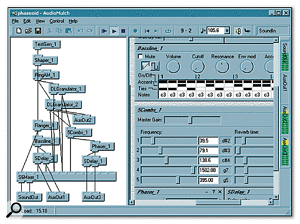
Mentioned in this July 2003 Sound on Sound interview.
Hebden's approach to working with computers is very much based on destructive processing and manual editing, and he tends not to use plug-in effects: "I only use about two plug-ins. I use the TC Native EQ and the Waves C1 compressor quite a lot, and some reverbs, but not much. Everyone's records end up sounding the same, so I really haven't explored plug-ins at all."


Cazzette recommended using Waves C1 Compressor for vocals @ 1:33 of their "In the Studio" Interview with Future Music Magazine.


Sick Individuals use the Waves C1 Compressor/Gate plugin in their production process, as shown in their Facebook video captioned "Making a new kick!"


In his reddit AMA, Doctor P say he uses the following
"instruments: massive kontakt battery nexus diva korg legacy collection minimoog processing: fabfilter pro q camel phat waves C1 waves SSL comp SPL tube tech izotope ozone wow i never realised how small the list of my plug ins would be"


On the buss I’d start with the C1 Compressor from Waves. It’s really, really tight when you get it right.


Used for "How to Talk", as stated by mix engineer Kesha Lee in this December 2017 Sound on Sound article.
“The intro track was a voice note Uzi had recorded on his phone, and he played it in the booth on his phone, and we recorded it through the mic like that. It sounded really telephone-y, which we wanted, but I tried to take out some of the highs with the Waves OneKnob. All audio vocal tracks apart from the intro have Antares Auto-Tune as the first plug-in. Uzi hears his Auto-Tuned vocals in his headphones while singing. We used to just have it on default, with a Retune speed of 20, but lately he has been like: ‘Give me more Auto-Tune!’ so now we have the Retune Speed set to anywhere from 12 to 5. The ‘D’ after Auto-Tune is the Waves De-Esser, the ‘Q’ the Avid EQ3 seven-band, and the ‘1’ is the Waves C1 gate. All vocal audio tracks also have sends to the delay and the reverb aux tracks. The delay aux track has the Avid Mod Delay II set to half notes, with feedback at 43 percent, the Waves Renaissance Reverberator, set to ‘Hall 1’ reverb, with the highs cut on the reverb EQ, and the Waves S1 stereo imager. The reverb aux has the Renaissance Reverberator.
“All audio vocal tracks go to the vocal aux track. I had two vocal aux tracks in this session, because I wanted to try something different, using plug-ins I don’t normally use. That’s why one of the aux tracks is muted. The vocal aux track that I did use has the Waves De-Esser acting around 4230Hz, then the EQ3 seven-band which has a high-pass at 96.4Hz, and I’m dipping out muddiness at 200 and 500 Hz. I’m also adding some high end at 6.52kHz. I don’t normally add EQ with the seven-band, but Seth would add some high end on Future’s voice and that worked well, so I tried it here. Next is the Waves Renaissance Compressor, to keep the dynamics in check, and then the Waves SSL E-channel, on which I am again dipping out various frequencies. The latter plug-in is more for colour and character. The Waves CLA-3A is more for the sound, and the RN Digital Detailer made Uzi’s vocals sound fuller and wider.
"The final plug-in in the chain is the Nomad Factory MCL-2269 limiter and compressor, again for the sound and for more volume. We always go for a warm, full, loud, in-your-face vocal sound, also because we like the vocals to be louder than the beat. I always turn the beat down 1-2 dB. There are no plug-ins on the master track, because I used to work for a producer who didn’t want that, as the mix would go to the mastering engineer. So I’m still used to doing it like that. I turn the master volume down anywhere between -7 to -9 dB before it goes to mastering, so they have room to work with.”


Acle uses this in his drum mixing tutorial as listed on his website.


It's used in the track "High Five!" As shown in the publicly available project.


Mentioned by sound engineer Trevor Muzzy in this Sound on Sound interview about the production of "Starships".
"You can see that the pre-chorus and chorus vocals have a lot of timing and comp edits. They were imported directly from the session I cut the vocals in. I did not merge or consolidate them, they just are the way they are. There's quite a lot going on with the vocals. I tried to create a nice basic vocal sound using the inserts, and once they sat well in the track, most of the sonic variations between the sections came from the sends. There was no tuning on the rapping, but the sung vocals in this track had a fair amount of tuning with the Logic Pitch Corrector plug-in on the inserts. The tuning is part of the sound of the record, with vocals needing to be very, very precise. In some cases, we pitched them up or down for vocal effects. Logic Pitch Corrector is a little harder-sounding than Auto-Tune, but it has its own distinct sound that we liked for the vocals in this track. It really fits the song.
"The other inserts on most of the vocals were all Waves: the C1 compressor, SSL Channel, Renaissance Channel, De-Esser, Renaissance Compressor, API 2500, and the Logic Channel EQ. The C1 compressor is the first in line on several lead vocals, and it does the same Pensado trick I used on the guitars, which is to compress a specific band — in the case of the verse lead vocal, around 2849Hz — focusing on notes that sounded a little harsh. It smooths this problem out more elegantly than using an EQ. Then the signal goes through the R Channel with some basic EQ, cutting significantly at 281Hz. Again, it was a matter of removing some less pleasant things to let the nice aspects shine. I bypassed the compressor in the R Channel. I needed a bit of de-essing, and the Waves De-Esser is a great all-purpose de-esser, in this case working at 5634Hz with the side-chain set to high-pass.
"There were two more compressors on her vocal. There was no science behind this, it was just a matter of experimenting to find a unique sound. The first is the Renaissance Compressor, which I love and which is set to a fast attack time and takes off about 6dB, so quite subtle, not too intense. The API 2500 is set pretty aggressively and you can hear it pumping a little bit on the vocal. It was already in the session — it had been used on the demo vocal. I pulled it over to Nicki's channel and liked what it was doing, so I adjusted it to fit her vocal. Finally, the Channel EQ notches quite a lot around 600Hz and a little bit more around 235Hz, just carving out some low-mids to make the vocal sit better in the track.
"Regarding the sends, there are some really distinct things happening here. The main lead vocal was similar throughout the song, but I tweaked it as it went along. The pre-chorus and chorus vocals all have Bus 1, which went to the same Altiverb effect that I had on the drums, to add some ambience to the vocal. The rap verses are much drier. Bus 35 is the Waves Doubler, which gives a bit of spread to the lead vocal — I used this on the rap as well as on the sung vocals. Bus 4 is the Waves CLA with a drastic telephone effect. That was another effect that was there from the demo version and added a cool quality. Bus 50 is the [Sound Toys] Echo Boy, which is the main plug-in I use for delay throws, whenever I want to repeat a word. In this case it's on a quarter-note Echoplex setting. It's a single, mono echo that I panned a little bit to the side. Bus 7 has the Waves VX1 Maserati Vocal Enhancer, and that was, again, a plug-in I inherited. It is set to a very compressed, bright vocal sound that I brought in and out to add some sparkle to the sound when necessary.
"Bus 6 has the main reverb in the track, which you are hearing in the pre-chorus and chorus, and which is a Lexicon Plate plug-in on the 'VocalPlate2' preset. It's a really bright, over-the-top plate sound that is not trying to blend in but that's actually brightening the vocal up a lot. It's loud and wet. Busses 16 and 29 are different stereo delays: the Waves SuperTap was already in the session and I kept it, and the other is a standard Logic stereo delay that I use all the time on vocals. Bus 3 is the Logic Bitcrusher, which gives the vocals a grainy sound. The vocals already had an aggressive sonic quality to them because of the 251-TG2-1176 chain, and the Bitcrusher enhanced that. It's nasty, there's nothing nice about a bit-crusher, and it adds a bit of attitude. I used it on some of the background vocals as well, like in the second verse, where you have the pitch effects. You can hear it in the very processed harmony vocals that come in. That was something we added when we were doing the final vocal comp and arrangement. It gave that second verse some more life and helped the track build. The background vocals are a very big part of the hook vocal sound as well, and, for example, track 140 has many effects on it. That actually contains the vocals of the demo singers. Nicki's lead and background vocals are dominant, but in the chorus the background vocals from Mohombi and Wayne Hector added to the crowd feeling. The chorus vocals are really big in this track, and they were part of that.”

Album Usage
The Waves C1 Compressor / Gate has been featured on the following albums:


Genre Usage
Based on how artists on Equipboard use this gear, it is most commonly found in the following genres.
Used With
Based on how musicians on Equipboard use Waves C1 Compressor / Gate, it is most commonly used with the following gear.



-s.webp?v=1784988139)
-s.webp?v=1784988152)
More Waves Compressor Plugins
-m.webp?v=1784988070)
$33.00 - $34.99
in Compressor Plugins Rank


-m.webp?v=1784988114)
$33.00 - $34.99
in Compressor Plugins Rank


$35.99 - $39.99
in Compressor Plugins Rank


$37.00 - $39.99
in Compressor Plugins Rank


$37.00 - $39.99
in Compressor Plugins Rank


-m.webp?v=1784988152)
$39.99
in Compressor Plugins Rank


$33.00 - $34.99
in Compressor Plugins Rank

.jpg?v=1784894312)

$37.00 - $39.99
in Compressor Plugins Rank


$33.00 - $34.99
in Compressor Plugins Rank

.jpg?v=1784921365)


$35.99 - $39.99
in Compressor Plugins Rank


$33.00 - $34.99
in Compressor Plugins Rank


$37.00 - $39.99
in Compressor Plugins Rank

-m.webp?v=1784988070)
$33.00 - $39.99
in Compressor Plugins Rank


$33.00 - $34.99
in Compressor Plugins Rank


$33.00 - $34.99
in Compressor Plugins Rank


$29.99
in Compressor Plugins Rank


$33.00 - $39.99
in Compressor Plugins Rank


$33.00 - $82.50
in Compressor Plugins Rank


$33.00 - $34.99
in Compressor Plugins Rank


$39.99 - $149.00
in Compressor Plugins Rank


$29.00 - $29.99
in Compressor Plugins Rank


$29.99 - $34.99
in Compressor Plugins Rank


$33.00 - $35.99


$191.00 - $199.00


$144.00 - $199.00
in Compressor Plugins Rank


$133.00 - $149.00
in Compressor Plugins Rank

$144.00 - $199.00
in Compressor Plugins Rank

-m.webp?v=1784988038)
$138.00 - $149.00
in Compressor Plugins Rank


$47.00 - $49.00
in Compressor Plugins Rank
.jpeg?v=1784891088)


$37.00 - $40.00
in Compressor Plugins Rank


$69.00
in Compressor Plugins Rank

$39.00 - $1,549.00
in Compressor Plugins Rank


$89.00
in Compressor Plugins Rank

Accessories & Related Items


-s.webp?v=1784988135)

-s.webp?v=1784988114)


-s.webp?v=1784988145)


-s.webp?v=1784988070)


-s.webp?v=1784973688)
Community setups


Similar


Gear Guides




.webp)




Most Popular Compressor Plugins
Most Popular Brands
-
Added to Equipboard on by
 michael
GearIQ 43708
-