


Pricing and availability
We compare 600+ stores and found this item at 2 stores. Prices updated .
Store
Reviews
Price




Price History
Based on price data from 2 merchants for "Logitech MX Anywhere 3". Prices shown reflect NEW condition. Tracking began Apr 2, 2026.
* Product prices and availability are updated by Equipboard every 24hrs and are subject to change. Equipboard may receive compensation for purchases made at participating retailers linked on this site. This compensation does not affect what products or prices are displayed, or the order of prices listed. For more information, please refer to our affiliate disclosure.
Description
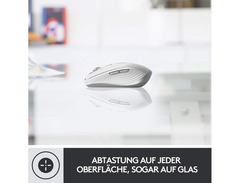
The Logitech MX Anywhere 3 is your ultimate companion for precision and adaptability, whether you're crafting your next musical masterpiece or simply managing your daily digital tasks. Designed to travel with you, this compact and sleek mouse boasts an 8000 DPI Darkfield sensor, ensuring precise tracking on virtually any surface, even glass. With its six customizable buttons and near-silent operation, the MX Anywhere 3 allows you to focus more on your workflow and less on distractions.
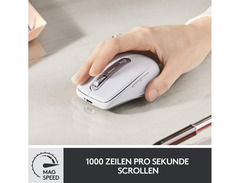
Integrate seamlessly into platforms like Windows, macOS, Linux, Chrome OS, iPad OS, and Android through Bluetooth or the Logi Bolt USB. The MagSpeed electromagnetic scroll wheel provides rapid navigation at up to 1000 lines per second, allowing you to skim through lengthy documents with ease while maintaining the precision to stop on a dime. Ergonomically designed for comfort during extended use, the mouse supports multi-device pairing and switching, adding versatility to your setup.
The MX Anywhere 3 is not just about speed and precision; it's also about endurance. With an impressive battery life that lasts up to 70 days on a full charge, you can power through your creative sessions without missing a beat. And when you do need a quick boost, just one minute of charging gives you up to three hours of use. Enhance your productivity with Logi Options+ software, allowing you to customize buttons and optimize your workflow across various applications.
Key Features:
- 8000 DPI Darkfield sensor for precise tracking on any surface
- MagSpeed electromagnetic scroll wheel for fast, silent scrolling
- Six customizable, quiet-click buttons
- Multi-device pairing with Bluetooth and Logi Bolt USB
- Ergonomic design for comfortable long-term use
- 70-day battery life with rapid recharge feature
- Compatible with Windows, macOS, Linux, Chrome OS, iPad OS, and Android
Product specs
| Type | Wireless Mouse, Black |
| Computer Connectivity | USB-C/Bluetooth |
| Power Source | Rechargeable Li-Po Battery |
| Dimensions | 3.96" x 2.56" x 1.35" (100.5mm x 65mm x 34.4mm) |
Videos

Logitech
Logitech MX Anywhere 3 Wireless Compact Performance Mouse
Logitech MX Anywhere 3 Wireless Compact Performance Mouse
Logitech
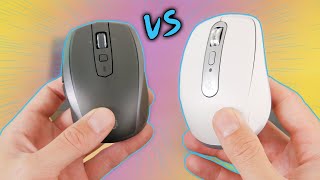
It's FINALLY here! - Logitech MX Anywhere 3 Review (vs Anywhere 2S)

Matt's Paddock
Logitech MX Anywhere 3 vs MX Anywhere 3 for Mac

Kova Tech
Logitech MX Anywhere 3 Compact Performance Mouse - Unboxing and Review

Joseph Kim
Logitech MX Anywhere 3 Review | 4 Months Later!

PMB Shoes
Logitech MX anywhere 3 Wireless Mouse Review
Kova Tech
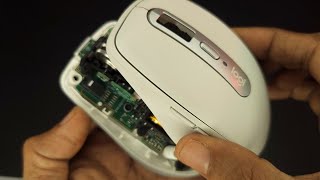
Logitech MX Anywhere 3 - Disassembly and Switch Fix

Tech & Lifestyle
Reviews
PROS
-
Quiet buttons ideal for silent operation
-
Electromagnetic metal wheel offers customizable scroll resistance
-
Fast, resistance-free scrolling for quick navigation
-
Long-lasting battery reduces frequent charging
-
USB-C connectivity for modern compatibility
-
Compact design suitable for portable use
CONS
-
Limited customization for applications like CAD
-
Left click button may fail within a couple of years
-
Ergonomics may not suit larger hands
-
Side buttons lack flexibility in custom app-sensing
-
Does not support side-to-side screen switching
-
May not pair with older Bluetooth versions
Owner Insights
We analyzed real musician discussions from forums and Reddit to find what players love, question, and tweak about Logitech MX Anywhere 3.
Features and functionality
-
The MX Anywhere 3 allows for horizontal scrolling by holding a side button and scrolling, which some users find faster than dedicated side scroll wheels.
Source -
The 3 for Business version is encrypted, adding security for programmable button use, unlike typical unencrypted mice.
Source -
The Bolt receiver is optional for both models, with Bluetooth available for all three connectivity options.
Source -
Users face challenges with the toggle switch placement, as it's located underneath the mouse, making it cumbersome for frequent device switching.
Source
Build quality
-
The MX Master rubberized texture tends to stain and wear more over time, especially in lighter color options, compared to the material on the MX Anywhere.
Source -
Both the 3 and 3S have identical bodies and weight, with only the printed text underneath differing.
Source -
The 3 for Business comes in plain cardboard packaging instead of the printed box of the 3S, indicating a focus on business distribution.
Source
User experience
-
The Anywhere 3 is described as feeling more premium and responsive, particularly when used with large, high-resolution monitors.
Source -
The Anywhere 3 is preferred by users with smaller hands for its comfortable fit, while larger-handed users may find it too small.
Source -
Some users perceive a 'brighter' click sound in the Business model, though it's not significantly louder than the 3S.
Source -
Owners express dissatisfaction with the lack of a top-mounted button for device switching, suggesting a firmware update could resolve this inconvenience.
Source
Software and compatibility
Comparisons
-
The 3S version features Quiet Click technology and an 8K DPI sensor, unlike the 3 for Business, which doesn't include these updates.
Source
Critic Reviews
Based on 0 Reviews and 0 Ratings
Genre Usage
Based on how artists on Equipboard use this gear, it is most commonly found in the following genres.
Similar
Add recommendation1 alternative for Logitech MX Anywhere 3, curated by the Equipboard community.

More Logitech Computers & Peripherals

$159.99 - $179.99
in Computers & Peripherals Rank

$115.46 - $119.99
in Computers & Peripherals Rank


$32.99 - $189.95
in Computers & Peripherals Rank


$78.90 - $119.99
in Computers & Peripherals Rank


$99.99 - $127.91
in Computers & Peripherals Rank


$23.99 - $24.99
in Computers & Peripherals Rank


$119.99 - $129.99
in Computers & Peripherals Rank

$13.99 - $18.99
in Computers & Peripherals Rank


$206.70 - $239.99
in Computers & Peripherals Rank


$157.00 - $159.99
in Computers & Peripherals Rank


$34.99 - $69.99
in Computers & Peripherals Rank


$26.99 - $40.99
in Computers & Peripherals Rank


$119.99 - $129.99
in Computers & Peripherals Rank


$44.90 - $59.99


$69.99 - $89.90


$59.99 - $64.99


Accessories & Related Items


Artist usage


Community setups


Gear Guides









Most Popular Computers & Peripherals
Most Popular Brands
-
Added to Equipboard on by
 luxiu
luxiuGearIQ 44621
-



