-s.webp?v=1783403417)

-xl.webp?v=1783403417)
Pricing and availability
We compare 600+ stores and found this item at 5 stores. Prices updated .
Store
Reviews
Price


Average Price: $197
High-end/Boutique
$39
$100+
Price Tier
Budget
Standard
High-end
Price History
Based on price data from 5 merchants for "Soundtoys Decapitator". Prices shown reflect NEW condition. Tracking began Apr 2, 2026.
* Product prices and availability are updated by Equipboard every 24hrs and are subject to change. Equipboard may receive compensation for purchases made at participating retailers linked on this site. This compensation does not affect what products or prices are displayed, or the order of prices listed. For more information, please refer to our affiliate disclosure.
Description
Transform your digital mixes into warm, analog masterpieces with the Soundtoys Decapitator. This powerful distortion plugin replicates the soulful essence of analog hardware, bringing the richness of tubes, transistors, and circuits straight to your digital workstation. Whether you're looking to add subtle warmth or push your track to the brink with extreme saturation, Decapitator offers a versatile range of options to suit your creative needs.
Dive into the depths of analog saturation with five meticulously modeled hardware styles, each offering a unique character that echoes the subtleties of vintage and modern equipment. The Punish button is your best friend when subtlety just won't cut it, delivering an extra dose of gain that transforms polite tracks into bold, dynamic statements. From vocals and guitars to drums and synths, Decapitator provides that signature analog touch that makes your music stand out.
With its thoughtfully designed interface, Decapitator offers intuitive control over your sound. The analog-modeled tone control allows for precise shaping of the saturation, while the mix knob facilitates seamless parallel processing. These features, combined with the reliability and flexibility of a Soundtoys plugin, ensure a seamless integration of analog warmth into your digital mix.
Key Features:
- Five distinct analog saturation models based on renowned studio hardware
- Unique Punish button for high-gain saturation
- Analog-modeled tone control for nuanced sound shaping
- Mix knob for easy parallel processing without complex routing
- Compatible with macOS and Windows, supporting VST2, VST3, AU, and AAX formats
- Supports sample rates from 44.1 kHz to 192 kHz
- Requires a free account at ilok.com (no physical USB iLok needed)
Product specs
| Software Type | Saturation effects |
| Platform | Mac, PC |
| Upgrade/Full | Full |
| Download/Boxed | Download |
| Bit Depth | 32-bit, 64-bit |
| Format | AAX Native, VST, AU, AudioSuite |
| Authorization Type | iLok Account required |
| Hardware Requirements - Mac | Intel processor |
| Hardware Requirements - PC | Intel compatible processor |
| OS Requirements - Mac | OS X 10.10 or later |
| OS Requirements - PC | Windows 7 SP1 or later |
FAQs
-
What kind of saturation effect does the Soundtoys Decapitator provide?
-
The Soundtoys Decapitator offers an analog saturation effect, simulating the warmth and character of classic analog hardware. It allows users to add subtle warmth or intense distortion to their audio tracks.
-
Is the Soundtoys Decapitator compatible with my DAW?
-
Soundtoys Decapitator is compatible with most major DAWs, supporting formats such as AAX Native, VST, AU, and AudioSuite. Ensure your DAW supports these formats for seamless integration.
-
Does Soundtoys Decapitator require an iLok account for authorization?
-
Yes, an iLok account is required to authorize the Soundtoys Decapitator. However, a physical iLok dongle is not necessary; you can authorize the software directly to your computer.
-
Can I use Soundtoys Decapitator on both Mac and PC?
-
Yes, Soundtoys Decapitator is compatible with both Mac (OS X 10.10 or later) and PC (Windows 7 SP1 or later) systems, requiring an Intel or Intel-compatible processor.
-
What are the standout features of the Soundtoys Decapitator?
-
The Soundtoys Decapitator features five different analog saturation models, a tone control for shaping the high and low frequencies, and a mix control for blending the dry and wet signals, offering versatile sound shaping options.
Videos

Geoff Manchester
Soundtoys Decapitator: Why is everyone in love with this thing?
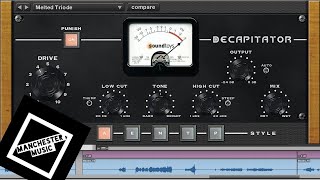
Soundtoys Decapitator: Why is everyone in love with this thing?
Geoff Manchester
(Vocals) Mixing | Using Soundtoys Decapitator On A Lead Vocal

Puremix
Decapitator - 808 Kick

soundtoys
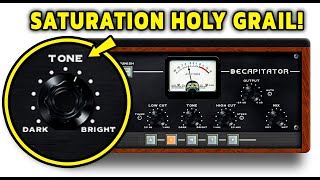
Why Pro Mixers Are OBSESSED With Decapitator

Plugin Alley
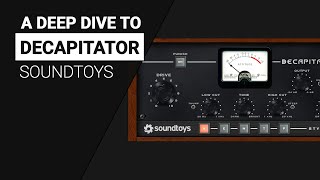
A deep look to the DECAPITATOR by Soundtoys- Guide tutorial

XNB
Reviews
PROS
-
Offers five distinct emulation modes for varied sound coloration
-
Features a "Punish" button for aggressive 20dB signal boost
-
Excellent for both subtle saturation and intense distortion effects
-
Includes integrated low- and high-pass filters for sound shaping
-
Highly versatile, suitable for vocals, drums, bass, and synths
-
Easy-to-use interface with auto-makeup gain and mix knob
-
Enhances sound with analog warmth or digital grit
-
Popular among top-level engineers and producers
-
Can replace physical gear for live performances
CONS
-
High CPU usage when used on multiple channels
-
Some users prefer other plugins for saturation effects
Owner Insights
We analyzed real musician discussions from forums and Reddit to find what players love, question, and tweak about Soundtoys Decapitator.
Features and functionality
-
The Decapitator lacks an oversampling option, leading to noticeable aliasing issues according to some users.
Source -
The Decapitator's various settings (A, E, N, T/P) mimic specific hardware preamps, providing versatility in tonal applications, like using the N setting for vocal preamps.
Source -
Devil-Loc acts as a highly aggressive limiter with distortion, ideal for thickening drum room sounds, particularly effective in metal and rock genres.
Source
Value and pricing
-
Soundtoys Decapitator often goes on sale significantly below its $200 price, with bundle deals offering greater savings during holiday promotions.
Source
Comparisons
-
Audio Assault Head Crusher is frequently recommended as a budget-friendly alternative to the Decapitator for similar distortion and saturation effects.
Source -
Arturia's Culture Vulture model and Soundtoys Decapitator offer different tonal qualities, with some users preferring Arturia for its dynamic and EQ circuits.
Source -
Decapitator's A mode emulates the tube preamp from a vintage tape recorder, distinct from true tape effects like Kramer Tape, which emphasize tape saturation and wow&flutter.
Source
Use cases and applications
-
Many users consistently apply the Decapitator lightly on bass and vocals, enhancing tracks by subtly altering brightness or darkness.
Source -
Decapitator excels on drum busses, providing a crunchy texture that enhances the drum mix's cohesion and impact.
Source -
It's effective for creating aggressive tones in EDM bass genres, helping sounds cut through the mix with added saturation.
Source -
Ableton's Drum Buss and Roar in Multiband are recommended for drum processing and general sound enhancement, respectively, offering viable alternatives to Decapitator.
Source -
Radiator excels when cranked on kicks and toms, leveraging its EQ section to enhance brightness, providing a unique tonal option compared to Decapitator.
Source
User experience
Critic Reviews
5.0 out of 5
Based on 6 Reviews and 54 Ratings

1798
Something to warm up or incinerate your signal with
I have two dirt pedals that I utilize to either beef up my signal or absolutely destroy it, but when I don't want to go through the trouble of hooking up my outboard gear to setup I just open up Decapitator. It's one of those saturation/dirt plug-ins that can be used with subtlety to add warmth to your tracks or you can be abrasive by initiating the "punish" button and turn your signal into a glitchy fuzzed out mess. It goes great with everything and I'll probably be using it in place of my Life Pedal when I tour or play shows in town.

1539
Endless distorted joy
I can't begin to express how much I love this plugin and I've barely had time to use it. It feels like it has unlimited possibilities and can give you any kind of distortion tone you could possibly want, from subtle and warm to severely mangled, and yet everything sounds musical somehow. Magic!

1513
Inspiring, Incredibly useful
The Decapitator from SoundToys is incredible, I use it on all my synth tracks, really adds a fantastic "color" to the sound that compliments whatever project i'm working on. One of the best plugins ever!!

238
Artist usage
Add artist

There are a couple of tracks of live brass treatment, and they’re all going through the Decapitator and [Virtual Mix Rack] VMR and are edited to make them sound like a sample


Used on Cardi B's vocals for "Bodak Yellow", as mentioned by mix engineer Evan LaRay in this February 2018 Sound on Sound interview. An image of the "VOX 1" settings can be found here.
In his mix of ‘Bodak Yellow’, Evan LaRay used almost identical vocal chains on two auxiliary busses. The ‘Vox 1’ chain includes FabFilter’s Pro-DS de-esser and Waves’ C4 multiband compressor, plus the Waves CLA Vocals plug-in and SoundToys’ Decapitator saturation processor.
The main ‘Hook’ and ‘Verse’ vocal tracks have similar plug-in chains, incorporating the EQ3 seven-band, Waves CLA-76 and Waves De-esser, though the ‘Hook’ also has FabFilter’s Timeless 2 delay. LaRay explains, “The EQ on the ‘Hook’ has a high-pass, around 100Hz, and I’m also cutting 3dB at 300Hz, because the vocal sounded a bit muddy, and again 3dB at 4kHz, because there was a piercing frequency there. The CLA keeps the peaks in check, and the de-esser again takes some higher frequencies out, at 4270Hz, and the Timeless is another favourite plug-in. I think in general the FabFilter plug-ins are extremely dope. I wanted the ‘Hook’ vocal to stand out from the ‘Verse’ vocal, so I used a stereo delay preset, and then tweaked that. The presets on the FabFilter plug-ins are pretty good: you just run through all of them and then choose the best one. In this case I lowered the width and the wet value of the stereo delay preset, and that sounded good and gave the hook its own space. The three plug-ins on the ‘Verse’ track do pretty much the same.
“The ‘Inout’ tracks that are below the ‘Hook’ and the ‘Verse’ are vocal doubles. They are words or lines we use for emphasis and additional power on these lines and words. They come from one of her original vocal takes, which I just cut and cleaned up. Both ‘Inout’ tracks have the Waves RCompressor, just containing these words and lines so they don’t overwhelm the ‘Hook’ or the ‘Verse’ vocal, and then the FabFilter Pro-Q2, taking out some high frequencies, again to make sure it doesn’t clash with the leads, and also cutting below 200Hz. And there’s a delay on these tracks to put them in a slightly different space from the lead vocal tracks.
“In addition to the two ‘Inout’ tracks, both the ‘Hook’ and the ‘Verse’ tracks are also accompanied by an ‘Ad Libs’ track, which were some ad libs Cardi had recorded with Mike over at Krematorium. Mike had also set up a separate aux track for these ad libs, which is ‘Vox2’, and I liked that and kept two of the plug-ins he had on that: the [Avid] Sansamp for some distortion and the SoundToys Panman. I then added the D-Verb and the [Waves] CLA Vocals. I adore the CLA Vocals. I use it on every track I work on. When I don’t use it, the vocals sound completely different. I’d love to know what exactly it does! Finally, the inserts have the Waves L1, just to control the peaks.
“The other tracks — ‘EXF1’, ‘EXF2’, ‘EXF3’ and ‘EXF4’, are because I prefer to create a new track if I want to have a specific effect on specific words or phrases. I prefer doing that to automating the effects on a track. Automation is great, but I tend to only do volume automation. So I copy audio to another track, and then put the effect on that, and in this case I created four different effects tracks with four different delays. ‘EFX1’ is the main one, and has the same three plug-ins as the Verse tracks — EQ3 three-band, CLA76 and Waves De-esser — just with the EQ3 cutting more of the high frequencies. Then there’s an eighth-note ping-pong delay from the Waves H-Delay, and then a D-Verb set to ‘hall’ with 7s decay and a 15ms pre-delay. ‘EFX2’ has another H-Delay delay, ‘EFX3’ the Timeless 2 delay, and ‘EFX4’ again has the H-Delay plus a D-Verb.”
All the main vocal audio tracks go to LaRay’s ‘Vox1’ aux group track. This, he explains, has “A FabFilter Pro-DS de-esser, then the Waves RCompressor controlling the peaks, the Waves C4 multiband compressor boosting the high end and containing the lows in her voice, so it doesn’t cut through too much, and Waves CLA Vocals. Again, it’s really making my vocals sound good. I push the Pitch fader to stereo, spank it on the compressor, also push up the treble to brighten it up, turn the reverb down to ‘tight’, and lower the delay by 9dB because my own quarter delay is my main vocal delay, and it sounds great. There’s also a SoundToys Decapitator, to add more harmonic distortion, and then there’s the Waves RVox. That was supposed to be the final plug-in on the insert, but then I realised the vocal was still peaking too much once she began rapping loudly, so I put on the L1 [limiter] to control that.”
The ‘special sauce’ in Evan LaRay’s mixes comes from a parallel aux channel containing a blend of compression, saturation, EQ and other processors. Key ingredients are Waves’ PuigChild compressor and PuigTech equaliser.
The ‘Vox1’ and ‘Vox2’ tracks also each have a Trim plug-in on an insert, and sends to the ‘Verb’ aux and to the ‘ELR’ (LaRay’s initials) track. “I put the Trim on all my tracks at the end of the vocals, and at the end of the beat, because the vocals actually began distorting in places. These two tracks were too hot, and I wanted to make sure they had a good level before going to the ‘Sub Print’ track. I have the ‘ELR’ aux track in every session. It’s most of all parallel compression, but I also always try out new things with distortion, exciters and things like that, and I label that ‘ELR’. In this case it really is the ‘ELR’ track that makes the vocals cut through the mix.
“The compression on the ‘ELR’ track comes from the Waves PuigChild 670, which is a great compressor, and it’s compressing a lot, so the vocal stays right there in the middle. The signal is then going to the PuigTech EQP-1A, which is boosting some low end to add some warmth to the vocals, and some 5kHz, and then the Waves Aphex Vintage Aural Exciter, set to AX Mix 6, for some added crispness and clarity, then the EQ3 seven-band to control the low mids, and another De-Esser cutting 4398Hz, to finalise the vocal sound. The L1 also helps keep the vocals in the same place. Finally, the ‘Verb’ send on the ‘Vox1’ and ‘Vox2’ tracks goes to the ‘Verb’ aux, which has the Waves RVerb, and that pretty much glues everything together.”




"The distinctive plug?in processing that gave rise to Hurts' signature drum sounds was based around three specific plug?ins: Sound Toys' Decapitator, Logic's Enverb and Waves' Sound Shifter."


In the video titled "Create a full techno track from scratch with Tom Hades – FROM THE ARCHIVE," at the 4:59 mark, Tom Hades is shown using the Soundtoys Decapitator plugin in his track.



10:37 - Kove pulls up this plugin that he has used on a kick attack layer.


"I think having a few workhorses is better than running down pages of plugins to choose from. It helps me create quick presets for more consistency across projects. These are the plugins I use, very basic: [...]"

In the MusicRadar Tech video titled "Huxley on creating I Want You – The Track," Huxley uses the Soundtoys Decapitator plugin at the 09:56 mark.



In the video titled "MJ Cole: In the studio with a UK garage legend – FROM THE ARCHIVE (2017)" by MusicRadar Tech on YouTube, at 13:07, MJ Cole is seen discussing the use of the Soundtoys Decapitator plugin in the production of his track "Pictures In My Head."

Album Usage
The Soundtoys Decapitator has been featured on the following albums:

Starlight
Disciples (2025)

Spacetime
Andrew Huang (2021)

Oceans & Galaxies
JAUZ & HALIENE (2021)
Ex Machina
Metrik (2020)

Cojum Dip
Cojum Dip (2019)

Echoes
Ben Duffy & Kove (2019)
Sun EP
Gallago (2018)

Call The Comet
Johnny Marr (2018)
All The Stars (with SZA)
Kendrick Lamar & SZA (2018)
![Soundtoys Decapitator as heard on Bodak Yellow (feat. Messiah) [Latin Trap Remix] by Cardi B (2017)](https://images.equipboard.com/uploads/album/image/658146/bodak-yellow-feat-messiah-latin-trap-remix.jpg)
Bodak Yellow (feat. Messiah) [Latin Trap Remix]
Cardi B (2017)

Pictures In My Head
MJ Cole (2017)

Bodak Yellow (feat. Kodak Black)
Cardi B & Kodak Black (2017)

Light
San Holo (2017)

All The Way (VIP Mix)
Hellberg (2016)

Alone
Alan Walker (2016)

Perfect Strangers
Jonas Blue & JP Cooper (2016)

I Want You
Huxley (2015)

Blurred
Huxley (2014)
Hypnotic Eye
Tom Petty and the Heartbreakers (2014)

Beast
Borgeous & Thomas Gold (2014)

II
Moderat & Moderat (2013)

Remember
Thomas Gold (2013)
Genre Usage
Based on how artists on Equipboard use this gear, it is most commonly found in the following genres.
Used With
Based on how musicians on Equipboard use Soundtoys Decapitator, it is most commonly used with the following gear.
-s.webp?v=1783402466)





-s.webp?v=1783403579)


More Soundtoys Saturation Plugins

$83.50 - $99.00
in Saturation Plugins Rank


$58.80 - $99.00
in Saturation Plugins Rank


-m.webp?v=1783403639)
$33.00 - $39.99
in Saturation Plugins Rank


$35.00 - $199.00
in Saturation Plugins Rank


$35.00 - $199.00
in Saturation Plugins Rank


$33.00 - $39.99
in Saturation Plugins Rank


$0.00
in Saturation Plugins Rank


$0.00
in Saturation Plugins Rank

$33.00 - $39.99
in Saturation Plugins Rank


$39.99
in Saturation Plugins Rank


-m.webp?v=1783402656)
$449.00
in Saturation Plugins Rank


$22.00 - $99.00
in Saturation Plugins Rank


$29.00
in Saturation Plugins Rank

$19.99 - $20.00
in Saturation Plugins Rank


$32.00 - $49.00
in Saturation Plugins Rank

$47.00 - $49.00
in Saturation Plugins Rank

$33.00 - $35.99
in Saturation Plugins Rank


$96.00 - $149.00
in Saturation Plugins Rank


$99.99
in Saturation Plugins Rank

$47.00 - $49.00
in Saturation Plugins Rank


$83.00 - $99.00
in Saturation Plugins Rank


$29.00 - $40.00
in Saturation Plugins Rank

$23.90 - $30.00
in Saturation Plugins Rank


$49.00
in Saturation Plugins Rank

$199.00
in Saturation Plugins Rank


$29.00 - $99.00
in Saturation Plugins Rank


$14.99 - $25.99
in Saturation Plugins Rank

$69.00 - $79.00
in Saturation Plugins Rank

$10.83 - $19.00
in Saturation Plugins Rank
Accessories & Related Items
-s.webp?v=1783402586)


Community setups


Similar


Most Popular Saturation Plugins
Most Popular Brands
-
Added to Equipboard on by
.jpg?v=1783370835) gchiaren
gchiarenGear IQ 37552
-


