This page about Lenovo Thinkpad X200 is a stub. You can help improve it:

Pricing and availability

* Product prices and availability are updated by Equipboard every 24hrs and are subject to change. Equipboard may receive compensation for purchases made at participating retailers linked on this site. This compensation does not affect what products or prices are displayed, or the order of prices listed. For more information, please refer to our affiliate disclosure.

Luke Smith

Luke Smith

REVIEW: Thinkpad X200 (durable beast, less than $100)

Video thumbnail for REVIEW: Thinkpad X200 (durable beast, less than $100) by Luke Smith

REVIEW: Thinkpad X200 (durable beast, less than $100)

Luke Smith
Luke Smith

Video thumbnail for Lenovo ThinkPad X200 / X200s Product Tour by Lenovo

Lenovo ThinkPad X200 / X200s Product Tour

Lenovo
Lenovo

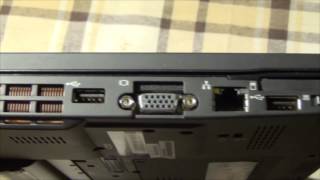
Video thumbnail for Lenovo ThinkPad X200: Overview, Ultrabase and a Bonus (The Fake ThinkPad) by Laptop Retrospective

Lenovo ThinkPad X200: Overview, Ultrabase and a Bonus (The Fake ThinkPad)

Laptop Retrospective
Laptop Retrospective

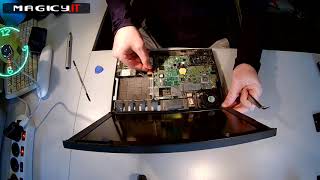
Video thumbnail for Lenovo ThinkPad X200 Disassembly by Magicy.IT Usługi informatyczne

Lenovo ThinkPad X200 Disassembly

Magicy.IT Usługi informatyczne
Magicy.IT Usługi informatyczne

Video thumbnail for Lenovo Thinkpad X200 by halend

Lenovo Thinkpad X200

halend

halend

Reviews

Owner Insights

We analyzed real musician discussions from forums and Reddit to find what players love, question, and tweak about Lenovo Thinkpad X200.

Software and compatibility

  • Running Linux Mint, especially with the Maté desktop environment, significantly improves performance and responsiveness on the X200.

    Source
  • Linux Mint Debian Edition (LMDE) is favored for its stability and fewer updates compared to standard Linux Mint, making it suitable for older hardware like the X230.

    Source
  • Dual-booting Windows 11 and Arch Linux on the X200 is feasible with an SSD and 4GB RAM, providing smooth operation for daily tasks.

    Source
  • Using the h.264ify browser extension improves YouTube performance, but even with this, the site can be too demanding on the X200's CPU.

    Source

Setup and maintenance

  • Tracking and using the Hardware Maintenance Manual (HMM) is recommended for upgrading or replacing components on ThinkPads like the X220.

    Source
  • Users report successful undervolting of Core 2 Duo CPUs by up to 200mV, reducing heat and fan noise.

    Source

Use cases and applications

  • The X220, with a Core i5 and Linux Mint, handles web browsing, email, and basic graphics work smoothly, even with music videos playing in the background.

    Source
  • The X200, with a dock and external DP screen supporting 2560x1600 at 60Hz, delivers impressive performance for productivity tasks.

    Source

Features and functionality

  • The i7 model of the X220 includes a single USB 3.0 port, which can be beneficial for faster data transfer, though it increases CPU temperatures.

    Source
  • USB-C charging mods are available for the X200, providing a modern charging solution.

    Source
  • The X200 can run fanless with undervolting and TP FanControl, enhancing quiet operation.

    Source
  • Owners highlight the rugged build and compact form factor of the X200, making it ideal for portability and light productivity despite its age.

    Source

Mods and upgrades

  • Some users prefer modding an X230 with an X220 keyboard for a retro feel, despite potential risks of damaging the keyboard during installation.

    Source
  • Installing an AFFS screen and upgrading to 8GB RAM significantly enhances usability for video tasks and productivity on the X200.

    Source
  • Owners have successfully replaced the X200 display and CNC'd replacement parts to improve durability and modernize the machine.

    Source
  • Replacing the stock hard drive with an SSD and using a whitelist-removed BIOS allows for faster WLAN speeds with Intel 6205 or 7260AC cards.

    Source

Value and pricing

  • The X220 with an i5 2520M and 8GB RAM is available for $73, making it a cost-effective alternative with better performance than the X200.

    Source

Critic Reviews

Lenovo ThinkPad X200 review: Lenovo ThinkPad X200 - CNET

cnet.com

The Lenovo ThinkPad X200 impresses with record-breaking battery life and strong performance for an ultraportable, making it a great choice for frequent travelers. Its full-size keyboard and sharp wide-screen display enhance usability, while options for WWAN and GPS add connectivity flexibility. However, the absence of a touch pad and optical drive, and the additional weight from the nine-cell battery, may deter some users. Overall, the X200 is a solid ultraportable laptop that excels in long-lasting power and functionality, despite some trade-offs in features.

positive

Lenovo Thinkpad X200 - Notebookcheck.net External Reviews

notebookcheck.net

The Lenovo ThinkPad X200 impresses with its solid build quality, vibrant display, and efficient performance thanks to its Centrino 2 platform. Its compact design and extended battery life make it a reliable choice for business travelers. However, it lacks an optical drive and a touchpad, which might deter some users. While the pricing seems high for its features, its durability and functionality cater well to mobile professionals, balancing the scales towards a neutral recommendation.

Lenovo ThinkPad X200 Review | Laptop Mag

laptopmag.com

The Lenovo ThinkPad X200 is a powerhouse in a compact package, perfect for mobile professionals who prioritize battery life, performance, and durability. Its standout features include an excellent keyboard, solid performance with the Centrino 2 platform, and impressive battery endurance. However, the lack of an optical drive and touchpad might be a deal-breaker for some. Despite these flaws, the ThinkPad X200 remains a top choice for an ultraportable business laptop, praised for its security features and robust design. Overall, it's a strong contender for those needing business essentials on the go.

positive

5.0 out of 5

Based on 0 Reviews and 1 Rating

5 star
4 star
3 star
2 star
1 star

Artist usage

Add artist
See how Max Tundra uses Lenovo Thinkpad X200

Max Tundra

Keyboardist, Composer

...
Verified via MusicTech

Max's current music production computer.

Genre Usage

Based on how artists on Equipboard use this gear, it is most commonly found in the following genres.

Used With

Based on how musicians on Equipboard use Lenovo Thinkpad X200, it is most commonly used with the following gear.

Arturia Synclavier V
Arturia Synclavier V Music Software
1
Blockfish
Blockfish Music Software
1
Soundtoys Effect Rack
Soundtoys Effect Rack FX Bundle Plugins
1
Aberrant DSP SketchCassette II
Aberrant DSP SketchCassette II Tape Emulation Plugins
1
Renoise
Renoise DAW Software
1

More Lenovo Computers & Peripherals

Community setups

Similar

Gear Guides