

Pricing and availability


* Product prices and availability are updated by Equipboard every 24hrs and are subject to change. Equipboard may receive compensation for purchases made at participating retailers linked on this site. This compensation does not affect what products or prices are displayed, or the order of prices listed. For more information, please refer to our affiliate disclosure.
Description
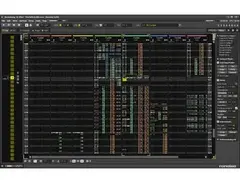
Renoise is a powerful, flexible, and unique Digital Audio Workstation (DAW) software that transforms your computer into a music creation powerhouse. Designed with a distinctive tracker interface, Renoise stands out from traditional DAWs by providing a vertical timeline and pattern editor, which appeals to musicians and producers who prefer a more hands-on approach. This software is perfect for electronic music producers, offering a non-linear workflow that allows for rapid idea generation and creative experimentation.
Renoise supports a wide range of VST and AU plugins, enabling you to integrate your favorite virtual instruments and effects seamlessly into your projects. With its built-in sampler, Renoise allows for intricate sample manipulation, providing tools such as slicing, looping, and pitch shifting. Its compatibility with MIDI controllers enhances your creative possibilities, offering intuitive control over your compositions.
The software's scripting capabilities also allow for deep customization, making it possible to tailor the interface and functionality to suit your specific workflow. Whether you're just starting out or you're a seasoned producer looking for a fresh approach, Renoise provides a robust platform for crafting unique sounds and compositions.
Key Features:
- Tracker-based interface for a distinctive and intuitive workflow
- Supports VST and AU plugins for extensive sound design options
- Built-in sampler with advanced features like slicing and looping
- MIDI controller support for hands-on interaction
- Comprehensive scripting API for personalized customization
- Cross-platform compatibility with Windows, macOS, and Linux
- Frequent updates and an active community for ongoing support and development
Videos

Renoise
Beginner's Tutorial Part 1 - Getting Started

Beginner's Tutorial Part 1 - Getting Started
Renoise

Renoise 3.3: Making A Jungle Tune Really Fast To Show How Fast You Can Write Music In Renoise

kali

Why Use Renoise (vs other DAWs)

Groovin in G

This DAW is WEIRD! Exploring the World of Music Trackers with Renoise! Beginner's Guide

Dash Glitch

Renoise tracker on Raspberry PI

Floyd Steinberg
The Most Underrated DAW For Music Production - Renoise Walkthrough and Review

Aisjam
Reviews
PROS
-
Unique vertical tracker interface offers a different workflow than traditional DAWs
-
Fast and efficient for creating sequences, especially in genres like drum & bass
-
Excellent VST support and external MIDI compatibility
-
Strong customization options, including themes and scripting
-
High-quality built-in effects and sample editor
-
Budget-friendly price for feature set
-
Compact and lightweight, minimal CPU usage
-
Quick startup and responsive interface
-
Fun and engaging for users familiar with tracker style
-
Comprehensive automation and pattern command options
CONS
-
Challenging for extensive audio editing, particularly with large audio files
-
Vertical interface can be confusing for those used to horizontal DAWs
-
Limited visual oversight on track progression and sample level details
-
Some users report issues with handling vocal tracks
-
Requires time and patience to master the tracker workflow
Owner Insights
We analyzed real musician discussions from forums and Reddit to find what players love, question, and tweak about Renoise.
Software and compatibility
-
The removal of ReWire support in favor of Ableton Link has been noted, with some users expressing concerns about Link's effectiveness for serious synchronization.
Source -
Renoise is noted for its stable performance, not hogging CPU resources or freezing, contrasting with some users' experiences with Ableton.
Source -
Renoise is compatible with a wide range of hardware and software systems, including Raspberry Pi's aarch64 platform, offering diverse use-case scenarios.
Source -
Renoise operates smoothly on Mac, Windows, and Linux, with users noting excellent performance even on less powerful devices like MacBook Air.
Source
Use cases and applications
-
Renoise is praised for facilitating creativity through its streamlined workflow, leading to higher productivity and completion of music projects compared to traditional DAWs.
Source -
The new splitter module introduced in version 3.5 is highlighted as a significant addition, enhancing live jamming and complex pattern creation.
Source -
Renoise is highly regarded for its speed in creating tracks, allowing users to establish the basics of a track in under a minute without templates.
Source -
Renoise turns a laptop into a low-latency instrument, suitable for drummers and musicians without needing an audio interface, enhancing portability.
Source
Features and functionality
-
The "follow player position" toggle is highlighted as crucial for users who prefer controlling page scrolling, enhancing the editing workflow.
Source -
Renoise allows precise pattern length adjustments, enabling simultaneous playback of patterns with different lengths, which some users find lacking in other trackers like Dirtywave M8.
Source -
Renoise excels at sample-based music and offers efficient loop slicing and sequencing, making it ideal for genres like EDM, jungle, and boom bap.
Source -
The update includes a new scripting feature in the phrase editor, allowing users to designate parts of the code as modulation targets for complex sequencing.
Source -
The Redux 1.4 update now includes MIDI out, allowing it to sequence other software like Bitwig and Ableton, enhancing its integration with these DAWs.
Source -
Renoise's unique tracker interface allows for precise note placement, with tools like "place notes evenly" tailored for creating complex patterns, such as triplets in metal music.
Source
User experience
-
Several users find Renoise more intuitive than DAWs like FL Studio and Ableton, especially for those who prefer not using a MIDI keyboard.
Source -
Renoise seems to resonate well with users who have a background in older trackers like Scream or Impulse Tracker, providing a nostalgic yet powerful music creation experience.
Source -
Some users find the learning curve steep, even after owning Renoise for two years, but acknowledge its power and functionality once mastered.
Source
4.5 out of 5
Based on 22 Reviews and 69 Ratings

340
Extremely easy and intuitive
I've been making music for a little over 7 years now in my spare time with FL Studio. Purchased this DAW a little over a month ago with the money i got from a side gig and i feel like i already learned how to use it really well. It's really fast and easy to make anything drum & bass related, or even hip hop beats. The only problem that i've had with it is a consequence of its interface, where it's not as easy to edit audio with, compared to something like FL Studio, which is a big deal to me since i make sounds for games and for my own use later down the road (drum one-shots, pads, etc...). And for that, it gets a 4 star from me. If extensive audio editing is not your thing, and you like the tracker workflow, then this is perfect for you.
TLDR: Almost perfect, but it's only flaw is a result of it's workflow.

78
As good as any other DAW out there!
I first started making music in 1995 with a piece of software called *FastTracker - I was heavily, emotionally invested in something called *the demoscene, a bunch of talented and creative guys who made, basically, music videos. Music making softwares in those days did not look like anything like today's horizontal-UI-based DAWs, FastTracker looked like Excel to everyone who did not understand what they are seeing. To us who used it on a daily basis, in looked like the same, only with meaning.
Renoise is a *tracker, such as FastTracker, a DAW where progression is vertical instead of horizontal and where the underlying math looks more prominent. If you can get over that (and also the thing that notation is a tad bit different and you really are working in a spreadsheet, to give you an overall view of things to come), this baby is amazing. Compact, fast, solid, works with most VSTs, does not crash often (I had my weird problems with my EMU0202 sound card, though, when you try to quit Renoise, you often have to resort to a force quit) and I made a full EP on it. My problem with it, though, is that in the long run I needed to work with vocal tracks and that is something that I simply could not solve neatly (maybe because I completely overlooked a feature?) and also in terms of visuals I liked an approach better which gives me visual oversight on the whole length of the track down to the sample level without clicking too much.
TLDR Renoise is as good as any other DAW out there. Main point of difference for me was the underlying logic and the lack of the horizontal track view. If you can live with it, this will be an amazing flagship in your arsenal.

456
FastTracker was da stuff!

344
Nice!
Didn't use Renoise that much to be honest. Before Renoise I used Jeskola Buzz and it was a huge step upwards, but after Renoise I quickly switched to Ableton Live because it simply has more to offer. However, I do still sometimes sync Renoise and Ableton together because it offers a very interesting and different way of making music and I like the fact that the sequencer runs from top to bottom, which is what I was used to with Jeskola Buzz for many years and Fasttracker 2 before that. Always get fun results from using Renoise. Great piece of software

186
Currently one of the only trackers powerful enough for VST-based production
Yes, trackers are not visually pleasing to those who got started with a piano roll and thus can see chords easily, but if you have the time and patience to get used to a more vertical-based workflow and work on your own visioconstruction skills, you'll realise it's one of the fastest ways to bolt out sequences (barring using a MIDI piano and recording MIDI to a DAW).
456
The BEST module tracker daw.
A bang for your buck, it has options that I don't see many other module trackers have, and the custom themes are awesome.
A little complex, but once you get the hang of it you can make some pretty awesome stuff.
72
THIS MY DAW
4.8 out of 5
very fun and great. not like fl studios where everything slides around and makes horrid noises, and not like ableton where...
pros:
- version 1.5.2
- solid and tight. hard to do anything you didn't mean to do
- you won't forget about automations
- multiple effects and whatnot won't mess it up
- looks really cool
- feels great to type music instead of click it
- great key combs for pattern control (ctrl+right, ctrl+right, ctrl+dn, ctrl+left. switched two sequences.
- great startup speed (fruit guy too slow)
- friendly tool tips (and no anime dance thing)
- 2005 great disc browser with quick playback
- customizable theme and key combs
- many time signatures (pretty much as many as you need, you 71/35 freakhead)
- speed control and tick system is great and in tact
- many transposes (and not just a knob eagh)
- beat slicing and GREAT pattern commands (0B00)
- stereoexpander and singlepole lp
- has toggleable backup saves
- idk how to buy 2005 1.5.2 ver instead of 3.0
neutrals:
- hexadecimal. helpful in having more numbers but sometimes hard to calculate.
cons
- 2005 sample editor is rather lame (no timestretch, etc)
- 2005 crashes
- 2005 playbacking samples sometimes stop because they long (reasonable)
- 2005 effects are ok
- 2005 reverbs are usually bleh
- clips sometimes (probably just me)
- 2005 hard to make GREAT sounds without vst plugins
anything with 2005 could either just be a problem from 2005 or maybe it's still there. download the demo, that's all i can use because idk how TO BUY 2005 FVERSON.]
overall, it's you. it's not renoise. renoise is a hot friendly smart caring guy and it's you. renoise has done nothing wrong, and never will. get the right sounds -- get the right sequences -- u ho.

79
I love it
Though it may look like you're standing outside the Matrix, it contains so many useful and flexible tools for sampling and synthesizing. Its rock-bottom price and amazing sound profile means you should definitely check it out.


50
The single most important Music tool i will ever use
I love renoise it's great it is easy to use and customization you can script within it and the automation is very good. the reverb is excellent with renoise you are right into the detail it's fast and great for sample mangling.

This is THE tracker
If you've never tried a tracker and want to, or if you are moving from another, this is the one you want. Everything a modern daw has with a tracker sequence. Pure sickness

184
Great modern tracker
If you like the tracker interface, this is the DAW for you. Full VST support, external midi, all the stuff you need. Great sample/instrument-editor can sample a full VST-instrument with one button. Instrument editor/Sampler also available as VST plugin if you use other DAWS, worth a check: Redux.
Artist usage
Add artist

"Renoise is my main DAW, and I also use some drum machines, sequencers, and other hardware, along with my Doepfer, Arp, and other modular synthesizers."


In these archived screenshots from the comments section of Aphex Twin's Warp/Bleep storefront, you can see Richard James (aka Aphex Twin and like 10 other aliases) discussing the merits of PlayerPro Tracker vs. Renoise. This storefront went live July 21st, 2017, and these conversation screenshots were posted 2 days later on the 23rd. In the discussion, James (using the alias "daddy1") details his criticisms of Renoise and mentions feature-requests he's made to the Renoise development team.
"I've tried in vain to make the Renoise coders listen [to my feature requests], help!"
"[In PlayerPro Tracker] You could print plugin effects directly & destructively onto the sample, hence freeing up CPU, but you could hear the effect first before you printed it. I've really pecked several people to do this and it did finally get done in Renoise."
Those doubting that "daddy1" is Richard James can also take a look at this interview from German magazine SPEX, October 2014 issue:
My five-year-old son has now made six tracks using the Renoise software, and I think it’s better than my own tracks. When he made his first track, I thought it was incredible, but then he produced five more and I was like oh shit"
This is Richard's son using Renoise, not him, of course, but the odds that a 5 year old was allowed to research, install, and purchase a DAW without parental intervention/influence seem pretty low. I'm sure the Richard James household hosts many DAWs, but Renoise is the one with the most supporting evidence.


cEvin Key is announced as Renoise official artist http://renoise.com/artists/cevin-key
Interview by GraySun Caligari, published in Circuit Breaker Club. cEvin Key: "So Re-Noise is an amazing program if you’ve ever sequenced using that. It’s more of a Tracker style program. It’s more complicated. It was used for songs like “Ganbatte“. How I found out about it was through Aaron from Venetian Snares. I was asking him how he did all that crazy articulated stuff. There is quite a learning procedure but then doorways open up and it’s really fun. About half of the record was written using Re-Noise." *'Renoise' is spelled wrong. https://circuitbreakerclub.org/links-and-goodies/interview-with-cevin-key-of-skinny-puppy/
Interview by DJ Wildhoney, published in Side-Line Magazine. cEvin Key: "I mainly use Logic synced to the room and all clocks, I also like Renoise sometimes." http://www.side-line.com/skinny-puppy-all-my-gear-crashing-on-top-of-me-was-not-good-tech-talk-with-dj-wildhoney/


Venetian Snares is listed as a Renoise artist.


Me and @celldweller proclaiming our love of @renoise Everything I wanted from the ScreamTracker ImpulseTracker days

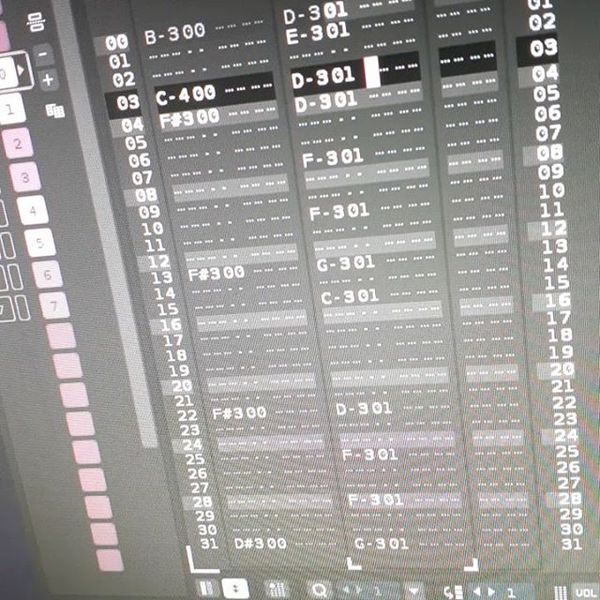
"first time producing with renoise and slowly falling in love with it. tried making a earl sweatshirt type of beat."

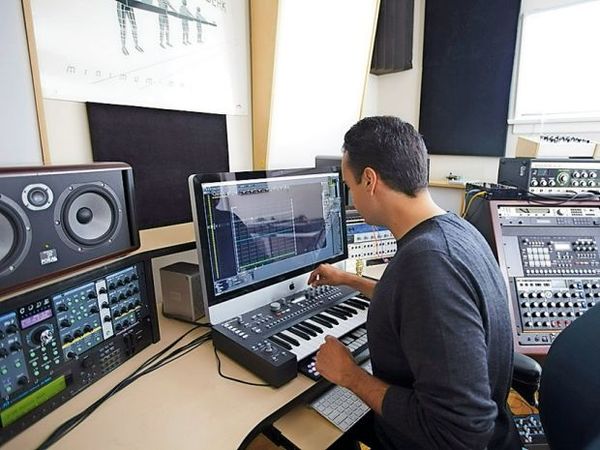
In an interview with Future Music, John Tejada says, "While I find DAWs interesting, I don’t find them very interesting for creating music. I loved those days of just getting lost inside the EPS [sampler] or an Akai MPC, so for that reason I’ve become a huge Renoise fan."


On his Youtube page posted a video with his track playing from Renoise software.


Me and @celldweller proclaiming our love of @renoise Everything I wanted from the ScreamTracker ImpulseTracker days


Orgue Electronique utilizes Renoise, as documented on the Sternstudio website.

Seen on video. Stacking of 100 kick drums on each other in renoise (right side monitor)

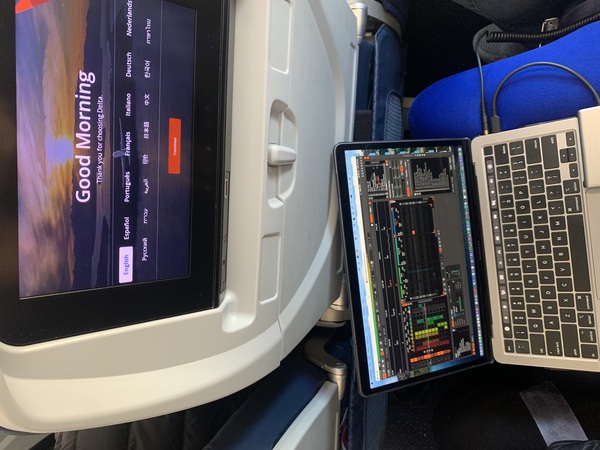
Genre Usage
Based on how artists on Equipboard use this gear, it is most commonly found in the following genres.
Used With
Based on how musicians on Equipboard use Renoise, it is most commonly used with the following gear.


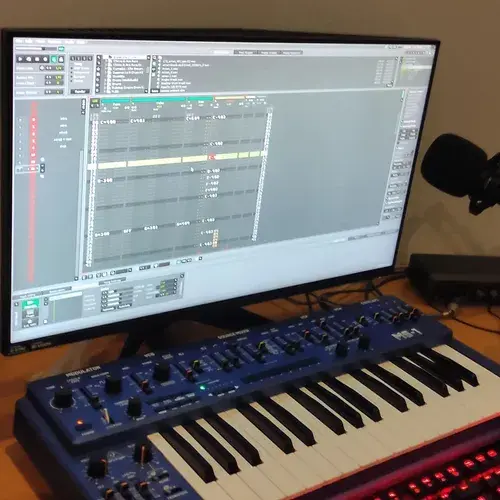
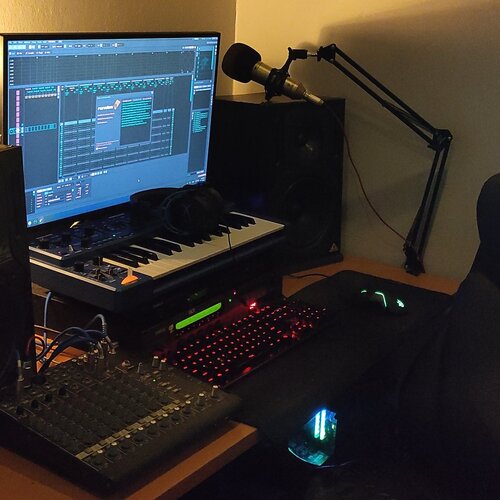
Community setups
Show yoursMore DAW Software

$225.00 - $599.00
in DAW Software Rank


$268.00 - $349.00
in DAW Software Rank


-m.webp?v=1784455242)
$99.99 - $344.00
in DAW Software Rank


$99.00 - $399.99
in DAW Software Rank


$179.00
in DAW Software Rank


$398.00
in DAW Software Rank
-m.webp?v=1784455238)
$409.00 - $499.00
in DAW Software Rank


$119.00 - $295.00
in DAW Software Rank


$209.00 - $329.99
in DAW Software Rank


$199.00
in DAW Software Rank


$0.00
in DAW Software Rank


$515.00 - $579.99
in DAW Software Rank


.png?v=1784755332)


$75.00
in DAW Software Rank


$449.00 - $479.00
in DAW Software Rank


$199.99
in DAW Software Rank
.jpg?v=1784450238)


$129.00 - $189.00
in DAW Software Rank


$395.00 - $499.00
in DAW Software Rank


$136.00 - $179.00
in DAW Software Rank

$139.99 - $199.99
in DAW Software Rank


$366.00 - $579.99
in DAW Software Rank


$579.99
in DAW Software Rank


$245.00 - $285.00
in DAW Software Rank


$149.00 - $201.00
in DAW Software Rank


$579.99
in DAW Software Rank


$375.00 - $399.95
in DAW Software Rank

$139.00 - $249.00
in DAW Software Rank


$479.00 - $528.00
in DAW Software Rank

$206.00
in DAW Software Rank

Similar


Gear Guides










Most Popular DAW Software
Most Popular Brands
-
Added to Equipboard on by
RreverendentityGearIQ 457
-


