

Pricing and availability
We compare 600+ stores and found this item at 4 stores. Prices updated .
Store
Reviews
Price


Price History
Based on price data from 4 merchants for "Waves OneKnob Filter". Prices shown reflect NEW condition. Tracking began Apr 2, 2026.
* Product prices and availability are updated by Equipboard every 24hrs and are subject to change. Equipboard may receive compensation for purchases made at participating retailers linked on this site. This compensation does not affect what products or prices are displayed, or the order of prices listed. For more information, please refer to our affiliate disclosure.
Description
Transform your music production workflow with the Waves OneKnob Filter, the quintessential tool for effortless sonic sculpting. This plugin is designed with simplicity at its core, featuring a single intuitive knob that lets you seamlessly sweep through frequencies. Whether you're looking to add depth to your synths, create dynamic loops, or refine a full mix, this filter plugin delivers with precision and style.
The OneKnob Filter stands out with its selective resonance feature, allowing you to toggle between preset resonance settings with ease. This ensures that whether you're crafting subtle transitions or dramatic drops, every sound remains smooth and musical. With a simple twist, you can mute the high frequencies, adding warmth and character to your tracks without getting lost in complex settings.
Ideal for both novices and seasoned producers, this filter plugin is perfect for studio sessions, live performances, and DJ sets alike. It’s not just about simplifying your workflow; it’s about enhancing your creative potential with a tool that offers both power and elegance in one streamlined package.
Key Features:
- Easy-to-use lowpass filter plugin for electronic music
- Sweepable filter with switchable resonance modes
- Suitable for full mixes, loops, analog synths, and more
- Dual-parameter interface for focused sound design
- Perfect for use in studios, on stage, and by DJs
Owner's manual
Waves OneKnob Filter User ManualProduct specs
| Software Type | Lowpass Filter |
| Platform | Mac, PC |
| Upgrade/Full | Full |
| Download/Boxed | Download |
| Bit Depth | 64-bit |
| Format | AAX Native, AudioSuite, VST, AU, SoundGrid |
| Hardware Requirements - Mac | Intel Core i7 or higher (M1 support), 8GB RAM minimum |
| Hardware Requirements - PC | Intel Core i5 / AMD Quad-core or higher (AVX required), 8GB RAM minimum |
| OS Requirements - Mac | macOS 10.15.7 or later |
| OS Requirements - PC | Windows 10 or later (21H2), 64-bit |
FAQs
-
What type of filter is the Waves OneKnob Filter?
-
The Waves OneKnob Filter is a lowpass filter plugin designed to deliver smooth transitions from low to high frequencies, mimicking the sound of analog synthesizer circuits.
-
Is the Waves OneKnob Filter compatible with my DAW?
-
The Waves OneKnob Filter is compatible with DAWs that support AAX Native, AudioSuite, VST, AU, and SoundGrid formats, making it versatile for use with most popular digital audio workstations.
-
Can I use the Waves OneKnob Filter on both Mac and PC?
-
Yes, the Waves OneKnob Filter is compatible with both Mac and PC platforms, requiring macOS 10.15.7 or later and Windows 10 (21H2) or later, respectively.
-
What are the system requirements for running the Waves OneKnob Filter on a Mac?
-
To run the Waves OneKnob Filter on a Mac, you'll need an Intel Core i7 or higher (M1 support), with a minimum of 8GB RAM, and macOS 10.15.7 or later.
-
Does the Waves OneKnob Filter require a specific bit depth?
-
Yes, the Waves OneKnob Filter operates at a 64-bit depth, ensuring high-quality audio processing.
Videos

Waves Audio
OneKnob Filter Plugin
OneKnob Filter Plugin
Waves Audio
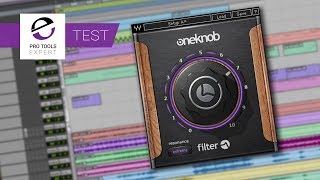
Waves OneKnob Filter Plug-in - How Good Is It? Our Test

Production Expert
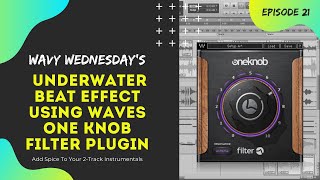
Quick & Easy Underwater Effect Using Waves One Knob Filter Plugin

Fly Guy J Productions
Reviews
Owner Insights
We analyzed real musician discussions from forums and Reddit to find what players love, question, and tweak about Waves OneKnob Filter.
Comparisons
-
Ohmforce Fromage, FilterCrusher, and TAL Filter 2 are recommended as superior alternatives for varied filter needs, from smooth to tweakable settings.
Source -
FAT Filter is favored over Xfer's filter for simplicity; some users suggest it compresses while filtering, a claim not supported by the manufacturer.
Source
Use cases and applications
-
The OneKnob Filter is praised for its convenience and ease of use, acting as a quick solution for filter sweeps.
Source -
The OneKnob Filter is particularly beneficial in live settings, where minimal mental engagement is needed, allowing musicians to focus more on performance rather than technical adjustments.
Source -
Users seeking low CPU usage should consider GVST plugins, which are generally praised for their efficiency and reliability.
Source
Value and pricing
Features and functionality
-
Some users suggest parallel saturation techniques to achieve a smoother filter effect without relying on OneKnob Filter.
Source -
For live performances, setting up presets for effects chains can streamline the process, reducing the need for real-time adjustments and making the OneKnob series more effective.
Source -
Xfer DJM Filter offers a unified knob for lowpass/highpass with resonance and drive controls, but lacks slope control.
Source
Software and compatibility
-
WavesUniverse offers Waves bundles at lower prices than the official site, with the caveat that this service is primarily available in the US.
Source -
Waves plugins, including the OneKnob series, can be CPU-intensive, making them less ideal for projects with multiple instances.
Source -
Waves offers free demos for all their plugins, allowing users to test sound quality and performance before committing to a purchase.
Source
Critic Reviews
5.0 out of 5
Based on 0 Reviews and 2 Ratings
Artist usage
Add artist

At 01:31 you can see this plugin opened in the background


Used for "How to Talk", as stated by mix engineer Kesha Lee in this December 2017 Sound on Sound article.
“The intro track was a voice note Uzi had recorded on his phone, and he played it in the booth on his phone, and we recorded it through the mic like that. It sounded really telephone-y, which we wanted, but I tried to take out some of the highs with the Waves OneKnob. All audio vocal tracks apart from the intro have Antares Auto-Tune as the first plug-in. Uzi hears his Auto-Tuned vocals in his headphones while singing. We used to just have it on default, with a Retune speed of 20, but lately he has been like: ‘Give me more Auto-Tune!’ so now we have the Retune Speed set to anywhere from 12 to 5. The ‘D’ after Auto-Tune is the Waves De-Esser, the ‘Q’ the Avid EQ3 seven-band, and the ‘1’ is the Waves C1 gate. All vocal audio tracks also have sends to the delay and the reverb aux tracks. The delay aux track has the Avid Mod Delay II set to half notes, with feedback at 43 percent, the Waves Renaissance Reverberator, set to ‘Hall 1’ reverb, with the highs cut on the reverb EQ, and the Waves S1 stereo imager. The reverb aux has the Renaissance Reverberator.
“All audio vocal tracks go to the vocal aux track. I had two vocal aux tracks in this session, because I wanted to try something different, using plug-ins I don’t normally use. That’s why one of the aux tracks is muted. The vocal aux track that I did use has the Waves De-Esser acting around 4230Hz, then the EQ3 seven-band which has a high-pass at 96.4Hz, and I’m dipping out muddiness at 200 and 500 Hz. I’m also adding some high end at 6.52kHz. I don’t normally add EQ with the seven-band, but Seth would add some high end on Future’s voice and that worked well, so I tried it here. Next is the Waves Renaissance Compressor, to keep the dynamics in check, and then the Waves SSL E-channel, on which I am again dipping out various frequencies. The latter plug-in is more for colour and character. The Waves CLA-3A is more for the sound, and the RN Digital Detailer made Uzi’s vocals sound fuller and wider.
"The final plug-in in the chain is the Nomad Factory MCL-2269 limiter and compressor, again for the sound and for more volume. We always go for a warm, full, loud, in-your-face vocal sound, also because we like the vocals to be louder than the beat. I always turn the beat down 1-2 dB. There are no plug-ins on the master track, because I used to work for a producer who didn’t want that, as the mix would go to the mastering engineer. So I’m still used to doing it like that. I turn the master volume down anywhere between -7 to -9 dB before it goes to mastering, so they have room to work with.”


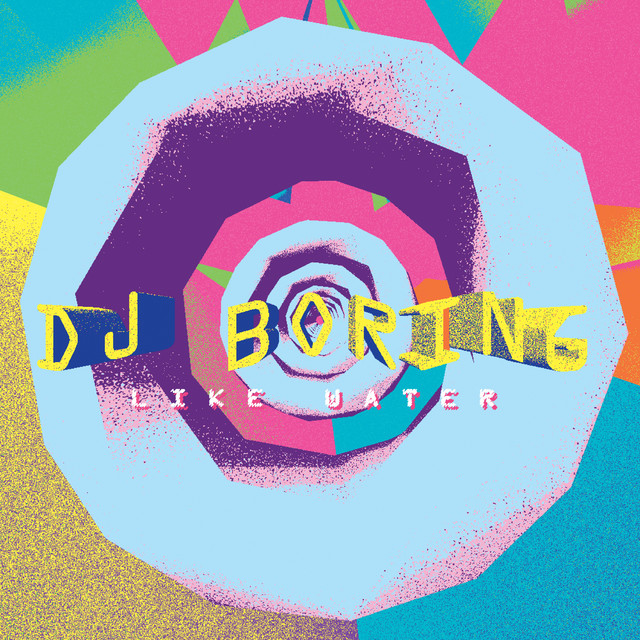
In a masterclass video hosted by Point Blank Music School and titled "DJ BORING Breaks Down His Track 'Like Water'," at the timestamp of 11:20, DJ Boring is visibly utilizing the Waves OneKnob Filter plugin on his track. This evidence is provided by a direct observation of the plugin in use during the session, as detailed in the video by Point Blank Music School.


Heat can be seen using Oneknob Filter 2:30 into this video to filter a sample.


Album Usage
The Waves OneKnob Filter has been featured on the following albums:
Genre Usage
Based on how artists on Equipboard use this gear, it is most commonly found in the following genres.
Used With
Based on how musicians on Equipboard use Waves OneKnob Filter, it is most commonly used with the following gear.


-s.webp?v=1783667351)
-s.webp?v=1783661975)


More Waves Filter Plugins

$33.00 - $34.99
in Filter Plugins Rank


$120.00 - $149.00
in Filter Plugins Rank


$90.00 - $99.00
in Filter Plugins Rank


$29.00 - $35.00
in Filter Plugins Rank


$25.00 - $50.00
in Filter Plugins Rank


$54.00 - $55.00
in Filter Plugins Rank


-m.webp?v=1783661698)
$109.00 - $129.00
in Filter Plugins Rank


$39.00 - $49.00
in Filter Plugins Rank


$44.99 - $45.00
in Filter Plugins Rank


$16.00
in Filter Plugins Rank

$0.00
in Filter Plugins Rank

$39.99 - $119.00
in Filter Plugins Rank

.jpeg?v=1783563118)


$24.80 - $59.00
in Filter Plugins Rank


$49.00 - $55.00
in Filter Plugins Rank
Accessories & Related Items


-s.webp?v=1783662438)


-s.webp?v=1783662282)


-s.webp?v=1783662309)


Community setups


Similar


Most Popular Filter Plugins
Most Popular Brands
-
Added to Equipboard on by
AandreazanniniGear IQ 74
-



