
Pricing and availability


* Product prices and availability are updated by Equipboard every 24hrs and are subject to change. Equipboard may receive compensation for purchases made at participating retailers linked on this site. This compensation does not affect what products or prices are displayed, or the order of prices listed. For more information, please refer to our affiliate disclosure.
Description
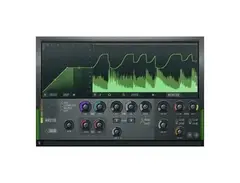
Elevate your audio production with the Image-Line Maximus, the versatile plugin that's set to transform your mixing and mastering processes. Designed to optimize your audio with precision, Maximus offers multi-band compression and limiting, ensuring your tracks achieve the desired punch and clarity without sacrificing their natural tone. Whether you're looking to bring out the subtle nuances in quieter parts or control the louder ones, Maximus provides a seamless solution that maintains the integrity of your sound.
Maximus is not just a limiter plugin; it's a comprehensive toolkit that includes a Compressor, Limiter, Noise Gate, Expander, Ducker, and De-esser. This makes it an invaluable asset for both mastering and individual track processing. By applying level maximization across three frequency bands, you can enhance the entire spectrum of your mix. The plugin allows you to adjust compression curves with precision, and its visual sound analysis aids in making informed decisions during the mastering process.
Whether you're an aspiring producer or a seasoned professional, Maximus is engineered to deliver professional-grade results. With its ability to increase bass depth and sharpen high frequencies, your mixes will have a polished, radio-ready quality. Experience the power of comprehensive dynamic control and take your music to the next level with the Image-Line Maximus.
Key Features:
- Multi-band compression and limiting
- Includes Compressor, Limiter, Noise Gate, Expander, Ducker, and De-esser
- 4 user-definable compression curves
- Complete visual sound analysis
- Frequency band customization for enhanced bass and sharpened highs
- Transparent peak limiting and volume maximization without coloration
Product specs
| Plugin Format | VST |
| Operating Systems | Mac, Windows |
FAQs
-
What are the main features of Image-Line Maximus?
-
Image-Line Maximus offers 3 independent user-definable Low, Mid, and High (LMH) frequency bands, custom look-ahead for compression envelopes, and 4 compressors/limiters for versatile dynamics control. It also includes two saturation types per band and stereo separation control, making it ideal for detailed sound shaping.
-
How does Image-Line Maximus handle compression tasks?
-
Maximus is fully configurable, allowing any of the LMH or Master compressors to be bypassed, which enables it to suit any compression task. Its infinitely variable, multipoint compression curve allows for custom knee shaping and effects like limiting, compression, gating, or expansion.
-
Is Image-Line Maximus suitable for mastering?
-
Yes, Image-Line Maximus is designed for both mixing and mastering. Its advanced dynamics processing capabilities, including frequency-dependent compression and parallel compression options, make it a powerful tool for achieving professional mastering results.
-
Can Image-Line Maximus be used for creative sound design?
-
Absolutely, Maximus can be a game-changer for sound design by manipulating audio dynamics to craft unique textures and effects. Its flexible compression curves and saturation options allow for innovative sound creation beyond traditional mixing and mastering applications.
-
Does Image-Line Maximus support parallel compression?
-
Yes, Maximus supports parallel and New York-style compression, allowing for mixing between the frequency-dependent compressors and the master. This feature provides greater control over the dynamics and tonal balance of your audio.
Videos

In The Mix
Maximus Tutorial - What You Need to Know - FL Studio 2024
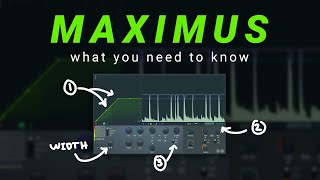
Maximus Tutorial - What You Need to Know - FL Studio 2024
In The Mix
Maximus - Advanced Compression

FL Studio
Maximus Introduction
FL Studio
Mastering with Maximus FL Studio 20 - Maximus Tutorial

Warrior Sound - Unders
Maximus - Basic Compression
FL Studio
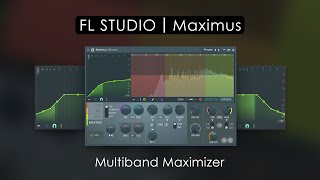
FL STUDIO | Maximus
FL Studio
How to use Maximus by Image Line (FL Studio)

Ghosthack
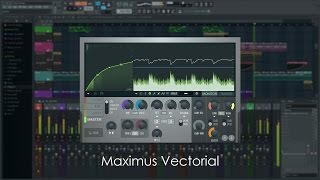
FL Studio | Maximus Vectorial Preview
FL Studio
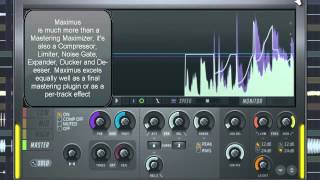
Image-Line - Maximus

MusicMarketingTV
Reviews
PROS
-
Offers comprehensive multiband compression and limiting in one plugin
-
Allows custom compression curve drawing for precise control
-
Transparent peak limiting without sound coloration
-
Versatile for both mastering and individual track effects
-
Effective for enhancing and balancing mix elements
-
Provides visual feedback for better understanding of signal processing
-
Useful for volume maximization and loudness control
-
Suitable for both beginner and advanced users with different needs
-
Integrates well with FL Studio and other DAWs
-
Includes powerful presets for quick application
CONS
-
Lacks sidechain input, limiting some creative options
-
Can mangle frequencies if not used judiciously
-
Steep learning curve for new users
-
Limited as a standalone mastering solution
-
May not replace specialized limiters or compressors in every scenario
Owner Insights
We analyzed real musician discussions from forums and Reddit to find what players love, question, and tweak about Image-Line Maximus.
Features and functionality
-
The Soundgoodizer preset within Maximus is noted for its ability to polish and cover up mix inadequacies, providing a pleasing sound even for less experienced users.
Source -
Mid mastering mode within Maximus allows the mid frequencies to act as a sidechain trigger, though it may limit the ability to solo individual bands.
Source -
The linear phase mode can be accessed via a small triangle icon, providing a more transparent sound by reducing phase distortion.
Source -
The soft saturation feature in Maximus offers enhanced tonal control, adding warmth and character to audio tracks without harsh clipping.
Source -
Maximus offers a powerful multiband compressor with the flexibility to use on both master and individual instrument channels.
Source -
Maximus allows for unique compression curve simulations and compression types not possible in other compressors, offering extensive customization options.
Source
Use cases and applications
-
It can handle multiple tasks such as compression, limiting, clipping, saturation, and gating, streamlining the mixing process within a single plugin.
Source -
Maximus can be used aggressively on individual drum tracks for an OTT-like effect, commonly applied in heavy bass genres like dubstep and drum n bass.
Source -
The ability to sidechain specific bands independently within Maximus is praised for advanced mixing techniques, offering detailed control over the audio output.
Source -
Users have noted that Maximus excels at creating punchy and gluey mixes, especially effective in genres like cyberpunk where a bold sound is desired.
Source -
Maximus is effective for maintaining sound integrity while adjusting frequencies on specific tracks, proving versatile in various mixing scenarios.
Source -
The "Clear master" preset on Maximus is favored for its ability to enhance mixes quickly, but tweaking its settings can yield even better results.
Source
Software and compatibility
-
Maximus is praised for its low CPU usage compared to FabFilter plugins, allowing users to run multiple instances smoothly in complex projects.
Source -
Maximus integrates seamlessly with FL Studio, benefiting from the DAW's workflow and interface, which enhances its usability as a stock plugin.
Source
Comparisons
-
It's highlighted that Maximus can achieve more aggressive compression effects compared to the gentler SSL compressor, making it suitable for different mixing needs.
Source -
Maximus, in combination with Fruity Limiter, is praised for transforming good mixes into great ones, enhancing both sound and loudness.
Source
Critic Reviews
4.5 out of 5
Based on 25 Reviews and 87 Ratings
i was scam
As a victim of a cryptocurrency scam, I understand the frustration and fear that comes with losing significant investments. I was persuaded to invest $188,600 in what turned out to be a bogus platform, and the realization hit hard when I discovered I had been scammed. It felt like I had lost everything, especially since this was my life savings. However, after nearly losing hope, a friend recommended a service called RHIANNON RECOVERY LOST, and I decided to give it a try. Thanks to their expertise and dedication, I was able to recover my funds in just 42 hours. If you find yourself in a similar situation, I highly recommend reaching out to professionals with proven success in recovering lost crypto assets. With the right help, there is hope, and you can regain what was taken. Contact on via email: [email protected] Also on Telegram or WhatsApp +1 (205) 276-2470..

846
Complex But Invaluable
I struggled with this three band compressor for awhile. I finally have gone back to using it because I understand it better than any of the others I have tried. I was able to replicate the OTT of Xfer (love their products) and Ableton quite well, and that was what I was really after. I like OTT by Xfer (nice free plugin) but I cannot see what exactly is happening to my signal. In Maximus I like that I can see what is happening in this compressor and that it offers a lot of control over the signal. Most if not all items are un-automated and require manual adjustment. This was initially a serious pain for me and I stopped using it, but now I have gone back to it and found it really powerful and an invaluable asset in my master and bussed mix channels (drums, synths, etc.). It is hard to learn (at least for me it was) but once mastered, it is worthwhile.

93
DIY mastering- or simply a track compressor.
Maximus is a unique hybrid between a mastering suite and track effect, straddling the line without really throwing all its eggs into one basket. Sure, it's not full-fledged enough to replace a mastering job by a pro, and it's not the best limiter/compressor out there, but when used judiciously, it can smooth out a rough mix like a charm. "Judiciously" is the key here, because Maximus is not above taking your frequencies and mangling them if overapplied- especially in a more delicate or finalized mix. ...Manually drawing envelopes is grand as well. Oh, and you can crank this thing to loudness wars levels, of course.

41034
it can be amusing to use maximuse to reshape transient and frequency response in unexpected ways on sampled acoustic sounds.... its faults when overused can be an amusing effect when pushed to the extreme as an insert

250
Good comperssor
Excitement, stereo spread, waveshaping, limiting and expansion... Maximus can do it all! You can even draw your own compression curves, which is incredibly useful for sound design. I've kind of moved away from it though seeing as I mostly use Cubase now and have moved on from multiband compression in general.


6892
A great multiband compressor
This is an amazing multiband compressor. I haven't been able to find another multiband compressor, but frankly, I don't think I need one. I could probably gush over this for about an hour, but I think I should just stop now.

149
Sound-Goodizer's big brother
I use it for my drum bus, mastering and almost everything in between when I need a multiband compressor. The way it allows you to draw the curves gives one extremly much control ovecr everything. All I miss in Maximus is a sidechain input...

71
Best multiband compressor
Colorless, awesome multiband compressor that can produce the master you want without thinking too much about it. A must have on the Master chain.
41034
Its a pretty good bus comp/limiter plugin for being included with producer edition.


Artist usage
Add artist

In the YouTube video "Martin Garrix In The Studio With Future Music" by MusicRadar Tech, Martin Garrix demonstrates using Image-Line Maximus for mastering his tracks, highlighting its versatility as a mastering plugin.


Image-Line Maximus is a software multiband compressor used by Madeon for more control over his mixes. In the tweet, Madeon responds to a fan by unveiling Maximus as one of the tools in his arsenal for his multiband needs.
The fan asks, "How in the living hell do you get your tracks to be so WIDE?" Madeon responds, "Be thoughtful with stereo !" Another fan asks, "Do you use the merge/spread knob in the mixers tracks sometimes?" And finally Madeon replies, "No I do it multiband with Maximus."


At 9:56 of this recording of one of Virtual Riot's livestreams, Image Line Maximus can be seen in the list of effects at the left of the screen.


In this video, at 13:18, one can see SeamlessR using Maximus for mastering.

.jpg)
Mr FijiWiji posted a picture of Maximus to his Instagram.





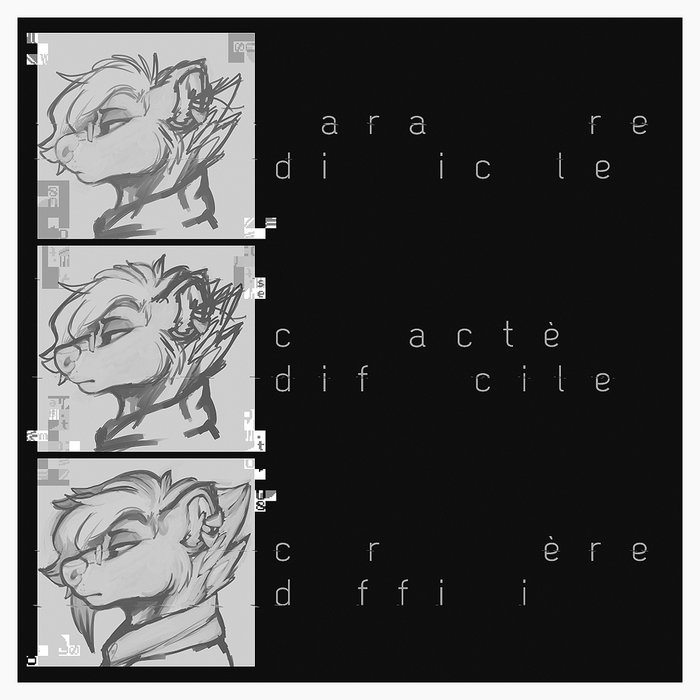
Renard uses Image-Line Maximus as part of their music production process, as evidenced by its inclusion in the credits for the album "caractère difficile" by HALLEY LABS on BandCamp.


Spotted some compression with Maximus multiband compressor.


In a YouTube video titled "How to make awesome festival trap Beat in Fl studio 12," Nirpan Singh demonstrates the use of the Image-Line Maximus plugin for controlling different audio bands individually.


Genre Usage
Based on how artists on Equipboard use this gear, it is most commonly found in the following genres.
Used With
Based on how musicians on Equipboard use Image-Line Maximus, it is most commonly used with the following gear.

-s.webp?v=1784455204)



More Image-Line Limiter Plugins

in Limiter Plugins Rank


$179.00 - $199.00
in Limiter Plugins Rank


$63.00 - $264.00
in Limiter Plugins Rank


$47.00 - $199.00
in Limiter Plugins Rank


$36.00 - $399.00
in Limiter Plugins Rank
.jpg?v=1784591665)


-m.webp?v=1784612051)
$83.50 - $99.00
in Limiter Plugins Rank


$34.99
in Limiter Plugins Rank


-m.webp?v=1784612604)
$33.00 - $35.99
in Limiter Plugins Rank


$28.00 - $99.00
in Limiter Plugins Rank


$43.00
in Limiter Plugins Rank


$34.99 - $39.99
in Limiter Plugins Rank


$0.00
in Limiter Plugins Rank


$0.00
in Limiter Plugins Rank


$52.00 - $60.00
in Limiter Plugins Rank


$15.00 - $69.00
in Limiter Plugins Rank

$35.99 - $39.99
in Limiter Plugins Rank


$59.00
in Limiter Plugins Rank


$49.00
in Limiter Plugins Rank
.jpeg?v=1784574735)


$19.99 - $149.00
in Limiter Plugins Rank


$105.00 - $109.00
in Limiter Plugins Rank

$39.99 - $40.00
in Limiter Plugins Rank

$191.00 - $199.00
in Limiter Plugins Rank


$191.00 - $199.00
in Limiter Plugins Rank


$49.99
in Limiter Plugins Rank


$9.99 - $89.00
in Limiter Plugins Rank


$54.00 - $55.00
in Limiter Plugins Rank


$43.00
in Limiter Plugins Rank


$79.00 - $149.00
in Limiter Plugins Rank

$47.00 - $99.99
in Limiter Plugins Rank

$99.99 - $124.99
in Limiter Plugins Rank

$59.00 - $129.00
in Limiter Plugins Rank

$40.00 - $124.00
in Limiter Plugins Rank


$299.00
in Limiter Plugins Rank

Community setups


Similar


Most Popular Limiter Plugins
Most Popular Brands
-
Added to Equipboard on by
 modman
GearIQ 431
-


