


Pricing and availability
We compare 600+ stores and found this item at 5 stores. Prices updated .
Store
Reviews
Price


Average Price: $110
Standard/Professional
$59
$150+
Price Tier
Budget
Standard
High-end
Price History
Based on price data from 5 merchants for "Sonnox Oxford Inflator". Prices shown reflect NEW condition. Tracking began Apr 2, 2026.
* Product prices and availability are updated by Equipboard every 24hrs and are subject to change. Equipboard may receive compensation for purchases made at participating retailers linked on this site. This compensation does not affect what products or prices are displayed, or the order of prices listed. For more information, please refer to our affiliate disclosure.
Description
Unlock the full potential of your mixes with the Sonnox Oxford Inflator—a mastering plugin that effortlessly boosts loudness without compromising the integrity of your sound. Renowned for its ability to add power and presence without the unwanted artifacts of traditional compression, the Oxford Inflator is your secret weapon for creating mixes that shine. Whether you're enhancing vocals to cut through a dense mix or adding weight to individual tracks, this plugin works wonders across the board.
The Sonnox Oxford Inflator is more than just a loudness booster; it injects a tube-like warmth that envelops your tracks, giving them a cohesive, polished sound often referred to as ‘sonic glue’. With its versatile application on both individual channels and full mixes, this plugin offers you the flexibility to achieve the perfect balance every time.
Experience the Inflator in its full glory with support for both direct and band-split modes, allowing you to tailor the effect to your specific needs. Compatible with a wide range of DAWs, the plugin is fully 64-bit compliant and supports iLok Cloud Authorization, making it easily accessible for both home studios and professional environments.
Key Features:
- Increases perceived loudness without sacrificing quality
- Adds presence and tube-like warmth to your tracks
- Provides virtual headroom above digital maximums
- Offers both direct and band-split modes for versatile application
- Fully 64-bit compliant
- Supports major DAWs, including Pro Tools, Logic Pro X, Cubase, and more
- Compatible with macOS and Windows systems
- iLok 2, iLok 3 USB key, or iLok Cloud Authorization required for use
Product specs
| Software Type | Dynamics |
| Platform | Mac, PC |
| Upgrade/Full | Full |
| Download/Boxed | Download |
| Bit Depth | 64-bit |
| Format | AAX Native, AAX DSP, VST2, VST3, AU |
| Authorization Type | iLok Account |
| Hardware Requirements - Mac | Intel Core 2 Duo or higher, 4GB RAM minimum |
| Hardware Requirements - PC | Intel Core 2 Duo / AMD Athlon 64 X2 or higher, 4GB RAM minimum |
| OS Requirements - Mac | macOS 11.0 or later |
| OS Requirements - PC | Windows 10 or later |
FAQs
-
What exactly does the Sonnox Oxford Inflator do for a mix?
-
The Sonnox Oxford Inflator enhances the perceived loudness and adds harmonic warmth to your mix, making it sound fuller and more impactful without introducing distortion.
-
Is the Sonnox Oxford Inflator compatible with my DAW?
-
The Sonnox Oxford Inflator is compatible with DAWs that support AAX Native, AAX DSP, VST2, VST3, and AU formats, making it versatile for both Mac and PC platforms.
-
What are the system requirements for running the Sonnox Oxford Inflator?
-
For Mac, it requires macOS 11.0 or later with at least an Intel Core 2 Duo processor and 4GB RAM. For PC, it needs Windows 10 or later with an Intel Core 2 Duo or AMD Athlon 64 X2 processor and 4GB RAM.
-
Does the Sonnox Oxford Inflator require an iLok for authorization?
-
Yes, the Sonnox Oxford Inflator requires an iLok account for authorization, but it does not require a physical iLok dongle.
-
Can the Sonnox Oxford Inflator be used for mastering?
-
Yes, the Sonnox Oxford Inflator is commonly used in mastering to enhance loudness and add depth, making it a valuable tool for finalizing tracks.
Videos

Production Expert
Show And Tell Of Sonnox Oxford Inflator
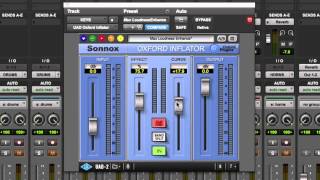
Show And Tell Of Sonnox Oxford Inflator
Production Expert
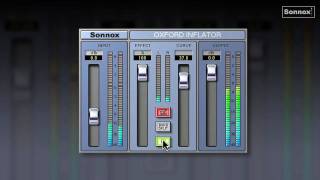
Inflator tutorial

Sonnox Plugins

Inflator The Loudness Monster

MixbusTv
Sonnox Oxford Inflator and Limiter Review & Giveaway - Warren Huart: Produce Like A Pro

Produce Like A Pro
Sonnox® Oxford Inflator Plug-In Demo

Universal Audio
Sonnox Oxford Inflator Tutorial | Loud Masters In 3 Easy Steps!

Audio Sorcerer

Bring Your Songs To Life | Oxford Inflator | Plugin Of The Week

Radium Records
Sonnox Oxford Inflator - Tutorial

JRRShop

THE BEST KEPT SECRET IN MASTERING | Streaky.com

Streaky
Reviews
PROS
-
Enhances perceived loudness without sacrificing headroom
-
Unique algorithms distinguish it from typical saturators or limiters
-
Real-time parameter information aids in understanding functionality
-
Offers depth and density to mixes, making them competitively loud
-
Great for experimenting with sound design using "effect" and "curve" sliders
-
Versatile enough for individual sounds, mixes, and mastering
-
Highly stable and reliable in various workflows
-
Often used on every master and sometimes on drum buses
-
Known for its unique ability to "embiggen" music
CONS
-
Lacks complexity and additional tweaking options
-
Requires time to find optimal settings and sweet spots
-
Not suitable for those seeking instant improvements without learning its functions
Owner Insights
We analyzed real musician discussions from forums and Reddit to find what players love, question, and tweak about Sonnox Oxford Inflator.
Use cases and applications
-
When the Curve is set downwards, the Inflator is effective for de-harshing material or emulating tape effects, while upwards settings can be too aggressive.
Source -
It's commonly used on drum busses to add punch without compromising the mix's integrity.
Source -
The plugin is frequently used live on lead vocals, enhancing presence and clarity.
Source -
The Inflator can mimic valve amplification, producing artistic distortion effects, especially in direct mode with CLIP 0dBr selected and Effect level at 100%.
Source -
The Inflator is frequently used in mastering chains, particularly for adding saturation and increasing LUFS, without the need for a separate limiter.
Source
Features and functionality
-
The Inflator can be set to a mix bus at 100% with the curve around 26, adjusting input and output by 1-2 dBs for optimal results.
Source -
The Inflator lacks oversampling, which some users consider a downside given its competition.
Source -
The Oxford Inflator is primarily a waveshaper, known for enhancing perceived loudness and adding saturation without significantly altering the fundamental sound.
Source -
The Inflator is described as a "transparent clipper," effective for controlling transients on drum busses before reaching the master bus.
Source -
The Curve control at the mid-position enhances warmth and harmonic detail, adding presence to low frequencies, while softening highs without losing presence or attack.
Source
Comparisons
-
Several users prefer TDR Limiter 6’s clipper and Newfangled Elevate’s saturator for “cleanly” increasing loudness.
Source -
It's noted that the Inflator can be recreated in Ableton using the stock Saturator for similar effects.
Source -
Users state that the Inflator’s polynomial curve approach is less effective than tanh curves used in other plugins like GClip for saturation effects.
Source -
Multiple users report that Melda's MWaveShaper, a free plugin, can mimic the Inflator's effect when set correctly, but requires more setup time.
Source
User experience
Value and pricing
-
While some users feel the original price is too high, the $29 sale price is widely considered a good value for its ease of use and effectiveness.
Source
Critic Reviews
5.0 out of 5
Based on 3 Reviews and 21 Ratings

41028
an oldie but a goodie
if you haven't tried the sony inflator on every source and bus imaginable then you owe it to yourself to check it out..... its so many things at once and its hard to find a bad setting when you wanna 'embiggen' some music. Use caution though! This is a once in a while effect.

279
magic
Don't ask me how it works but it makes everything sound better ... use it on anything and everything ... Great for exposing my dodgy mid to hi freeque's deficiancy R : )

Artist usage
Add artist
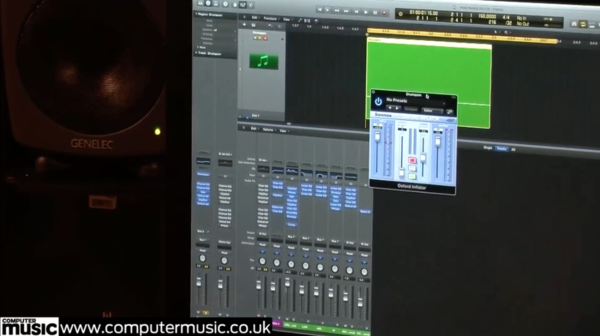
In the 200th issue of Computer Music magazine, in the “video masterclass” at page 66, at 48:45 of the video, Headhunterz opens the window for the Oxford Inflator from the channel strip inspector in Logic. Headhunterz uses this effect plugin on the kickdrum to prevent any unwanted clip distortion created by Logic Pro before continuing to distort the kickdrum further.
At this point in the video, Headhunterz says, “Inflator, I always use them for volume control. If I start distorting, it will obviously also distort the output of Logic, so to stop it from doing that I add an Inflator, and I just put on the clip button, so it clips through the Inflator. It stops it from clipping in Logic itself, so when you add the next plugin, it will take it as a clean sample instead of going through the Logic distortion.”
The video can only be viewed by purchasing the 200th issue of Computer Music magazine.
.jpg?v=1784733415)

Used on "Love Yourself", as stated by Purpose mix engineers Josh Gudwin and Andrew Wuepper in this May 2016 Sound on Sound interview about the mixing of the title track and others.
Gudwin picks out a few other interesting tracks, beginning with a vocal track named ‘vcls’. “That track contains a vocal sample that Blood made of Justin’s vocal. I’m just touching that with the LFO Tool for a bit of pumping, I take out some high frequencies with the Pro-Q 2, and then use the SoundToys Microshift for a slight pitch-shift/chorusing effect. ‘Sry1V’ below that is the vinyl sound in the track. ‘$JBU’ is the main lead vocal bus, on which I have the UAD 1176, Waves De-Esser, Manley Massive Passive, Metric Halo Channel Strip. The sends are to the generic aux tracks at the bottom of the sesion: verb, ping-pong delay, Dimension D. Below the lead vocal bus is the print track of a Bricasti outboard.”
Wuepper: “There are two tracks called ‘Bric’ around the main vocal bus; the one above is the print from the Bricasti effect that was used on the percussion, and the one below is the print of the Bricasti reverb on the vocal. Next are Josh’s vocal delays. Putting delays on audio snippets [ie. copying short vocal clips to new tracks and applying delays as inserts, rather than automating a send from the main vocal track] is a pretty interesting way of doing things. I’ve not seen anyone else do this, but it makes it easier for Josh to manipulate these delays and to go deeper into the effect. He can really fine tune the delay times and decay lengths and so on. Sometimes the feedback you get with plug-ins can act a little weird, and this approach allows him to have more control.”
Gudwin: “The five green tracks are all vocal throws and delays. I don’t like to automate delay throws via aux tracks. The top green track is the master track for the delays, ‘JB Throw All’, and it has a compressor and an SPL Vitalizer. The ‘1147’ delay track has the UAD Cooper Time Cube, with a quick ping-pong-y flutter delay that I use to widen, and the track called ‘1167’ has a basic eighth-note delay from the Echo Boy. The ‘A’ insert is Auto-Tune, but it’s not working on these tracks. When needed, our vocal tuning is normally done by Chris ‘Tek’ O’Ryan in Melodyne. I sometimes do it myself, if I have the time do it, in the stand-alone version.
“The blue vocal tracks below the vocal delay tracks are the main lead vocal comp tracks, and on many of them I have the UAD SSL Channel Strip, UAD LA-2A, and the Waves C6 multiband compressor, and sometimes also the Pro-Q 2 EQ. The ‘DLYP’ track has a delay pan effect, with the SoundToys Primal Tap delay and Panman auto-panner, SSL Channel Strip and the P&M Vinylizer. ‘White’ and ‘Master’ are printed reverbs recorded in two rooms at Henson. They are my main plug-in vocal reverbs, and the green tracks below are pitched with the Elastic Audio X-Form [in Pro Tools] and effected with the Waves H-Compressor for a pumping effect. I pitched the reverbs up an octave or two, and I mixed them in very low. The ‘PCM’ and ‘PC1’ tracks are prints from ping-pong delays from the Lexicon PCM42 outboard.
“Justin’s backing vocal tracks all go to the group track called ‘JBG1’, on which I have a Waves De-esser, an SSL Channel and the C6 multiband compressor, plus there are a number of delays and reverbs via the sends. Trevon’s backing vocals all go to ‘JBTR’, which has similar effects. I wanted to fill the song up a bit more, and sometimes it’s not the most enjoyable process for an artist to sing all these background parts. Plus a different vocalist will add a different texture to the song, as long as it complements the lead vocal and the record. As I mentioned, Julia added her vocals during the final mix in New York, and her group track also has the De-esser, SSl Channel and C6. Right at the bottom are some effects tracks, with the Dimension D and group delay throws, and so on.
(...) 'Love Yourself'
(...) Next are Justin’s vocals, with I overdubbed in New York. Almost all the regular vocal tracks have the UAD SSL Channel, LA2 and the Waves C6 multiband compressor. These three plug-ins work great on his vocals, so I tend to stick with them. Each of the vocal tracks has slightly different settings from them. They all go to Justin’s lead vocal bus above them, which has the FabFilter Pro-DS de-esser and the Pro-2 EQ. Justin’s lead vocals also go through the Bricasti, and the effect is printed. My own four backing vocals went through a vocal bus on which I had the SSL Channel, and a compressor, but they didn’t do much, nor did the sends. These vocals are very much in the background, I just wanted to add some texture really quickly. Finally, at the top of the session everything went through a Master track, on which I had the UAD SSL channel, mainly for compression set to mid-attack and auto-release — without drums you don’t need the slow attack and quick release — a Massey EQ, boosting 100Hz and 16kHz, a FabFilter Pro-L for level, and the Sonnox Oxford Inflator to add some sheen.”
'What Do You Mean?'
(...) “There were a few more complicated vocal effects, like the ‘JG FX’ track, on which I used the Vitalizer doing some spatial expanding, a UAD Fatso to thicken it up, and I then cut some low mids with an EQ, and used a de-esser. This effect track gave more depth to the vocal and made him sound more like an angel! Underneath that are two ‘Radio’ tracks [which sound like they could have come straight from Peter Gabriel’s ’80s Fairlight experiments]. I used Auto-Tune to pitch the vocals up, and then put on a SoundToys AlterBoy, which changed the formant, and then I’m filtering 350Hz and below.
“Below the ‘radio’ tracks are all my vocal delay tracks, in green as usual, with the bus for all delay throws at the top. One delay track, ‘Splaater’, is a flutter delay with Auto-Tune and the Cooper Time Cube, and the other two have the Waves H-Delay and SoundToys Echo Boy. They’re both quarter-note delays, but with different feels. Below the delay tracks are some ad lib tracks, and all the actual lead vocals, pulled out over several tracks. Most of them have my regular trio of UAD SSL Channel, LA2 and Waves C6 plug-ins, and all vocals are sent to the ‘JB Buss’, on which I have the FabFilter DS de-esser, a Manley EQ doing light cuts at 330Hz, 560Hz and 3kHz, and then a whole bunch of sends to my regular aux tracks at the bottom: a hall reverb, a plate reverb, a light quarter-inch delay, a light ping-pong delay and a Dimension D.
“Further down are four Justin backing vocal tracks, which go to a bus above them, ‘JBG1’, on which I have the SSL Channel, boosting highs and cutting lows and doing some heavy compression, a UAD 33609 compressor, and then the Waves Enigma [phaser/flanger] on a Mutron setting, adding some sweeping sounds. The sends are once again hall and plate reverbs, a quarter-note and a ping-pong delay and a UAD Roland Dimension D. Once Justin had decided to go with my rough mix, I spent another half hour on it, doing some EQ adjustments, and that was it.”

Excerpt from interview:
What other Sonnox plug-ins do you use?
I use TransMod to add extra edge to effects. It’s perfect for adding a little more attack and/or changing the contour or timbre of certain sounds. I’m also using the Oxford EQ, and I think it’s amazing for doing cuts and such without hurting the overall sound. You can really get surgical with it. I’ll also use the Inflator - especially on mix busses.


A really cool tool that I also love is the Sonnox Oxford Inflator. Throw that on vocals and you can press them to the point where they have a brightness and a volume that you can’t get with any other effect.


From there, the vocal group goes into the Sonnox Oxford Inflator, which I’m only using at, like 20-30%, and I don’t set it to Clip at all. I like it to be very clean going through the Inflator.


Omar Hakim talks about how he uses Sonnox plugins in this video. They're first seen on screen at 2:21

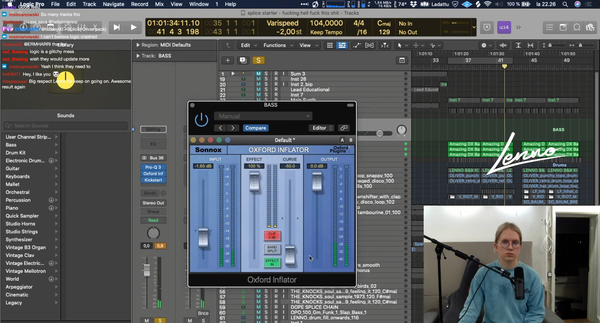
This Snapshot was taken from 13/02/2021 Twitch Stream (https://www.twitch.tv/helloimlenno), proving that Lenno is using this Plugin.

In this video, Steve Mac can be seen using Oxford Inflator at 17:37


If you had to pick a favorite Oxford plug-in, which would it be and why?
Actually, one I haven't mentioned yet, the Inflator. In these dark days of over-limiting, it's great to find a process that does exactly the opposite - to my ear it adds punctuation to sounds. It's very easy to place treated sounds within a mix. The Inflator is a great piece of software. My philosophy is to remain open to new options as they present themselves. It's great to be grounded in the basics, but every so often the R&D wizards come up with stuff that can really make a difference in how you work and what you can accomplish.


"I've added the Oxford Inflator to fatten up the kick a bit."


On this picture posted to Brillz's facebook, Oxford Inflator can be seen on the top left-hand corner.


Album Usage
The Sonnox Oxford Inflator has been featured on the following albums:





Genre Usage
Based on how artists on Equipboard use this gear, it is most commonly found in the following genres.
Used With
Based on how musicians on Equipboard use Sonnox Oxford Inflator, it is most commonly used with the following gear.




More Sonnox Limiter Plugins

$63.00 - $264.00
in Limiter Plugins Rank


$100.00 - $400.00
in Limiter Plugins Rank

$66.00 - $264.00
in Limiter Plugins Rank

$179.00 - $199.00
in Limiter Plugins Rank


$47.00 - $199.00
in Limiter Plugins Rank


-m.webp?v=1784784827)
$83.50 - $99.00
in Limiter Plugins Rank


$34.99
in Limiter Plugins Rank


-m.webp?v=1784815452)
$33.00 - $35.99
in Limiter Plugins Rank


$28.00 - $99.00
in Limiter Plugins Rank


$43.00
in Limiter Plugins Rank


$34.99 - $39.99
in Limiter Plugins Rank


$0.00
in Limiter Plugins Rank


$0.00
in Limiter Plugins Rank


$19.00 - $52.00
in Limiter Plugins Rank


$15.00 - $69.00
in Limiter Plugins Rank

$35.99 - $39.99
in Limiter Plugins Rank


$59.00
in Limiter Plugins Rank

$49.00
in Limiter Plugins Rank
.jpeg?v=1784733415)


$19.99 - $149.00
in Limiter Plugins Rank


$105.00 - $109.00
in Limiter Plugins Rank

$39.99 - $40.00
in Limiter Plugins Rank

$191.00 - $199.00
in Limiter Plugins Rank


$191.00 - $199.00
in Limiter Plugins Rank


$49.99
in Limiter Plugins Rank


$9.99 - $89.00
in Limiter Plugins Rank


$54.00 - $55.00
in Limiter Plugins Rank


$43.00
in Limiter Plugins Rank


$79.00 - $149.00
in Limiter Plugins Rank

$47.00 - $99.99
in Limiter Plugins Rank

$99.99 - $124.99
in Limiter Plugins Rank

$59.00 - $129.00
in Limiter Plugins Rank


$40.00 - $124.00
in Limiter Plugins Rank


$299.00
in Limiter Plugins Rank

Accessories & Related Items






-s.webp?v=1784785869)





Community setups


Similar


Gear Guides









Most Popular Limiter Plugins
Most Popular Brands
-
Added to Equipboard on by
 thatlkjguy
GearIQ 4716
-


