

Pricing and availability


* Product prices and availability are updated by Equipboard every 24hrs and are subject to change. Equipboard may receive compensation for purchases made at participating retailers linked on this site. This compensation does not affect what products or prices are displayed, or the order of prices listed. For more information, please refer to our affiliate disclosure.
Description
Discover a new realm of orchestral possibilities with the Orchestral Tools SINEplayer, a groundbreaking Kontakt Instrument designed to redefine your virtual instrument library. Perfect for composers, producers, and sound designers alike, this software plugin integrates seamlessly into your workflow, offering an intuitive interface paired with a vast array of meticulously sampled orchestral sounds. Dive into a rich sonic experience with instruments recorded by industry-leading professionals in world-class studios, ensuring every note resonates with authenticity and precision.
The SINEplayer is not just another orchestral library; it's a comprehensive tool that allows you to craft and customize sounds to suit your unique musical style. Its user-friendly design empowers you to explore detailed articulations and dynamic layers, bringing your compositions to life with unparalleled realism. Whether you're scoring a film, producing a new track, or experimenting with soundscapes, the SINEplayer provides the flexibility and quality you need to elevate your projects.
Key Features:
- Comprehensive orchestral library with a wide range of instruments
- Intuitive interface for seamless integration into any DAW
- High-quality samples recorded by top professionals in world-class studios
- Detailed articulations and dynamic layers for realistic sound reproduction
- Flexible customization options to tailor sounds to your specific needs
- Compatible with Kontakt Player and full version of Kontakt
- Regular updates and expansions available through Orchestral Tools
Explore the potential of your compositions with the Orchestral Tools SINEplayer, and let your creativity soar.
Product specs
| Plugin Format | VST, AU, AAX |
| Operating Systems | Mac, Windows |
Videos

Orchestral Tools
The SINE Player: Episode 2 - First Steps
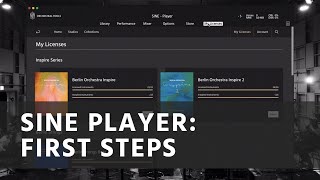
The SINE Player: Episode 2 - First Steps
Orchestral Tools
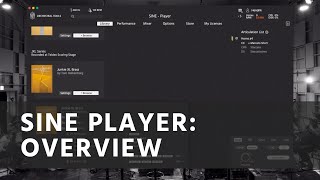
Introducing: the SINE Player
Orchestral Tools

The SINE Player: Episode 3 - Adapting to Your Workflow
Orchestral Tools

The SINE Player: Episode 5 - Articulations and Polymaps
Orchestral Tools

Getting started with SINE
Orchestral Tools

The SINE Player: Episode 6 - Legato and Detail Controls
Orchestral Tools

Morphing articulations in Orchestral Tools Sine Player

Alex Pfeffer
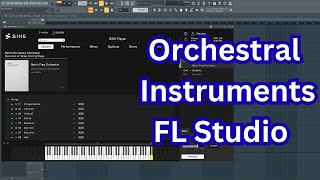
How to Install Orchestral Tools SINE Player in FL Studio | Step-by-Step Tutorial

Brandon Buhr Music
Reviews
Owner Insights
We analyzed real musician discussions from forums and Reddit to find what players love, question, and tweak about Orchestral Tools SINEplayer.
Software and compatibility
-
After installation, verify SINEPlayer in Library/Audio/Plugins/components to ensure Logic can access it post-validation.
Source -
Rescanning plugins in Logic's manager can resolve initial validation failures for SINEPlayer, enabling functionality.
Source -
Despite having ample RAM, users frequently encounter "Audio Production Error," suggesting potential memory management issues within SINEPlayer.
Source -
Users report that the library selection feature in SINEPlayer efficiently consolidates all Orchestral Tools libraries, resembling the functionality seen in Vienna libraries.
Source -
High CPU usage in SINEPlayer can be mitigated by selecting "Use fixed size buffers" in FL Studio's VST wrapper settings, reducing CPU peaks from 100% to 50-60%.
Source
Features and functionality
-
Multiple articulations can be loaded and switched using key switches, allowing for varied expression within a single MIDI track.
Source -
Articulation changes can be triggered via silent key switches, which should ideally precede the note for optimal results.
Source -
The interface of SINEPlayer is considered oversimplified compared to the Kontakt version, potentially reducing control over dynamics and map settings.
Source -
Random black key mappings may result from incomplete patch loading or FL Studio's typing keyboard octave settings, requiring users to reload patches for accuracy.
Source
Setup and maintenance
-
Installing libraries on an external hard drive requires copying content manually due to current software limitations, which can improve performance by separating read/write operations.
Source -
Creating and saving presets with desired settings, such as consistent volume levels between articulations, can reduce issues with random note playing in SINEPlayer.
Source
User experience
-
Sticky notes in SINEPlayer are often due to missed note-off messages, potentially caused by CPU spikes or incorrect MIDI routing, necessitating troubleshooting.
Source
Critic Reviews
Based on 0 Reviews and 0 Ratings
Genre Usage
Based on how artists on Equipboard use this gear, it is most commonly found in the following genres.
More Orchestral Tools Kontakt Instrument


$95.00 - $99.00
in Kontakt Instrument Rank


$190.00 - $199.00
in Kontakt Instrument Rank


$190.00 - $199.00
in Kontakt Instrument Rank


$190.00 - $199.00
in Kontakt Instrument Rank


$449.00
in Kontakt Instrument Rank


$99.34 - $143.00
in Kontakt Instrument Rank


-m.webp?v=1784876583)
$166.00 - $199.00
in Kontakt Instrument Rank


$190.00 - $199.00
in Kontakt Instrument Rank


$99.00
in Kontakt Instrument Rank


$399.00 - $449.00
in Kontakt Instrument Rank


$0.00
in Kontakt Instrument Rank

$92.99 - $99.00
in Kontakt Instrument Rank

$269.00 - $299.00
in Kontakt Instrument Rank


$190.00 - $199.00
in Kontakt Instrument Rank


$0.00
in Kontakt Instrument Rank

$120.00
in Kontakt Instrument Rank

$259.00 - $449.00
in Kontakt Instrument Rank


$0.00
in Kontakt Instrument Rank


$0.00
in Kontakt Instrument Rank


Artist usage


Community setups


Similar


Gear Guides









Most Popular Kontakt Instrument
Most Popular Brands
-
Added to Equipboard on by
 hashimoto
GearIQ 14876
-


