

Pricing and availability
We compare 600+ stores and found this item at 2 stores. Prices updated .
Store
Reviews
Price




Average Price: $74
Budget/Beginner
$149
$400+
Price Tier
Budget
Standard
High-end
* Product prices and availability are updated by Equipboard every 24hrs and are subject to change. Equipboard may receive compensation for purchases made at participating retailers linked on this site. This compensation does not affect what products or prices are displayed, or the order of prices listed. For more information, please refer to our affiliate disclosure.
Description
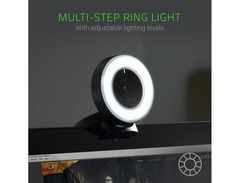
For musicians and content creators on the go, the Razer Kiyo is your ultimate portable recording companion. This ingenious device combines the best of both worlds, offering high-quality video capture and studio-like lighting in one compact package. Whether you're live streaming your latest set or recording a podcast, the Kiyo's built-in adjustable ring light ensures that you always look your best. Say goodbye to cumbersome setups and hello to a sleek, travel-friendly solution that fits easily into your backpack.
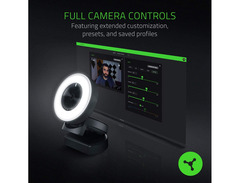
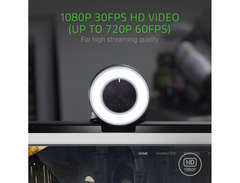
Capture your performances in stunning detail with the Kiyo's ability to record at 1080p at 30 fps or 720p at 60 fps. Its fast autofocusing feature keeps your movements sharp and clear, ensuring that your audience never misses a beat. With an integrated omnidirectional microphone, your audio is as crisp as your visuals. And thanks to the easy-to-use software interface, you can customize your settings for different environments and save them for future use.
The Kiyo's plug-and-play design means you can quickly set up and start streaming on any Windows 7 or later computer. Its flexible mounting options allow you to position it on a desktop, monitor, or tripod, giving you the perfect angle every time. Whether you're a seasoned musician or a budding content creator, the Razer Kiyo is your ticket to professional-quality recordings without the hassle.
Key Features:
- Full HD 1080p video recording at 30 fps or 720p at 60 fps
- Built-in adjustable ring light for even, studio-like lighting
- Fast autofocusing for clear, sharp images
- Integrated omnidirectional microphone
- Customizable video settings with easy software interface
- Plug-and-play USB connection for quick setup
- Flexible mounting options for desktop, monitor, or tripod
Owner's manual
Razer Kiyo User ManualVideos

BadIntent Stream Tech Reviews
Razer Kiyo Pro vs Kiyo vs Logitech Brio vs Streamcam [Review and Comparison]
![Video thumbnail for Razer Kiyo Pro vs Kiyo vs Logitech Brio vs Streamcam [Review and Comparison] by BadIntent Stream Tech Reviews](https://img.youtube.com/vi/AhQ_6P5_msA/mqdefault.jpg)
Razer Kiyo Pro vs Kiyo vs Logitech Brio vs Streamcam [Review and Comparison]
BadIntent Stream Tech Reviews
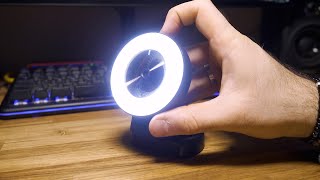
Razer Kiyo Review: Perfect for Streamers? Video Test (Lowlight + Daylight + Microphone)

Jack Woodhams

Razer Kiyo Ring Light 1080p HD Webcam Image Quality Review

Andyhhhdx
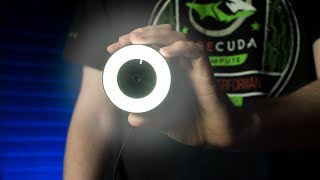
Great Concept, Crappy Execution? - Razer Kiyo Review - Webcam + Ring Light

EposVox
Reviews
PROS
-
Excellent video quality significantly improves over built-in laptop cameras
-
Built-in illumination enhances image quality in low-light settings
-
Compatible with both Windows and Linux, adding versatility
-
Easy setup with automatic installation on Windows
-
Adjustable light offers customizable brightness for diverse environments
-
Tripod mount capability for flexible positioning
-
Provides great value for its price point
-
No noticeable delay during streaming sessions
CONS
-
Built-in stand/clamp may feel flimsy for some users
-
Not a 4K camera, lacks Windows Hello support
-
Requires third-party software download, not plug-and-play
Owner Insights
We analyzed real musician discussions from forums and Reddit to find what players love, question, and tweak about Razer Kiyo.
Features and functionality
User experience
Comparisons
-
The Razer Kiyo is often compared to the Logitech C920, with some users noting the Logitech offers similar or better quality for a lower price.
Source -
The Kiyo Pro Ultra's 4K capability is noted as potentially overkill for most streaming needs, with users rarely needing more than 1080p.
Source -
The Elgato Facecam and Insta360 Link are mentioned as competitors, but some owners find their image quality lacking compared to the Kiyo Pro Ultra.
Source
Use cases and applications
Value and pricing
-
The Razer Kiyo is often seen as overpriced unless purchased at a significant discount, with users recommending alternative brands for better value.
Source
Software and compatibility
-
The Razer Kiyo does not require Synapse software for operation, making it compatible with various platforms without additional setup.
Source -
The Razer Kiyo Pro Ultra's software reportedly resets settings, requiring reconfiguration with each use, frustrating users who don't record often.
Source -
Some users experience issues with the Kiyo Pro not being recognized properly in OBS, often appearing as a generic "USB camera."
Source
5.0 out of 5
Based on 0 Reviews and 1 Rating
Artist usage
Add artist

Genre Usage
Based on how artists on Equipboard use this gear, it is most commonly found in the following genres.
Used With
Based on how musicians on Equipboard use Razer Kiyo, it is most commonly used with the following gear.




More Portable Recorders

$244.00 - $259.00
in Portable Recorders Rank

$39.00 - $289.96
in Portable Recorders Rank


-m.webp?v=1785150645)
$249.99 - $499.99
in Portable Recorders Rank


$190.50 - $279.99
in Portable Recorders Rank


$118.99 - $219.99
in Portable Recorders Rank


$49.00
in Portable Recorders Rank


$100.00 - $179.99
in Portable Recorders Rank


$219.00 - $599.99
in Portable Recorders Rank


$36.00 - $94.00
in Portable Recorders Rank


$302.50 - $374.95
in Portable Recorders Rank


$54.00 - $119.99
in Portable Recorders Rank


$178.21
in Portable Recorders Rank


$419.00
in Portable Recorders Rank


$235.00
in Portable Recorders Rank

$135.40
in Portable Recorders Rank


$191.00 - $383.99
in Portable Recorders Rank


$71.00 - $129.00
in Portable Recorders Rank


$99.99 - $119.99
in Portable Recorders Rank


$69.54 - $383.99
in Portable Recorders Rank


$64.49 - $69.99
in Portable Recorders Rank


$75.00 - $129.99
in Portable Recorders Rank


$1,292.19
in Portable Recorders Rank


$199.99 - $269.99
in Portable Recorders Rank


$84.99 - $169.99
in Portable Recorders Rank
.jpg?v=1784890832)

$166.00 - $189.00
in Portable Recorders Rank


$878.00
in Portable Recorders Rank


$294.00 - $420.00
in Portable Recorders Rank

$112.83 - $247.99
in Portable Recorders Rank


$2,595.00
in Portable Recorders Rank


$98.20 - $109.00
in Portable Recorders Rank

$192.22 - $279.99
in Portable Recorders Rank


$275.00 - $499.00
in Portable Recorders Rank


$59.38 - $279.00
in Portable Recorders Rank

$249.99 - $399.99
in Portable Recorders Rank

$82.00
in Portable Recorders Rank


$49.99 - $95.95
in Portable Recorders Rank
Community setups


Similar


Gear Guides








Most Popular Portable Recorders
Most Popular Brands
-
Added to Equipboard on by
 tesdftereg123
GearIQ 84
-



