

Pricing and availability


* Product prices and availability are updated by Equipboard every 24hrs and are subject to change. Equipboard may receive compensation for purchases made at participating retailers linked on this site. This compensation does not affect what products or prices are displayed, or the order of prices listed. For more information, please refer to our affiliate disclosure.
Description
Unleash the power of precision with the Ableton EQ Eight Equalizer Plugin, your go-to solution for detailed sound sculpting in the digital realm. As a staple in the Ableton Live suite, this eight-band parametric equalizer offers unparalleled versatility, allowing musicians and producers to craft their sound with precision across the frequency spectrum. Each band can be individually adjusted and switched between various filter types, including Bell, Notch, High/Low Shelf, and High/Low Pass, providing a comprehensive toolkit for shaping audio.
Whether you're a professional sound engineer or a passionate hobbyist, the Ableton EQ Eight is designed to integrate seamlessly into your workflow. Its intuitive interface displays real-time spectral analysis, ensuring that you can visually monitor changes and make informed decisions about your mix. The plugin's transparent sound ensures that your audio retains its natural character, even after extensive processing.
Key Features:
- Eight-band parametric equalizer with adjustable gain, frequency, and bandwidth for each band
- Includes Bell, Notch, High/Low Shelf, and High/Low Pass filter types
- Real-time spectral analysis for visual feedback on frequency adjustments
- Zero-latency operation ensures seamless integration into live performances
- Optimized for the Ableton Live environment, with full automation support
- Transparent sound processing maintains audio integrity
- MIDI control for hands-on manipulation and creativity
Videos

Reid Stefan
Ableton EQ Eight & EQ Three For Beginners
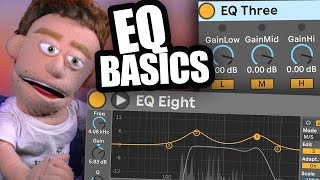
Ableton EQ Eight & EQ Three For Beginners
Reid Stefan
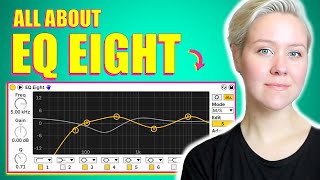
All About EQ Eight • Ableton Live Tutorial & Demonstrations

LNA Does Audio Stuff
All About Ableton Audio Effects - EQ Eight

Beat Lab
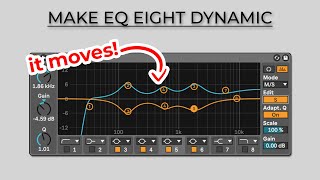
Make EQ Eight dynamic - Ableton Tutorial

Matt Flanc
Which EQ Do I Use? | Ableton Live 11 EQ Plugins | EQ Three vs EQ Eight vs Channel EQ

GlennThomasTech
Ableton EQ Eight vs FabFilter Pro-Q 3

Nicolas Field Sound Services
Reviews
PROS
-
Offers versatile eight-band parametric filter options for precise sound shaping
-
Supports stereo, left/right, and mid/side processing modes for flexible audio control
-
Low CPU usage even with multiple bands enabled
-
Integrated frequency spectrum display aids in quick adjustments
-
Widely used by top artists like Skrillex and The Chainsmokers
-
Can be set as a template for easy access on every channel
CONS
-
Automated sweeps might not meet all users' expectations
-
Requires at least the standard version of Ableton Live, not available for Intro users
Owner Insights
We analyzed real musician discussions from forums and Reddit to find what players love, question, and tweak about Ableton EQ Eight Equalizer Plugin.
Features and functionality
-
EQ Eight is a normal phase parametric equalizer, contrary to misconceptions about it being linear phase.
Source -
Turning on the High Quality option in EQ Eight enhances its transparency, especially noticeable in mastering applications.
Source -
EQ Eight includes a mono/side feature not found in some other EQs, providing flexibility in stereo imaging tasks.
Source -
EQ Eight allows for the use of Max for Live LFO plugins to map parameters, offering modular tone shaping capabilities.
Source -
EQ Eight displays pitch when hovering over the visualizer, assisting in identifying resonant or fundamental tones in a sound's timbre.
Source -
Oversampling in EQ Eight can be enabled to address high-end cramping and aliasing issues, enhancing the plugin's precision.
Source
Use cases and applications
-
EQ Eight is used effectively for broad cuts and boosts on the master, though some prefer linear phase EQs for brick wall cuts to avoid phase issues.
Source -
EQ Eight's design allows for smooth parameter changes without introducing unwanted pops or clicks, beneficial for dynamic audio adjustments.
Source -
EQ Eight is often used as a neutral low CPU tone sculpting tool, paired with dynamic EQs like Waves' F6 for more intensive processing tasks.
Source -
Envelope followers can be mapped to EQ Eight parameters, allowing for dynamic EQ adjustments, such as ducking specific frequencies during sidechain operations.
Source
User experience
Comparisons
Setup and maintenance
4.5 out of 5
Based on 5 Reviews and 32 Ratings
463
You may be underestimating its usefulness
There are enough audio software developers with flagship EQs that you would be ill-advised to do an internet search for "software EQ", lest your browser give you side-eye. We sometimes forget that with all the third-party options, most DAW designers include audio processing essentials with their software - and more often than not, the in-box tools will serve you just as well as any other. Such is the case with EQ8 (which you have to at least have the standard version of Ableton Live to get - sorry, Intro users).
As you would expect, it is an eight band equalizer. Each band has a series of parametric filter options - 48 or 12dB low pass, low shelf, bell curve, notch, high shelf, and 48 or 12dB high pass. You can turn each band on or off (it's recommended to only turn on the ones you need to save CPU, but this device is generally not a CPU hog - admittedly, I have never used it in oversampling mode, though). Audio signals can be processed in stereo, left/right or mid/side modes, and the frequency spectrum of the channel's output is displayed in the background as you work (which, even though you have to learn to use your ears when mixing, is still helpful for swift low pass/high pass work).
Rather than go into more detail, I strongly advise you to look up tips and tricks on using EQ8 and find out more about all the capabilities of this device. And remember...you can configure default templates in Ableton, so why not create one with an EQ8 on every channel?

102
Best Stock EQ
I use this EQ a lot on my productions. It is easy to use! This EQ does a really good job. Many artists like The Chainsmokers, Skrillex, Laidback Luke and other producers use this EQ.


My secret weapon
Just a few words about this: Get it, use it right, have a moment of silence after you hear what it can do!!!

Artist usage
Add artist

This Plugin can be seen used in this Instagram video.


a video shows Ableton Live and under the plugins that are being used


This picture posted on Habstrakt's Facebook shows an Ableton EQ Eight with a massive boost at 200 Hz.


In the YouTube video titled "Flava D makes a liquid DnB beat from scratch – In The Studio", at the timestamp 0:21, Flava D is seen using the Ableton EQ Eight Equalizer Plugin in her track.


This Plugin can be seen several seconds in this Instagram video, uploaded by the artist himself.



This Plugin can be seen at 2:17 in this YouTube video, explaining how Cat Dealers work on their projects.

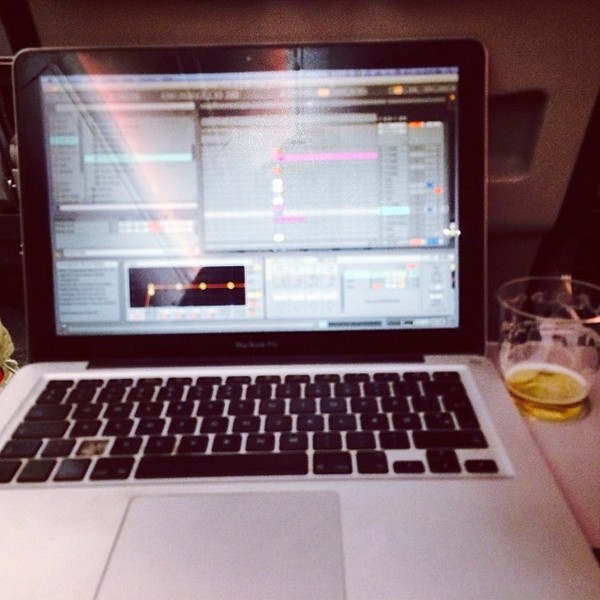
This Plugin can be seen in this Instagram picture, uploaded by the artist himself.


"I mix with nothing on the master. I just make sure things are turned down enough to not clip, and if something starts clipping, I'll usually hunt down the culprit and try to bring everything back into balance at that moment.
In the end, things tend to be peaking between -0.2 and -0.1. The peak doesn't matter though as, when it's time to master (even if things might be peaking very rarely), I'll be able to control the end result through compression and limiting.
What matters most is getting the mix perfect, or as perfect as your abilities can get it. This is one of those things tied closely to how much you've developed your ear and how good you are at knowing when things sound good and when they don't, and improvement only comes with time, excluding how incredible your monitors and room treatment are (I'm still on headphones).
I'm a big fan of very extreme cutoffs when that's the sound I want, because it's usually specific harmonics I want depending on the note being played (EQ8 in Ableton 9 made this fucking easy when they added in a spectrum), because it tends to open up the most headroom in my mix, and my mixes are very busy. But if it doesn't sound as good as a smooth cut off, then I'll do that. I just do what I believe sounds best for what I'm trying to achieve. But generally, I'm all about those 4x cutoffs.
And yeah, peaks can come from rogue harmonics shooting out for one reason or another. I'm the kind of guy who boosts specific harmonics +12 or more in the EQ, then catch it all in low threshold compression to get added effects. Also allows me to play melodies through automating the EQ curve, essentially playing the harmonics as their own notes. Crazy peaking if you do that without compression, and limiting doesn't really do the job in those cases. I'll often want those harmonics to push everything else out of the way in that particular instrument/channel, so a compressor does exactly that."


In this Instagram video, Ableton's stock EQ Eight Plugin can be seen right behind Xfer Serum Advanced Wavetable Synthesizer. This means that Panic City uses (or at least used once) this Plugin.

.jpg)
This Plugin can be seen in this Instagram picture, uploaded by the artist himself.

Album Usage
The Ableton EQ Eight Equalizer Plugin has been featured on the following albums:




Genre Usage
Based on how artists on Equipboard use this gear, it is most commonly found in the following genres.
Used With
Based on how musicians on Equipboard use Ableton EQ Eight Equalizer Plugin, it is most commonly used with the following gear.




More Ableton EQ Plugins

$169.00 - $199.00
in EQ Plugins Rank


-m.webp?v=1783231093)
$34.99 - $38.00
in EQ Plugins Rank


$1,015.75 - $1,195.00
in EQ Plugins Rank


$33.00 - $49.99
in EQ Plugins Rank


$64.00 - $240.00
in EQ Plugins Rank


$33.00 - $34.99
in EQ Plugins Rank


$33.00 - $34.99
in EQ Plugins Rank


.jpg?v=1782886998)

$33.00 - $35.99
in EQ Plugins Rank


$34.99 - $47.00
in EQ Plugins Rank


$33.00 - $34.99
in EQ Plugins Rank


$33.00 - $35.99
in EQ Plugins Rank


$33.00 - $34.99
in EQ Plugins Rank


$39.00
in EQ Plugins Rank


$39.00 - $49.00
in EQ Plugins Rank
.jpeg?v=1783200117)


$0.00
in EQ Plugins Rank


$33.00 - $34.99
in EQ Plugins Rank


$29.99 - $34.99
in EQ Plugins Rank


$38.00
in EQ Plugins Rank


$22.00 - $99.00
in EQ Plugins Rank

$33.00 - $249.00
in EQ Plugins Rank

$80.00 - $99.00
in EQ Plugins Rank


$725.00 - $863.00
in EQ Plugins Rank


$141.00 - $149.00
in EQ Plugins Rank


$89.00 - $149.00
in EQ Plugins Rank

$29.00 - $29.99
in EQ Plugins Rank


$42.00 - $109.00
in EQ Plugins Rank


$33.00 - $34.99
in EQ Plugins Rank


$112.46 - $3,421.95
in EQ Plugins Rank


Community setups


Similar


Gear Guides







Most Popular EQ Plugins
Most Popular Brands
-
Added to Equipboard on by
 odysseyeurobeat
Gear IQ 1709
-


