This page about Avid Lo-Fi is a stub. You can help improve it:


Pricing and availability


* Product prices and availability are updated by Equipboard every 24hrs and are subject to change. Equipboard may receive compensation for purchases made at participating retailers linked on this site. This compensation does not affect what products or prices are displayed, or the order of prices listed. For more information, please refer to our affiliate disclosure.
Description
Unleash your creativity with the Avid Lo-Fi plugin, a versatile tool designed to transform your digital audio workstation into a playground of vintage warmth and character. This saturation plugin is particularly suited for musicians, producers, and sound designers looking to add a gritty, analog feel to their digital recordings. Whether you’re aiming to recreate the sound of vintage vinyl, inject a touch of analog distortion, or simply experiment with unique sound textures, the Avid Lo-Fi provides a comprehensive suite of options.
At the heart of this plugin is its dedicated distortion control, allowing you to fine-tune the amount of grit and grain in your tracks. Complementing this feature is the built-in noise generator, which can add a subtle hiss or full-on static, perfect for retro soundscapes or lo-fi indie projects. The user-friendly interface ensures that both beginners and seasoned professionals can dive deep into their sound design pursuits with minimal learning curve.
Key Features:
- Dedicated distortion control for precise sound customization
- Built-in noise generator for adding authentic lo-fi character
- Versatile application across various music genres and sound design projects
- User-friendly interface suited for beginners and experienced users alike
- Compatible with major DAWs for seamless integration into your workflow
Videos

Andrei Martinez Agras
Nembrini LoFi vs Avid Lo-Fi
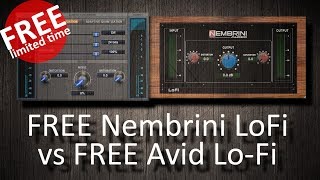
Nembrini LoFi vs Avid Lo-Fi
Andrei Martinez Agras
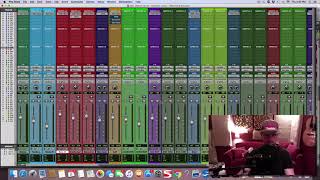
Lo Fi Plugin Pro Tools - Taming Harsh Vocals And Cymbals

The Recording Solution
Reviews
Owner Insights
We analyzed real musician discussions from forums and Reddit to find what players love, question, and tweak about Avid Lo-Fi.
Comparisons
-
Nembrini Audio's Lofi Vintage Clipper is noted to sound identical to Avid's Lo-Fi, though it lacks a sample rate knob.
Source -
Cymatics Origin is mentioned as a good alternative for users seeking a similar sound to Avid Lo-Fi.
Source -
The AIR Lo-Fi has modulation and additional distortion types, offering more creative possibilities compared to Avid's ProTools version.
Source
Features and functionality
-
Avid's Lo-Fi plugin is praised for its smooth vocal processing, attributed to its anti-alias option.
Source -
Anti-alias slider in Lo-Fi may adjust filter cut-off based on source-Nyquist frequency, affecting smoothness and vocal quality.
Source -
The ProTools version of Avid Lo-Fi includes adaptive quantization and specific sample size adjustments, which are not available in the AIR Lo-Fi plugin.
Source
Software and compatibility
Based on 0 Reviews and 0 Ratings
Artist usage
Add artist

Used for J. Cole's feature on 21 Savage's "A Lot", as is visible in the aux "All Vox" in a downloadable photo of the "A Lot" Pro Tools session (available in this .zip file) from this March 2019 Sound on Sound interview with producer Maddmix.
"'All Vox' has the Avid Lo-Fi and Waves RCompressor. I take the Sample Size down to 15 [bits] with the Lo-Fi, which is a trick I learned from Jaycen. It works like a form of compression, and makes the vocals a bit more up-front and louder. The RCompressor is set to a ratio of 2.56 and is there to keep the vocals in place. 'All Drums' has the Acustica Diamond, in a special edition made for Dave Pensado. I felt that the drums needed a little more 100Hz, so I boosted with that plug-in. I like the way it works on the low end. I also used the Lo-Fi on here, on the same 15-bit Sample Size setting as with the vocals."


The original Digidesign version was used on the overhead mics and room mics for Only by the Night, particularly on "Sex on Fire", as stated by Only by the Night producer Jacquire King in this December 2008 Sound on Sound interview. An image of the settings can be found here.
As well as numerous EQ plug–ins (not shown), drum processing encompassed BF76 and Lo–fi plug–ins on overheads and room mics respectively, with reverb courtesy of Altiverb.
(...) Drums: Massenburg DesignWorks EQ, Bomb Factory BF76, Digidesign Lo–fi, Quad 8 EQ, Chandler TG1, Sontec EQ, Audio Ease Altiverb
"I cut the kick around 255Hz to get rid of some honkiness, and added some 11k on the snare, both with the Massenburg DesignWorks. I also cut a tiny bit around 263Hz on the overheads, and sent them through a Bomb Factory BF76, which is a plug–in version of the 1176, just to control the snare transients a little bit in the overhead picture. I also EQed the toms to roll back some of the tubbiness on them. There's a Lo–fi plug-in on Room 1, to take the cymbal wash down and dirty it up; when you reduce the sample rate and bit depth you also lose high frequencies. I cut everything below 206Hz with the Massenburg on the Simmons drums to clean up any unwanted frequencies. For the rest, there's nothing dramatic on the drums, just some specific shaping with digital EQs and opening up the top and bottom with outboard or the Quad 8 EQ. All the drums were bussed and sent to an outboard compressor, the Chandler TG1, for parallel bus compression. I also had a Sontec EQ on the drum bus. The Altiverb works primarily on the snare, kick and toms, just to give them a little bit more space. I set it to a room at Ocean Way Studios, so it's not a big splashy reverb."


Used for the lead and backing vocals on "Rolling in the Deep", as stated by mix engineer Tom Elmhirst in this September 2011 Sound on Sound interview. An image of the settings for "BV's 2" (the second backing vocals track) can be found here, with the caption "The Lo‑Fi plug‑in got another outing on the backing vocals, where some tonal shaping was applied with EQIII."
Vocals: Waves Q6 & De‑esser, Digirack EQIII, Lo‑Fi & Trim, Pultec EQ, Urei 1176, Tube‑Tech CL1B, various spring reverbs and delays.
"I had the Q6 on the chorus vocal, notching out 930, 1634 and 3175 Hz very, very heavily: ‑18dB, ‑18dB and ‑12.1dB respectively, with very narrow Q. I also had the EQIII on the lead‑vocal sub, notching something out again. Something obviously needed to be taken out. The vocal is the most important thing in the track, and taking those frequencies out allowed me to keep it up front in the mix, particularly in the chorus. You can never account for what mic the vocals were recorded on, and whatever it is that bugs me, I can take it out. 'T' on the lead vocal bus is the [Massey] Tapehead plug‑in, which wasn't used, but I did use two Waves De‑essers, one taking out at 5449Hz and the other at 11004Hz. Rather than use one to try to cover all the sibilance I used two. I do that quite often.
"Regarding the outboard, I had the Pultec EQ, Urei 1176 and the Tube‑Tech CL1B on the lead vocal sub insert (desk channel 25). The Pultec boosted around 100Hz and 12k. It's colourful, but not drastic. There was not a lot of gain. The blackface Urei had fast attack and fast release, whereas the Tube‑Tech had slow attack and slow release, it was more evening out the level. You can use compression as an effect, but on the vocal you mainly want control. You want to set it up right so you're not constantly moving the channel fader to fit the vocal in the mix. If you're constantly moving the fader, rather than just doing the occasional ride, you know that you need to look at your compression. There's also Paul's Roland Space Echo track, which I used throughout, and which was the only lead vocal effect in the first chorus. On the backing vocals I had the Digirack Trim, again the Lo‑Fi, and the EQIII, cutting a bit around 405Hz and boosting a little around 3.17k. I used quite a few spring reverbs on the backing vocals, because I wanted them to have a lot more ambience. In the choruses I would also have added several delays. The delays make the backing vocals swing a bit, and they also fill up the space and make sure that they fit in the mix.”


Used on "A Lot", as mentioned by producer Maddmix in this March 2019 Sound on Sound interview and as visible in the aux "All Vox" in a downloadable photo of the "A Lot" Pro Tools session (available in this .zip file).
"'All Vox' has the Avid Lo-Fi and Waves RCompressor. I take the Sample Size down to 15 [bits] with the Lo-Fi, which is a trick I learned from Jaycen. It works like a form of compression, and makes the vocals a bit more up-front and louder. The RCompressor is set to a ratio of 2.56 and is there to keep the vocals in place. 'All Drums' has the Acustica Diamond, in a special edition made for Dave Pensado. I felt that the drums needed a little more 100Hz, so I boosted with that plug-in. I like the way it works on the low end. I also used the Lo-Fi on here, on the same 15-bit Sample Size setting as with the vocals."


Used for the vocals on "Intro", as stated by Kirk mix engineer Kevin "Black Pearl" McCloskey in this December 2019 Sound on Sound interview.
"The JJP Vocals is also on the 'All Vox' bus, which starts with the Pro‑Q3, rolling of 12dB at 80Hz. The lead and hook vocals go to this bus, while the ad libs go straight to the Mix Bus. After the JJP the 'All Vox' bus has the Plugin Alliance Dangerous Music Bax EQ, for some sweetening EQ, with a 2dB boost at 130Hz, a 2.5dB boost at 5kHz, and cutting at 18kHz. Finally, I have the Lo-fi, reducing the sample rate to 15 bits, and with 0.1 distortion and 0.1 saturation, to get the vocals to sound a little more gritty. When the beat is distorted. The vocal would sound out of place if it sounded too clean."
Album Usage
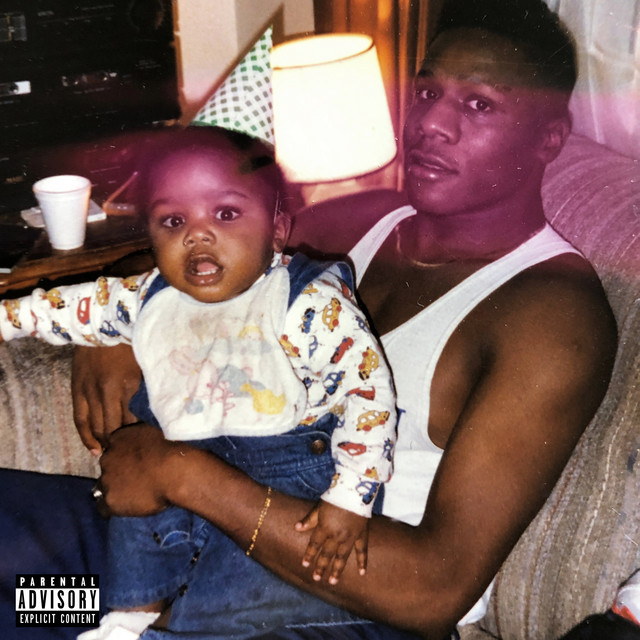
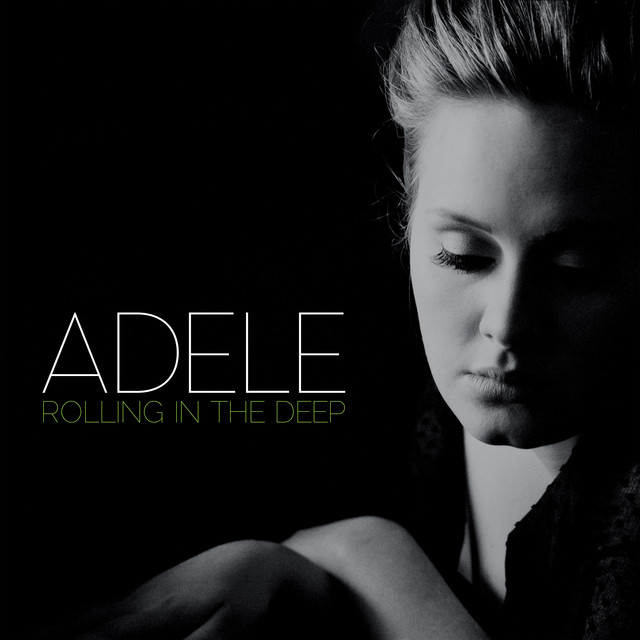
The Avid Lo-Fi has been featured on the following albums:

Genre Usage
Based on how artists on Equipboard use this gear, it is most commonly found in the following genres.
Used With
Based on how musicians on Equipboard use Avid Lo-Fi, it is most commonly used with the following gear.

-s.webp?v=1784988070)


-s.webp?v=1784988158)


More Saturation Plugins
-m.webp?v=1785078109)
$66.00 - $69.00
in Saturation Plugins Rank


$78.70 - $99.00
in Saturation Plugins Rank


-m.webp?v=1784973610)
$33.00 - $39.99
in Saturation Plugins Rank


$30.00 - $1,400.00
in Saturation Plugins Rank


$19.99 - $20.00
in Saturation Plugins Rank


$35.00 - $199.00
in Saturation Plugins Rank


$37.00 - $199.00
in Saturation Plugins Rank


$19.99 - $20.00
in Saturation Plugins Rank


$37.00 - $39.99
in Saturation Plugins Rank


$29.00 - $30.00
in Saturation Plugins Rank


$47.00 - $49.00
in Saturation Plugins Rank


$57.00 - $69.00
in Saturation Plugins Rank


$69.00
in Saturation Plugins Rank


$35.99 - $39.99
in Saturation Plugins Rank


$37.00 - $40.00
in Saturation Plugins Rank

$31.00
in Saturation Plugins Rank


$149.00
in Saturation Plugins Rank

$39.99
in Saturation Plugins Rank


$54.00 - $55.00
in Saturation Plugins Rank


$0.00
in Saturation Plugins Rank

$0.00
in Saturation Plugins Rank


$0.00
in Saturation Plugins Rank
-m.webp?v=1784957888)
$449.00
in Saturation Plugins Rank


$94.00 - $149.00
in Saturation Plugins Rank


$37.00 - $40.00
in Saturation Plugins Rank


$39.00 - $79.00
in Saturation Plugins Rank

$21.90 - $99.00
in Saturation Plugins Rank


-m.webp?v=1783581418)

$83.50 - $99.00
in Saturation Plugins Rank


$47.00 - $49.00
in Saturation Plugins Rank

$37.00 - $40.00
in Saturation Plugins Rank

$33.00 - $35.99
in Saturation Plugins Rank


$32.00 - $49.00
in Saturation Plugins Rank

$0.00
in Saturation Plugins Rank

$29.00
in Saturation Plugins Rank
Community setups


Similar


Gear Guides









Most Popular Saturation Plugins
Most Popular Brands
-
Added to Equipboard on by
 eyeseeofficial
GearIQ 161640
-


