

Pricing and availability
We compare 600+ stores and found this item at 2 stores. Prices updated .
Store
Reviews
Price


Average Price: $189
High-end/Boutique
$49
$130+
Price Tier
Budget
Standard
High-end
Price History
Based on price data from 2 merchants for "FabFilter Pro-R". Prices shown reflect NEW condition. Tracking began Apr 2, 2026.
* Product prices and availability are updated by Equipboard every 24hrs and are subject to change. Equipboard may receive compensation for purchases made at participating retailers linked on this site. This compensation does not affect what products or prices are displayed, or the order of prices listed. For more information, please refer to our affiliate disclosure.
Description
Elevate your mixes to new heights with the FabFilter Pro-R reverb plugin — a revolutionary tool that redefines how musicians and producers shape soundscapes. Hailing from the innovative minds at FabFilter, this plugin is engineered to deliver a seamless blend of user-friendly controls and advanced sonic capabilities, making it an essential addition to any music production setup.
The Pro-R offers a suite of sophisticated reverb algorithms, including Modern, Vintage, and Plate, allowing you to craft spaces that resonate with warmth and authenticity, from intimate rooms to grandiose halls. With its intelligent Auto Gate and Ducking functions, the Pro-R ensures that your mixes remain clear and dynamic, while the Brightness and Thickness controls grant you precise command over the textural nuances of your tracks.
A standout feature of the Pro-R is its ability to import IR files, which are translated into parameters for endless creativity, providing the flexibility to interpret and reimagine real-world environments within your digital audio workstation. The intuitive interface, highlighted by a real-time spectrum analyzer, offers a visual and interactive way to finesse your sound, allowing adjustments to be made with ease and clarity.
Whether you're working on immersive audio, Dolby Atmos projects, or standard stereo mixes, the FabFilter Pro-R empowers you to sculpt your audio environment with unprecedented precision and artistry.
Key Features:
- New reverb algorithms: Modern, Vintage, and Plate
- Auto Gate and Ducking for dynamic control
- Brightness and Thickness parameters for enhanced timbre and texture
- Import and interpret IR files for custom space recreation
- Intuitive interface with real-time spectrum analyzer
- Stepless Space control for seamless room model and decay time blending
- Intelligent Stereo Width control from mono to stereo and beyond
- Extensive post-EQ control for detailed 3D sound design
- Predelay control with optional host tempo sync
- 6-band Decay Rate and Post EQ with various filter types
Product specs
| Software Type | Reverb |
| Platform | Mac, PC |
| Upgrade/Full | Full |
| Download/Boxed | Download |
| Bit Depth | 32-bit, 64-bit |
| Format | AAX Native, VST, VST3, AU, AudioSuite, CLAP |
| Hardware Requirements - Mac | Intel Core 2 Duo or higher, 4GB RAM minimum |
| Hardware Requirements - PC | Intel Core 2 Duo / AMD Athlon 64 X2 or higher, 4GB RAM minimum |
| OS Requirements - Mac | macOS 10.13 or later |
| OS Requirements - PC | Windows 7 SP1 or later |
FAQs
-
What makes FabFilter Pro-R unique compared to other reverb plugins?
-
FabFilter Pro-R is renowned for its intuitive controls like Brightness, Character, and Distance, allowing users to craft complex reverb sounds without technical expertise. Its innovative 6-band Decay Rate EQ and real-time spectrum analyzer further enhance its versatility and ease of use.
-
Is FabFilter Pro-R compatible with my DAW?
-
FabFilter Pro-R supports AAX Native, VST, VST3, AU, AudioSuite, and CLAP formats, ensuring compatibility with most major DAWs on both Mac and PC platforms.
-
Can I use FabFilter Pro-R on both Mac and PC?
-
Yes, FabFilter Pro-R is compatible with both Mac (macOS 10.13 or later) and PC (Windows 7 SP1 or later) systems, requiring at least an Intel Core 2 Duo or equivalent processor and 4GB of RAM.
-
What are the key features of FabFilter Pro-R's interface?
-
The plugin features a Retina interface with a large interactive reverb display, stepless Space control, and multiple interface sizes. It also includes a full-screen mode, MIDI Learn, and supports sample-accurate automation for all parameters.
-
How does FabFilter Pro-R handle stereo width?
-
FabFilter Pro-R includes an intelligent Stereo Width control, allowing users to adjust the stereo image of the reverb effect, making it suitable for a wide range of mixing applications.
Videos

FabFilter
Introduction to FabFilter Pro R reverb
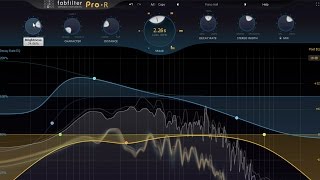
Introduction to FabFilter Pro R reverb
FabFilter

Beginner's Guide to Reverb
FabFilter
Fabfilter Pro-R Tutorial - Everything You Need to Know

Sam Smyers
FabFilter Pro R Explained

Next Level Sound

Rik Simpson's first impression of FabFilter Pro-R
FabFilter
Fabfilter Pro-R Review

White Sea Studio
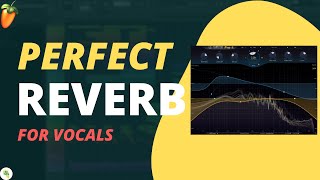
How to mix vocals in fl studio 20 fab filter PRO R | Reverb for beginners

SC TUTS | Music Production Tutorial
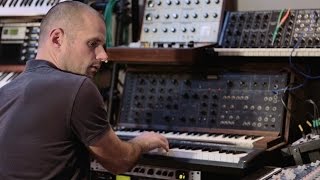
Benno de Goeij's first impression of FabFilter Pro-R
FabFilter

Liam Nolan's first impression of FabFilter Pro-R
FabFilter
Reviews
PROS
-
Competes with top hardware like AMS and Lexicon 480/960
-
Natural and dynamic stereo effect enhances sound
-
Easy-to-use interface with visually appealing design
-
Extensive and high-quality presets, including unique spaces
-
Professional-grade software with satisfying results
-
Excellent for shaping space in a mix
CONS
-
Doesn't behave like traditional reverb, which may confuse some users
Owner Insights
We analyzed real musician discussions from forums and Reddit to find what players love, question, and tweak about FabFilter Pro-R.
Features and functionality
Use cases and applications
-
Utilizing multiple Pro-R instances with bypass automation offers dynamic reverb customization, ideal for large projects with diverse scene requirements.
Source -
Layering multiple reverbs, including Pro-R, can create a more natural reverb texture by softening edges, enhancing realism in sound design.
Source -
Pro-R is praised for its ability to quickly achieve desired reverb sounds without complex adjustments, ideal for users seeking efficiency in mixing.
Source
Comparisons
-
Valhalla reverb plugins are frequently recommended as a more cost-effective alternative to FabFilter Pro-R, especially for those upgrading from stock DAW reverbs.
Source
Critic Reviews
5.0 out of 5
Based on 5 Reviews and 31 Ratings
Best reverb plug-in
I personally tried the plug-in and was really satisfied because I noticed that in addition to the reverb you can hear a natural and beautiful dynamic stereo effect. I must say that many reverb plug-ins do not produce the same effect.

Switched to this one recently
I had been using the Fruity Reverb plugin that comes bundled with FL Studio but found the oprions and presets insufficient for a recent piano melody i was creating.
So I thought of using this one and the results were truly satisfying.The PRO-R is a highly professional piece of software and is a breeze to use.

533
Great sounding, easy to edit reverb plugin.
The Fabfilter Pro-R is the most amazing looking plugin Ive ever seen. The interface is dead easy to use and it sounds amazing. There also are a load of great sounding presets in there, I especially like the more unrealistic spaces.

428
Fabfilter Pro-R
As one of the most used effects in the audio world, reverbs come in all forms and flavors. A great reverb sounds natural and sits in the mix perfectly. At the same time, it should not confuse you with over-technical controls, but must be easy to set up and a joy to work with. Enter FabFilter Pro-R.

Artist usage
Add artist

Dave Pensado praises the FabFilter Pro-R, describing it as groundbreaking and a revolutionary advancement in audio plugins, as noted on FabFilter's official product page.


Appears at 30:58
"...I also have some reverb on it that's giving it some more space. Just a really short reverb. I do this a lot. Fabfilter Pro-R is my favorite reverb by far"


In this video on timestamp 18:43 you can clearly see Renier selecting the FabFilter Pro-R vst for adding reverb to his track.


Used for backing vocals on "Time Flies", as stated by mix engineer Jesse Ray Ernster in this June 2021 Sound on Sound interview.
“The song already felt great after a few minutes of mixing,” Ernster continues. “The reference mix felt good, the beat was solid too. As I mentioned earlier, after that it was a matter of getting the vocals to shine. Dialling in the vocals took quite a bit of time on this song, because there were so many of them. This song was all about the backing vocals, getting them to sit in a place where they can shine and sparkle and just sit perfectly.
“Pretty much every background vocal on the song has the CLA Mix Hub channel strip, doing some high‑pass filtering, some EQ, and compression. I approached this mix a bit like a console mix, and dialling in every background vocal with the Mix Hub got them where I wanted them to be. I did not need 10 plug‑ins to make the background vocals sound good. This plug‑in just lit them up.
“One interesting moment with the backing vocals is in the bridge of the song. Diddy had a vision that these ‘welelel’ vocals would not only be wide but would also be wrapping around, with the panning going from left to right. So I put on the Waves S1 Shuffler, turned up the width knob and then automated the panning. It was a bold Diddy move that really paid off. It became a special moment, and is one of my favourite spots in the song.
“Underneath the ‘welelel’ track are nine backing vocal aux effect tracks, which are a ModDelay 3; 16th‑note, eighth‑note, quarter‑note and half‑note delays (all the Valhalla Delay); a ping‑pong delay (Waves H‑Delay); and all those tracks have sends to a Valhalla Vintage Verb plate and the FabFilfter Pro‑R. And all those feed the BGV FX bus. I was just moving these effects all around until they felt right.
“Burna’s main lead vocal is in red. One technique I learned from my dad is to ride the fader on vocals, so you don’t get the anomalies that you can get when compression is applied to a recorded voice. As I don’t have a fader, I chopped up the vocal and then adjusted the Clip Gain for each phrase. As for processing, I added the Gullfoss EQ, that kind of rides the frequencies, and which I love. I used it on Burna’s voice on most of the album. There’s also a Pro‑Q 3 to notch out some frequencies, and the Acustica Amber 3 EQ, which adds the most gorgeous top end.
“There’s a send on the main lead vocal to an aux with the Soundtoys Devil‑Loc, adding parallel distortion. It’s a bus I try once in a while. If the vocal is sitting where I want it to sit in the mix volume‑wise, but it needs a little bit more glue, body and warmth, I’ll go for the Devil‑Loc. It brings the vocal straight up into your face. If you want a pop vocal that is right on top of everything, this is it.
“I also have other vocal aux effect tracks, ie. different delays, reverbs, pitch‑shifts. I generally do not use reverbs on the lead vocal, but only delays, because they take up less space. Then I’ll have a delay to feed a reverb that can sit in the background. The pre‑delay creates this ocean of ambience that does not take away from the intimacy and upfront nature of the lead vocal.
“There are a couple of tracks called ‘Throw’, and I create those by dragging duplicate audio to a separate track, and then putting an effect on with the mix at 100 percent, in this case Valhalla Delays. I don’t really like using automation on sends and muting and so on, as it’s a really slow workflow. It takes one second to drag down some audio, add a delay and done.
“Below the ‘Throw’ tracks are two Time Adjuster aux tracks and a Valhalla Space Modulator aux track. Together they recreate the Eventide H3000 wide vocal effect. The Time Adjuster plug‑in delays the left and right channels a bit, and one channel has the CLA MixHub to add some distortion and the other channel has the lo‑fi. The Valhalla Space Modulator is followed by a Cranesong Phoenix II, driving really hard in Dark Essence mode. These three go to an aux called ‘SHIFT M’, and it turns a mono vocal into a wide, enveloping, beautiful vocal. Also, there’s a ‘Lead Vocal All FX’ aux with the Pro‑Q 3 EQ that takes out all top and bottom, which you don’t need on vocal effects.”


Anil Öztas has been using the FabFilter Pro-R since 2018, as confirmed by his profile on MyOwnMusic titled "Gitarrenmann."


Seismal D is shown using the FabFilter Pro-R reverb plugin in a photo posted on Instagram by Hypnos Studio.


@15:15 Robin opens up the FF PRO R and tells that he uses this plugin for reverbs.

In a live remix session with Julien Bam, Rezo uses the FabFilter Pro-R reverb plugin, as shown in a YouTube video by Renzo titled "REZO live REMIX Session mit JULIEN BAM, Girl mit den LIKES von Julia Beautx | STREAM HIGHLIGHTS."
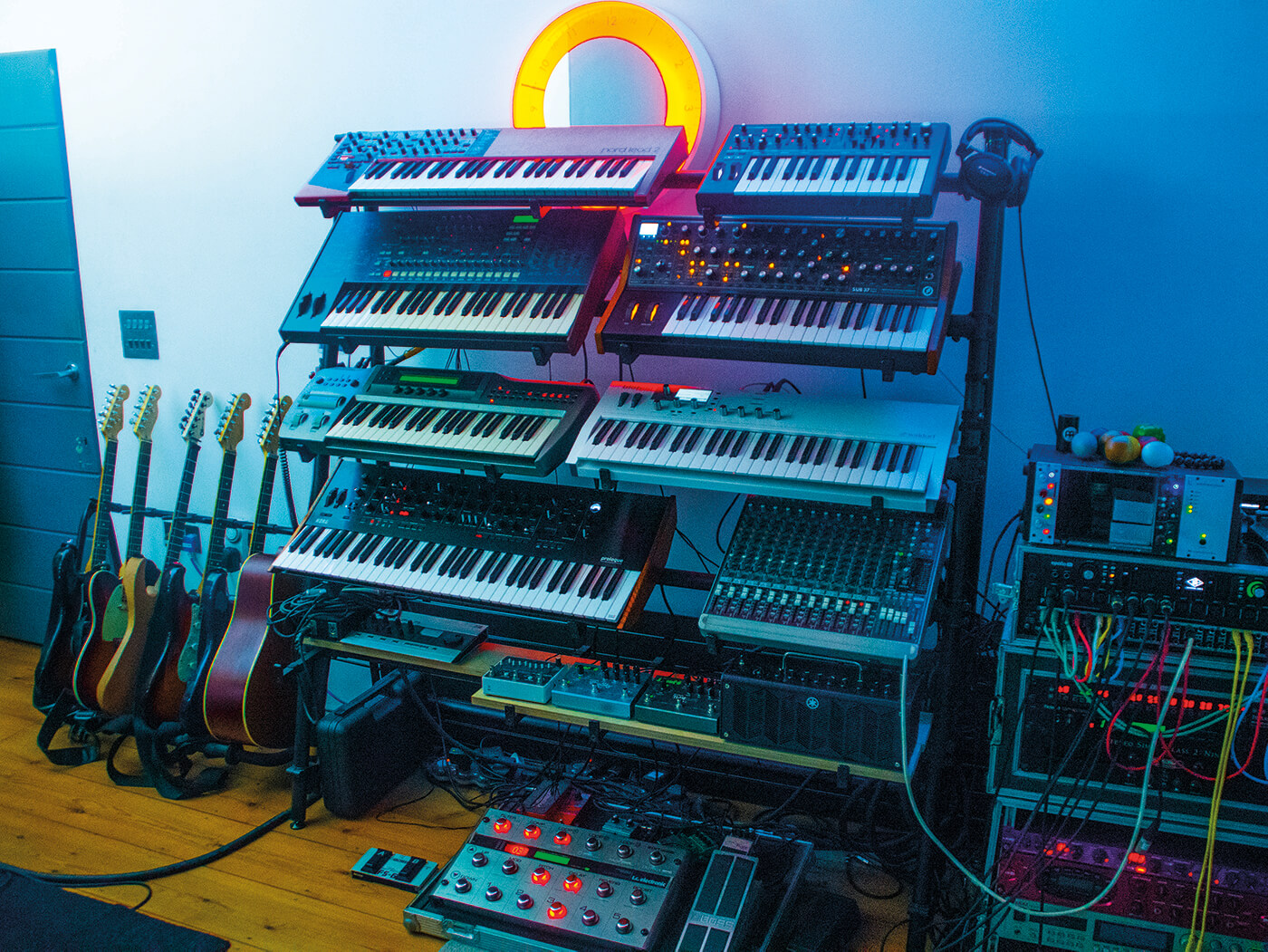
In an interview featured in MusicTech's "Show Off Your Studio," Tim Baker mentions using the FabFilter Pro-R reverb plugin as part of his essential studio setup.


Svetlana Sibirjakowa has confirmed her use of the FabFilter Pro-R, as noted on the MyOwnMusic platform.


Album Usage
The FabFilter Pro-R has been featured on the following albums:






Genre Usage
Based on how artists on Equipboard use this gear, it is most commonly found in the following genres.
Used With
Based on how musicians on Equipboard use FabFilter Pro-R, it is most commonly used with the following gear.


More FabFilter Reverb Plugins


$29.99 - $99.00
in Reverb Plugins Rank


$34.00 - $349.00
in Reverb Plugins Rank


$33.00 - $39.99
in Reverb Plugins Rank


$33.00 - $39.99
in Reverb Plugins Rank


$33.00 - $39.99
in Reverb Plugins Rank


$141.00 - $149.00
in Reverb Plugins Rank


$34.99
in Reverb Plugins Rank


$99.00
in Reverb Plugins Rank


$33.00 - $39.99
in Reverb Plugins Rank


$59.00
in Reverb Plugins Rank

$49.00 - $99.00
in Reverb Plugins Rank


$33.00 - $249.00
in Reverb Plugins Rank


$77.00 - $282.00
in Reverb Plugins Rank


$6.00 - $29.50
in Reverb Plugins Rank

$68.00 - $299.00
in Reverb Plugins Rank


$299.00
in Reverb Plugins Rank


$299.00
in Reverb Plugins Rank


$144.00 - $149.00
in Reverb Plugins Rank

$253.00 - $299.00
in Reverb Plugins Rank

$129.00 - $149.00
in Reverb Plugins Rank

$99.00
in Reverb Plugins Rank


$14.99 - $129.00
in Reverb Plugins Rank

$33.00 - $39.99
in Reverb Plugins Rank


$69.00 - $169.00
in Reverb Plugins Rank

$58.00 - $69.00
in Reverb Plugins Rank

$74.25 - $99.00
in Reverb Plugins Rank

$94.00 - $99.00
in Reverb Plugins Rank


$381.00 - $474.00
in Reverb Plugins Rank


$43.00 - $199.00
in Reverb Plugins Rank


$144.00 - $149.00
in Reverb Plugins Rank

$10.00 - $29.00
in Reverb Plugins Rank

$96.00 - $99.00
in Reverb Plugins Rank


Accessories & Related Items


-s.webp?v=1783260082)
Community setups


Similar


Gear Guides









Most Popular Reverb Plugins
Most Popular Brands
-
Added to Equipboard on by
 josephdbae
Gear IQ 72
-


