



Pricing and availability
We compare 600+ stores and found this item at 2 stores. Prices updated .
Store
Reviews
Price




Average Price: $592
Standard/Professional
$200
$1001+
Price Tier
Budget
Standard
High-end
Price History
Based on price data from 1 merchant for "Slate Raven MTi 2". Prices shown reflect NEW condition. Tracking began Apr 23, 2026.
* Product prices and availability are updated by Equipboard every 24hrs and are subject to change. Equipboard may receive compensation for purchases made at participating retailers linked on this site. This compensation does not affect what products or prices are displayed, or the order of prices listed. For more information, please refer to our affiliate disclosure.
Description
Unleash the full potential of your studio with the Slate Raven MTi 2, a cutting-edge solution for digital audio workstations that seamlessly bridges the gap between traditional tactile control and modern touchscreen technology. The sleek 27" multi-touch display provides an intuitive and immersive mixing experience, letting you manipulate faders, tweak plug-ins, and execute complex macros with a simple touch. Its FADERS 3.0 software offers unprecedented precision, boasting up to eight times the resolution of a classic 100mm fader, ensuring every adjustment is as accurate as it is fluid.
The MTi 2 doesn’t just stop at touch enhancements; it includes a fully customizable RAVEN Toolbar, putting essential DAW controls right at your fingertips. Whether you're a seasoned producer or an aspiring artist, the Batch Command System will revolutionize your workflow by automating up to a thousand commands, making repetitive tasks a breeze. Compatible with a wide range of DAWs like Pro Tools, Logic Pro, and Ableton Live, this control surface is designed to integrate effortlessly into your existing setup.
The display, rated at Full HD 1920 x 1080p resolution, is not only visually stunning but also energy-efficient, with LED backlighting to ensure clarity and comfort during long studio sessions. For those who demand the ultimate in flexibility and productivity, the Slate Raven MTi 2 is not just a tool—it's an essential part of your creative journey.
Key Features:
- 27" multi-touch display with LED backlit screen
- Full HD resolution: 1920 x 1080p
- FADERS 3.0 software for high-resolution control
- Customizable RAVEN Toolbar for personalized workflow
- Batch Command System for executing up to 1,000 commands
- Compatible with major DAWs like Pro Tools, Logic Pro, and Ableton Live
- Connections: USB 2.0, HDMI, VGA
- Includes HDMI cable, USB cable, power supply, and stand
Product specs
| Brand | Slate Media Technology |
| Model | Raven MTi2 Control Surface |
| Finish | Black |
| Year | 2010s |
| Categories | Audio Mixers, Consoles and Summing Boxes |
FAQs
-
What DAWs are compatible with the Slate Raven MTi 2?
-
The Slate Raven MTi 2 is compatible with major DAWs on macOS, including Pro Tools, Logic Pro X, Cubase, Nuendo, Studio One, Ableton Live, and Digital Performer. Windows DAW compatibility is expected soon.
-
What is the screen size and resolution of the Slate Raven MTi 2?
-
The Slate Raven MTi 2 features a 27-inch LED-backlit IPS touchscreen with a resolution of 1920x1080 (Full HD), providing clear and detailed visuals for your mixing tasks.
-
How many touch points does the Slate Raven MTi 2 support?
-
The Slate Raven MTi 2 supports up to 10 simultaneous multi-touch points, allowing for intuitive and precise control over your DAW's interface.
-
Does the Slate Raven MTi 2 include any automation features?
-
Yes, the Slate Raven MTi 2 includes the Batch Commander feature, which allows users to automate complex tasks within their DAW, streamlining the workflow significantly.
-
Is the Slate Raven MTi 2 suitable for both beginners and advanced users?
-
The Slate Raven MTi 2 is designed to enhance the workflow of both beginners and advanced users by providing an intuitive multi-touch control surface that simplifies DAW interaction and increases efficiency.
Videos

Production Expert
Slate Raven 2.0 Review
Slate Raven 2.0 Review
Production Expert
remove back of RAVEN MTi2

Steven Slate Audio
Reviews
PROS
-
Streamlines workflow, improving productivity
-
Speeds up work with fewer mouse clicks
-
Powerful batch command system with customizable shortcuts
-
Fine faders option offers precise control
-
Customizable touchscreen layout for personal workflow
-
Multitouch is accurate and responsive
-
Integration with various DAWs enhances control
-
Large touchscreen improves plugin control and automation
-
Low processing power required for operation
-
High-quality display, comparable to Apple products
CONS
-
Requires additional software licenses for each DAW
-
Initial setup can be complex and frustrating
-
Learning curve and adjustment period needed
-
Touchscreen accuracy may vary, especially for smaller controls
-
Slate software issues reported by some users
-
Not a complete replacement for mouse and keyboard
-
Expensive compared to other options
-
Some features, like batch commander, might not be useful for all workflows
-
Installation instructions can be confusing
-
Large screen, but touch precision issues for detailed tasks
Owner Insights
We analyzed real musician discussions from forums and Reddit to find what players love, question, and tweak about Slate Raven MTi 2.
Features and functionality
-
Switching from window swap mode to normal mode can improve latency issues in the mixer section.
Source -
The Raven MTi 2 can make zooming and scrolling intuitive, but the touch interface may become cumbersome for frequent use in editing tasks.
Source -
The Raven MTi 2 requires a tilted screen at around 45 degrees and an additional upright screen to prevent user slouching during extended use.
Source
Software and compatibility
-
Ensuring the HDMI cable is connected directly to the graphics card, not a USB dongle, may enhance performance.
Source -
Adjusting the screen refresh rate in Windows to the highest supported by the Raven might help with responsiveness.
Source -
Using the fastest possible USB connection, potentially swapping cables for USB-C, can reduce data transfer errors.
Source -
The Raven software may be buggy, especially on Windows, but performs well on macOS, making plugin manipulation seamless.
Source -
The Raven's interface on Logic Pro can reduce visible tracks in the edit window due to its screen overlays.
Source
User experience
-
The Raven MTi 2 may exhibit more latency when running resource-heavy software like Pro Tools compared to other touchscreens like the EuCon Artist Control.
Source -
Setup can be complex, involving multiple app installations, which may affect initial user experience.
Source -
Users with calloused fingers, such as guitarists, may find touchscreen interactions inefficient and require frequent cleaning of the screen for accurate control.
Source
Use cases and applications
-
Owners recommend the Raven MTi 2 for plugin manipulation rather than for tasks requiring tactile feedback, like fader adjustments.
Source -
The Raven MTi 2 is better suited for selecting keyboard patches and guitar presets rather than precise mixing tasks, allowing simultaneous plugin adjustments while playing.
Source
Comparisons
-
For those valuing physical faders, an Avid S3 or SSL Nucleus might be more satisfying alternatives to the Raven for tactile control.
Source -
Many users prefer digital DAW controllers like the PreSonus FaderPort or Softube Console1 for more tactile control, citing better precision and ease of use.
Source
3.5 out of 5
Based on 2 Reviews and 4 Ratings

1874
The Future of Control
It may be a relatively NEW approach
But I believe this is the Future way of Designing MUSIC & this Product is a most Amazing Start
Its almost Rolls Royce IMHO & I feel like I'm in 'Star Trek' working this way
Don't think I can just go back to my mouse & digital fader pot controller - Nope
Much More HUMAN way of Working & Interfacing My Computer

5453
Use the touch screen about 5% of the time
Honestly? I use the touch screen about 2% of the time. The "Batch Commander" is more or less useless for my work flow. Keyboard shortcuts work just fine. It is occasionally a nice but unneeded luxury in my opinion. It is nice on the resolution front tho their are better out there-cheaper too.
I bought this with EVERY intention on returning it-just wanted to try it out as a novelty. However the return window fell over the holidays, I got busy, & well now I own it. When that happened I really tried to integrate it into my work flow (batch commander, etc.) but in the end? Yeah, it's just a needless luxury.
Wanna buy it?! I'd happily sell it to move into a 2 screen or crazy wide screen system.
Artist usage
Add artist

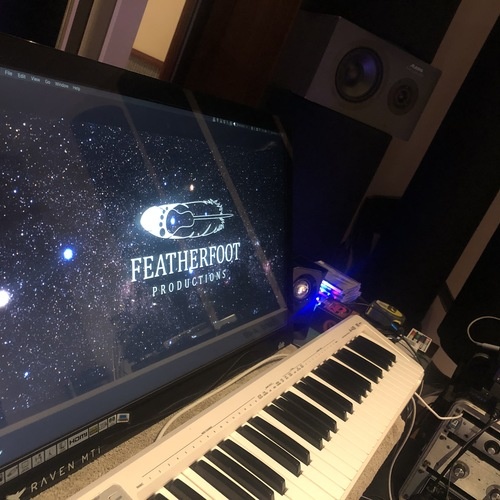
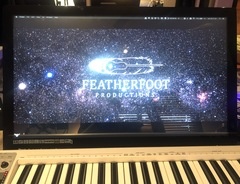
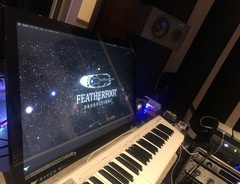
Mentioned by Zedd in this November 2017 Sound on Sound interview. It is visible in this photo and this photo, both from the same interview.
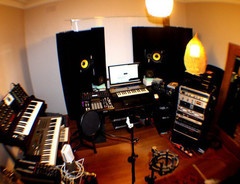
For a while, Zaslavski worked in Interscope’s studio in Los Angeles, but two years ago he moved to the Hollywood Hills, where he set up a studio in his house. “I don’t need a lot of gear. All I have here are my Augspurger speakers, the large ones you find in most big commercial studios, two small, five-inch KRK monitors, a Mac Pro with Cubase, an [Antelope Audio] Orion soundcard, a Slate Raven controller screen, a Slate Digital Virtual Microphone System, two MIDI keyboards — the Roland SV1 Stage Vintage and the Nord Stage EX88 — plus a very small two-octave MIDI controller with tiny keys, just to be able to really quickly check a synth sound or a sample."


At 7:59 you can see Anirudh has the Slate Raven MTi2 on his desk.


oak felder uses a slate raven mti 2 as a computer monitor

.jpg)
Genre Usage
Based on how artists on Equipboard use this gear, it is most commonly found in the following genres.
Used With
Based on how musicians on Equipboard use Slate Raven MTi 2, it is most commonly used with the following gear.


-s.webp?v=1784339190)



Community setups
Show yoursMore Mixers

$28.00 - $415.00
in Mixers Rank


$677.00 - $989.00
in Mixers Rank


$1,462.00 - $1,999.00
in Mixers Rank


$214.62 - $250.74
in Mixers Rank


$120.00 - $449.99
in Mixers Rank


-m.webp?v=1784844581)
$340.43 - $379.00
in Mixers Rank


$219.00 - $329.99
in Mixers Rank


$45.30 - $89.00
in Mixers Rank


$180.25 - $219.99
in Mixers Rank


$200.00 - $573.74
in Mixers Rank


$129.00 - $209.00
in Mixers Rank


$1,743.35 - $3,299.99
in Mixers Rank


$310.00 - $479.99
in Mixers Rank


$188.00 - $309.00
in Mixers Rank


$75.00 - $329.99
in Mixers Rank


$140.61 - $169.00
in Mixers Rank


$65.00 - $219.50
in Mixers Rank


$277.00 - $382.00
in Mixers Rank


$244.00 - $399.99
in Mixers Rank


$35.00 - $295.00
in Mixers Rank


$205.00 - $329.00
in Mixers Rank


$662.91 - $1,271.95
in Mixers Rank


$99.00 - $179.00
in Mixers Rank


-m.webp?v=1784815404)
$1,900.00 - $2,999.99
in Mixers Rank


$1,006.00 - $1,499.99
in Mixers Rank


$14.60 - $45.00
in Mixers Rank


$659.00 - $1,159.99
in Mixers Rank


$999.00 - $1,049.99
in Mixers Rank


$129.99 - $176.99
in Mixers Rank


$190.75 - $229.99
in Mixers Rank


$416.00 - $679.99
in Mixers Rank


$979.00 - $1,199.00
in Mixers Rank


$1,049.00 - $1,649.00
in Mixers Rank


$363.00 - $449.99
in Mixers Rank


$539.00 - $799.99
in Mixers Rank
Similar


Gear Guides








Most Popular Mixers
Most Popular Brands
-
Added to Equipboard on by
xaqaryGearIQ 5453
-


