

Pricing and availability
We compare 600+ stores and found this item at 4 stores. Prices updated .
Store
Reviews
Price



Price History
Based on price data from 2 merchants for "Universal Audio Roland Dimension D Plug-In". Prices shown reflect NEW condition. Tracking began Apr 2, 2026.
* Product prices and availability are updated by Equipboard every 24hrs and are subject to change. Equipboard may receive compensation for purchases made at participating retailers linked on this site. This compensation does not affect what products or prices are displayed, or the order of prices listed. For more information, please refer to our affiliate disclosure.
Description
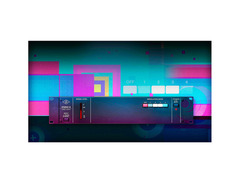
Step into the world of sonic elegance with the Universal Audio Roland Dimension D Plug-In, a digital recreation of the iconic Roland Dimension D hardware. Revered for its subtle yet powerful spatialization capabilities, this plug-in is a must-have for producers aiming to infuse their tracks with a rich, three-dimensional quality. Originally introduced in 1979, the Dimension D became a secret weapon for artists like Brian Eno and Stevie Ray Vaughn, thanks to its ability to enhance audio without overwhelming it.
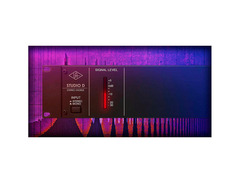
This plug-in faithfully captures the original's simplicity, featuring four intuitive push-buttons that offer varying levels of effect intensity. Engage all buttons for an exclusive modulation option, providing a wide palette of sonic possibilities. What sets the Dimension D apart is its unique 1024 bucket-brigade delay stages per channel, delivering a lush stereo image that defies traditional chorus expectations.
Whether you're looking to add depth to background vocals, sweeten bass lines, or create floating guitar and synth textures, the Dimension D plug-in provides unparalleled versatility. It's an essential tool for any engineer wishing to create subtle movement and interest without resorting to compression, EQ, or reverb. Available for Mac and Windows, this plug-in runs natively or with accelerated performance on Apollo interfaces and UAD-2 hardware, making it accessible for all types of setups.
Key Features:
- Authentic emulation of the Roland Dimension D
- Four push-button controls for effect intensity
- Supports Mac and Windows systems
- 1024 bucket-brigade delay stages per channel
- Compatible with Apollo interfaces and UAD-2 hardware
- Ideal for enhancing vocals, bass, and synth textures
Product specs
| Software Type | Studio D Chorus |
| Platform | Mac, PC |
| Upgrade/Full | Full |
| Download/Boxed | Download |
| Bit Depth | 64-bit |
| Format | AAX, AU, VST3 (UAD Native), UAD DSP |
| Authorization Type | iLok Account Required (UADx Native version) |
| Hardware Requirements - Mac | Intel Core 2 Duo or higher, 4GB RAM minimum |
| Hardware Requirements - PC | Intel Core 2 Duo / AMD Athlon 64 X2 or higher, 4GB RAM minimum |
| OS Requirements - Mac | macOS 10.15 or later |
| OS Requirements - PC | Windows 10 or later |
FAQs
-
What kind of effects can I achieve with the Universal Audio Roland Dimension D Plug-In?
-
The Universal Audio Roland Dimension D Plug-In delivers lush, analog-style chorus effects, ideal for adding subtle depth or creating expansive, wide stereo imaging on vocals, guitars, and synths.
-
Is the Universal Audio Roland Dimension D Plug-In compatible with my DAW?
-
This plug-in is compatible with DAWs that support AAX, AU, and VST3 formats, including popular options like Pro Tools, Logic Pro, and Ableton Live.
-
What are the system requirements for running the Universal Audio Roland Dimension D Plug-In on a Mac?
-
To run this plug-in on a Mac, you need macOS 10.15 or later, an Intel Core 2 Duo or higher processor, and at least 4GB of RAM.
-
Do I need an iLok to use the Universal Audio Roland Dimension D Plug-In?
-
Yes, an iLok account is required for authorization of the UADx Native version of the Universal Audio Roland Dimension D Plug-In.
-
Can I use the Universal Audio Roland Dimension D Plug-In on a Windows PC?
-
Yes, the plug-in is compatible with Windows 10 or later, requiring an Intel Core 2 Duo / AMD Athlon 64 X2 or higher processor and a minimum of 4GB RAM.
Videos

Production Expert
Review Of Universal Audio UAD Dimension D - Extended Video
Review Of Universal Audio UAD Dimension D - Extended Video
Production Expert
Mixing With Mike Plugin of the Week: The UA Roland Dimension D

Mixing With Mike
Universal Audio Roland Dimension D - PLUGIN

Home Recording Made Easy
Reviews
Owner Insights
We analyzed real musician discussions from forums and Reddit to find what players love, question, and tweak about Universal Audio Roland Dimension D Plug-In.
Software and compatibility
-
The plugin is now listed as STUDIO D CHORUS due to licensing changes, causing activation confusion for existing users looking for Roland branding.
Source -
Despite the name change, previous Roland Dimension D plugins remain active for compatibility purposes, similar to the 4k channel strip approach.
Source
Comparisons
-
The Roland Dimension D is notably different from Soundtoys Microshift, which emulates dual Eventide H910s, and Waves Doubler, a versatile DDL and pitch-shifter.
Source
Use cases and applications
-
The Dimension D excels in creating unique chorus effects distinct from the Roland/Boss chorus line, ideal for adding subtle depth to vocal tracks.
Source -
Using dual Eventide H910s for a wide echo/chorusing effect, often with one pitched up and one down, creates a distinctive sound that differs from Dimension D’s smooth chorus.
Source
Features and functionality
-
Waves Doubler offers extensive modulation options, allowing it to mimic basic chorus effects and more complex dual pitch-shifter effects, unlike the simpler Dimension D.
Source
5.0 out of 5
Based on 0 Reviews and 2 Ratings
Artist usage
Add artist.jpg?v=1784891692)
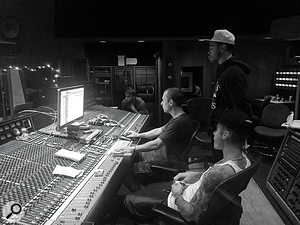
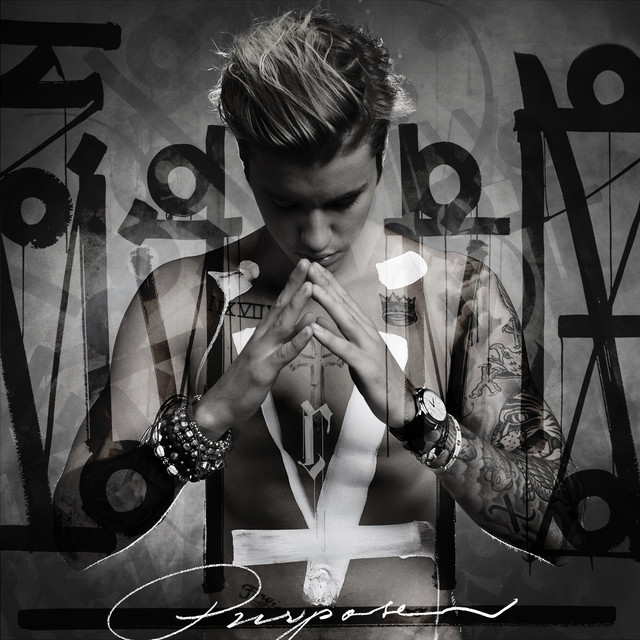
Used on Purpose, as stated by mix engineers Josh Gudwin and Andrew Wuepper in this May 2016 Sound on Sound interview about the mixing of the title track and others.
Gudwin picks out a few other interesting tracks, beginning with a vocal track named ‘vcls’. “That track contains a vocal sample that Blood made of Justin’s vocal. I’m just touching that with the LFO Tool for a bit of pumping, I take out some high frequencies with the Pro-Q 2, and then use the SoundToys Microshift for a slight pitch-shift/chorusing effect. ‘Sry1V’ below that is the vinyl sound in the track. ‘$JBU’ is the main lead vocal bus, on which I have the UAD 1176, Waves De-Esser, Manley Massive Passive, Metric Halo Channel Strip. The sends are to the generic aux tracks at the bottom of the sesion: verb, ping-pong delay, Dimension D. Below the lead vocal bus is the print track of a Bricasti outboard.”
Wuepper: “There are two tracks called ‘Bric’ around the main vocal bus; the one above is the print from the Bricasti effect that was used on the percussion, and the one below is the print of the Bricasti reverb on the vocal. Next are Josh’s vocal delays. Putting delays on audio snippets [ie. copying short vocal clips to new tracks and applying delays as inserts, rather than automating a send from the main vocal track] is a pretty interesting way of doing things. I’ve not seen anyone else do this, but it makes it easier for Josh to manipulate these delays and to go deeper into the effect. He can really fine tune the delay times and decay lengths and so on. Sometimes the feedback you get with plug-ins can act a little weird, and this approach allows him to have more control.”
Gudwin: “The five green tracks are all vocal throws and delays. I don’t like to automate delay throws via aux tracks. The top green track is the master track for the delays, ‘JB Throw All’, and it has a compressor and an SPL Vitalizer. The ‘1147’ delay track has the UAD Cooper Time Cube, with a quick ping-pong-y flutter delay that I use to widen, and the track called ‘1167’ has a basic eighth-note delay from the Echo Boy. The ‘A’ insert is Auto-Tune, but it’s not working on these tracks. When needed, our vocal tuning is normally done by Chris ‘Tek’ O’Ryan in Melodyne. I sometimes do it myself, if I have the time do it, in the stand-alone version.
“The blue vocal tracks below the vocal delay tracks are the main lead vocal comp tracks, and on many of them I have the UAD SSL Channel Strip, UAD LA-2A, and the Waves C6 multiband compressor, and sometimes also the Pro-Q 2 EQ. The ‘DLYP’ track has a delay pan effect, with the SoundToys Primal Tap delay and Panman auto-panner, SSL Channel Strip and the P&M Vinylizer. ‘White’ and ‘Master’ are printed reverbs recorded in two rooms at Henson. They are my main plug-in vocal reverbs, and the green tracks below are pitched with the Elastic Audio X-Form [in Pro Tools] and effected with the Waves H-Compressor for a pumping effect. I pitched the reverbs up an octave or two, and I mixed them in very low. The ‘PCM’ and ‘PC1’ tracks are prints from ping-pong delays from the Lexicon PCM42 outboard.
“Justin’s backing vocal tracks all go to the group track called ‘JBG1’, on which I have a Waves De-esser, an SSL Channel and the C6 multiband compressor, plus there are a number of delays and reverbs via the sends. Trevon’s backing vocals all go to ‘JBTR’, which has similar effects. I wanted to fill the song up a bit more, and sometimes it’s not the most enjoyable process for an artist to sing all these background parts. Plus a different vocalist will add a different texture to the song, as long as it complements the lead vocal and the record. As I mentioned, Julia added her vocals during the final mix in New York, and her group track also has the De-esser, SSl Channel and C6. Right at the bottom are some effects tracks, with the Dimension D and group delay throws, and so on.
(...) 'Love Yourself'
(...) Next are Justin’s vocals, with I overdubbed in New York. Almost all the regular vocal tracks have the UAD SSL Channel, LA2 and the Waves C6 multiband compressor. These three plug-ins work great on his vocals, so I tend to stick with them. Each of the vocal tracks has slightly different settings from them. They all go to Justin’s lead vocal bus above them, which has the FabFilter Pro-DS de-esser and the Pro-2 EQ. Justin’s lead vocals also go through the Bricasti, and the effect is printed. My own four backing vocals went through a vocal bus on which I had the SSL Channel, and a compressor, but they didn’t do much, nor did the sends. These vocals are very much in the background, I just wanted to add some texture really quickly. Finally, at the top of the session everything went through a Master track, on which I had the UAD SSL channel, mainly for compression set to mid-attack and auto-release — without drums you don’t need the slow attack and quick release — a Massey EQ, boosting 100Hz and 16kHz, a FabFilter Pro-L for level, and the Sonnox Oxford Inflator to add some sheen.”
'What Do You Mean?'
(...) “There were a few more complicated vocal effects, like the ‘JG FX’ track, on which I used the Vitalizer doing some spatial expanding, a UAD Fatso to thicken it up, and I then cut some low mids with an EQ, and used a de-esser. This effect track gave more depth to the vocal and made him sound more like an angel! Underneath that are two ‘Radio’ tracks [which sound like they could have come straight from Peter Gabriel’s ’80s Fairlight experiments]. I used Auto-Tune to pitch the vocals up, and then put on a SoundToys AlterBoy, which changed the formant, and then I’m filtering 350Hz and below.
“Below the ‘radio’ tracks are all my vocal delay tracks, in green as usual, with the bus for all delay throws at the top. One delay track, ‘Splaater’, is a flutter delay with Auto-Tune and the Cooper Time Cube, and the other two have the Waves H-Delay and SoundToys Echo Boy. They’re both quarter-note delays, but with different feels. Below the delay tracks are some ad lib tracks, and all the actual lead vocals, pulled out over several tracks. Most of them have my regular trio of UAD SSL Channel, LA2 and Waves C6 plug-ins, and all vocals are sent to the ‘JB Buss’, on which I have the FabFilter DS de-esser, a Manley EQ doing light cuts at 330Hz, 560Hz and 3kHz, and then a whole bunch of sends to my regular aux tracks at the bottom: a hall reverb, a plate reverb, a light quarter-inch delay, a light ping-pong delay and a Dimension D.
“Further down are four Justin backing vocal tracks, which go to a bus above them, ‘JBG1’, on which I have the SSL Channel, boosting highs and cutting lows and doing some heavy compression, a UAD 33609 compressor, and then the Waves Enigma [phaser/flanger] on a Mutron setting, adding some sweeping sounds. The sends are once again hall and plate reverbs, a quarter-note and a ping-pong delay and a UAD Roland Dimension D. Once Justin had decided to go with my rough mix, I spent another half hour on it, doing some EQ adjustments, and that was it.”

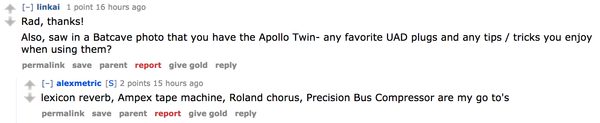
According to his reddit ama, one of Alex Metric's go-to UAD plugins is the "Roland chorus," which refers to the UAD Roland Dimension D Plug-In. Original source here.


Phillips states in this interview: "For effects, I use a Roland Dimension D; Strymon BlueSky reverb and Timeline delay; and T-Rex and Coopersonic overdrives, plus old faithfuls like the MXR Dyna Comp and Phase 100. I even have my old green Roland Chorus/Space Echo for occasional use."


In an article from Soundonsound titled "Chris & Cosey: 2 Unlimited," Chris & Cosey are mentioned using the Universal Audio Roland Dimension D Plug-In, listed as the tenth item under processors.

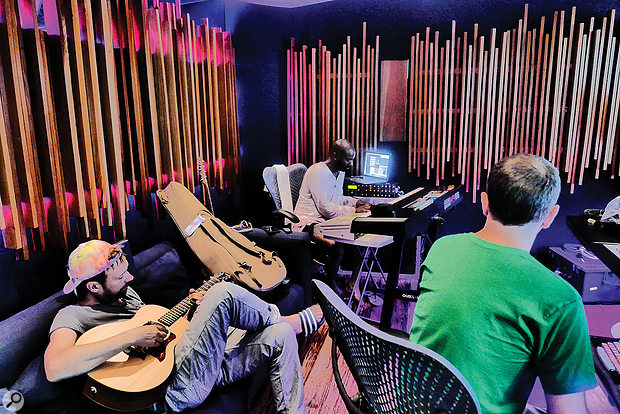
Used for Jones' vocals on Gorillaz's "Charger", as mentioned by recording engineer Stephen Sedgwick in this July 2017 Sound on Sound interview about the production of Humanz.
“Grace Jones’s vocal tracks were sent through the Roland RE201 Space Echo. I also had hardware compression on her, and then printed her vocals back in Pro Tools and added a Waves Renaissance Compressor just doing a bit of level control. Again, I just had fun with the Space Echo, and did loads of different passes. It’s more fun to use your hands like that, and you come up with stuff you would not do with a plug-in. All of a sudden the delay will hit a dirty bit of tape and you get a little glitch in there that repeats. These are the little bits of magic that you can’t get from the software. I presented what I had done to the guys and they edited it. You can still see this in the muted parts where I had done things they did not use. Tracks 75-77 are a reverse reverb on some of Grace’s vocals, leading into some words. I did these in Pro Tools. I would have taken her first word, printed it with a long reverb on it, probably just from the [Avid] D-verb, reversed it, and then put a UAD Dimension D on it to make it stereo.”
Album Usage
The Universal Audio Roland Dimension D Plug-In has been featured on the following albums:
Genre Usage
Based on how artists on Equipboard use this gear, it is most commonly found in the following genres.
Used With
Based on how musicians on Equipboard use Universal Audio Roland Dimension D Plug-In, it is most commonly used with the following gear.

-s.webp?v=1784871698)





More Universal Audio Chorus Plugins

$29.00 - $169.00
in Chorus Plugins Rank


$29.00
in Chorus Plugins Rank


$28.00 - $29.00
in Chorus Plugins Rank

$0.00
in Chorus Plugins Rank


$0.00
in Chorus Plugins Rank


$14.00 - $29.99
in Chorus Plugins Rank


$0.00
in Chorus Plugins Rank

$29.00 - $99.00
in Chorus Plugins Rank


$99.00 - $111.00
in Chorus Plugins Rank


$54.00 - $55.00
in Chorus Plugins Rank


$39.90 - $46.79
in Chorus Plugins Rank


$49.00 - $99.00
in Chorus Plugins Rank


$39.00
in Chorus Plugins Rank


-m.webp?v=1784455240)
$38.00 - $39.00
in Chorus Plugins Rank
-m.webp?v=1783411390)


Accessories & Related Items




Community setups


Similar


Gear Guides









Most Popular Chorus Plugins
Most Popular Brands
-
Added to Equipboard on by
 jumpsmokers
GearIQ 203
-



